
Walfront 30A Solar Charge Controller User Manual
Model: BSC3048
Intelligent Regulator for 12V/24V/36V/48V Battery Systems
1. Introduktion
This manual provides essential information for the safe and efficient operation of your Walfront BSC3048 Solar Charge Controller. Please read this manual thoroughly before installation and use to ensure optimal performance and longevity of the product.
1.1 Sikkerhedsforanstaltninger
- Sørg for, at alle forbindelser er korrekte og sikre, før du tilslutter strømmen.
- Forsøg ikke selv at reparere eller modificere styreenheden. Kontakt kvalificeret personale.
- Install the controller in a well-ventilated, dry environment, away from direct sunlight and moisture.
- Tilslut altid batteriet først, derefter solpanelet og til sidst belastningen. Frakobl i omvendt rækkefølge.
- Brug passende personlige værnemidler (PPE) under installationen.
2. Produktet er slutview
The Walfront BSC3048 is an intelligent solar charge controller designed for various battery types and voltage systems (12V/24V/36V/48V). It features automatic voltage recognition and customizable parameters for flexible battery management.

Figur 2.1: Forside view of the Walfront BSC3048 Solar Charge Controller, showing the LCD display, USB ports, and control buttons.
2.1 Nøglefunktioner
- Automatic identification of 12V/24V/36V/48V system voltage.
- Compatibility with sealed, gel, flooded, lithium iron, and ternary lithium batteries.
- Customizable charging parameters for other battery types.
- Dual USB 5V/2A output for charging external devices.
- LCD display for real-time monitoring of system status.
- Integrated protection functions against overcharge, over-discharge, short circuit, and reverse polarity.
3. Installation og opsætning
Follow these steps carefully to install your solar charge controller. Incorrect wiring can damage the controller, battery, or solar panel.
3.1 Ledningsrækkefølge
- Tilslut batteriet: Connect the battery to the controller's battery terminals (positive to positive, negative to negative). The controller will automatically detect the battery voltage. Ensure the battery is charged enough for the controller to recognize it.
- Tilslut solpanelet: Connect the solar panel to the controller's solar panel terminals (positive to positive, negative to negative).
- Tilslut belastningen: Connect the DC load to the controller's load terminals (positive to positive, negative to negative).

Figur 3.1: Side view illustrating the connection terminals for battery, solar panel, and load.
Important: Disconnect in the reverse order: first load, then solar panel, then battery.
4. Betjening
4.1 LCD-skærm og knapper
The controller features an LCD display that shows real-time system information and two buttons for navigation and settings adjustment.

Figure 4.1: Close-up of the LCD display, showing battery voltage (e.g., 14.4V) and charging status icons.
The display typically shows battery voltage, charging current, discharging current, and various status icons (solar charging, load discharging, battery level, etc.).
4.2 Indstillinger for batteritype
The controller supports various battery types. The default setting is for sealed lead-acid batteries. To change the battery type or customize parameters:
- Press and hold the menu button (usually the left button) for 5 seconds to enter the settings menu.
- Brug navigationsknapperne til at rulle gennem mulighederne.
- Select the desired battery type (e.g., GEL, FLOODED, LI-ION, LiFePO4) or parameter to adjust.
- Confirm your selection or adjustment.
Refer to the detailed parameter table in the full manual for specific voltage settings for each battery type if customization is required.
5. Vedligeholdelse
Regelmæssig vedligeholdelse sikrer din solcelleladeregulators levetid og optimale ydeevne.
- Renhed: Keep the controller clean and free from dust. Use a dry cloth to wipe the surface.
- Forbindelser: Kontrollér regelmæssigt alle ledningsforbindelser for tæthed og korrosion. Løse forbindelser kan forårsage overophedning og skader.
- Ventilation: Ensure the installation area has adequate ventilation to prevent overheating. The controller's fins are designed for heat dissipation.
- Batteriets sundhed: Monitor your battery's health and electrolyte levels (for flooded batteries) as per the battery manufacturer's recommendations.
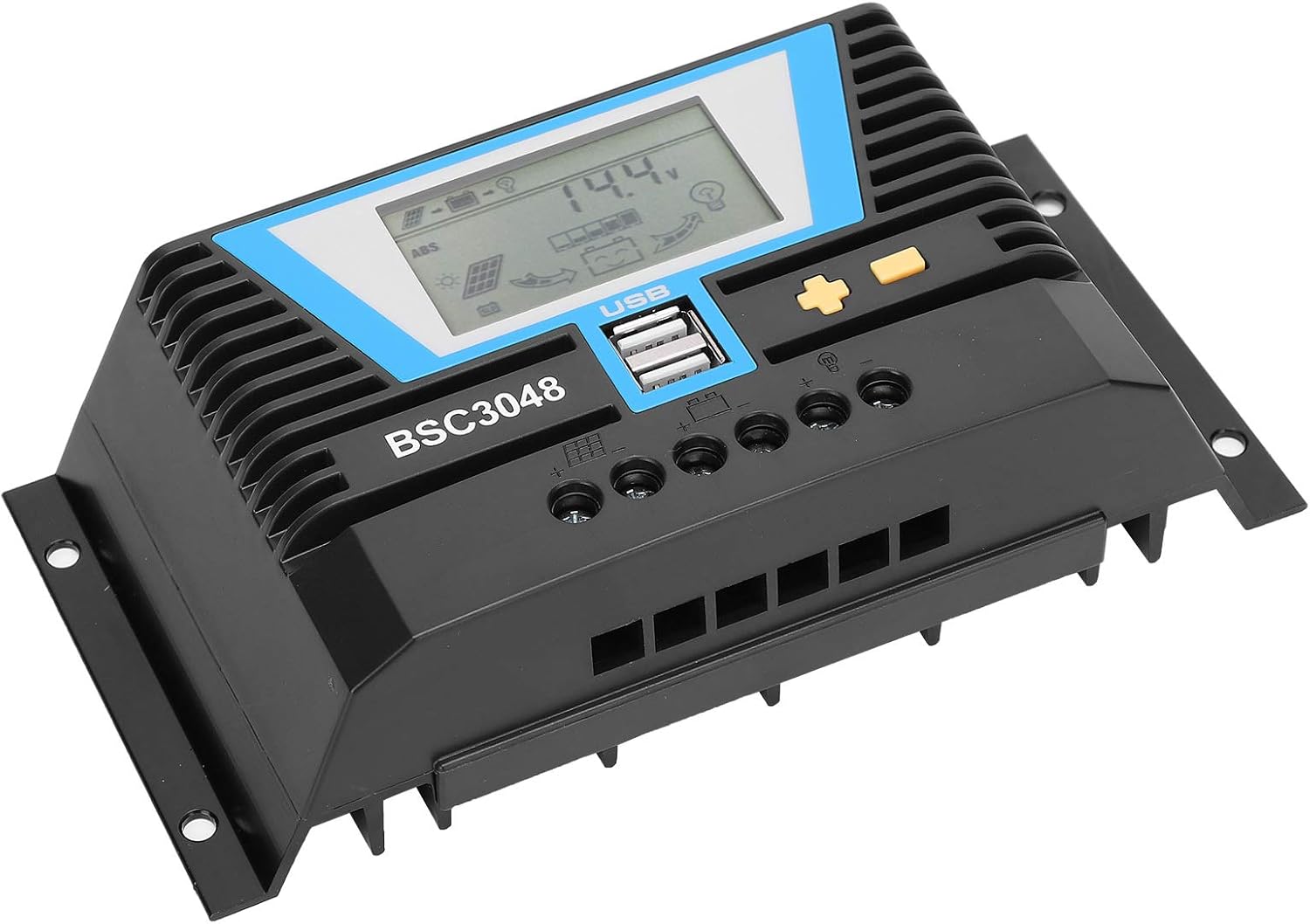
Figur 5.1: Vinklet view highlighting the heat dissipation fins on the controller's casing.
6. Fejlfinding
If you encounter issues with your solar charge controller, refer to the following common problems and solutions.
| Problem | Mulig årsag | Løsning |
|---|---|---|
| Controllerens display er slukket. | Batteri ikke tilsluttet eller lav spændingtage. | Check battery connections. Ensure battery voltage er over minimumsdriftsvolumentage. |
| Batteriet oplades ikke. | Solar panel not connected, insufficient sunlight, or faulty panel/wiring. | Check solar panel connections. Ensure adequate sunlight. Test solar panel voltage. |
| Indlæsningen virker ikke. | Load disconnected, over-discharge protection, or faulty load. | Check load connections. Ensure battery is sufficiently charged. Test the load directly. |
| Error Code E11 (as reported by a user review). | Specific error code, possibly related to internal fault or sensor issue. | While this manual does not list specific error codes, an E11 error may indicate a system fault. Try disconnecting all power (solar, battery, load) for a few minutes, then reconnect in the correct sequence (battery first). If the error persists, contact Walfront customer support. |
7. Specifikationer
| Parameter | Værdi |
|---|---|
| Nominel strøm | 30A |
| Bedømt arbejdsvolumentage | 12V/24V/36V/48V (Auto-sensing) |
| Solpanelindgang Voltage | ≤100V |
| Statisk tab | ≤20mA |
| Loop Pressure Drop | ≤0.3V |
| USB udgang | 5V/2A x 2 |
| Arbejdstemperatur | -20℃ til +55℃ |
| Vandtæt niveau | IP30 |
| Relativ luftfugtighed | ≤95%, ingen kondens |
| Terminal ledningsstørrelse | 6AWG/16mm² |
| Materiale | Teknisk plast |
| Varens vægt | 1.07 pund (484 gram) |
8. Garanti og support
For warranty information and technical support, please refer to the documentation provided with your purchase or contact Walfront customer service directly. This manual does not contain specific warranty terms or contact details.
Du kan besøge Walfront Store on Amazon for mere produktinformation.