
1. Produktet er slutview
The Prolink PRO1501SFCU is a 1500VA/900W single-phase output Line-Interactive Uninterruptible Power Supply (UPS) system. It features PROLiNK’s Super-Fast Charging technology, allowing the battery to recharge to 90% capacity within 2-4 hours. An Advanced Early Warning system provides alerts for output overload, high temperature, or low battery conditions. The Intelligent Battery Management system protects against overcharging and deep discharging, enhancing battery performance and reliability. The device includes universal sockets for broad compatibility and supports a wide input voltage range. Automatic shutdown occurs in cases of over temperature and overload to prevent damage.
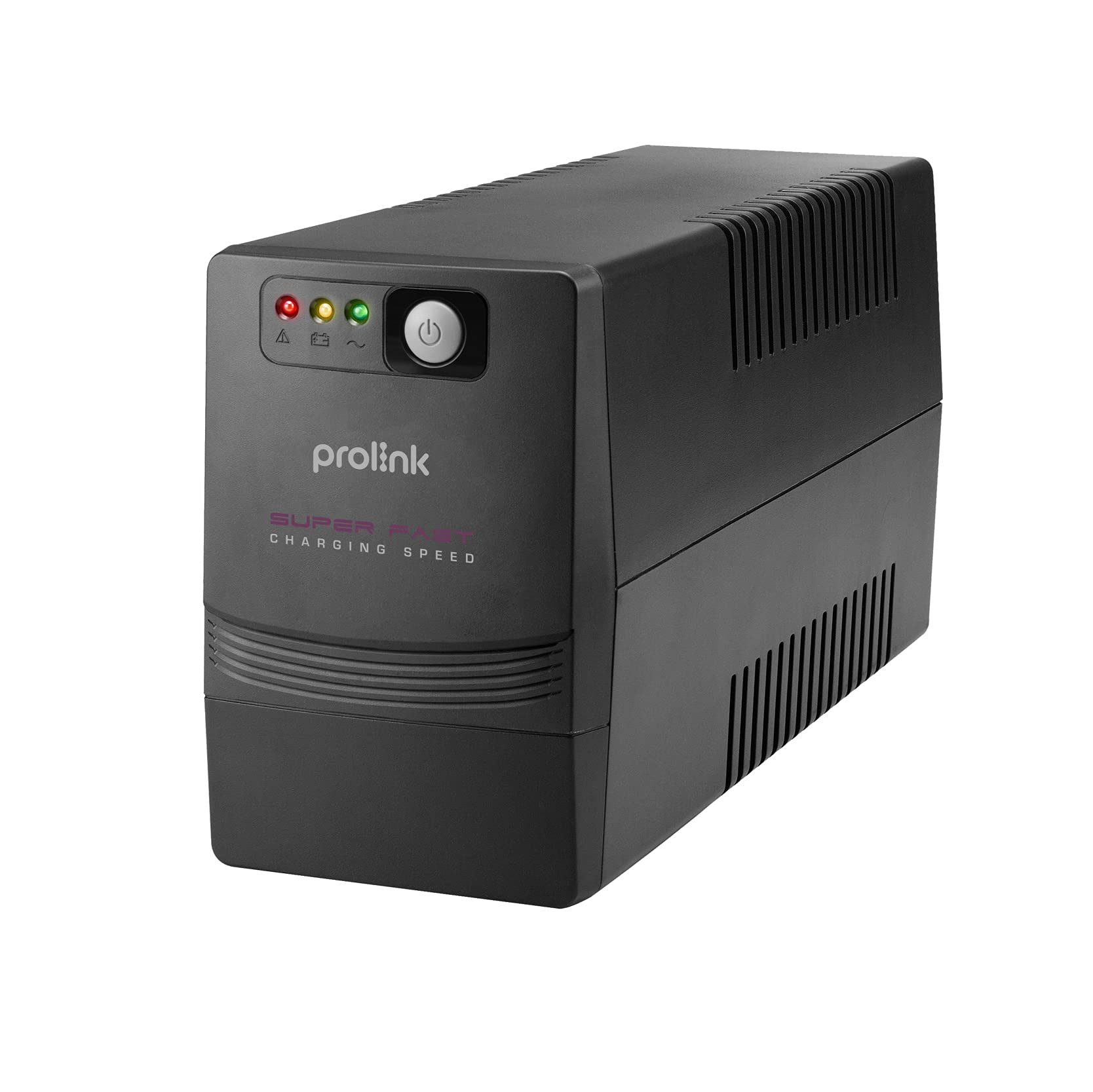
Figur 1: Foran og bagpå view of the Prolink PRO1501SFCU UPS.
Nøglefunktioner:
- Superhurtig opladning: Recharges battery to 90% capacity within 2-4 hours.
- Mikroprocessor kontrol: Ensures high reliability and stable operation.
- Boost and Buck AVR: Provides automatic voltage regulation for stable output.
- Automatisk genstart: Automatically restarts when AC power is restored.
- Simuleret sinusbølgeudgang: Suitable for various electronic devices.
- Wide Input Voltage Område: Accommodates fluctuating power conditions.
- Universalstikkontakter: Offers broad compatibility with different plug types.
- Avanceret beskyttelse: Includes overload, over-temperature, and short circuit protection.
2. Opsætningsvejledning
Follow these steps to properly set up your Prolink PRO1501SFCU UPS:
- Pak UPS'en ud: Tag forsigtigt UPS'en ud af emballagen. Undersøg den for eventuelle forsendelsesskader.
- Placer UPS'en: Place the UPS in a well-ventilated area, away from direct sunlight, heat sources, and excessive moisture. Ensure there is adequate space around the unit for airflow.
- Tilslut til vekselstrøm: Plug the UPS power cord into a grounded wall outlet. The UPS will begin charging its internal battery. Allow the battery to charge for at least 4 hours before initial use to ensure optimal backup time.
- Tilslut enheder: Plug your computer, monitor, modem, router, NAS, or other critical equipment into the universal output sockets on the rear panel of the UPS. Ensure the total load does not exceed the UPS's capacity (900W).
- Tilslut USB (valgfrit): For monitoring and control, connect the USB cable from the UPS to your computer. Install the monitoring software provided by Prolink (if applicable).
- Tænd: Press the power button on the front panel to turn on the UPS. The LCD display will illuminate, showing operational status.

Figure 2: Rear panel connections including AC input, backup outputs, USB port, and RJ45 ports.
3. Betjening af UPS'en
3.1. Frontpanel og indikatorer
The front panel of the UPS features an LCD display and control buttons for monitoring and managing the unit.

Figure 3: Front panel with power button and status indicators.
3.2. Tænd/sluk
- For at tænde: Press and hold the power button for approximately 2 seconds until the UPS beeps and the LCD display illuminates.
- For at slukke: Press and hold the power button for approximately 2 seconds until the UPS beeps and the LCD display turns off.
3.3. Automatisk Voltage Forordning (AVR)
The UPS automatically regulates incoming AC voltage to provide a stable output to connected devices. This protects equipment from voltage fluctuations (sags, surges, under/over voltage) without switching to battery power.

Figure 4: Explanation of 3-step Boost and Buck AVR operation.
3.4. Batteribackupdrift
I tilfælde af en magt outage, the UPS will automatically switch to battery power, providing continuous power to connected devices. The LCD display will indicate battery mode, and an audible alarm will sound. The backup time depends on the connected load.

Figure 5: Estimated backup times for different load levels (refer to PRO1501SFCU row for this model).
3.5. Super-Fast Charging
The UPS features Super-Fast Charging technology, significantly reducing the time required to recharge the battery after a power event.

Figure 6: Super-Fast Charging capability, reaching 90% charge in 2-4 hours.
4. Vedligeholdelse
Korrekt vedligeholdelse sikrer din UPS' levetid og optimal ydeevne.
- Batteripleje: Keep the UPS connected to AC power to ensure the battery remains charged. Avoid frequent deep discharges, which can shorten battery life.
- Rensning: Regularly clean the exterior of the UPS with a dry cloth. Do not use liquid or aerosol cleaners. Ensure ventilation openings are free from dust and debris.
- Opbevaring: If storing the UPS for an extended period, ensure it is fully charged, then disconnect it from AC power. Recharge the battery every three months to prevent permanent damage.
- Udskiftning af batteri: Batteries have a limited lifespan. If the UPS's backup time significantly decreases, the battery may need replacement. Contact Prolink support for assistance.
5. Fejlfinding
Dette afsnit omhandler almindelige problemer, du kan støde på med din UPS.
| Problem | Mulig årsag | Løsning |
|---|---|---|
| UPS'en tænder ikke | No AC input; Low battery; Faulty power button | Check AC power connection; Charge battery for 4 hours; Contact support if issue persists. |
| UPS beeps continuously in battery mode | Low battery; Overload | Save work and shut down equipment; Reduce connected load. |
| Kort backuptid | Batteriet er ikke fuldt opladet; Batteriet er ved at være brugt op; Overbelastning | Allow battery to charge fully; Replace battery; Reduce connected load. |
| UPS'en leverer ikke strøm under udgangentage | UPS not turned on; Battery discharged; Internal fault | Ensure UPS is on; Allow battery to charge; Contact support. |
6. Tekniske specifikationer
Detailed specifications for the Prolink PRO1501SFCU UPS.

Figur 7: Overview of technical specifications.
| Feature | Beskrivelse |
|---|---|
| Kapacitet | 1500VA / 900W |
| Input bindtagRækkevidde | 140 - 300V ±5% |
| Indgangsfrekvens | 50Hz/60Hz (Auto-sensing) |
| Fase | Enkelt + GND |
| Udgang VoltagRækkevidde | 230VAC +12% -14% (AC Mode); 230VAC ±10% (Battery Mode) |
| Udgangsfrekvens | 50Hz/60Hz (Battery Mode) |
| Bølgeform | Simuleret sinusbølge (batteritilstand) |
| Overførselstid | 2ms typisk |
| Batteritype | 12V/10Ah x 2pc |
| Backup tid | Up to 40 mins depending on load |
| Genopladningstid | 2 - 4 hours recover to 90% capacity |
| Protection/Monitoring | Short Circuit Protection, Surge Protection, Overload Protection, Intelligent Battery Management |
| Interface | RJ45 (Fax/Modem Protection), USB Port |
| Software | Support Windows® 2000/ 2003/ XP/ Vista/ 2008/ 7, Linux, Unix, and Mac OS |
| Støjniveau | <40dB |
| Temperatur | 0°C - 40°C |
| Fugtighed | 0 - 90% |
| Effektfaktor | Op til 0.7 |
| Indbygget AVR | TRUE Fuld AVR (3 trin) |
| Mål (D x B x H) | 320 x 130 x 182 mm |
| Vægt | 10.4 kg |
7. Garanti og support
The Prolink PRO1501SFCU UPS comes with a 2-year local manufacturer warranty. For technical support, warranty claims, or service inquiries, please refer to the contact information provided by your local Prolink distributor or the official Prolink webwebsted.
For additional resources and support, visit the official Prolink webwebsted: www.prolink2u.com