
1. Introduktion
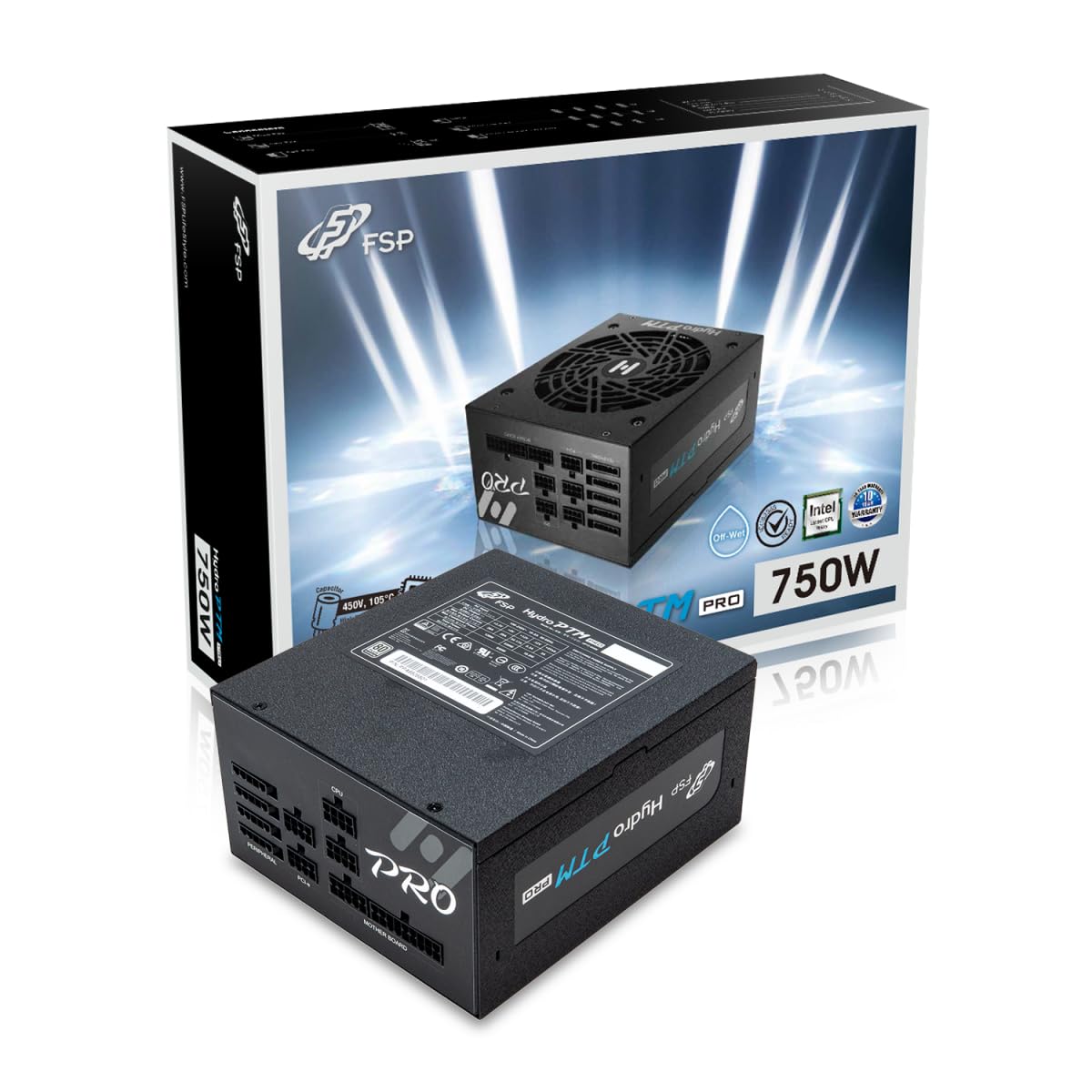
This manual provides detailed instructions for the installation, operation, and maintenance of your FSP Hydro PTM Pro 750W 80 Plus Platinum Full Modular ATX 12V Power Supply (Model: HPT2-750M). Please read this manual thoroughly before using the product to ensure proper function and safety.
The FSP Hydro PTM Pro series is designed for high efficiency and durability, featuring a conformal coating for protection against dust, humidity, and stains. It includes a semi-fanless Eco Mode for quiet operation under low loads and fully modular black ribbon cables for flexible system builds.
2. Sikkerhedsoplysninger
ADVARSEL: Improper installation or use can result in serious injury or damage to the power supply and other components. Always follow these safety guidelines:
- Åbn ikke strømforsyningsenheden. Høj lydstyrketagDer er ingen dele indeni, og der er ingen dele, som brugeren kan servicere. Åbning af enheden vil ugyldiggøre garantien.
- Ensure the power supply is disconnected from the AC power outlet before installation or maintenance.
- Installer strømforsyningen i et godt ventileret område.
- Use only the modular cables provided with this power supply. Using incompatible cables may cause damage to the power supply and connected components.
- Dette produkt er designet til brug i personlige computere. Brug det ikke til andre formål.
- Hold strømforsyningen væk fra vand, fugt og ekstreme temperaturer.
- Sørg for, at alle forbindelser er sikre, før du tænder for systemet.

3. Pakkens indhold
Bekræft at alle varer er til stede i din pakke:
- FSP Hydro PTM Pro 750W Power Supply Unit (HPT2-750M)
- AC strømledning
- Modular Cable Set (refer to the "Cable Length and Connectors" section for details)
- Monteringsskruer
- Brugervejledning (dette dokument)
4. Opsætning og installation
4.1 Fysisk installation
- Forbered dit system: Sørg for, at din computer er helt slukket og taget stikket ud af stikkontakten.
- Fjern den gamle strømforsyning (hvis relevant): Disconnect all cables from your old power supply and remove it from the PC case.
- Monter strømforsyningen: Insert the FSP Hydro PTM Pro 750W into the power supply bay of your PC case. Secure it with the provided mounting screws.
- Connect Motherboard Cables:
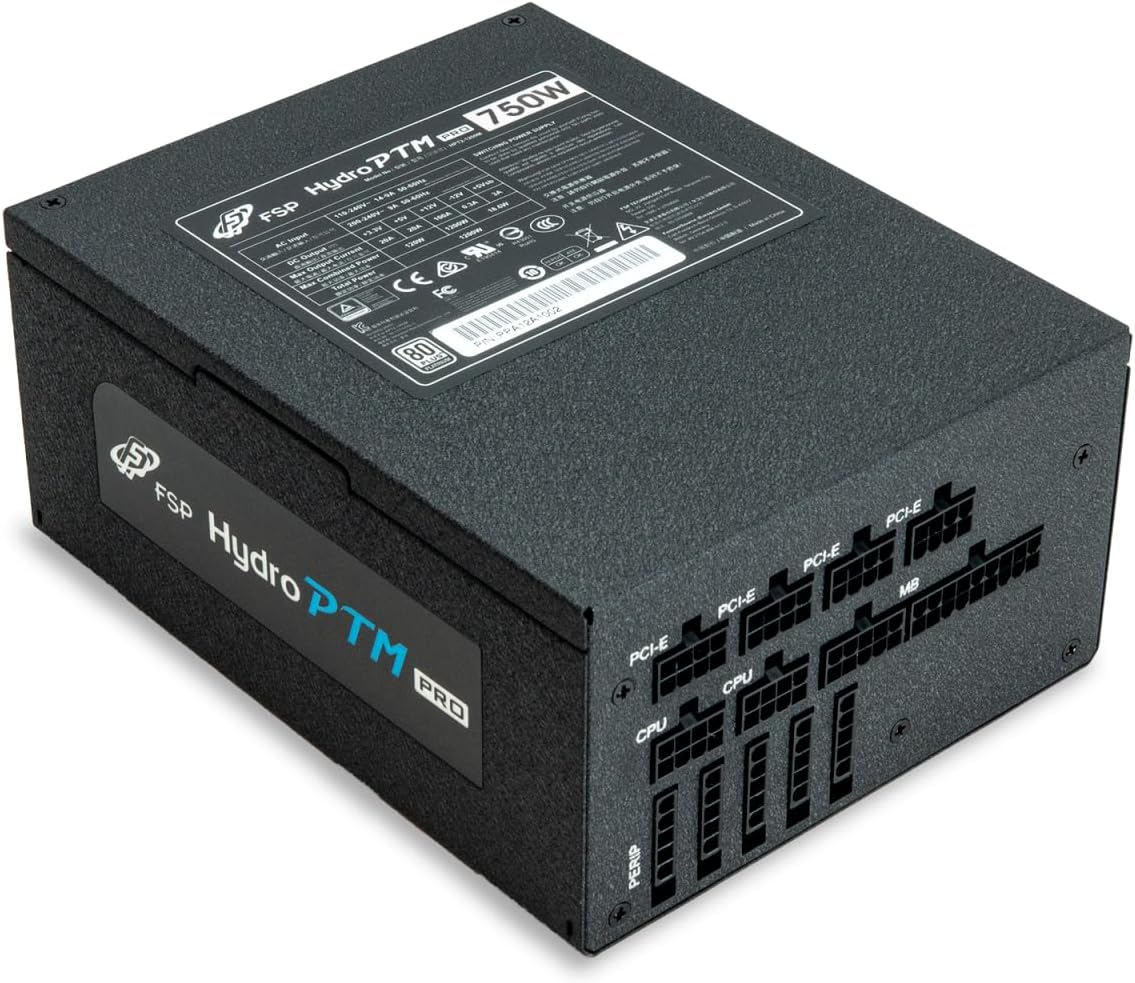
- Connect the 20+4 Pin ATX cable to your motherboard's main power connector.
- Connect the 4+4 Pin CPU (EPS) cable(s) to your motherboard's CPU power connector(s).
- Tilslut perifere kabler:
- Connect the 6+2 Pin PCI-E cables to your graphics card(s).
- Tilslut SATA-strømkabler til dine SSD'er, harddiske og optiske drev.
- Connect Molex cables to any other peripherals requiring them.
- Sikre forbindelser: Ensure all modular cables are firmly seated into both the power supply and the respective components.
- Tilslut vekselstrøm: Plug the AC power cord into the power supply's AC inlet and then into a wall outlet or surge protector.
4.2 Cable Length and Connectors
The FSP Hydro PTM Pro 750W comes with a set of fully modular black ribbon cables. Refer to the diagram below for connector types and approximate lengths.

5. Betjening
5.1 Tænd/sluk
After completing the installation, ensure the main power switch on the back of the power supply is in the "ON" (I) position. You can then power on your computer using its case power button.
5.2 Eco-tilstand
The Hydro PTM Pro features a semi-fanless Eco Mode. When enabled, the power supply fan will remain off until the system load exceeds approximately 30%. This provides silent operation during low-power tasks.
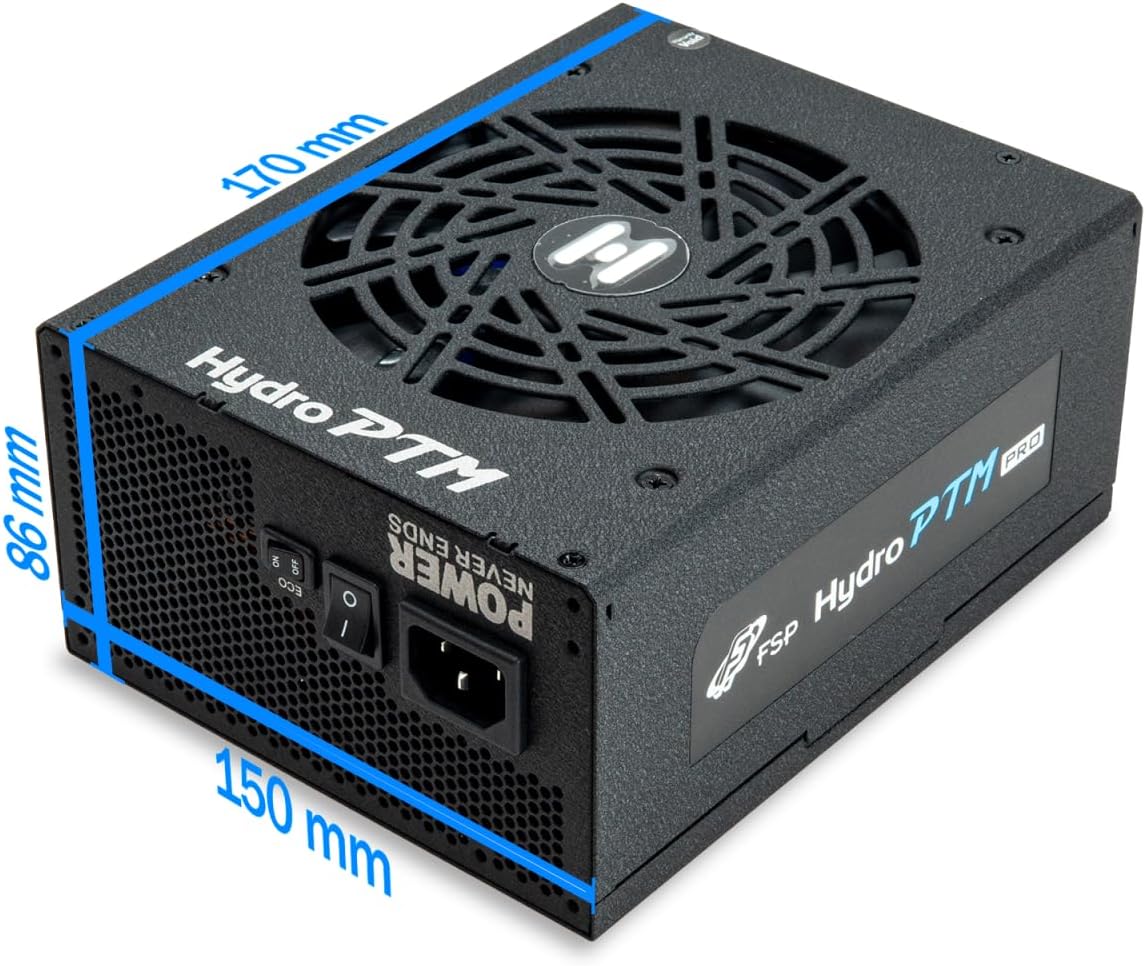
- To activate Eco Mode: Locate the "ECO" switch next to the main power switch on the rear of the power supply and set it to the "ON" position.
- To disable Eco Mode: Set the "ECO" switch to the "OFF" position. The fan will operate continuously based on temperature.
Video: En overview of the FSP Hydro PTM Pro series, highlighting features like conformal coating, Eco Mode, and modular design. This video is provided by FSP GROUP USA.
6. Vedligeholdelse
6.1 Rengøring
To maintain optimal performance and longevity, periodically clean your power supply:
- Ensure the power supply is completely powered off and unplugged from the AC outlet before cleaning.
- Use compressed air to gently remove dust from the fan grille and ventilation openings.
- Tør ydersiden af med en blød, tør klud. Brug ikke flydende rengøringsmidler eller opløsningsmidler.
6.2 Miljøbeskyttelse
The FSP Hydro PTM Pro features a proprietary conformal coating that protects internal components from dust, humidity, and stains. This allows the power supply to reliably operate in environments with up to 95% relative humidity. While this coating offers enhanced protection, it is still recommended to operate the power supply in a clean, dry environment for best results.
7. Fejlfinding
Hvis du støder på problemer med din strømforsyning, kan du se følgende almindelige problemer og løsninger:
| Problem | Mulig årsag | Løsning |
|---|---|---|
| Systemet tænder ikke. |
|
|
| System powers on but immediately shuts down. |
|
|
| Fan is not spinning (Eco Mode off). |
|
|
If the problem persists after attempting these solutions, please contact FSP customer support.
8. Specifikationer
| Feature | Detalje |
|---|---|
| Modelnavn | Hydro PTM Pro (HPT2-750M) |
| Mærke | FSP |
| Output Wattage | 750W |
| 80 Plus-certificering | Platin |
| Formfaktor | ATX |
| Design af strømforsyning | Fuldt modulært |
| Afkølingsmetode | Luft (135 mm blæser) |
| Input bindtage | 115-240 volt |
| Dimensioner (L x B x H) | 170 x 150 x 86 mm (6.7 x 5.9 x 3.4 tommer) |
| Beskyttelser | OCP, OVP, SCP, OPP, UVP, OTP |
| Kondensatorer | Japanese-made Electrolytic Capacitors |
| PFC | Active PFC ≥ 99% |
| Konform belægning | Yes (Dust, Humidity, Stain protection) |
9. Garanti og support
9.1 Garantioplysninger
The FSP Hydro PTM Pro 750W power supply is covered by a 10 års garanti fra købsdatoen. Denne garanti dækker materiale- og fabrikationsfejl ved normal brug. Gem venligst din købsbevis i tilfælde af garantikrav.
Garantien dækker ikke skader som følge af:
- Forkert installation eller betjening.
- Utilsigtet skade, misbrug eller forkert brug.
- Uautoriserede reparationer eller ændringer.
- Naturkatastrofer eller eksterne årsager.
9.2 Kundesupport
For technical assistance, troubleshooting, or warranty inquiries, please contact FSP customer support. Refer to the official FSP webhjemmeside for de mest opdaterede kontaktoplysninger.
FSP GROUP USA
Besøg FSP-butikken på Amazon