
1. Sikkerhedsoplysninger
Please read this entire manual before installation and use. If you have any questions, contact ECHOGEAR customer support. Improper installation can result in property damage or personal injury.
- Vægt kapacitet: Do not exceed the maximum weight capacity of 110 lbs (50 kg). This mount is designed for TVs between 43" and 82".
- Stud Mounting Only: This mount is designed for installation into wood studs. GØR IKKE mount into drywall alone. Ensure studs are located accurately.
- Verify VESA Pattern: Ensure your TV's VESA pattern (mounting holes on the back) is compatible with this mount (200x100 to 600x400).
- Værktøjer: Use appropriate tools for installation. A ratchet is recommended for securing lag bolts.
- Hjælp: Due to the size and weight of TVs, two people are recommended for safe installation.
2. Pakkens indhold
Verify all components are present before beginning installation. If any parts are missing or damaged, contact ECHOGEAR customer support.
Inkluderet hardware:
- Fuld bevægelsesfri TV-vægbeslag
- Extension Brackets (for 24" stud spacing)
- Boreskabelon
- Assortment of TV screws and spacers
- Lag Bolts and Washers
- Cable Management Clips (2x)
- End Caps for aesthetic finishing
3. Produktfunktioner
The ECHOGEAR EGLF324 Full Motion TV Wall Mount offers versatile positioning and robust support for your television.
- Universal kompatibilitet: Supports 43" to 82" TVs weighing up to 110 lbs. Compatible with VESA patterns from 200x100 to 600x400.
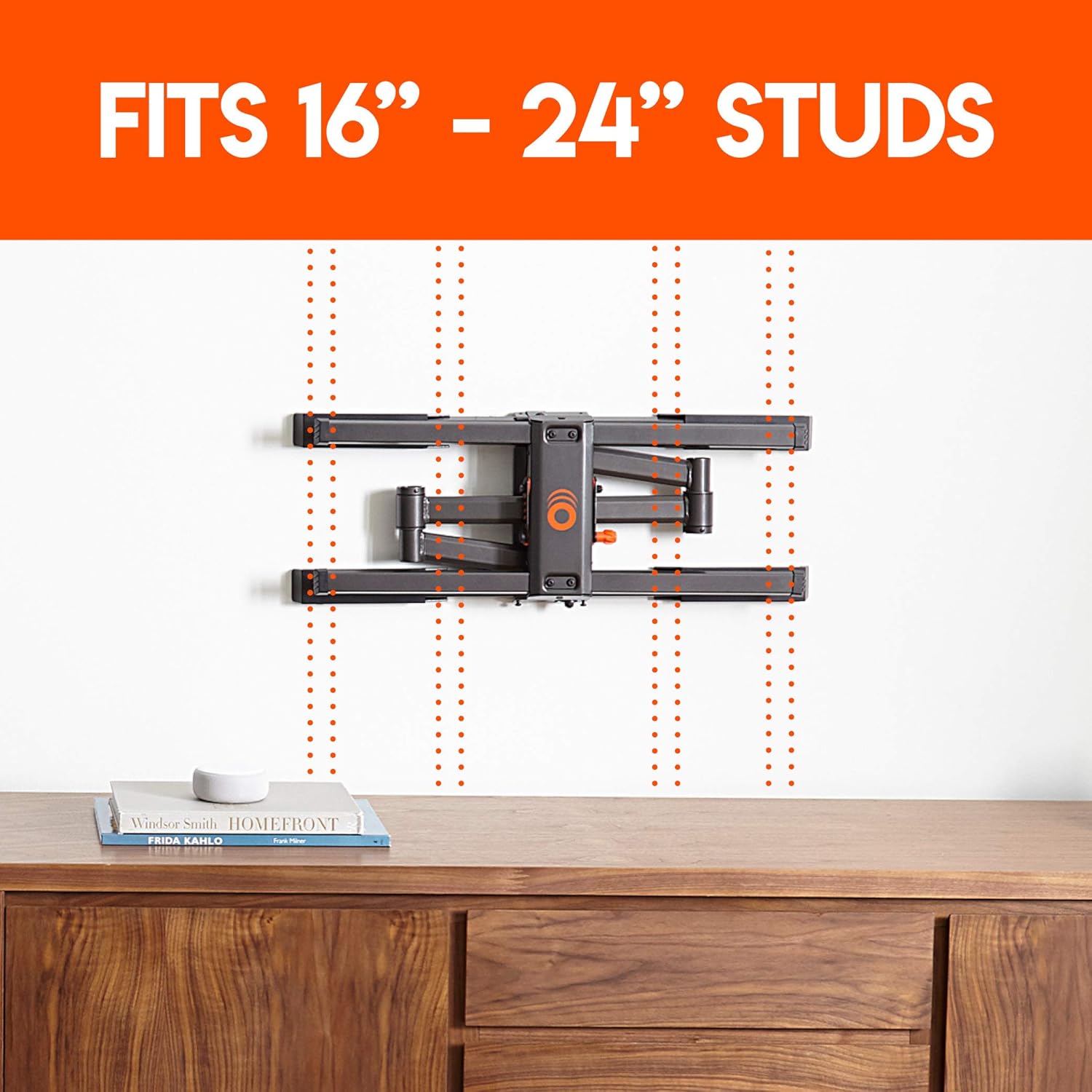
- Flexible Stud Spacing: Designed to accommodate both 16" and 24" stud spacing with included extension brackets.
- Full Motion Capability: Nyd optimalt viewing angles with 19" of extension, 140° of swivel, and 15° of tilt.
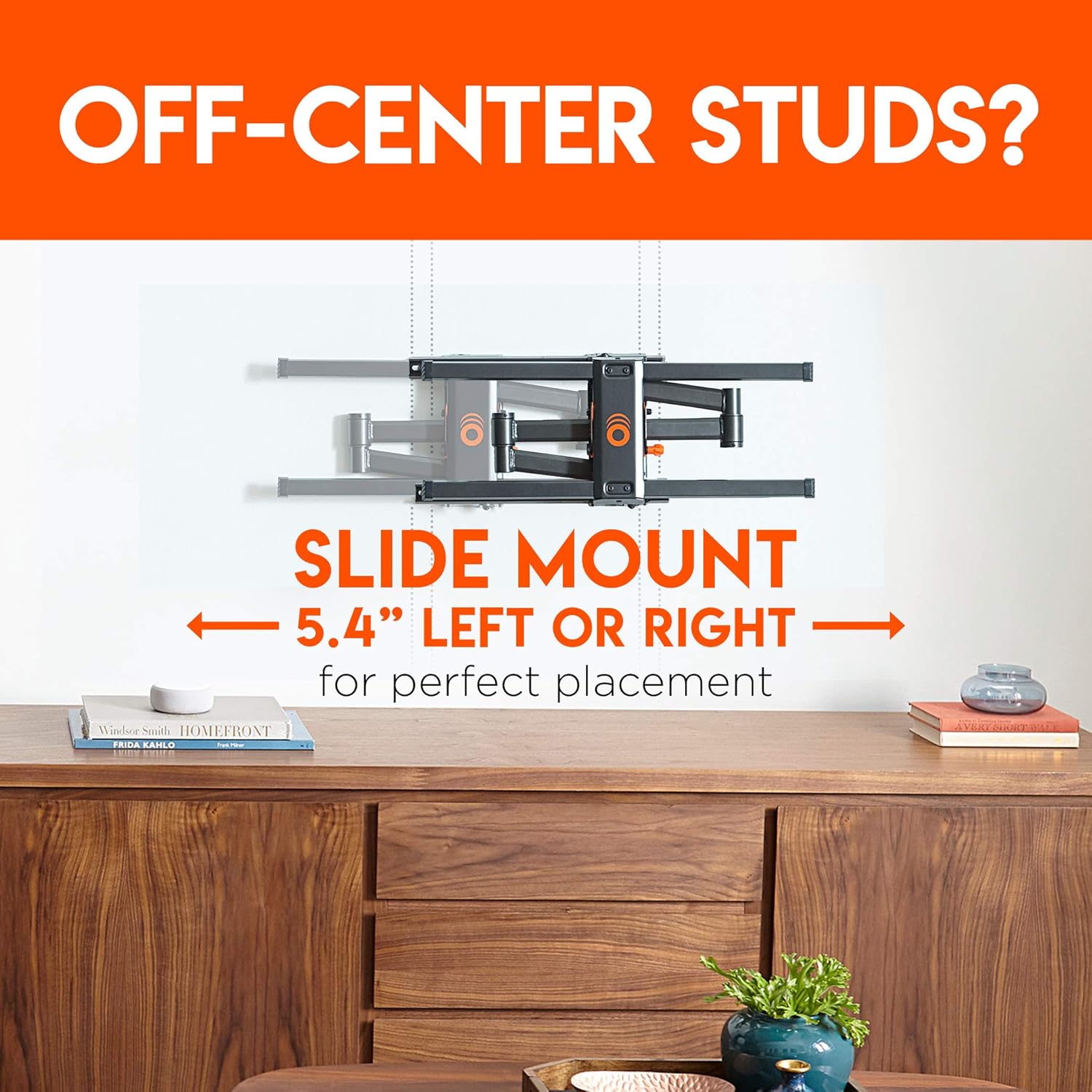
- Post-Installation Adjustments: Allows for 5.4" lateral shift (left or right) and ±3° post-installation leveling for perfect screen alignment.
- Integreret kabelhåndtering: Features a through-arm channel and two cable clips to keep cables organized and out of sight.




4. Installation
Follow these steps carefully to install your ECHOGEAR EGLF324 TV Wall Mount. A detailed video guide is also available below.
Installationstrin:
- Fastgør beslag til tv'et: Secure the TV brackets to the back of your television using the appropriate screws and spacers from the hardware kit.
- Find Studs: Use a stud finder to locate the center of your wood studs in the desired mounting location. Mark the stud centers.
- Position Drilling Template: Tape the included drilling template to the wall, aligning it with your marked stud centers. Use a level to ensure it is perfectly horizontal.
- Bor pilothuller: Drill pilot holes through the template at the marked locations.
- Sikker vægplade: Attach the wall plate of the mount to the wall using the provided lag bolts and washers. If your studs are 24" apart, attach the extension brackets to the wall plate first, then secure the entire assembly to the wall.
- Hæng TV op: Carefully lift your TV and hook the TV brackets onto the wall plate.
- Sikkert TV: Tighten the security screws on the TV brackets to lock the TV onto the mount.
- Administrer kabler: Route your TV cables through the integrated cable management channels on the mount arms and secure them with the included cable clips.
- Juster og niveau: Make any final adjustments to the TV's position, including lateral shift and post-installation leveling, to achieve your desired viewvinkel.
Videoinstallationsvejledning:
Videobeskrivelse: This official ECHOGEAR video provides a step-by-step guide on how to install the full motion TV wall mount, including instructions for both 16-inch and 24-inch stud spacing. It covers unboxing, attaching TV brackets, finding studs, using the drilling template, securing the wall plate, attaching extension brackets, hanging the TV, and cable management.
5. Betjeningsvejledning
Once installed, your ECHOGEAR EGLF324 mount allows for easy adjustment of your TV's position.
- Udvidelse: Gently pull the TV screen forward to extend the mount up to 19 inches from the wall.
- Drejelig: Carefully push or pull the sides of the TV screen to swivel it left or right, up to 140 degrees.
- Vip: To adjust the tilt angle (up to 15 degrees), loosen the tilt adjustment knobs on the TV brackets, set the desired angle, and then re-tighten the knobs securely.
- Lateral forskydning: For minor horizontal adjustments after installation, the TV can be slid left or right by up to 5.4 inches on the wall plate.
- Nivellering: The mount allows for ±3 degrees of post-installation leveling. Consult the manual for specific instructions on how to adjust this feature.
6. Vedligeholdelse
Regelmæssig vedligeholdelse sikrer dit TV-beslags levetid og sikker drift.
- Periodiske kontroller: Periodically check that all screws and connections are secure. Re-tighten if necessary.
- Rensning: Rengør holderen med en blød, tør klud. Undgå slibende rengøringsmidler eller opløsningsmidler.
- Smøring: Moving parts are designed for smooth operation and generally do not require lubrication. If movement becomes stiff, contact support.
7. Fejlfinding
If you encounter issues during installation or use, refer to the following common solutions.
- TV'et er ikke i vater: Use the post-installation leveling feature (±3 degrees) to correct the TV's horizontal alignment. Ensure the wall plate itself was installed level.
- Vanskeligheder med at flytte fjernsynet: Check for any obstructions or overtightened bolts. Ensure cables are not snagged.
- Fæstet føles løst: Immediately remove the TV and re-check all wall plate and TV bracket connections. Ensure lag bolts are securely fastened into the center of the wood studs.
- Manglende dele: Refer to the package contents list. Contact ECHOGEAR customer support for replacement parts.
8. Specifikationer
| Feature | Detalje |
|---|---|
| Model | EGLF324 |
| TV-størrelsesområde | 43" – 82" |
| Maksimal tv-vægt | 110 lbs |
| Bevægelsestype | Articulating, Tilt, Swivel, Extension |
| Drejelig | 140° |
| Forlængelse | Op til 19" |
| Maksimal hældningsvinkel | 15° |
| Understøttede VESA-mønstre | 200x100 til 600x400 |
| Profile fra væggen | 2.90" |
| Wall-Centering Lateral Shift | 5.4" left or right |
| Udjævning efter installation | ±3 grader |
| Compatible Stud Width | 16" - 24" |
| Kabelstyring | Through-arm channel & 2x cable clips |
| Materiale | Acrylonitril Butadien Styren (ABS) |
| Farve | Sort |
| Varens vægt | 20.4 pund |
| Pakkedimensioner | 17.8 x 13.5 x 4.2 tommer |
9. Garanti og support
ECHOGEAR stands by its products. For warranty information, technical assistance, or to report missing/damaged parts, please contact ECHOGEAR customer support.
Kontaktoplysninger: Refer to the ECHOGEAR official webwebstedet eller produktemballagen for de seneste kontaktoplysninger.