
Vanzon V40
Vanzon V40 Bluetooth Speaker Instruction Manual
Model: V40 | Brand: Vanzon
1. Introduktion
The Vanzon V40 is a portable wireless Bluetooth speaker designed to deliver powerful stereo sound with enhanced bass. Featuring Bluetooth 5.0 for stable connectivity, IPX7 waterproof rating for outdoor use, and multiple playback options, it is suitable for various environments including home, travel, and outdoor activities. This manual provides detailed instructions for setting up, operating, and maintaining your Vanzon V40 speaker.

Image: Vanzon V40 Bluetooth Speaker showcasing dens vandtætte design.
2. Pakkens indhold
Tjek venligst pakken for følgende varer:
- Vanzon V40 Bluetooth Speaker
- USB-C ladekabel
- 3.5 mm AUX-kabel
- Brugermanual
3. Produktfunktioner
- Shocking Stereo Sound: Equipped with TWS (True Wireless Stereo) technology, allowing you to pair two V40 speakers for an immersive dual stereo sound experience.
- IPX7 Vandtæt: Provides strong waterproof protection with a durable silicone case and port cover, making it suitable for use in various wet environments.
- Flere afspilningstilstande: Supports Bluetooth 5.0, TF (MicroSD) card playback (WAV / FLAC / APE / MP3 formats), and 3.5mm AUX input for versatile audio sources.
- Forlænget spilletid: Features a high-efficiency 3600mAh lithium-ion battery, providing up to 24 hours of continuous playtime.
- Forbedret forbindelse: Offers an extended wireless range of up to 66 feet and includes a built-in microphone for clear hands-free calls.
- Rhythmic RGB Light Show: Integrated RGB lights provide a dynamic visual experience that syncs with your music.

Image: Illustration highlighting the 24-hour long playtime of the Vanzon V40 speaker.

Image: Visual representation of the Vanzon V40's Bluetooth 5.0 stable connection and extended range.

Image: The Vanzon V40 speaker demonstrating its IPX7 outdoor waterproof capability.
4. Betjeningselementer og porte
Familiarize yourself with the buttons and ports on your Vanzon V40 speaker:
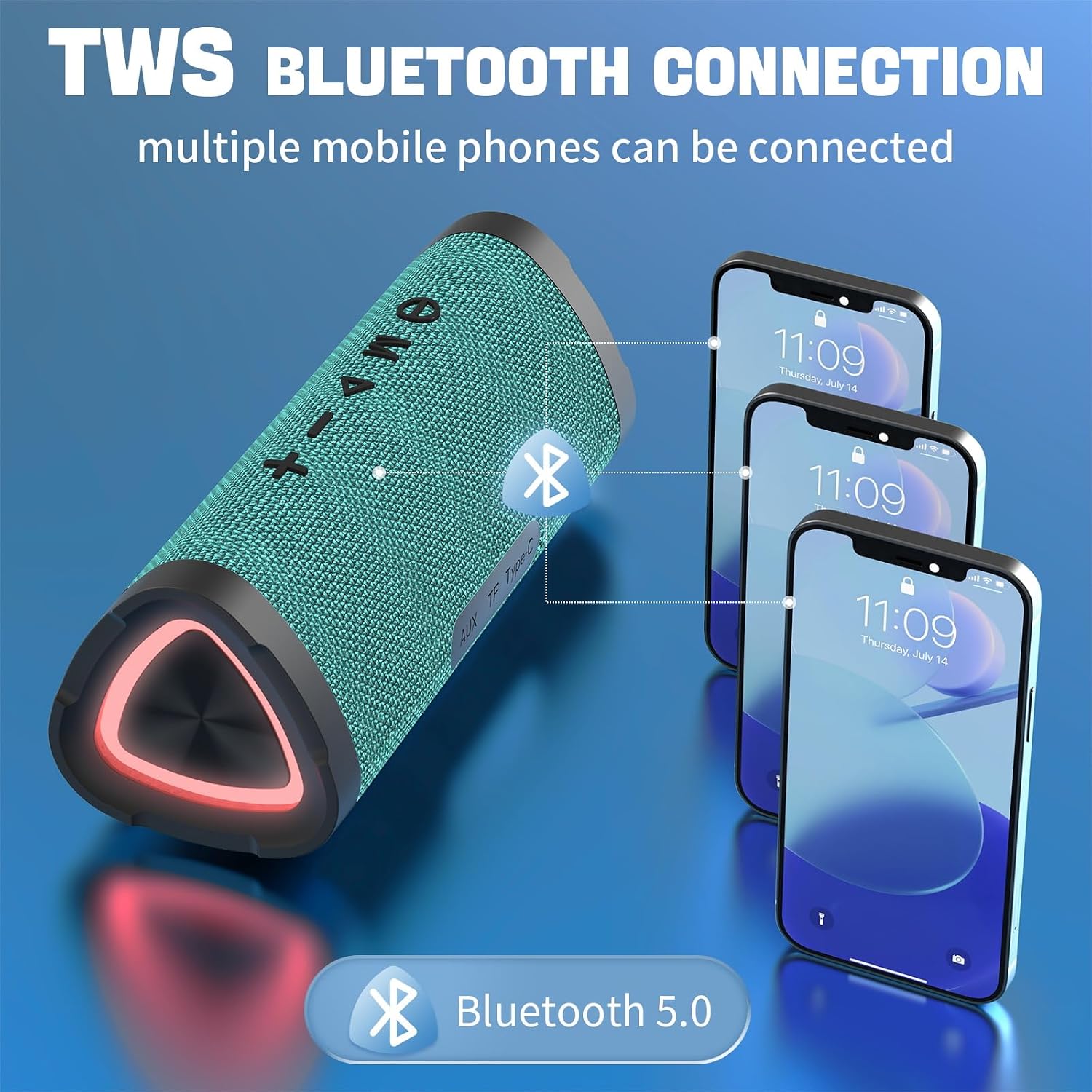
Image: Labeled diagram of the Vanzon V40 speaker's controls and ports.
- Power knap: Press and hold to power on/off. Short press to switch 3D mode (if applicable).
- Mode-knap (M): Short press to cycle through Bluetooth, TF Card, and AUX input modes.
- Play/Pause Button (►⏸): Short press to play or pause music. Press to answer/end calls.
- Skrue ned for lyden (-): Kort tryk for at sænke lydstyrken. Langt tryk for at gå til forrige nummer.
- Lydstyrke op (+): Kort tryk for at øge lydstyrken. Langt tryk for at gå til næste nummer.
- Opladningsgrænseflade (Type-C): Connect the provided USB-C cable for charging.
- TF-kortport: Insert a MicroSD (TF) card for direct music playback.
- Aux-indgangsport: Tilslut eksterne lydenheder med 3.5 mm AUX-kablet.
- Rhythmic RGB Light: Integrated lights that respond to music.
- Hanging Buckle: For easy portability and attachment to bags.
5. Opsætning
5.1 Opladning af højttaleren
Before first use, fully charge the speaker. Connect the provided USB-C charging cable to the speaker's Type-C port and the other end to a USB power adapter (not included) or a computer's USB port. The charging indicator light will show charging status (refer to LED indicator section in manual for specific light behavior).
5.2 Tænd/sluk
- Tænd: Press and hold the Power button for approximately 3 seconds until you hear an audible prompt and the indicator light turns on.
- Sluk: Tryk på tænd/sluk-knappen, og hold den nede i cirka 3 sekunder, indtil du hører en lydmeddelelse, og indikatorlampen slukker.
5.3 Bluetooth -parring
To connect your Vanzon V40 speaker to a Bluetooth-enabled device:
- Ensure the speaker is powered on and in Bluetooth mode. If not, short press the 'M' (Mode) button until you hear the Bluetooth pairing prompt. The indicator light will flash, indicating it's ready for pairing.
- Aktiver Bluetooth på din mobilenhed (smartphone, tablet, computer) og søg efter tilgængelige enheder.
- Select "Vanzon V40" from the list of found devices.
- Once successfully paired, you will hear a confirmation sound, and the indicator light will remain solid.
5.4 Ægte trådløs stereo (TWS) parring
To pair two Vanzon V40 speakers for true wireless stereo sound:
- Ensure both Vanzon V40 speakers are powered on and not connected to any other Bluetooth device.
- On one of the speakers (this will be the primary speaker), double-press the Play/Pause button. You will hear a prompt indicating TWS pairing mode.
- De to højttalere vil automatisk søge efter og oprette forbindelse til hinanden. Når der er oprettet forbindelse, vil du høre en bekræftelseslyd.
- Now, connect your mobile device to the primary speaker via Bluetooth as described in section 5.3. The audio will play through both speakers in stereo.

Image: TWS Bluetooth connection setup for multiple devices.
6. Betjeningsvejledning
6.1 Modeskift
Short press the 'M' (Mode) button to switch between the following modes:
- Bluetooth-tilstand: Til trådløs lydstreaming fra din parrede enhed.
- TF-korttilstand: Automatically plays music from an inserted MicroSD (TF) card.
- AUX-indgangstilstand: For wired connection to audio devices via the 3.5mm AUX cable.
6.2 Musikafspilning
- Afspil/pause: Tryk kort på Play/Pause-knappen.
- Lydstyrkekontrol: Short press the '+' button to increase volume, short press the '-' button to decrease volume.
- Næste nummer: Tryk længe på '+'-knappen.
- Forrige nummer: Tryk længe på '-'-knappen.
6.3 Opkaldshåndtering (Bluetooth-tilstand)
- Besvar/afslut opkald: Tryk kort på Play/Pause-knappen.
- Afvis opkald: Tryk længe på Afspil/Pause-knappen.
6.4 RGB-lysstyring
The Vanzon V40 features rhythmic RGB lights. The lights will automatically activate when the speaker is powered on and playing music. There is no specific button for light control; they are designed to enhance the audio experience dynamically.
7. Vedligeholdelse
- Rensning: Brug en blød, damp klud til at rengøre højttalerens overflade. Brug ikke skrappe kemikalier eller slibende rengøringsmidler.
- Vandtæt pleje: Ensure the port cover is securely sealed before exposing the speaker to water to maintain its IPX7 rating. After exposure to water, wipe the speaker dry before charging.
- Opbevaring: Store the speaker in a cool, dry place away from extreme temperatures and direct sunlight. If storing for a long period, charge the battery to about 50% every few months to prolong battery life.
8. Fejlfinding
| Problem | Mulig årsag | Løsning |
|---|---|---|
| Højttaleren tænder ikke. | Lavt batteri; Tænd/sluk-knappen er ikke trykket længe nok ned. | Oplad højttaleren; Tryk på tænd/sluk-knappen og hold den nede i 3 sekunder. |
| Kan ikke parre med Bluetooth-enhed. | Speaker not in pairing mode; Device's Bluetooth is off; Speaker already connected to another device. | Ensure speaker is in Bluetooth pairing mode (flashing indicator); Turn on Bluetooth on your device; Disconnect from other devices. |
| Ingen lyd eller lav lydstyrke. | Volume too low on speaker or device; Incorrect mode selected; AUX cable not fully inserted. | Increase volume on both speaker and device; Press 'M' button to select correct mode; Re-insert AUX cable firmly. |
| TWS-parring mislykkes. | Højttalerne er for langt fra hinanden; én højttaler er allerede parret med en enhed. | Sørg for, at højttalerne er i umiddelbar nærhed; afbryd forbindelsen mellem begge højttalere og alle Bluetooth-enheder før TWS-parring. |
| Dårlig lydkvalitet. | Bluetooth interference; Speaker too far from device; Low battery. | Move speaker closer to device; Avoid obstacles; Charge the speaker. |
9. Specifikationer
- Modelnavn: V40
- Højttalertype: Udendørs
- Speciel funktion: Transportabel
- Forbindelse teknologi: Bluetooth 5.0
- Trådløs rækkevidde: Op til 66 fod
- Vandmodstandsniveau: IPX7 vandtæt
- Højttalers maksimale udgangseffekt: 24 watt
- Lydudgangstilstand: Stereo (with TWS support)
- Batterikapacitet: 3600 mioamp Timer
- Batterilevetid: Op til 24 timer
- Produktdimensioner: 7.87 x 3.27 x 3.23 tommer
- Varens vægt: 1.28 pund
10. Garanti og support
Vanzon products are manufactured to the highest quality standards. For warranty information or technical support, please refer to the contact details provided on the product packaging or visit the official Vanzon webwebsted. Gem din købskvittering som købsbevis i tilfælde af garantikrav.