
Indledning
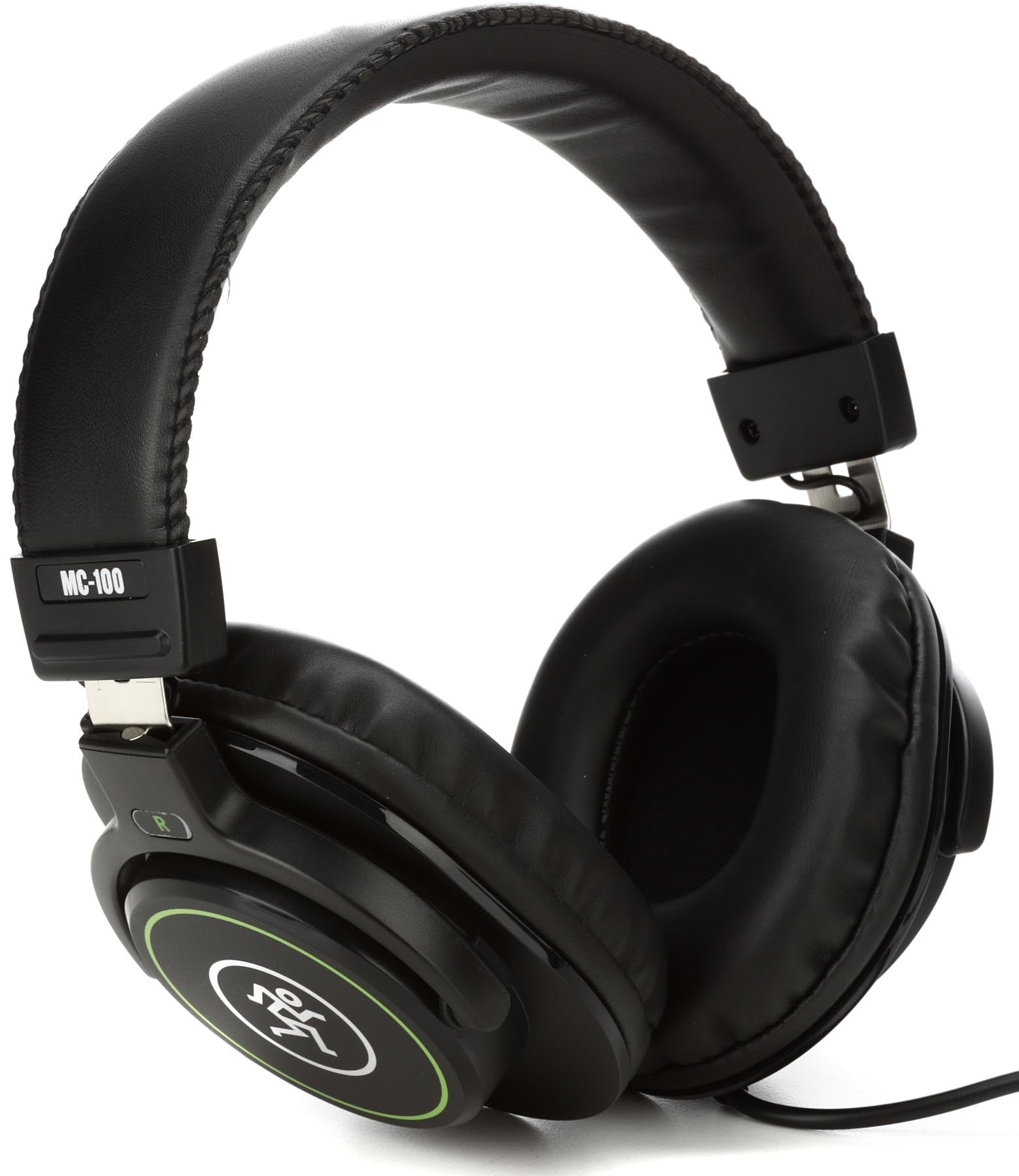
Thank you for choosing Mackie MC-100 Professional Closed-Back Headphones. These headphones are designed to deliver clear, balanced sound for studio monitoring, content creation, and personal listening. This manual provides essential information for proper setup, operation, maintenance, and troubleshooting to ensure optimal performance and longevity of your product.
Opsætning
1. Udpakning
- Carefully remove the MC-100 headphones from their packaging.
- Inspect the headphones and included cable for any signs of damage.
2. Tilslutning af hovedtelefoner
- Locate the 3.5mm audio jack on your audio device (e.g., laptop, audio interface, smartphone).
- Insert the 3.5mm connector of the headphone cable firmly into the audio jack.
- If your device requires a 6.35mm (1/4-inch) adapter, attach the appropriate adapter to the 3.5mm connector before plugging it into the device.
3. Justering for komfort
For optimal sound isolation and comfort, adjust the headphones to fit your head properly.
- Justering af pandebånd: Gently slide the earcups up or down along the headband until they rest comfortably over your ears and the headband sits securely on your head.
- Ørekoppernes orientering: Ensure the earcups fully enclose your ears without excessive pressure. The soft ear pads are designed to conform to your ear shape.
This image shows a user wearing the Mackie MC-100 Professional Closed-Back Headphones, demonstrating their use in a studio environment with a sound mixing console.
Drift
1. Basic Listening
- Once connected, play audio from your source device.
- Start with a low volume level on your device and gradually increase it to a comfortable listening level.
2. Lydstyrkekontrol
The MC-100 headphones do not feature integrated volume controls. Adjust the audio output level directly from your connected device (e.g., computer, audio interface, smartphone).
3. Kompatibilitet
These headphones are compatible with a wide range of devices featuring a 3.5mm or 6.35mm (with adapter) audio output. This includes laptops, desktop computers, audio interfaces, mixing consoles, and portable media players.
Opretholdelse
1. Rensning
- Ørepuder: Tør forsigtigt ørepuderne af med en blød kludamp cloth. Avoid using harsh chemicals or abrasive cleaners. Allow them to air dry completely before use.
- Pandebånd og yderside: Use a dry, soft cloth to wipe down the headband and other exterior surfaces.
- Do not immerse the headphones in water or any cleaning solution.
2. Kabelpleje
- Undgå skarpe bøjninger eller overdreven trækkraft i kablet.
- Rul kablet løst op ved opbevaring for at forhindre sammenfiltring og beskadigelse.
3. Opbevaring
Store your headphones in a clean, dry place away from extreme temperatures, humidity, and direct sunlight. Using a protective case (not included) can help prevent damage during transport.
Fejlfinding
1. Ingen lyd
- Tjek forbindelser: Sørg for, at hovedtelefonkablet er sat helt i både hovedtelefonerne og lydkilden.
- Lydstyrke: Verify that the volume on your audio source device is turned up and not muted.
- Lydkilde: Test the headphones with a different audio source or device to rule out an issue with the original source.
- Kabelintegritet: Undersøg kablet for synlige skader eller knæk.
2. Distorted or Poor Sound Quality
- Lydstyrke: Reduce the volume on your audio source. Excessive volume can cause distortion.
- Lydkildekvalitet: Sørg for lyden file or stream quality is high. Low-quality audio sources can sound poor through any headphones.
- Forbindelser: Re-seat the cable connections to ensure they are secure.
3. Uncomfortable Fit
- Juster pandebånd: Re-adjust the headband length to find a more comfortable position.
- Earcup Position: Ensure the earcups are centered over your ears and not pressing unevenly.
Specifikationer
| Mærke | Mackie |
| Modelnummer | MC-100 |
| Øreplacering | Over Ear |
| Impedans | 32 Ohm |
| Følsomhed | 95 dB |
| Frekvensområde | 15Hz - 22kHz |
| Forbindelsesteknologi | Kablet |
| Hovedtelefonstik | 3.5 mm Jack |
| Varens vægt | 0.93 pund |
| Stil navn | Lukket ryg |
Garantioplysninger
The Mackie MC-100 Professional Closed-Back Headphones come with a 1 års garanti covering electronics and drivers from the date of original purchase. This warranty covers manufacturing defects under normal use. For detailed warranty terms and conditions, please refer to the official Mackie webwebsted eller kontakt kundesupport.
Støtte
For further assistance, technical support, or to access additional resources, please visit the official Mackie webwebsted. Du kan finde ofte stillede spørgsmål, produktregistrering og kontaktoplysninger til kundeservice der.
Webwebsted: www.mackie.com