1. Produktet er slutview
The Magicshine Allty 800 V2.0 is a versatile and powerful LED bike light designed for road and urban cyclists. It features USB Type-C recharging, IPX7 waterproofing, and an 800-lumen output to enhance visibility and safety during your rides. This manual provides detailed instructions for the proper use and maintenance of your Allty 800 V2.0 bike light.

Front view of the Magicshine Allty 800 V2.0 Commuter Bike Light, showcasing its powerful LED lens.
2. Hvad er der i æsken
Kontroller venligst indholdet af din pakke for at sikre, at alle varer er til stede:
- Allty 800 V2.0 Bike Light (x1)
- Handlebar Mount (x1)
- Handlebar Straps (x4)
- GoPro Adapter (x1)
- 3 mm sekskantnøgle (x1)
- USB-C opladningskabel (x1)
- Brugervejledning (x1)
- MJ-6558 Remote Control (sold separately)

All components included in the Magicshine Allty 800 V2.0 package.
3. Opsætningsvejledning
3.1. Handlebar Mounting
- Select the appropriate handlebar strap size for your bicycle's handlebar diameter.
- Attach the handlebar mount to your handlebar using the selected strap. Ensure it is securely fastened and positioned centrally.
- Slide the Allty 800 V2.0 bike light onto the handlebar mount until it clicks into place. Ensure the light is facing forward and is level.
- Adjust the angle of the light to illuminate the path ahead without blinding oncoming traffic.
The Allty 800 V2.0 light securely mounted on a bicycle handlebar.
3.2. Helmet Mounting (Using GoPro Adapter)
The Allty 800 V2.0 includes a GoPro adapter for helmet mounting. This allows for a head-mounted light that follows your line of sight. However, be aware that the light's weight might affect helmet balance for some users.
- Attach the GoPro adapter to your helmet's compatible mount point.
- Secure the Allty 800 V2.0 light to the GoPro adapter.
- Ensure the light is stable and does not obstruct your vision. Adjust as necessary.
4. Betjeningsvejledning
4.1. Tænd/sluk
- For at tænde: Press and hold the power button located on the top of the light for approximately 1 second.
- For at slukke: Tryk på tænd/sluk-knappen og hold den nede i cirka 1 sekund.

The power button is located on the top surface of the light.
4.2. Valg af tilstand
Once powered on, short press the power button to cycle through the available brightness levels and flash modes. The light features multiple modes, including various brightness settings and flashing patterns, with memory mode to recall your last used setting.
4.3. Smart Lock Function
The Allty 800 V2.0 includes a Smart Lock function to prevent accidental activation during transport or storage.
- To Activate Smart Lock: While the light is off, press and hold the power button for 5 seconds until the indicator flashes.
- To Deactivate Smart Lock: Tryk på tænd/sluk-knappen og hold den nede i 5 sekunder, indtil lyset tændes.

The Smart Lock feature helps prevent unintended power-on.
4.4. Batteriindikator
Tænd/sluk-knappen fungerer også som batteriniveauindikator:
- Grøn: 21% - 100% batteri tilbage
- Rød: 11% - 20% batteri tilbage
- Blinker rødt: 1% - 10% battery remaining (recharge immediately)
4.5. Opladning
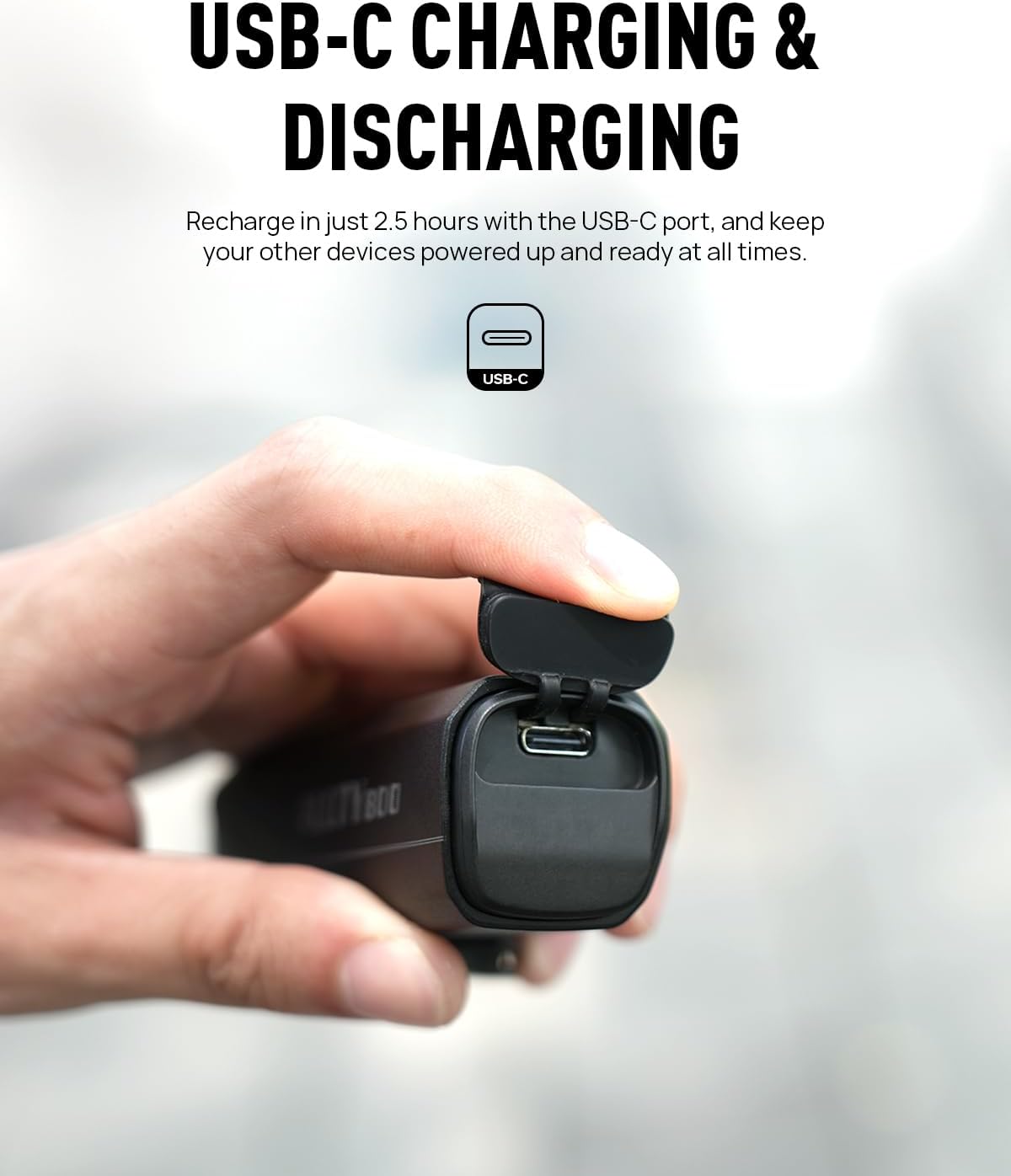
The Allty 800 V2.0 is equipped with a USB Type-C charging port.
- Open the rubber cover protecting the USB-C port.
- Connect the provided USB-C charging cable to the light and to a USB power source (e.g., computer, wall adapter).
- Batteriindikatoren viser opladningsstatus. En fuld opladning tager cirka 2.5 timer.
- Once fully charged, disconnect the cable and securely close the rubber cover to maintain IPX7 waterproof rating.

The USB-C charging port with its protective cover open.
5. Vedligeholdelse
- Rensning: Tør lyset af med en blød, damp klæde. Brug ikke slibende rengøringsmidler eller opløsningsmidler.
- Opbevaring: Opbevar lygten et køligt og tørt sted, når den ikke er i brug. Ved langtidsopbevaring skal batteriet oplades til cirka 50 % hver 3.-6. måned for at forlænge batteriets levetid.
- Vandtætning: Always ensure the USB-C port cover is securely closed to maintain the IPX7 waterproof rating.

The Allty 800 V2.0 is IPX7 waterproof, built to withstand various weather conditions.
6. Fejlfinding
| Problem | Mulig årsag | Løsning |
|---|---|---|
| Lyset tænder ikke | Low battery; Smart Lock activated | Charge the battery; Deactivate Smart Lock (press and hold power button for 5 seconds) |
| Lys oplader ikke | Defekt kabel/adapter; Snavset opladningsport | Try a different USB-C cable and power adapter; Clean the charging port gently. |
| Lystilstande ændres ikke | Knapfejl | Ensure the button is not stuck. If issue persists, contact support. |
| Beslaget er løst | Strap not tight enough; Incorrect strap size | Tighten the handlebar strap; Use a different size strap if necessary. |
7. Specifikationer
| Feature | Detalje |
|---|---|
| Modelnavn | ALLTY 800 V2.0 |
| Lysstyrke | 800 lumen (maksimum) |
| Strømkilde | Batteridrevet |
| Opladningstype | USB Type-C |
| Vandmodstandsniveau | IPX7 vandtæt |
| Materiale | Aluminium |
| Monteringstype | Styrmontering |
| Farve | SORT |
| Emne Pakke Dimensioner | 7.13 x 2.95 x 2.2 tommer |
| Pakkevægt | 0.27 kilo |
8. Garanti og support
The Magicshine Allty 800 V2.0 comes with a 24-month warranty. For any product inquiries, technical support, or warranty claims, please contact Magicshine customer service.
Kontakt email: amazon@magicshine.com
You can also download the Magicshine APP via the iOS/Android Store for additional features and support.

Magicshine customer support details and mobile app availability.