
Produkt overview
The XIAOMI Redmi 9I is a feature-rich smartphone designed for everyday use. This manual provides essential information for setting up, operating, maintaining, and troubleshooting your device.
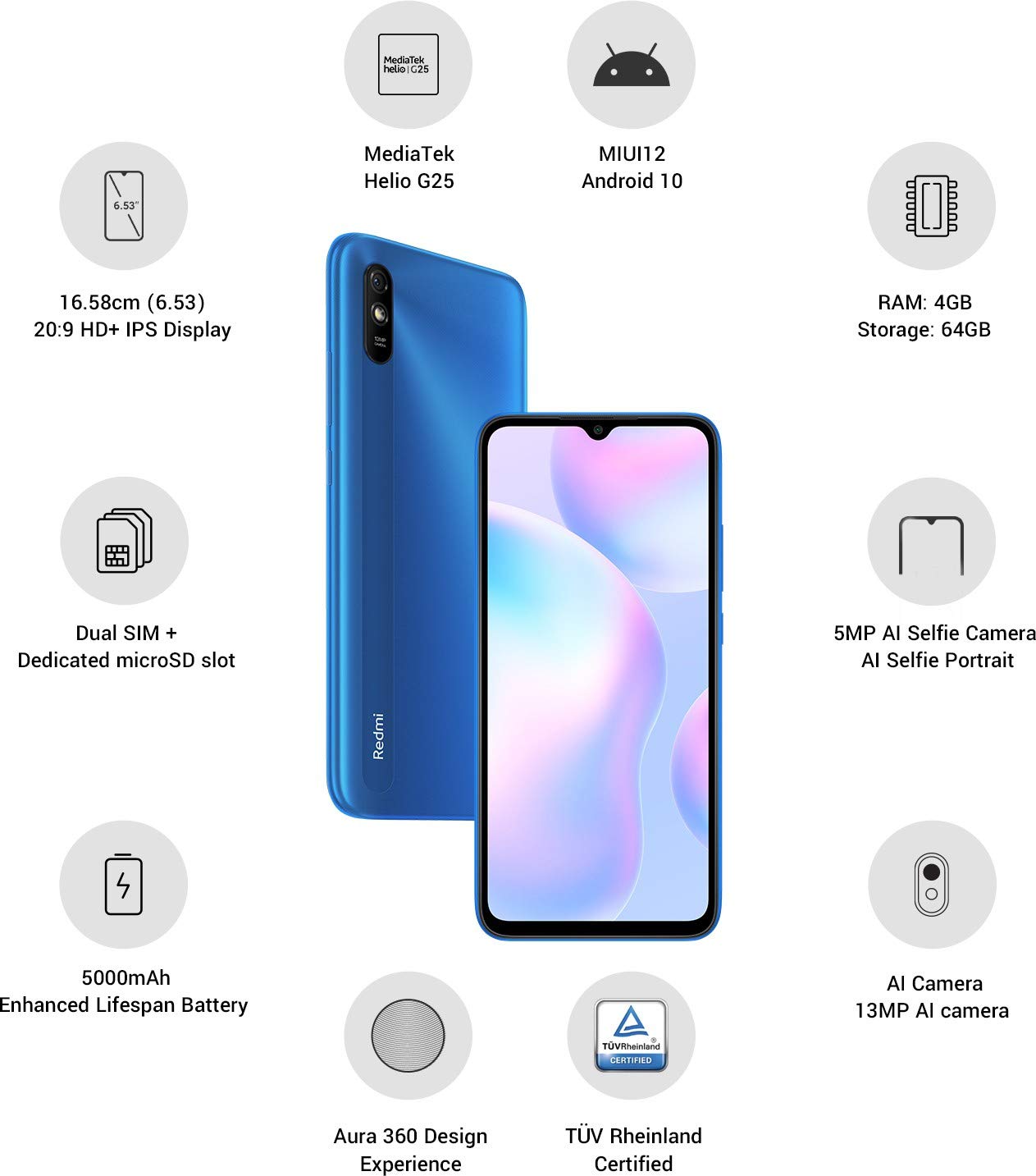
Billede: Overview of the Xiaomi Redmi 9I highlighting key features such as the 6.53-inch HD+ IPS Display, MediaTek Helio G25 processor, MIUI12 Android 10, 4GB RAM, 64GB Storage, Dual SIM + dedicated microSD slot, 5000mAh battery, 5MP AI Selfie Camera, 13MP AI Camera, Aura 360 Design Experience, and TÜV Rheinland Certification.
Opsætningsvejledning
1. Udpakning og indledende inspektion
Tag forsigtigt alle varer ud af emballagen. Sørg for, at følgende komponenter er til stede:
- XIAOMI Redmi 9I Smartphone
- Strømadapter
- USB Type-C-kabel
- SIM Ejector Tool
- Hurtigstartguide (hvis inkluderet)
2. Isætning af SIM-kort og MicroSD-kort
Locate the SIM card tray on the side of your device. Use the provided SIM ejector tool to open the tray. Insert your Nano SIM card(s) and/or a microSD card into the designated slots. Ensure the cards are correctly oriented as shown in the diagram below. Gently push the tray back into the phone until it clicks into place.

Billede: Side view of the Xiaomi Redmi 9I, illustrating the location of the SIM card tray. The tray is designed to hold dual Nano SIM cards and a dedicated microSD card.
3. Opladning af enheden
Before first use, fully charge your Redmi 9I. Connect the USB Type-C cable to the phone's charging port (located at the bottom) and the other end to the power adapter. Plug the adapter into a wall outlet. The charging indicator will appear on the screen.

Billede: Bund view of the Xiaomi Redmi 9I, showing the USB Type-C charging port and speaker grille.
4. Tænd og indledende konfiguration
Press and hold the Power button (located on the right side of the device) until the XIAOMI logo appears. Follow the on-screen instructions to complete the initial setup, including language selection, Wi-Fi connection, Google account setup, and security settings.

Billede: Side view of the Xiaomi Redmi 9I, clearly showing the power button and volume rocker on the right edge of the device.
Betjeningsvejledning
Grundlæggende navigation
- Røre: Tap icons to open apps, select items, or confirm actions.
- Stryg: Slide your finger across the screen to scroll, switch between home screens, or navigate within apps.
- At klemme: Brug to fingre til at zoome ind eller ud på billeder og web sider.
- Langt tryk: Press and hold an item for additional options or to move icons.
Foretage opkald og sende beskeder
Tap the Phone icon to access the dialer. Enter a number or select a contact. Tap the Messages icon to compose and send text messages.
Tilslutning til netværk
- Wi-Fi: Gå til Indstillinger > Wi-Fi, turn Wi-Fi on, and select your desired network. Enter the password if prompted.
- Bluetooth: Gå til Indstillinger > Bluetooth, turn Bluetooth on, and pair with compatible devices.
- Mobildata (4G): Sørg for, at dit SIM-kort er aktivt, og at mobildata er aktiveret. Indstillinger > SIM-kort og mobilnetværk.
Brug af kameraet
Tap the Camera icon to open the camera application. The Redmi 9I features a 13MP rear camera and a 5MP front camera. Switch between modes (Photo, Video, Portrait, etc.) by swiping across the screen. Tap the shutter button to capture photos or start/stop video recording.

Billede: Bagside view of the Xiaomi Redmi 9I, showcasing the 13MP AI camera module and the Redmi branding.
Opretholdelse
Rengøring af din enhed
Brug en blød, fnugfri klud til at rengøre skærmen og kabinettet på din telefon. Undgå at bruge skrappe kemikalier eller slibende materialer, da de kan beskadige skærmen eller overfladen. Ved genstridige pletter, tør let afampRengør kluden med vand eller en skærmrenser beregnet til elektronik.
Softwareopdateringer
Søg regelmæssigt efter og installer softwareopdateringer for at sikre optimal ydeevne, sikkerhed og adgang til nye funktioner. Gå til Indstillinger > Om telefonen > MIUI-version for at søge efter opdateringer.
Batteripleje
The Redmi 9I is equipped with a 5000 mAh Lithium-Polymer battery. To prolong battery life:
- Undgå ekstreme temperaturer.
- Lad ikke batteriet aflades helt, før du genoplader det ofte.
- Brug den originale oplader og kabel.
- Optimize battery usage in Indstillinger > Batteri og ydeevne.
Lagerstyring
Din enhed leveres med 64 GB intern lagerplads. Sådan administrerer du lagerplads effektivt:
- Slet regelmæssigt unødvendige files, fotos og videoer.
- Afinstaller ubrugte programmer.
- Brug cloud-lagringstjenester.
- Flyt stort files to an inserted microSD card.
Fejlfinding
This section addresses common issues you might encounter with your Redmi 9I.
Enheden tænder ikke
- Sørg for, at batteriet er opladet. Tilslut telefonen til opladeren i mindst 30 minutter.
- Tryk og hold tænd/sluk-knappen nede i 10-15 sekunder for at fremtvinge en genstart.
Dårlig netværksforbindelse
- Kontroller, om dit SIM-kort er isat korrekt.
- Toggle Airplane Mode on and off (swipe down from the top for Quick Settings).
- Genstart din enhed.
- Verify your mobile data plan is active and you are in an area with network coverage.
Applikationer der går ned eller fryser
- Luk og genåbn den problematiske app.
- Ryd appens cache og data (Indstillinger > Apps > Administrer apps > [Appnavn] > Ryd data).
- Sørg for, at appen er opdateret til den seneste version.
- Genstart din telefon.
Skærm reagerer ikke
- Tving genstart af enheden ved at holde tænd/sluk-knappen nede.
- If the issue persists, consider a factory reset (Warning: This will erase all data on your phone. Back up important data first. Gå til Indstillinger > Om telefonen > Fabriksindstilling).
Specifikationer
| Feature | Detalje |
|---|---|
| Mærke | XIAOMI |
| Model | Redmi 9I |
| Operativsystem | Android 9.0 (MIUI12) |
| VÆDDER | 4 GB |
| Intern opbevaring | 64 GB |
| Processor | Snapdragon (2 GHz CPU Speed) |
| Display Type | LCD |
| Skærmstørrelse | 6.53 tommer |
| Bagkamera | 13 MP |
| Forreste kamera | 5 MP |
| Batterikapacitet | 5000 mioamp Hours (Lithium-Polymer) |
| SIM-kortslot | Dual SIM (Nano) |
| Forbindelse | 4G, Wi-Fi, Bluetooth, USB Type C |
| GPS | GLONASS |
| Materiale | Plast |
| Vandmodstandsniveau | Vandtæt |
Garantioplysninger
The XIAOMI Redmi 9I comes with a 1 års producentgaranti from the date of purchase. This warranty covers manufacturing defects under normal use. For detailed terms and conditions, please refer to the warranty card included in your product packaging or visit the official XIAOMI support webwebsted.
Kundesupport
If you encounter issues not covered in this manual or require further assistance, please contact XIAOMI customer support. You can typically find contact information (phone numbers, email, chat support) on the official XIAOMI webwebstedet eller via supportsektionen i din enheds indstillinger.
Before contacting support, please have your device's model number (Redmi 9I) and serial number ready. The serial number can usually be found in Indstillinger > Om telefonen > Status.