
1. Introduktion
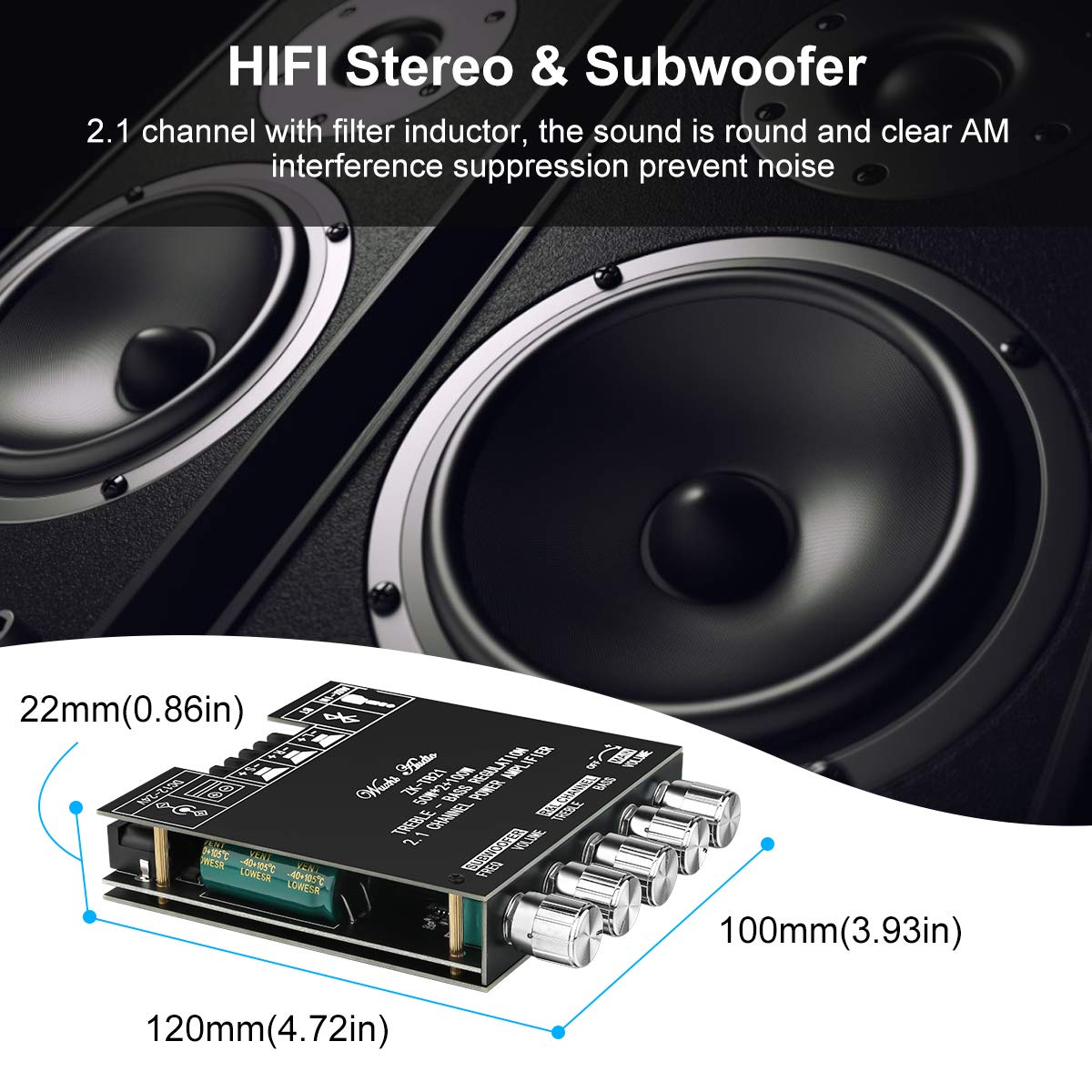
This manual provides detailed instructions for the installation, operation, and maintenance of the MakerHawk ZK-TB21 Bluetooth Amplifier Board. This module is a high-fidelity stereo 2.1 channel audio power amplifier utilizing the TPA3116D2 chip, designed for various audio applications including home theater systems and custom speaker projects. It offers both Bluetooth 5.0 and AUX audio input methods, along with independent controls for bass, treble, and subwoofer frequency.

2. Pakkens indhold
Kontroller venligst, at alle nedenstående varer er inkluderet i din pakke. Hvis der mangler eller er beskadigede komponenter, bedes du kontakte kundesupport.

- MakerHawk ZK-TB21 Amplivligere bestyrelse
- Top and Bottom Acrylic Protection Plates
- Control Knobs (5 pieces)
- Standoffs and Screws for assembly
- Lille skruetrækker
- DC Head Lead (for power connection)
3. Produktet er slutview
The ZK-TB21 amplifier board features a logical layout for easy connection and control. Familiarize yourself with the various components and their functions.

3.1. Kontroller og indikatorer
- Hovedvolumen: Justerer den samlede udgangslydstyrke.
- Venstre og højre kanal diskant: Adjusts the high-frequency response for the main stereo channels.
- Venstre og højre kanal bas: Adjusts the low-frequency response for the main stereo channels.
- Subwoofer lydstyrke: Adjusts the output volume specifically for the subwoofer channel.
- Subwooferfrekvens (FREQ): Adjusts the crossover frequency for the subwoofer, determining the upper limit of frequencies sent to the subwoofer.
- Bluetooth-indikator: Illuminates when Bluetooth is active and paired.
3.2. Indgangs-/udgangsporte
- DC 12-24V strømindgang: Tilsluttes til den eksterne strømforsyning.
- AUX-IN (3.5mm Audio Port): For wired audio input from devices like smartphones, PCs, or CD players.
- BT (Bluetooth): For wireless audio input from Bluetooth-enabled devices.
- Speaker Outputs (L+, L-, R+, R-): Connects to passive left and right stereo speakers.
- Subwoofer Output (S+, S-): Connects to a passive subwoofer.
4. Specifikationer
| Feature | Specifikation |
|---|---|
| Modelnummer | ZK-TB21 |
| Amplifier Chip | TPA3116D2 (Class D) |
| Kanaler | 2.1 (Venstre, Højre, Subwoofer) |
| Udgangseffekt | 2 x 50W (Stereo) + 1 x 100W (Subwoofer) |
| Input bindtage | DC 12V - 24V |
| Audio Input Methods | Bluetooth 5.0, AUX (3.5mm) |
| Dimensioner (L x B x H) | 4.65 x 3.94 x 0.87 tommer (118 x 100 x 22 mm) |
| Vægt | 6.88 ounce (195 gram) |
| Beskyttelsesmekanismer | Short-circuit, Thermal, Overvoltage, Undervoltage, DC Protection |
5. Opsætning
Follow these steps to assemble and connect your amplivligere bræt.
5.1. Montering
- Carefully unpack all components from the package.
- Place the bottom acrylic plate on a flat surface.
- Juster amplifier board with the standoffs and secure it to the bottom plate using the provided screws.
- Attach the control knobs to their respective shafts on the amplivligere bræt.
- Place the top acrylic plate over the board, aligning the holes, and secure it with the remaining screws.
5.2. Strømtilslutning
The ZK-TB21 requires a DC power supply between 12V and 24V. Ensure your power supply can provide sufficient current for your speakers (e.g., a 24V, 10A power supply is recommended for maximum output).
- Connect the DC power adapter to the DC 12-24V input port on the amplivligere bræt.
- Alternatively, use the provided DC head lead to connect to a compatible power source, ensuring correct polarity.
5.3. Højttalerforbindelse
Connect your passive speakers and subwoofer to the appropriate terminal blocks. Ensure correct polarity (+ to + and - to -) for optimal sound quality.
- Stereo højtalere: Connect the left speaker wires to the L+ and L- terminals, and the right speaker wires to the R+ and R- terminals.
- subwoofer: Connect the subwoofer wires to the S+ and S- terminals.
6. Betjeningsvejledning
6.1. Tænd/sluk
Once the power supply is connected, the amplifier board will power on automatically. To turn off, disconnect the power supply.
6.2. Audio Input Selection
The ZK-TB21 supports two audio input methods: Bluetooth and AUX.

6.2.1. Bluetooth-forbindelse
- Sørg for ampLifier-kortet er tændt.
- Aktiver Bluetooth på din lydkildeenhed (f.eks. smartphone, tablet) og søg efter tilgængelige enheder.
- Select "BT-AUDIO" or a similar name from the list of devices to pair.
- Når parringen er afsluttet, lyser Bluetooth-indikatoren på amplifier board will illuminate, and you can play audio wirelessly.

6.2.2. AUX -indgang
- Connect a 3.5mm audio cable from your audio source device to the AUX-IN port on the amplivligere bræt.
- De ampLydgiveren skifter automatisk til AUX-indgang, når der registreres et kabel.
6.3. Justering af lydindstillinger
Use the control knobs to fine-tune your audio output:
- Drej på Hovedvolumen knob to adjust the overall loudness.
- Juster Diskant og Bas knobs for the left and right channels to achieve your desired tonal balance.
- Brug Subwoofer lydstyrke knob to control the bass intensity.
- Juster Subwoofer Frequency (FREQ) knob to set the crossover point for the subwoofer, typically between 20Hz and 200Hz.
7. Beskyttelsesfunktioner
The TPA3116D2 amplifier chip incorporates several protection mechanisms to ensure reliable operation and prevent damage to the device and connected components.
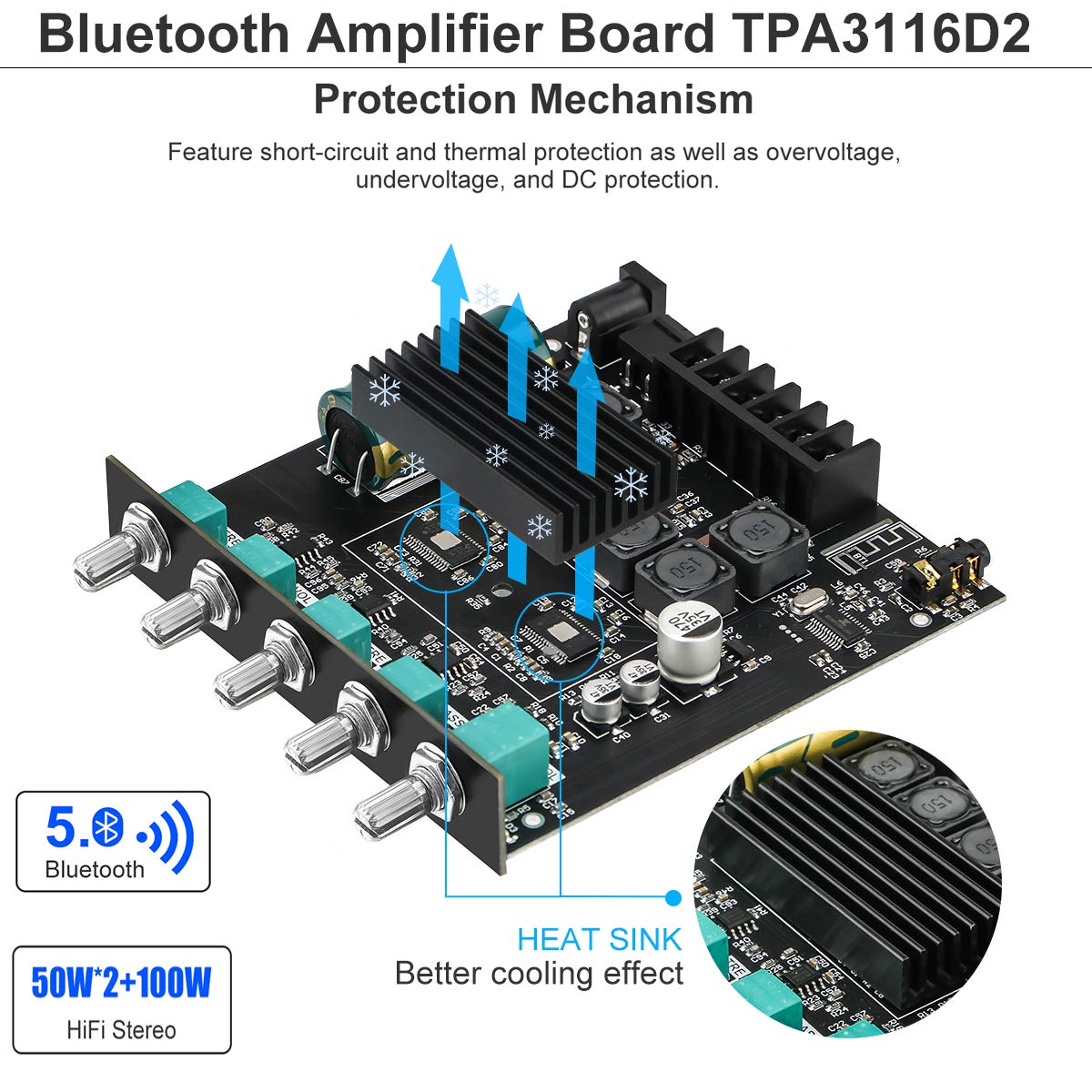
- Kortslutningsbeskyttelse: Automatically detects and protects against short circuits at the speaker outputs.
- Termisk beskyttelse: Monitors the chip's temperature and reduces output or shuts down if overheating occurs.
- Overvoltage Beskyttelse: Safeguards the circuit from damage due to excessively high input voltage.
- Undervoltage Beskyttelse: Prevents unstable operation or damage from insufficient input voltage.
- DC Protection: Protects speakers from harmful DC offset in the audio signal.
In the event of an overload or fault condition, the device is designed to report the condition and protect itself from damage.
8. Fejlfinding
If you encounter issues with your MakerHawk ZK-TB21 ampFor sikringsplade, se følgende almindelige problemer og løsninger:
| Problem | Mulig årsag | Løsning |
|---|---|---|
| Ingen lydudgang | No power; incorrect speaker wiring; input source issue; volume too low. | Check power connection and supply voltage (12-24V DC). Verify speaker wire polarity and secure connections. Ensure audio source is playing and connected correctly. Increase main volume. |
| Dårlig lydkvalitet / Forvrængning | Insufficient power supply; speaker impedance mismatch; volume too high; poor audio source quality. | Use a power supply within the recommended voltage range (12-24V) with adequate current (e.g., 24V 10A). Ensure speaker impedance is compatible (4Ω recommended). Reduce volume. Test with a different audio source. |
| Problemer med Bluetooth-forbindelse | Device too far; interference; ampLifier er ikke i parringstilstand. | Ensure your device is within close range (within 10 feet) and has a clear line of sight to the amplifier. Disconnect and reconnect Bluetooth. Try pairing with a different device. |
| Brummende eller summende lyd | Ground loop; interference from power supply or audio source. | Ensure all components are properly grounded. Try a different power supply. If using AUX, consider an audio isolation transformer. |
| Amplifier turns off randomly | Overheating; power supply instability; protection circuit activation. | Ensure adequate ventilation around the heat sink. Verify power supply stability and current capability. Reduce load or volume. |
9. Vedligeholdelse
To ensure the longevity and optimal performance of your MakerHawk ZK-TB21 ampFølg disse retningslinjer for vedligeholdelse:
- Rensning: Use a soft, dry cloth to wipe the surface of the amplifier board. Avoid using liquid cleaners or solvents, as they may damage the electronic components.
- Miljø: Betjen amplifier in a clean, dry environment. Avoid exposure to excessive dust, moisture, or extreme temperatures.
- Ventilation: Ensure the heat sink has adequate airflow to prevent overheating, especially during prolonged use at high volumes. Do not obstruct the heat sink.
- Forbindelser: Kontrollér regelmæssigt alle ledningsforbindelser for at sikre, at de er fastgjorte og fri for korrosion.
10. Garanti og support
For warranty information and technical support, please refer to the documentation provided at the time of purchase or contact MakerHawk customer service directly. You can often find support resources and contact details on the official MakerHawk webhjemmeside eller gennem den forhandler, hvor produktet blev købt.
For general inquiries or to explore other MakerHawk products, visit the official MakerHawk store: MakerHawk Store on Amazon.