
Meross MSS560
Meross Smart Dimmer Switch (MSS560) User Manual
Model: MSS560
Indledning
The Meross Smart Dimmer Switch (MSS560) is designed to provide intelligent control over your lighting. This single-pole dimmer switch allows you to remotely control, dim, and schedule your lights using the Meross app, Apple HomeKit, Amazon Alexa, or Google Assistant. It requires a neutral wire for installation and operates on a 2.4GHz Wi-Fi network.
Sikkerhedsoplysninger
- Neutral ledning påkrævet: Ensure your electrical box has a neutral wire (typically white) before installation. If unsure, consult a qualified electrician.
- Sluk før installation: Always turn off power at the circuit breaker before installing or servicing the switch to prevent electrical shock.
- Single Pole Setup Only: This switch is designed for single pole configurations only. It is not compatible with 3-way or multi-way switch setups.
- Pære kompatibilitet: Works with non-smart dimming bulbs. Maximum wattage: 400W for incandescent (INC), 150W for CFL & LED bulbs. Do not use with smart bulbs.
- Wi-Fi-krav: Supports 2.4GHz Wi-Fi networks only. 5GHz Wi-Fi is not supported. No hub is required.
- Brandhæmmende materiale: The switch housing is made of PC+ABS fire-retardant material for safety.
- Overbelastningsbeskyttelse: Certified by FCC/ETL, the device includes protection against electrical overload.
Hvad er der i æsken
- Meross Smart Dimmer Switch (MSS560)
- Hurtig installationsvejledning
- Trådmøtrikker
- Monteringsskruer
- Faceplate (standard size)
Opsætning
Tjekliste før installation
- Verify your electrical box has a neutral wire (white).
- Ensure you have a 2.4GHz Wi-Fi network.
- Confirm your setup is single pole (not 3-way).
- Check bulb compatibility (non-smart dimmable LED/CFL/INC).

Image: Diagram illustrating the necessity of a neutral wire and compatible bulb types (LED, CFL, INC) with wattage limits, and incompatibility with smart bulbs.

Image: Important notes on switch compatibility, including single pole setup, 2.4GHz Wi-Fi, neutral wire, and non-smart dimming bulb support.
Hardware installation
- Sluk for strømmen: Locate your circuit breaker and turn off the power to the switch you are replacing. Verify power is off using a voltage tester.
- Fjern den gamle switch: Carefully remove the faceplate and unscrew the existing switch from the electrical box. Pull the switch outward without touching any wires.
- Identificér ledninger: Identify the Live (black/red), Load (brown/black), Neutral (white), and Ground (green/bare copper) wires. Label them if necessary.
- Tilslut ny switch: Use the provided wire nuts to connect the corresponding wires of the Meross Smart Dimmer Switch to your home's electrical wires. Ensure all connections are secure.
- Sikker switch: Carefully push the wires and the new switch into the electrical box. Screw the switch to the box and attach the faceplate.
- Gendan strøm: Turn on the power at your circuit breaker.
Video: Official Meross guide on how to install the HomeKit smart dimmer switch, demonstrating the wiring process and safety precautions.
App Setup & Pairing
- Download Meross-appen: Download Meross-appen fra App Store eller Google Play.
- Tilføj enhed: Open the Meross app, tap the '+' icon to add a new device, and select the Smart Dimmer Switch. Follow the in-app instructions.
- Opret forbindelse til Wi-Fi: Connect the switch to your 2.4GHz Wi-Fi network.
- HomeKit Setup (Optional): If using Apple HomeKit, scan the HomeKit setup code located on the device or its packaging. You may need to manually enter the 8-digit code.
- Calibrate Dimming Range: Use the app to set the maximum and minimum light levels for optimal dimming performance with your specific bulbs.
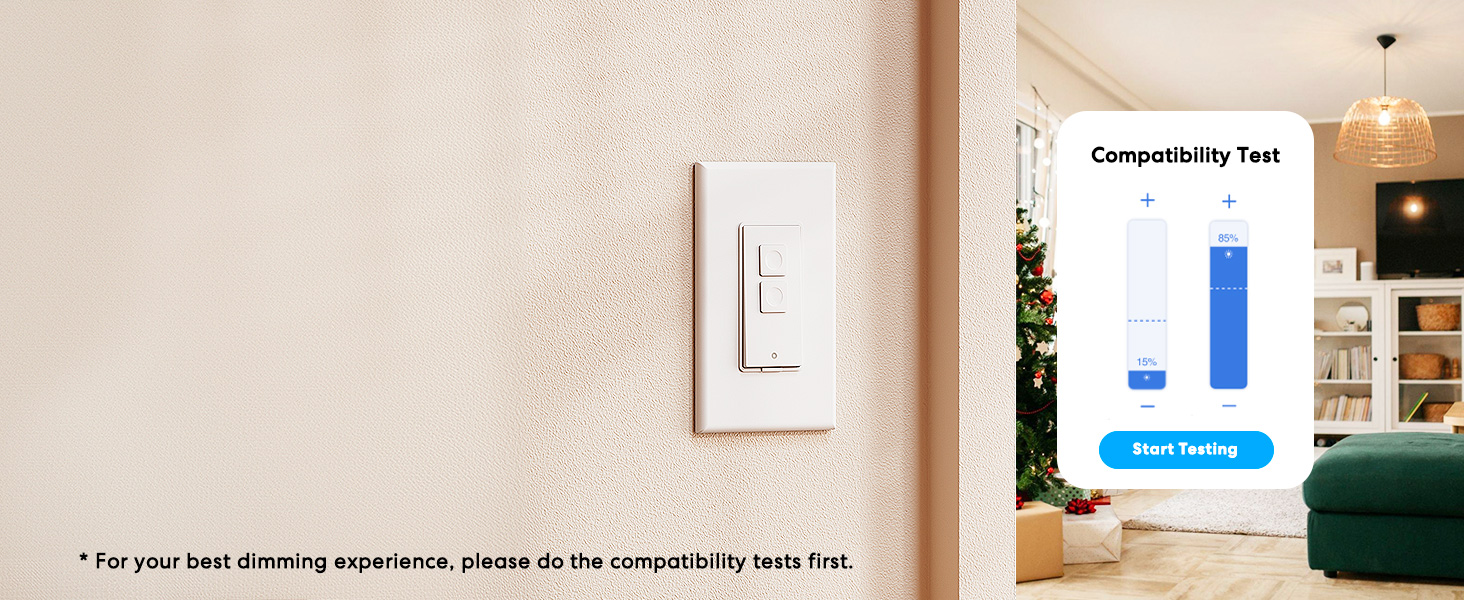
Image: Meross app interface demonstrating the dimming compatibility test to optimize light levels.
Betjeningsvejledning
Manuel kontrol
The Meross Smart Dimmer Switch features physical buttons for direct control:
- On/Off knap: Press the main button to turn lights on or off.
- Dæmpningsknapper: Use the smaller up/down buttons to adjust brightness levels.
App kontrol
Control your lights from anywhere with internet access using the Meross app:
- Fjernbetjening til/fra: Tap the switch icon in the app to toggle lights.
- Dæmpning: Use the slider in the app to precisely adjust brightness from 0% to 100%.

Image: A user controlling lights remotely via the Meross app on a smartphone.
Stemmekontrol
The Meross Smart Dimmer Switch is compatible with leading voice assistants:
- Apple HomeKit/Siri: Say "Hey Siri, turn on the light" or "Hey Siri, dim the light to 50%".
- Amazon Alexa: Say "Alexa, turn on the light" or "Alexa, dim the light to 20%".
- Google Assistant: Say "Hey Google, turn on the light" or "Hey Google, dim the light to 90%".

Image: Visual representation of voice commands for Siri, Alexa, and Google Assistant to control light brightness.
Scheduling & Scenes
Automate your lighting to suit your lifestyle:
- Tidsplaner: Set specific times for lights to turn on/off or dim automatically. Supports sunrise and sunset settings.
- Scener: Create custom scenes for different moods or activities (e.g., "Movie Night" with dimmed lights).

Image: Meross app interface displaying options for setting scenes, timers, and schedules for automated lighting control.
Opretholdelse
- Rensning: Wipe the switch and faceplate with a soft, dry cloth. Do not use liquid cleaners or aerosols.
- Firmwareopdateringer: Regularly check the Meross app for firmware updates to ensure optimal performance and security.
Fejlfinding
- Kontakten reagerer ikke: If the switch is unresponsive or the indicator light is red, try pressing the small power reset button located at the bottom of the switch.
- Problemer med Wi-Fi-forbindelse: Ensure your smartphone is connected to a 2.4GHz Wi-Fi network during setup. If the switch loses connection, verify your router is functioning correctly and the switch is within range.
- Dæmpningsproblemer: If lights flicker or do not dim correctly, re-calibrate the dimming range in the Meross app. Ensure you are using compatible non-smart dimmable bulbs.
- HomeKit Remote Control: For remote control via HomeKit, an additional networked Apple device (HomePod, Apple TV 4K/HD, or iPad) must be set up as a HomeKit bridge and remain online.
Specifikationer
| Feature | Specifikation |
|---|---|
| Driftstilstand | TÆND SLUK |
| Nuværende vurdering | 4 Amps |
| Operation Voltage | 120 volt |
| Kontakttype | Normalt åben |
| Connector Type | Clamp |
| Terminal | Klinge |
| Varedimensioner (L x B x H) | 4.7 x 2.8 x 1.5 tommer |
| Kredsløbstype | 1-vejs (enkeltpolet) |
| Aktuator type | Tryk knap |
| Kontaktmateriale | Kobber |
| International Protection Rating | IP00 |
| Antal stillinger | 1 |
| Øverste temperaturvurdering | 40 grader Celsius |
| Controller type | Amazon Alexa, Apple HomeKit, Google Assistant |
| Kontrolmetode | Stemme, app |
| Forbindelsesprotokol | Wi-Fi (kun 2.4 GHz) |
| Farve | Hvid |
| Wattage | 400 watts (INC), 150 watts (CFL & LED) |
| Materiale | Plastic (PC+ABS fire-retardant) |
Garanti og support
Garanti
The Meross Smart Dimmer Switch typically comes with a 1-year warranty. Please refer to your product packaging or the Meross webwebstedet for specifikke garantivilkår.
Støtte
If you have any questions regarding your switch type, installation, or Wi-Fi connections, please contact Meross customer support. You can usually find contact information within the Meross app or on the official Meross webwebsted.
Yderligere oplysninger
Video: En overview of Meross smart home products, showcasing various features and benefits of integrating smart devices into your home.
Ask a question about this manual
Ask about setup, troubleshooting, compatibility, parts, safety, or missing instructions. Manuals+ will review the question and use this page’s manual context to help answer it.