
GOKOO B08FMBHSWD
GOKOO Smart Watch B08FMBHSWD User Manual
Indledning
This manual provides essential information for the proper setup, operation, and maintenance of your GOKOO Smart Watch B08FMBHSWD. Please read it thoroughly before using the device to ensure optimal performance and longevity.
The GOKOO Smart Watch is a versatile fitness tracker and smartwatch designed to monitor various health metrics and assist with daily activities. It features a full touch screen, heart rate and blood oxygen monitoring, sleep tracking, multiple sports modes, and notification capabilities.
Produkt overview
The GOKOO Smart Watch B08FMBHSWD is equipped with advanced features to support your active lifestyle and health monitoring needs.
- All-day Activity Tracking: Records steps, calories, and mileage. Supports 10 sports modes including walking, running, yoga, and swimming.
- Omfattende sundhedsovervågning: Continuously monitors heart rate and blood oxygen levels. Features automatic sleep tracking, breathing training, and sedentary reminders.
- Holdbart og vandtæt design: IP68 waterproof rating suitable for daily use and swimming.
- Skærmen kan tilpasses: 1.3-inch round high-definition screen with personalized UI interfaces.
- Smarte meddelelser: Synchronizes messages and allows management of incoming calls.
- Lang batterilevetid: Up to 10 days of usage on a single charge (200MA battery).
- Bred kompatibilitet: Works with Android 5.0+ and iOS 9.0+ devices.

Figure 1: GOKOO Smart Watch highlighting its design and core functionalities.
Opsætning
1. Opladning af enheden
Before initial use, fully charge your GOKOO Smart Watch. Connect the magnetic charging cable to the charging contacts on the back of the watch and plug the USB end into a power adapter (not included) or a computer's USB port. The watch display will indicate charging status.
A full charge typically takes approximately 2 hours and provides up to 10 days of usage, depending on individual use patterns.

Figure 2: Illustration of the watch's IP68 waterproof capability and its extended battery life.
2. Appinstallation og parring
- Download appen: Søg efter the official GOKOO companion app in your smartphone's app store (Apple App Store for iOS, Google Play Store for Android).
- Installer og registrer: Installer appen, og følg instruktionerne på skærmen for at oprette en konto eller logge ind.
- Aktiver Bluetooth: Sørg for, at Bluetooth er aktiveret på din smartphone.
- Par uret: Open the GOKOO app, navigate to the device pairing section, and select your GOKOO Smart Watch from the list of available devices. Confirm the pairing request on both your phone and the watch if prompted.
- Giv tilladelser: Allow necessary permissions (e.g., notifications, location, health data) for the app to function correctly.
The watch will synchronize its language with your phone upon successful connection.
Betjeningsvejledning
1. Grundlæggende navigation
- Berøringsskærm: The watch features a full touch screen for interaction.
- Stryg op/ned: Rul gennem menuer og notifikationer.
- Stryg til venstre/højre: Få adgang til forskellige widgets eller hurtigfunktioner.
- Tryk på: Vælg et element eller bekræft en handling.
- Side knap: Typically used to return to the home screen or activate/deactivate the display.

Figure 3: The watch interface displaying multiple functions and touch screen interaction methods.
2. Aktivitetssporing
The watch automatically tracks your daily steps, calories burned, and distance traveled. For specific activities, you can select from 10 sports modes:
- Gåture
- Løb
- Yoga
- Svømning
- Cykling
- Klatring
- Basketball
- Fodbold
- Badminton
- Springer over
To start a workout, navigate to the 'Sports' menu on your watch, select the desired activity, and tap to begin. The watch will record your exercise data, which can be reviewi den tilhørende app.

Figure 4: The watch interface showing available sports monitoring modes.

Figure 5: The watch tracking an outdoor run, displaying distance, calories, and a trajectory map.
3. Sundhedsovervågning
- Puls: Uret overvåger løbende din puls. View realtidsdata på uret eller detaljerede historiske data i appen.
- Blodilt (SpO2): Overvåg dit iltniveau i blodet i løbet af dagen.
- Søvnsporing: The watch automatically records your sleep quality, including deep sleep, light sleep, and wake times. Review sleep patterns in the app to help adjust your habits.
- Åndedrætstræning: Access guided breathing exercises on the watch to help reduce stress and improve relaxation.
- Stillesiddende påmindelser: Set reminders in the app to prompt you to move after periods of inactivity.

Figure 6: The watch displaying real-time heart rate and blood oxygen data during exercise.
4. Notifikationer og smarte funktioner
Once paired with your smartphone, the GOKOO Smart Watch can display notifications for incoming calls, messages, and various app alerts. You can read messages directly on your wrist and manage incoming calls (answer/reject) without reaching for your phone.
- Opkaldshåndtering: Swipe on the watch screen to accept or reject incoming calls.
- Meddelelsesvisning: View text messages and app notifications.
- Vejrudsigt: Access current weather information.
- Musik kontrol: Styr musikafspilning på din smartphone.
- Fjernbetjening til kameraet: Brug uret som en fjernbetjent lukker til din telefons kamera.
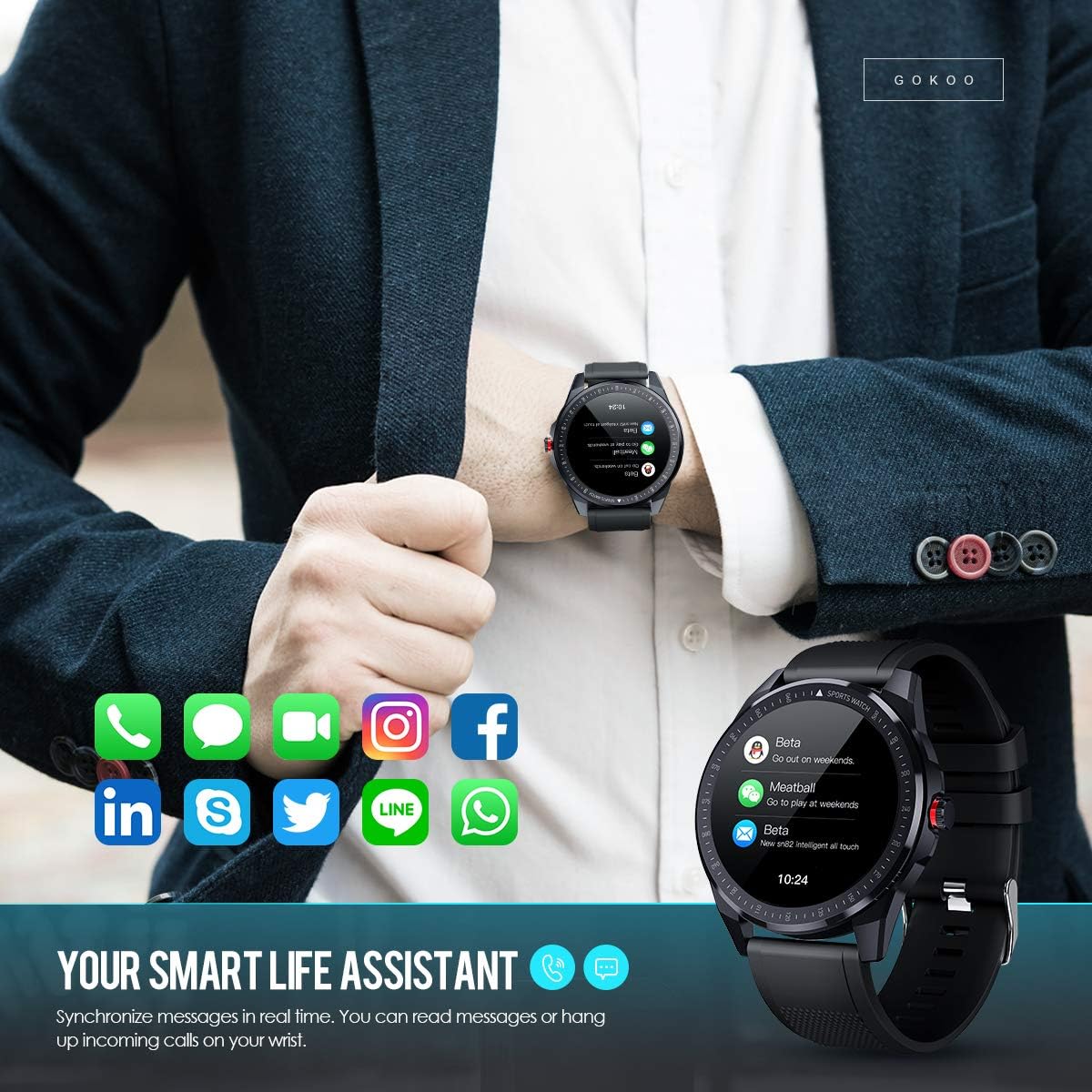
Figure 7: The watch showing synchronized notifications from a smartphone.
5. Tilpasning
The GOKOO Smart Watch allows for personalization of its interface. You can select from various pre-installed watch faces or download additional styles through the companion app to match your preference.
Opretholdelse
1. Rensning
Rengør dit ur og din rem regelmæssigt for at forhindre hudirritation og opretholde enhedens hygiejne. Brug en blød, fnugfri klud. Tør om nødvendigt let.ampSkyl kluden med vand. Undgå at bruge skrappe kemikalier, slibende rengøringsmidler eller aerosolspray.
2. Retningslinjer for vandtæthed
The GOKOO Smart Watch has an IP68 waterproof rating, meaning it is resistant to dust and can withstand immersion in water up to 1.5 meters for 30 minutes. It is suitable for daily use, hand washing, rain, and swimming.
Vigtig: Do not use the watch in hot water baths, saunas, or during diving. High temperatures and high pressure can compromise the waterproof seals and cause damage.
3. Batteripleje
- Undgå at aflade batteriet helt ofte.
- Oplad uret med det medfølgende magnetiske opladningskabel.
- Opbevar uret et køligt og tørt sted, når det ikke er i brug i længere perioder.
Fejlfinding
- Uret tænder ikke: Sørg for, at uret er fuldt opladet. Tilslut det til opladeren i mindst 30 minutter.
- Kan ikke parres med telefon:
- Sørg for, at Bluetooth er aktiveret på din telefon.
- Sørg for, at uret er inden for din telefons Bluetooth-rækkevidde.
- Genstart både din telefon og uret.
- Tjek om appen har de nødvendige tilladelser.
- Unøjagtige sundhedsdata: Sørg for, at uret sidder tæt på dit håndled, cirka en fingers bredde over håndledsknoglen. Rengør sensoren på bagsiden af uret.
- Notifikationer vises ikke:
- Verify that notification permissions are granted in the app and your phone's settings.
- Sørg for, at uret er forbundet via Bluetooth.
- Check if 'Do Not Disturb' mode is active on either the watch or phone.
- Kort batterilevetid: Reduce screen brightness, disable continuous heart rate monitoring if not needed, and limit the number of active notifications.
Specifikationer
| Feature | Detalje |
|---|---|
| Mærke | GOKOO |
| Model | B08FMBHSWD |
| Skærmstørrelse | 1.3 tommer |
| Operativsystem | Android 5.0 eller nyere, iOS 9.0 eller nyere |
| Kompatible enheder | Smartphone |
| Batterilevetid | Op til 10 dage (afhængigt af brug) |
| Batteritype | Lithium polymer |
| Vandmodstand | IP68 |
| Trådløs forbindelse | Bluetooth |
| Human Interface Input | Touchskærm |
| Produktdimensioner | 27 x 5 x 1.08 cm; 168 g |

Figure 8: Detailed product dimensions of the GOKOO Smart Watch.
Garanti og support
For warranty information or technical support, please refer to the contact details provided with your purchase or visit the official GOKOO website. If you require a copy of this manual or have any questions regarding your GOKOO Smart Watch B08FMBHSWD, please contact customer service.
Relaterede dokumenterB08FMBHSWD


Ask a question about this manual
Ask about setup, troubleshooting, compatibility, parts, safety, or missing instructions. Manuals+ will review the question and use this page’s manual context to help answer it.