
Wireless Gear G0679
Brugermanual til Wireless Gear Bluetooth 5.0 True Wireless Stereo-øretelefoner
Model: G0679
Indledning
This manual provides comprehensive instructions for the Wireless Gear Bluetooth 5.0 True Wireless Stereo Earbuds. Please read this manual carefully before using the product to ensure proper operation and to maximize your listening experience. Keep this manual for future reference.
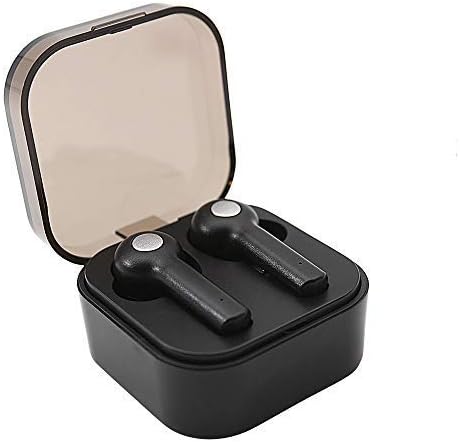
Image: Wireless Gear True Wireless Earbuds in their open charging case, showcasinderes kompakte design.
Pakkens indhold
Sørg for at alle varer er til stede i pakken:
- Wireless Gear True Wireless Earbuds (Left and Right)
- Bærbart opladningsetui
- USB opladningskabel
- Brugervejledning (dette dokument)
- Additional Ear Gels (various sizes)
Produktegenskaber
- Bluetooth 5.0-teknologi: Provides stable and efficient wireless connection.
- True Wireless Stereo (TWS): Delivers rich audio and powerful bass.
- Integreret mikrofon: Muliggør håndfri opkald.
- Touch Control: Manage music playback, calls, and voice assistant activation directly from the earbuds.
- Auto Pair & Auto Power On: Seamless pairing with previously connected devices.
- Noise-Isolating Ear Gels: Designed for comfort and enhanced sound acoustics.
- Bærbar opladnings sag: Extends playtime and protects earbuds.
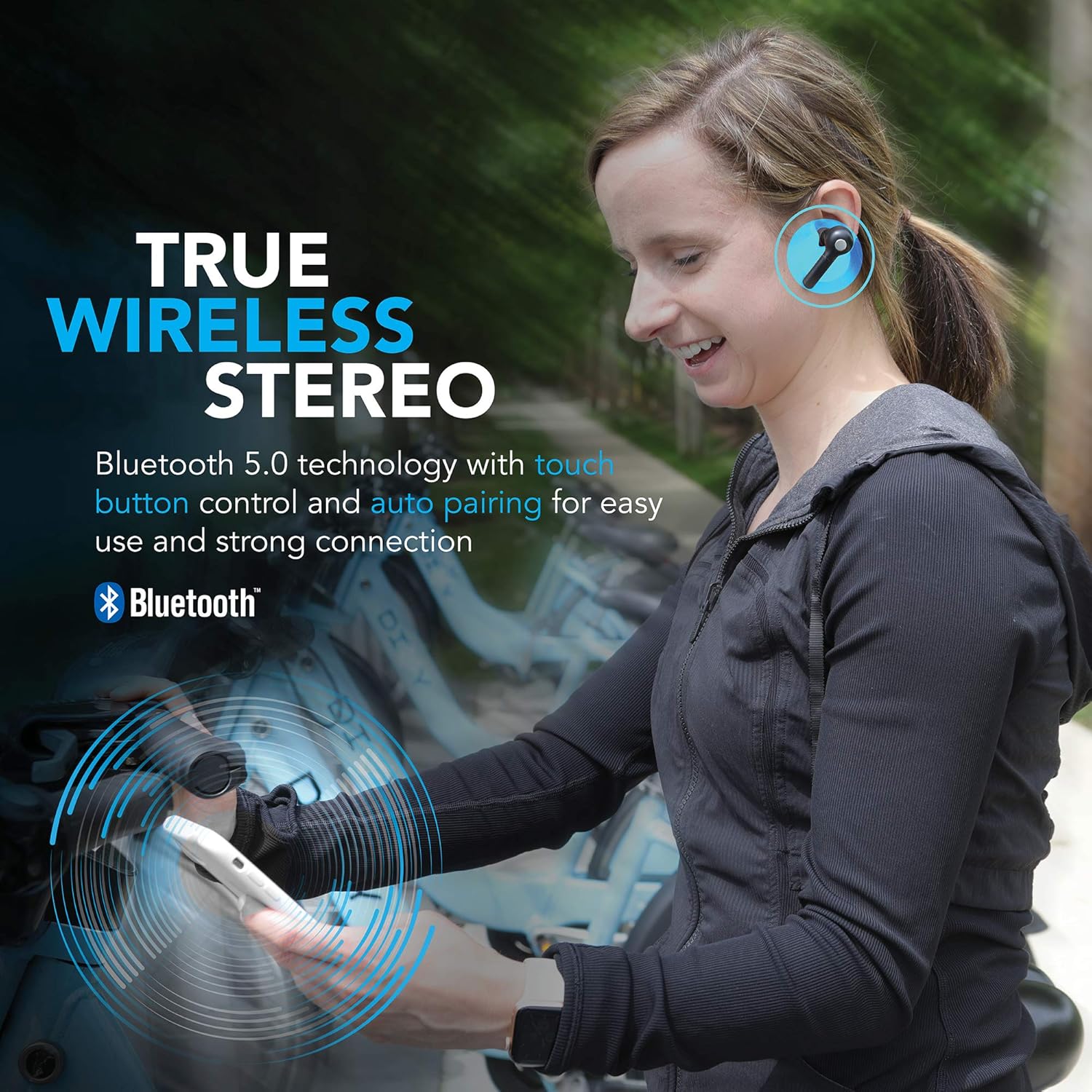
Image: A woman wearing the Wireless Gear earbuds, illustrating the true wireless stereo and Bluetooth 5.0 capabilities.

Image: A woman using the earbuds for hands-free communication, highlighting the built-in microphone feature.
Opsætning og første brug
1. Opladning af øretelefoner og etuiet
Before first use, fully charge the earbuds and the charging case. Place the earbuds into the charging case. Connect the USB charging cable to the charging port on the case and the other end to a USB power source (e.g., computer, wall adapter).
- The charging indicator lights on the case will show charging status.
- A full charge provides up to 2.5 hours of playtime for the earbuds, and the case can provide 4-5 additional charges, totaling up to 8 hours of playtime.
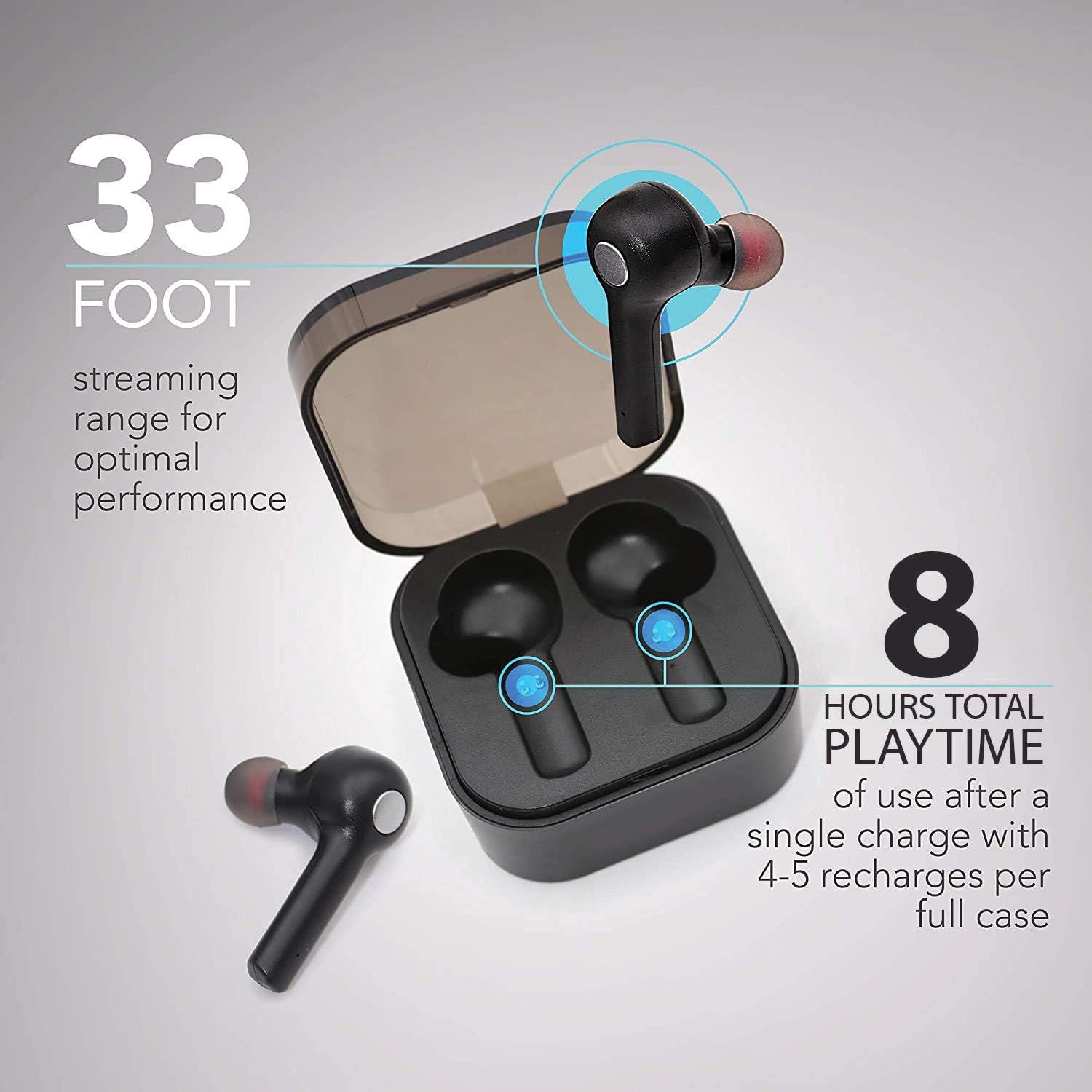
Image: The earbuds in their charging case, illustrating the 33-foot range and 8 hours of total playtime with the case.
2. Parring med en enhed
- Sørg for, at øretelefonerne er opladet.
- Åbn opladningsetuiet. Ørepropperne tændes automatisk og går i parringstilstand.
- Aktiver Bluetooth på din enhed (smartphone, tablet, bærbar computer).
- Søg efter tilgængelige Bluetooth-enheder.
- Select "Wireless Gear Earbuds" (or similar name) from the list.
- Når der er oprettet forbindelse, hører du en bekræftelsestone, og indikatorlamperne på øreproppen skifter.
The earbuds feature auto-pair functionality, meaning they will automatically connect to the last paired device when removed from the case, if Bluetooth is enabled on that device.
Betjeningsvejledning
Iført øretelefoner
Gently insert the earbuds into your ears. Adjust them for a comfortable and secure fit. The noise-isolating ear gels are designed to provide optimal sound acoustics and comfort.

Image: A man demonstrating the proper fit of the earbud, emphasizing the comfort and sound isolation provided by the ear gels.
Tryk på kontrolelementer
The earbuds feature intuitive touch controls on the side of each earbud. Refer to the table below for common functions:
| Handling | Fungere |
|---|---|
| Enkelt tryk (venstre/højre øreprop) | Afspil/pause musik, besvar/afslut opkald |
| Dobbelttryk (højre øretelefon) | Næste sang |
| Dobbelttryk (venstre øretelefon) | Forrige sang |
| Triple Tap (venstre/højre øreprop) | Activate Voice Assistant (Siri for iOS) |
| Langt tryk (venstre/højre øreprop) | Afvis opkald |
Tænd/sluk
- Tænd: Tag ørepropperne ud af opladningsetuiet. De tændes automatisk.
- Sluk: Sæt ørepropperne tilbage i opladningsetuiet. De slukker automatisk og begynder at oplade.
Vedligeholdelse og pleje
- Rensning: Brug en blød, tør klud til at rengøre ørepropperne og opladningsetuiet. Brug ikke skrappe kemikalier eller slibende materialer.
- Øregeler: Periodically remove and clean the ear gels with a damp klud. Sørg for, at de er helt tørre, før du sætter dem på igen.
- Opbevaring: Når ørepropperne ikke er i brug, skal de opbevares i deres opladningsetui for at beskytte dem og holde dem opladede.
- Undgå vand: Ørepropperne er ikke vandtætte. Undgå udsættelse for vand, fugt eller ekstreme temperaturer.
- Batteripleje: To prolong battery life, avoid fully discharging the earbuds and case frequently. Charge them regularly.
Fejlfinding
| Problem | Mulig årsag | Løsning |
|---|---|---|
| Øretelefoner parrer ikke | Øretelefoner er ikke i parringstilstand; Bluetooth slukket på enheden; tidligere parrede enheder forstyrrer. | Ensure earbuds are out of case and indicator lights are flashing. Turn Bluetooth off and on again on your device. Forget previous pairings on your device and try again. |
| Kun én øretelefon virker | Earbuds not properly synced; one earbud out of charge. | Sæt begge ørepropper tilbage i opladningsetuiet, luk låget, og åbn det derefter igen. Sørg for, at begge ørepropper er opladet. |
| Ingen lyd eller lav lydstyrke | Volume too low on device; earbuds not connected; media source issue. | Increase volume on your connected device. Reconnect earbuds. Check if audio is playing from the correct source on your device. |
| Ladeetui oplader ikke | Defekt kabel eller strømkilde. | Try a different USB cable and/or power adapter. Ensure connections are secure. |
| Dårlig lydkvalitet / Afbrydelser | For langt fra enheden; interferens; lavt batteri. | Move closer to your device (within 33 ft). Avoid strong electromagnetic interference. Charge earbuds and case. |
Specifikationer
| Feature | Detalje |
|---|---|
| Modelnummer | G0679 |
| Bluetooth version | 5.0 |
| Wireless Range | Op til 33 fod (10 meter) |
| Spilletid for øretelefoner | Op til 2.5 timer pr. Opladning |
| Samlet spilletid (med etui) | Up to 8 hours (4-5 recharges from case) |
| Kontroltype | Tryk på kontrol |
| Mikrofon | Indbygget |
| Materiale | Plast |
| Batteritype | Lithium Ion |
| Øreproppernes dimensioner (ca.) | Refer to image for detailed dimensions. |
| Case Dimensions (approx.) | 5.7 x 5.7 x 1.9 cm (2.25 x 2.25 x 0.75) |

Image: Detailed dimensions of the earbuds and charging case for reference.
Garantioplysninger
For warranty details and terms, please refer to the warranty card included with your product or contact Wireless Gear customer support. Keep your purchase receipt as proof of purchase.
Kundesupport
If you encounter any issues or have questions not covered in this manual, please contact Wireless Gear customer support. Visit the official Wireless Gear website for contact information and frequently asked questions.
Fabrikant: ESI Wireless Accessories