
1. Introduktion
This manual provides detailed instructions for the assembly, operation, and maintenance of your MUSETEX ATX Mid-Tower Case 907. Please read this manual thoroughly before beginning installation to ensure proper setup and safe usage. Keep this manual for future reference.
2. Sikkerhedsoplysninger
- Afbryd altid strømmen, før du installerer eller servicerer komponenter.
- Håndter hærdede glaspaneler forsigtigt for at forhindre brud.
- Ensure all cables are properly routed and secured to prevent interference with moving parts or airflow.
- Keep the case away from liquids and excessive heat sources.
3. Pakkens indhold
Bekræft at alle varer er til stede i din pakke:
- MUSETEX ATX Mid-Tower Case 907
- 6 x ARGB Fans (pre-installed)
- Remote Control for ARGB Fans
- Accessory Kit (screws, cable ties, standoffs)
- Brugervejledning (dette dokument)
4. Produktet er slutview og funktioner
The MUSETEX ATX Mid-Tower Case 907 is designed for gaming enthusiasts, featuring excellent airflow, vibrant ARGB lighting, and durable tempered glass panels.
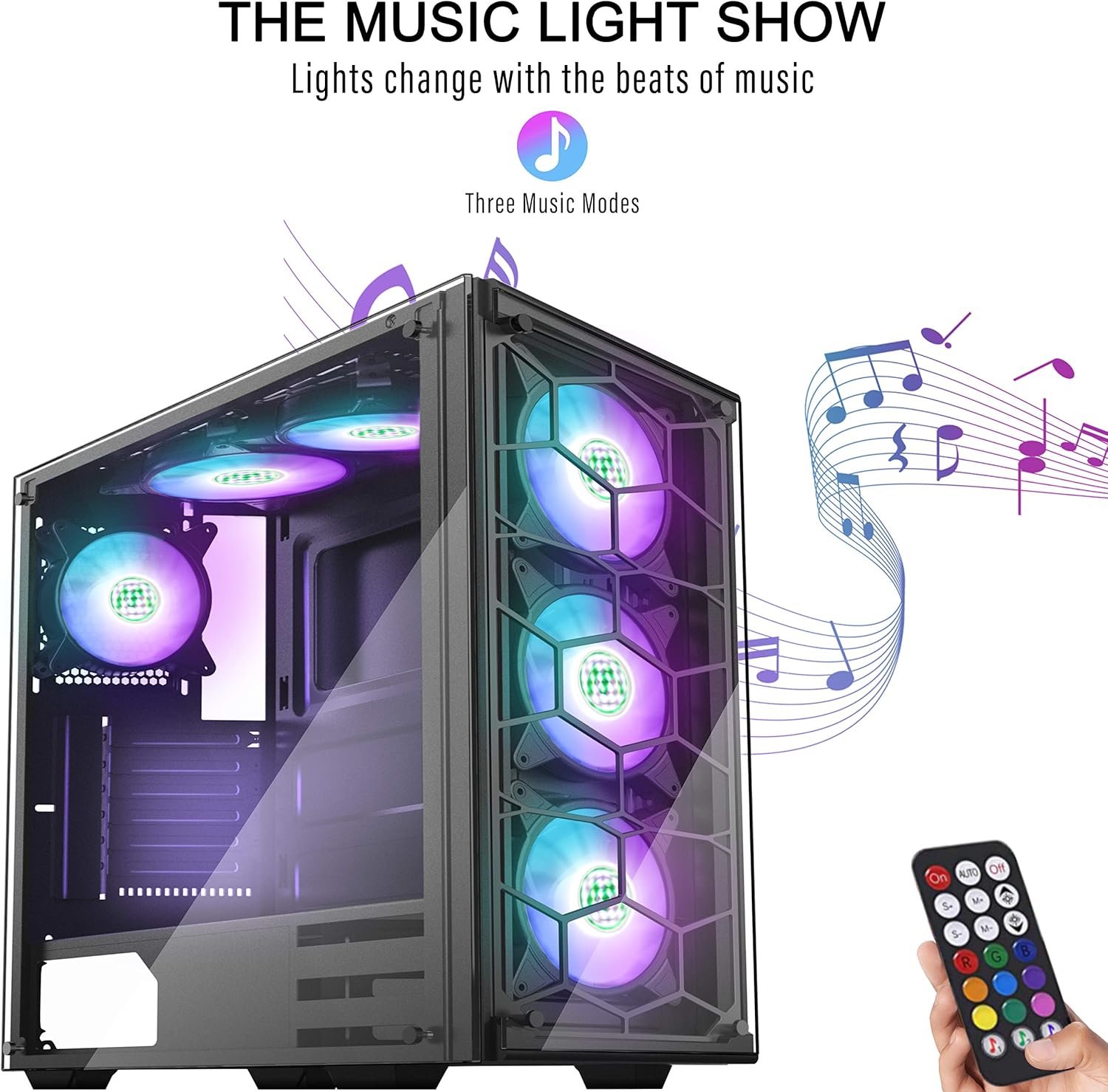
Figur 1: Forside og side view of the MUSETEX ATX Mid-Tower Case 907 showcasing its ARGB fans.
Nøglefunktioner:
- ATX Mid-Tower Design: Spacious interior for various component sizes.
- 6 Pre-installed ARGB Fans: Giver effektiv køling og brugerdefineret belysning.
- Honeycomb Airflow: Optimized design for maximum air intake and exhaust.
- Music Remote Control: Synchronize lighting effects with music.
- 2 Tempered Glass Panels: Durable and clear panels for showcasing interne komponenter.
- USB 3.0-tilslutning: Convenient front panel I/O ports.
5. Opsætning og installation
5.1 Husets dimensioner
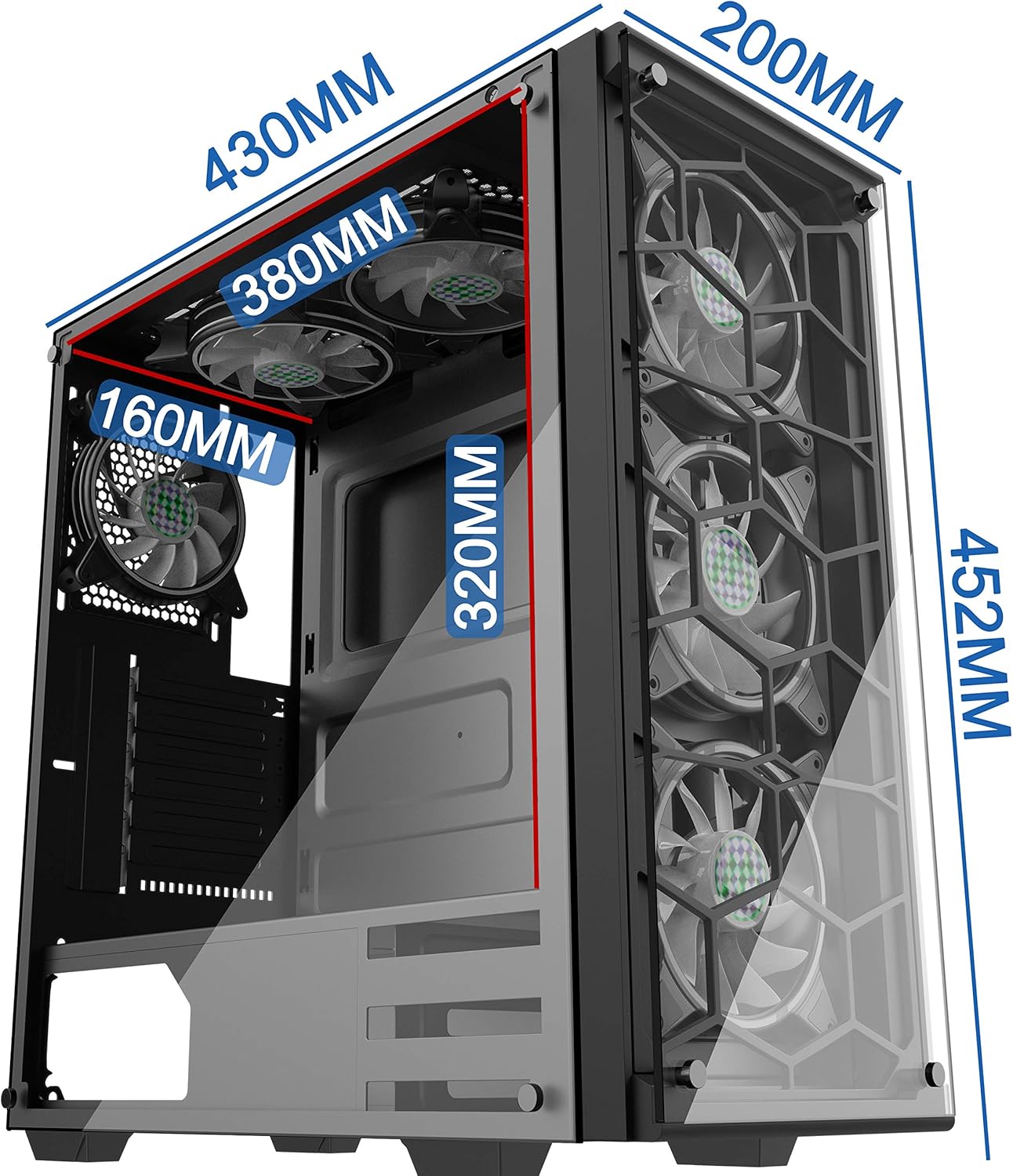
Figure 2: Detailed dimensions of the PC case, including height (452mm), depth (430mm), and width (200mm).
5.2 Komponentkompatibilitet

Figure 3: Internal layout showing compatible motherboard sizes (Mini-ITX, M-ATX, ATX, E-ATX), PSU length (200mm), SSD (3 slots), and HDD (2 slots) locations.
5.3 Installationstrin
- Fjern sidepaneler: Carefully unscrew and remove the tempered glass side panels.
- Installation af bundkort: Install your motherboard (compatible with Mini-ITX, M-ATX, ATX, E-ATX) onto the standoffs.
- GPU installation: Install your graphics processing unit. The case supports vertical GPU installation.
- Opbevaringsinstallation: Install SSDs (up to 3) and HDDs (up to 2) in their designated slots.
- PSU installation: Install your power supply unit (up to 200mm length) in the rear mount.
- Radiator/Fan Installation: The case supports 120mm, 240mm, and 360mm radiators on the top and front.
Video 1: This video demonstrates the installation of a 120mm/240mm radiator on the top of the case and highlights the magnetic air filters and RGB lighting control.
6. Betjeningsvejledning
6.1 Tænd/sluk
Press the power button located on the top panel to turn the system on or off.
6.2 ARGB-blæserstyring
The pre-installed ARGB fans can be controlled using the included remote control or the dedicated RGB button on the top panel.
- Fjernbetjening: Use the remote to select various colors, lighting modes, and activate the music sync feature.
- RGB knap: Press the RGB button on the top panel to cycle through different lighting colors and modes.
7. Vedligeholdelse
7.1 Rengøring
- Magnetic Air Filters: The case is equipped with magnetic air filters on the top and bottom. Regularly remove and clean these filters to prevent dust buildup and maintain optimal airflow.
- Ydre: Wipe the exterior surfaces and tempered glass panels with a soft, damp klæde. Undgå slibende rengøringsmidler.
8. Fejlfinding
- Fans Not Lighting Up: Ensure all fan cables are securely connected to the fan controller and the controller is powered. Check the remote control battery.
- Ingen strøm: Verify that the power supply is correctly installed and connected to the motherboard and components. Check the power button connection to the motherboard.
- Dårlig luftgennemstrømning: Clean magnetic air filters and ensure no cables are obstructing fan blades or vents.
9. Specifikationer
| Feature | Specifikation |
|---|---|
| Sagstype | Mid Tower |
| Bundkort kompatibilitet | Udvidet ATX |
| Antal USB 2.0-porte | 2 |
| Antal USB 3.0-porte | 1 |
| Varens vægt | 17.6 pund (8 kilo) |
| Pakkedimensioner | 20 x 19.45 x 10.5 tommer |
| Farve | 907 (6PCS RGB fans with remote) |
| Materiale | Hærdet glas |
| Strømforsyningsmonteringstype | Bageste beslag |
| Afkølingsmetode | Luft, vand |
| Fan størrelse | 120 millimeter |
10. Garanti og support
MUSETEX products come with a standard manufacturer's warranty. For detailed warranty information, technical support, or service inquiries, please refer to the official MUSETEX webwebstedet eller kontakt deres kundeservice direkte. Gem din købsbevis til garantikrav.