
FLAMMA FS03
FLAMMA FS03 Electric Guitar Delay Effects Pedal with Looper
Brugermanual
Brand: FLAMMA | Model: FS03
Indledning
The FLAMMA FS03 is a versatile digital delay effects pedal designed for electric guitarists, featuring six traditional stereo delay effects and an integrated 80-second looper. This pedal offers storable presets, Tap Tempo functionality, and a Trail On feature for natural effect fade-out, providing extensive creative control over your sound. This manual provides detailed instructions for setting up, operating, and maintaining your FS03 pedal.
Nøglefunktioner
- Stereo Delay: Offers 6 distinct traditional stereo delay effects: Tape, Liquid, Rainbow, Galaxy, Mod-verse, and Low-bit.
- Integrated Looper: Features an 80-second capacity looper for recording and layering phrases.
- Storable Presets: Allows saving and recalling up to 7 custom presets for each effect module.
- Tap Tempo Function: Enables precise control over delay time by tapping the footswitch.
- Trail On Function: Ensures effects fade out naturally even after the pedal is disengaged.
- Flexible Controls: Five dedicated knobs for comprehensive parameter adjustment.
- Ægte bypass: Maintains signal integrity when the effect is bypassed.
Opsætning
Strømforsyning
The FLAMMA FS03 pedal requires a 9V DC power supply. Ensure the power supply provides more than 301mA of current. Using an insufficient current supply may lead to operational issues or damage to the unit. The power supply is IKKE INKLUDERET with the pedal.
Forbindelser
Connect your guitar to the input jack(s) and your amplifier or other effects pedals to the output jack(s). The FS03 supports stereo input and output for a wider soundstage. For mono operation, use the left input and output.

Figure 1: Connection diagram illustrating stereo and mono setups for the FS03 pedal, showing inputs and outputs for integration into a guitar rig.
Operation
Kontrol overview

Figure 2: The main control layout of the FS03 pedal, highlighting the five parameter knobs and the central Save/Select button.
- MIX-knap: Adjusts the balance between the dry (unaffected) signal and the wet (effected) signal. Turn clockwise to increase the effect level.
- TIME knap: Controls the delay time, determining the interval between repeats.
- F.B Knob (Feedback): Sets the number of delay repeats. Higher settings result in more repeats.
- TWEAK.1 Knob: Adjusts the first specific parameter for the selected delay effect. Its function varies depending on the chosen delay type.
- TWEAK.2 Knob: Adjusts the second specific parameter for the selected delay effect. Its function also varies depending on the chosen delay type.
- SAVE/SELECT Button: Used to select between the 7 available presets and to save custom settings.
- Fodkontakt: Engages or bypasses the effect. Also used for Tap Tempo and Looper control.
Forsinkede effekter
The FS03 offers six distinct stereo delay effects, each with unique characteristics and adjustable parameters via the TWEAK knobs.
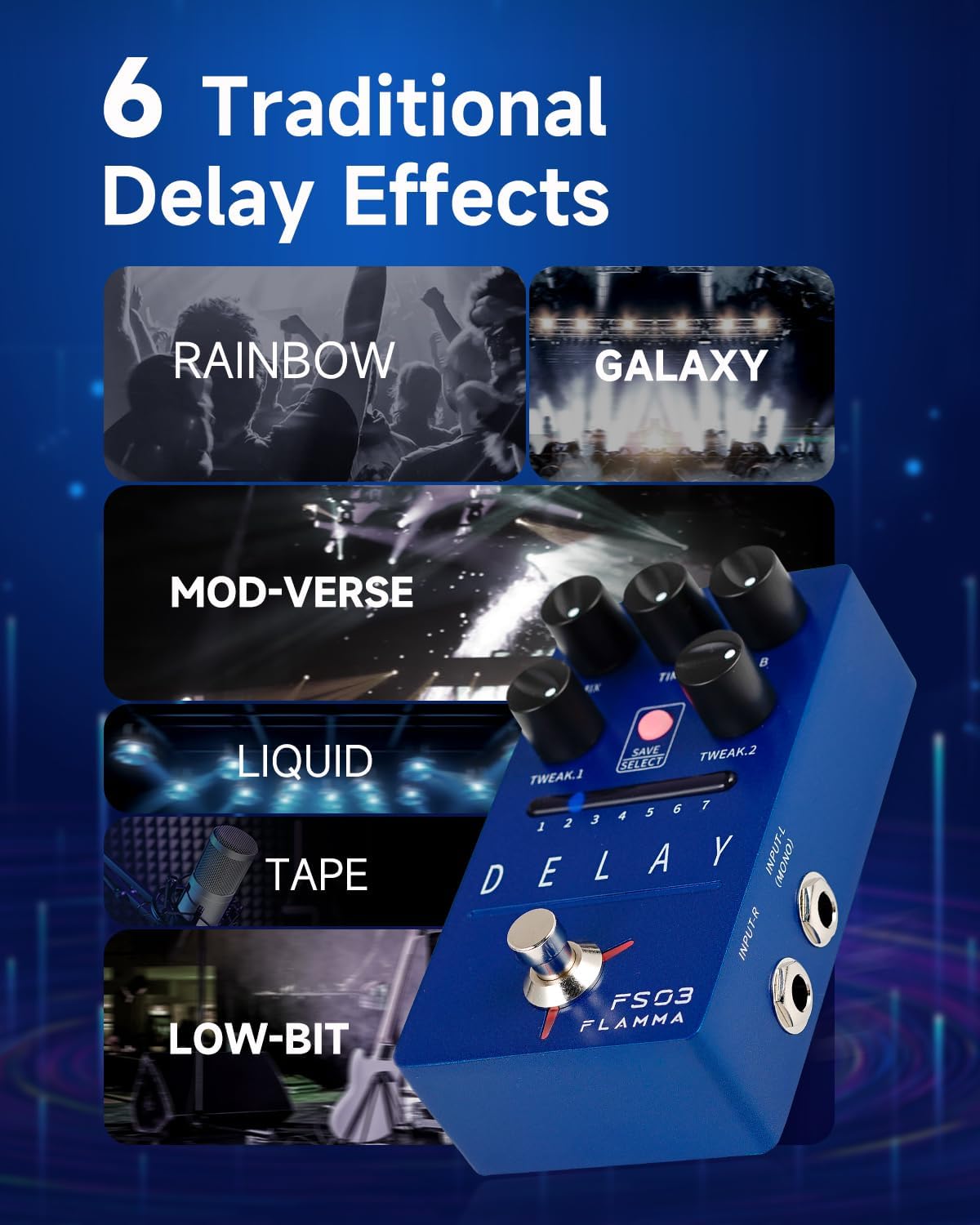
Figur 3: Overview of the six traditional delay effects: Rainbow, Galaxy, Mod-verse, Liquid, Tape, and Low-bit.
- BÅND: Emulates the warm, vintage echo of an analog tape delay. TWEAK knobs adjust tape age and modulation.
- VÆSKE: A delay effect with modulation and a step phaser, creating a fluid, evolving tone. TWEAK knobs control modulation depth and rate.
- REGNBUE: A unique delay featuring pitch shifting and stutter effects, ideal for experimental sounds. TWEAK knobs adjust pitch shift interval and stutter intensity.
- GALAXY: A spacious delay with a post-slow gear effect, designed to create ambient and atmospheric tones by slowing down the tone attack. TWEAK knobs control attack time and decay.
- MOD-VERSE: This delay effect plays back the tone in an inverted order, offering a distinctive reverse delay sound. TWEAK knobs adjust the reverse effect characteristics.
- LOW-BIT: Produces a lo-fi, bit-crushed delay effect. The TWEAK knobs allow adjustment from subtle low-bit degradation to strong white noise, suitable for experimental music.
Looper funktion
The FS03 includes an 80-second looper, allowing you to record, play back, and overdub guitar phrases. The looper also features a built-in delay effect.

Figure 4: Looper functionality overview, showing icons for Record, Play, Dub, Stop, and Clear operations.
- REC (Optagelse): Tryk én gang på fodkontakten for at starte optagelsen.
- SPIL: Press the footswitch again to stop recording and start playback of the loop.
- DUB (Overdub): While playing, press the footswitch to begin overdubbing new layers onto the existing loop.
- STOP: Double-tap the footswitch to stop playback.
- KLAR: Press and hold the footswitch for 2 seconds to clear the current loop.
Tap Tempo and Trail On
The FS03 incorporates advanced footswitch functions for enhanced control.

Figure 5: The footswitch being used for Tap Tempo, allowing real-time adjustment of delay speed.
- Tryk på Tempo: While the effect is active, tap the footswitch two or more times to set the delay time according to your tap rhythm. The pedal will average your taps to determine the tempo.
- Trail On: This feature allows the delay repeats to naturally decay and fade out even after the effect is bypassed, preventing an abrupt cut-off of the sound. This function can typically be toggled on/off via a specific power-up sequence or internal switch (refer to the full PDF manual for exact procedure if not immediately apparent).
Specifikationer
| Feature | Detalje |
|---|---|
| Modelnummer | FS03 |
| Varens vægt | 10.6 ounce (0.3 kilo) |
| Produktdimensioner | 2.75 x 4.79 x 2 tommer (2.75" L x 2" B x 4.79" H) |
| Kropsmateriale | Metal |
| Strømkilde | Elektrisk med ledning |
| Voltage | 9 volt |
| Signalformat | Digital |
| Hardware-interface | Micro USB 2.0 Type AB |
| Looper-kapacitet | 80 sekunder |
| Forsinkede effekter | 6 (Tape, Liquid, Rainbow, Galaxy, Mod-verse, Low-bit) |
| Forudindstillinger | 7 Storable Presets |
Fejlfinding
- No Power/Intermittent Operation: Ensure you are using a 9V DC power supply with a current output of at least 301mA. Insufficient current is a common cause of power-related issues.
- Ingen lyd/svagt signal: Check all cable connections (input, output, power). Ensure cables are fully inserted and not damaged. Verify that your guitar and amplifier fungerer korrekt.
- Effekt ikke engagerende: Press the footswitch firmly. If the pedal has a bypass mode, ensure it is not stuck in bypass.
- Looper Playback Issues: If loops are not playing back or are distorted, ensure the recording process was completed correctly. Try clearing the loop and re-recording.
- Uønsket støj: Ensure all connections are secure. Try using a different power supply or isolating the pedal from other noisy equipment. Ground loops can sometimes cause hum; consider a power conditioner or isolated power supply.
Opretholdelse
To ensure the longevity and optimal performance of your FLAMMA FS03 pedal, follow these maintenance guidelines:
- Rensning: Brug en blød, tør klud til at tørre pedalens yderside af. Undgå at bruge slibende rengøringsmidler, opløsningsmidler eller for meget fugt, da dette kan beskadige overfladen eller de indvendige komponenter.
- Opbevaring: Opbevar pedalen et køligt og tørt sted væk fra direkte sollys, ekstreme temperaturer og høj luftfugtighed. Når den ikke er i brug i længere perioder, skal strømforsyningen afbrydes.
- Håndtering: Handle the pedal with care to prevent drops or impacts that could damage the casing, knobs, or internal circuitry.
- Magt: Always use the correct power supply specifications (9V DC, >301mA) to prevent electrical damage.
Garanti og support
For detailed warranty information and support, please refer to the official FLAMMA webwebstedet eller kontakt din lokale forhandler. Gem din købskvittering som købsbevis i tilfælde af garantikrav.
Inkluderet tilbehør
- Hurtig guide
- Logo klistermærke
Yderligere ressourcer
En omfattende brugermanual i PDF-format kan downloades:Download brugermanual (PDF)
Ask a question about this manual
Ask about setup, troubleshooting, compatibility, parts, safety, or missing instructions. Manuals+ will review the question and use this page’s manual context to help answer it.