
Indledning
Thank you for choosing the Ivation Oversized 36" Large Digital LED Clock. This manual provides essential information for the safe and efficient operation of your new clock. Please read it thoroughly before use and retain it for future reference.
Sikkerhedsoplysninger
- Sørg for, at uret er placeret på en stabil overflade eller sikkert monteret på en væg for at forhindre det i at falde ned.
- Use only the provided AC adapter. Using an incompatible adapter may damage the device or pose a fire hazard.
- Do not expose the clock to water, excessive moisture, or extreme temperatures.
- Opbevares utilgængeligt for børn og kæledyr.
- Forsøg ikke selv at skille uret ad eller reparere det. Kontakt kvalificeret servicepersonale for at få hjælp.
- Unplug the clock from the power outlet during lightning storms or when unused for long periods.
Pakkens indhold
- Ivation Oversized 36" Large Digital LED Clock
- Fjernbetjening
- AC Power Adapter (10-ft cable)
- Monteringsudstyr (skruer og ankre)
- Instruktionsmanual
Produkt overview
The Ivation Oversized 36" Large Digital LED Clock features a large, easy-to-read display with multiple functions including time, date, temperature, stopwatch, timer, and alarms. Its sleek design and adjustable brightness make it suitable for various environments.

Image: The Ivation 36 inch Digital LED Clock displaying 12:44:12 PM. The image highlights its dimensions: 8.75 inches in height, 1.75 inches in depth, and 36 inches in width. It also indicates AM/PM and 12/24 Time display options.
Opsætning
- Strømtilslutning: Connect the provided AC power adapter to the clock's power input port and then plug it into a standard electrical outlet. The clock will power on and display the default time.
- Batteri-sikkerhedskopi: The clock includes a built-in battery retention system that preserves time and date settings during power outages, hvilket eliminerer behovet for omprogrammering.
- Placering: The clock can be placed on a shelf or mounted on a wall. For wall mounting, use the built-in mounting holes on the back of the clock and the included hardware. Ensure the mounting surface is sturdy enough to support the clock's weight.
Betjeningsvejledning
All functions of the clock are controlled using the included remote control. Ensure the remote has working batteries and is pointed towards the clock's sensor for optimal response.

Image: A detailed diagram of the remote control for the Ivation Digital LED Clock. Key buttons are labeled, including 'Clock', 'Display', 'Mute', 'Brightness', 'Stopwatch', 'Countdown', 'Alarm', 'Set/Enter', 'F/C', 'AM/PM 12/24', and a number pad.
1. Indstilling af tid og dato
- Tryk på Ur button to ensure the clock is displaying the current time.
- Tryk på Set/Enter button on the remote. The hour digits will begin to flash.
- Use the number pad (0-9) to enter the desired hour.
- Trykke Set/Enter to move to the minute digits, then enter the desired minutes.
- Repeat for seconds.
- After setting the time, the date setting will appear. Enter the month, day, and year using the number pad, pressing Set/Enter efter hver indtastning.
- Trykke Set/Enter en sidste gang for at bekræfte alle indstillinger.
2. 12/24 timers format
- While the clock is displaying time, press the AM/PM 12/24 -knappen for at skifte mellem 12-timers (med AM/PM-indikator) og 24-timers formater.
3. Justering af lysstyrke
- Tryk på Lysstyrke button repeatedly to cycle through 6 different brightness levels. Select the level that best suits your environment.

Image: The Ivation Digital LED Clock illustrating its 6 adjustable brightness levels, from dim to bright. It also features an icon indicating that the clock saves the current time even when powered off, thanks to its time memory function.
4. Using Stopwatch
- Tryk på Stopur button. The display will show 00:00:00.
- Trykke Start/Stop for at begynde timingen.
- Trykke Start/Stop igen for at holde pause.
- For at nulstille, tryk på Set/Enter mens stopuret er på pause.
5. Using Countdown Timer
- Tryk på Nedtælling button. The display will show 00:00:00.
- Trykke Set/EnterTimecifrene vil blinke.
- Use the number pad to enter the desired countdown time (hours, minutes, seconds), pressing Set/Enter efter hver.
- Trykke Start/Stop for at begynde nedtællingen.
- Trykke Start/Stop igen for at holde pause.
- Når nedtællingen når nul, lyder en alarm. Tryk på en vilkårlig knap for at stoppe alarmen.
6. Setting Alarms (Up to 8)
- Tryk på Alarm button. The display will show 'AL 1' (Alarm 1).
- Trykke Set/EnterTimecifrene vil blinke.
- Use the number pad to enter the desired alarm time (hours, minutes), pressing Set/Enter efter hver.
- Når du har indstillet tiden, skal du trykke på Set/Enter for at aktivere alarmen. Et alarmikon vises på displayet.
- To set additional alarms (up to 8), press the Alarm button again to cycle to 'AL 2', 'AL 3', etc., and repeat the steps.
- To deactivate an alarm, navigate to the specific alarm ('AL X') and press Set/Enter indtil alarmikonet forsvinder.

Image: The Ivation Digital LED Clock showcasing its multi-function display. It shows an alarm set for 6:00:00, a timer/stopwatch at 00:31:28, the date as 3/07/25, and the current temperature at 68°F.
7. Displaying Date and Temperature
- Tryk på Vise button to cycle through Time, Date, and Temperature displays.
- To switch between Fahrenheit (°F) and Celsius (°C) for temperature, press the F/C button while the temperature is displayed.
8. Lydløs funktion
- Tryk på Stum button to toggle alert sounds (for alarms and timers) on or off.
9. Brug af fjernbetjening
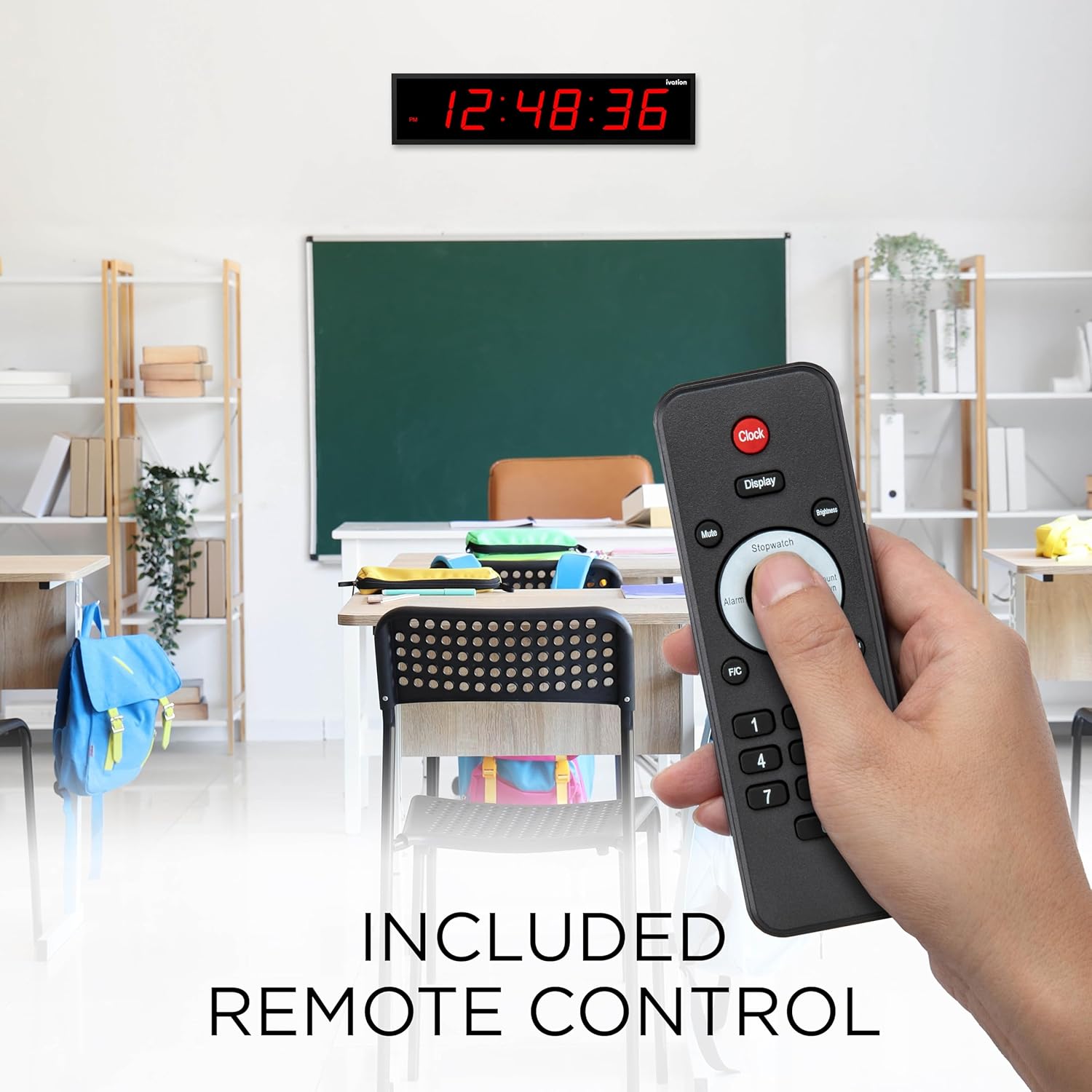
Image: A hand holding the remote control for the Ivation Digital LED Clock, demonstrating its use in a classroom environment. The clock is visible on the wall in the background, displaying the time.
The remote control provides full functionality for setting and adjusting all clock features. Point the remote directly at the clock's infrared receiver, typically located on the right upper corner of the clock face, for best performance.
Video: An official product video from DBROTH, titled "Ivation Timer LED Clocks." This video demonstrates various features and uses of the Ivation Digital LED Clock, including its timer functionality.
Opretholdelse
- Rensning: Wipe the clock's surface with a soft, dry cloth. Do not use abrasive cleaners or solvents.
- Batterier til fjernbetjening: If the remote control becomes unresponsive, replace its batteries (typically 2x AAA, not included). Refer to the remote's battery compartment for specific battery type and polarity.
- Opbevaring: If storing the clock for an extended period, unplug it from the power source. The internal battery backup will maintain settings.
Fejlfinding
| Problem | Mulig årsag | Løsning |
|---|---|---|
| Uret tænder ikke. | Strømadapteren er ikke tilsluttet eller defekt. | Ensure the power adapter is securely plugged into the clock and a working outlet. Test the outlet with another device. |
| Fjernbetjeningen reagerer ikke. | Low or dead batteries in remote. Obstruction between remote and clock. | Replace remote control batteries. Ensure a clear line of sight to the clock's IR sensor. Point remote towards the upper right corner of the clock. |
| Time/Date settings are lost after power outage. | Internal backup battery issue (rare). | While the clock has a built-in retention system, if this occurs, reset the time and date manually. If the issue persists, contact support. |
| Skærmen er for lys eller for svag. | Lysstyrkeniveauet skal justeres. | Press the 'Brightness' button on the remote to cycle through the 6 available brightness levels. |
| Temperaturaflæsningen er unøjagtig. | External factors affecting sensor. | Ensure the clock is not placed near heat sources, direct sunlight, or drafts that could affect the internal temperature sensor. The sensor provides an ambient room temperature reading. |
Specifikationer
- Modelnummer: JID0136TRED
- Dimensioner: 30"D x 8"W x 6"H (Product dimensions from specifications, note: title implies 36" length, image shows 36" length, this DWH might be packaging or incorrect)
- Skærmstørrelse: 5.25" digits (from product title), 59.84 Inches (Screen Size from specifications, likely diagonal or total display area)
- Farve: Rød LED-skærm
- Materiale: Holdbart aluminium
- Lysstyrkeniveauer: 6
- Alarmindstillinger: 8
- Magt: AC Adapter (10-ft cable)
- Vægt: 4 pund
- UPC: 843812137836
Garanti og support
Ivation products are designed for reliability and performance. For warranty information, technical support, or customer service inquiries, please refer to the contact information provided on the product packaging or visit the official Ivation website. Please have your model number (JID0136TRED) and purchase date available when contacting support.