
1. Introduktion
This manual provides essential information for the safe and efficient operation of your Sharp 32Bi3EA Smart Android TV. Please read these instructions thoroughly before using the television and retain them for future reference. This television features Android TV 9.0, Google Assistant with voice control, integrated Chromecast, Bluetooth connectivity, Harman/Kardon speakers, HDR10 support, and DTS Virtual X audio technology.
2. Sikkerhedsoplysninger
Overhold altid følgende sikkerhedsforanstaltninger for at forhindre elektrisk stød, brand eller beskadigelse af fjernsynet:
- Udsæt ikke fjernsynet for regn eller fugt.
- Åbn ikke kabinettet; overlad service til kvalificeret personale.
- Sørg for ordentlig ventilation omkring fjernsynet.
- Undgå at placere fjernsynet i nærheden af varmekilder eller i direkte sollys.
- Brug kun den netledning, der fulgte med fjernsynet.
- Opbevar batterier utilgængeligt for børn.
3. Hvad er der i æsken
Verify that all the following items are included with your Sharp 32Bi3EA Smart Android TV:
- Sharp 32Bi3EA Smart Android TV Unit
- Pedestal Stand (2 pieces)
- Fjernbetjening
- AAA-batterier (2x)
- Instruktionsmanual (dette dokument)
- Strømledning
4. Opsætning
4.1. Fysisk installation
Your television can be installed using the included pedestal stand or mounted on a wall (wall mount not included).
Attaching the Pedestal Stand
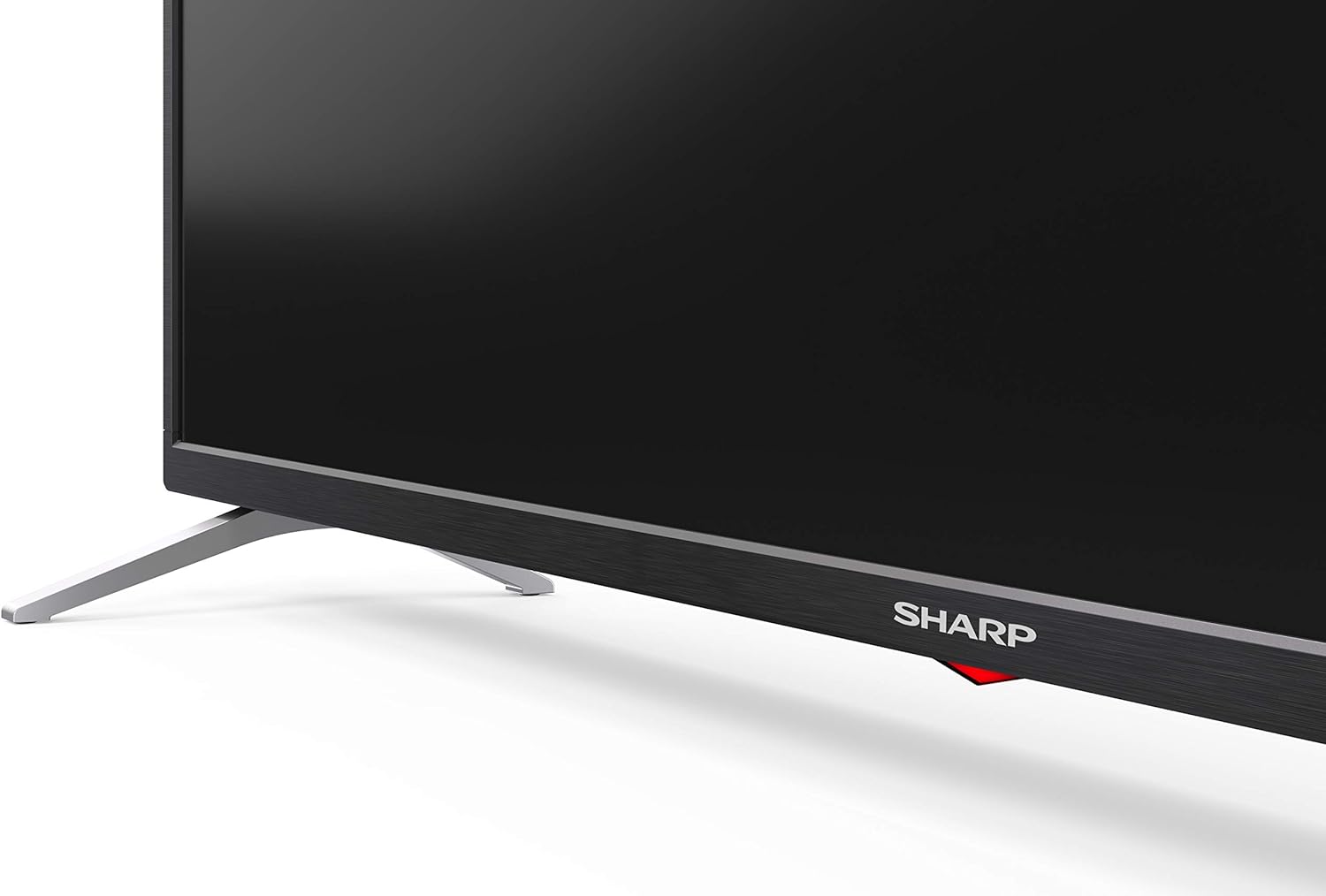
Carefully place the TV screen-down on a soft, flat surface. Align the pedestal stands with the screw holes on the bottom of the TV and secure them using the provided screws. Ensure the stands are firmly attached before placing the TV upright.

Billede: Side view of the Sharp 32Bi3EA TV, illustrating the slim profile and the attached pedestal stand.
Vægmontering
If you choose to wall mount the television, use a VESA compatible bracket with dimensions of 200x100 mm. Consult a professional for wall mounting to ensure proper installation and safety.
4.2. Tilslutning af enheder
Connect your external devices to the appropriate ports on the back or side of the television.
Billede: Bagside view of the Sharp 32Bi3EA TV, highlighting the Ethernet, Optical, HDMI, USB, and AV input ports.
- HDMI-porte (3x): Tilslut Blu-ray-afspillere, spillekonsoller eller set-top-bokse.
- USB-porte (2x): Tilslut USB-lagerenheder til medieafspilning eller softwareopdateringer.
- Ethernet-port: Til en kablet internetforbindelse.
- Optisk digital lydudgang: Til tilslutning til et eksternt lydsystem.
- AV-indgang: For ældre enheder, der bruger kompositvideo og stereolyd.
4.3. Initial Power-On and Android TV Setup
After connecting the power cord and turning on the TV, follow the on-screen instructions to complete the initial setup. This includes selecting your language, connecting to a Wi-Fi network, and logging into your Google account to activate Android TV features like Google Assistant and Chromecast.
5. Betjening af tv'et
5.1. Fjernbetjening
The included remote control allows you to navigate the Android TV interface, adjust settings, and use Google Assistant voice commands. Insert the two AAA batteries into the remote control, ensuring correct polarity.
- Power knap: Tænder eller slukker for tv'et.
- Google Assistent-knap: Activates voice control. Press and hold to speak commands.
- Navigationsknapper: Use the directional pad and OK button to move through menus.
- Hjemknappen: Vender tilbage til Android TV-startskærmen.
- Volumen +/-: Justerer lydstyrken.
- Kanal +/-: Skifter tv-kanaler.
- App-genvejsknapper: Direct access to popular streaming services (e.g., Netflix, Amazon Prime Video).
5.2. Smart TV-funktioner (Android TV)
Your Sharp 32Bi3EA TV runs on Android TV 9.0, providing access to a wide range of applications and services.
- Google Assistant: Use your voice to search for content, control smart home devices, get answers, and manage tasks.
- Chromecast indbygget: Cast indhold fra din kompatible smartphone, tablet eller computer direkte til TV-skærmen.
- Google Play Butik: Download og installer yderligere apps, spil og streamingtjenester.
- Understøttede internettjenester: Access popular platforms such as Netflix, Amazon Prime Video, HBO, Disney+, Movistar+, DAZN, Atresmedia, KODI, IPTV, Steamlink, Twitch, VLC, YouTube, Puffin TV Browser, Spotify, Deezer, and TuneIn Radio.
5.3. Lyd- og videoindstillinger
The television supports advanced audio and video technologies for an enhanced viewoplevelse.
- HDR10: Giver et bredere udvalg af farver og kontrast for kompatibelt indhold.
- Harman/Kardon Speakers: Integrated audio system designed to deliver clear and powerful sound (2x10W).
- DTS Virtual X / DTS HD: Enhances audio with virtual surround sound capabilities.
- Active Motion 400: Forbedrer bevægelsesklarheden i hurtige scener.
5.4. Forbindelse
TV'et tilbyder forskellige tilslutningsmuligheder:
- Wi-Fi: Forbinder til dit trådløse hjemmenetværk for internetadgang.
- Bluetooth: Pair with compatible devices such as headphones, soundbars, or game controllers.
6. Vedligeholdelse
6.1. Rensning
For at rengøre tv-skærmen skal du forsigtigt tørre den af med en blød, fnugfri klud. Ved genstridige pletter kan du gnide den let.ampen the cloth with water or a specialized screen cleaner. Do not use abrasive cleaners or solvents. For the TV cabinet, use a soft, dry cloth.
6.2. Softwareopdateringer
Your Android TV may receive software updates periodically to improve performance and add new features. Ensure your TV is connected to the internet to receive these updates. You can check for updates manually through the TV's settings menu.
7. Fejlfinding
Hvis du støder på problemer med dit fjernsyn, kan du bruge følgende almindelige løsninger:
| Problem | Mulig løsning |
|---|---|
| Ingen strøm | Kontroller, om netledningen er korrekt tilsluttet tv'et og stikkontakten. Prøv en anden stikkontakt. |
| Intet billede/lyd | Sørg for, at den korrekte inputkilde er valgt. Kontroller kabelforbindelserne til eksterne enheder. |
| Fjernbetjening virker ikke | Udskift batterierne. Sørg for, at der ikke er nogen forhindringer mellem fjernbetjeningen og tv'ets IR-sensor. |
| Problemer med Wi-Fi-forbindelse | Genstart din router og dit tv. Tjek Wi-Fi-adgangskoden. Sørg for, at tv'et er inden for routerens rækkevidde. |
| Android TV apps freezing | Restart the TV. Clear the cache of the problematic app in the TV settings. Uninstall and reinstall the app. |
Hvis problemet fortsætter efter at have prøvet disse løsninger, bedes du kontakte Sharps kundesupport.
8. Specifikationer
| Feature | Detalje |
|---|---|
| Modelnummer | 32Bi3E |
| Skærmstørrelse | 32 tommer (81 cm) |
| Displayteknologi | LED |
| Opløsning | 720p (1366 x 768 pixels) |
| Opdateringshastighed | 60 Hz |
| Operativsystem | Android TV 9.0 |
| Særlige funktioner | Google Assistant, Chromecast Built-in, HDR10, DTS Virtual X, Active Motion 400 |
| Lydsystem | Harman/Kardon (2x10W) |
| Forbindelse | Bluetooth, Ethernet, HDMI (3x), USB (2x), Wireless (Wi-Fi) |
| VESA Mount | 200x100 mm |
| Dimensioner (med stativ) | 803.0 x 542.0 x 149.0 mm (B x H x D) |
| Dimensioner (uden stativ) | 730.0 x 436.1 x 83.5 mm (B x H x D) |
| Vægt | 4.6 kg |
| Power Consumption (1000h) | 31 kWh (Energy Class F) |

Image: Energy efficiency label for the Sharp 1T-C32BIx series, indicating an F energy class and 31 kWh per 1000 hours of operation. For more details, refer to the official EU EPREL database via the QR code or link: EPREL-database.

Image: Detailed Product Information Sheet, providing comprehensive technical specifications and regulatory information for the Sharp 32Bi3EA TV in various languages.
9. Garanti og support
9.1. Garantioplysninger
Your Sharp 32Bi3EA Smart Android TV comes with a standard manufacturer's warranty. Please refer to the warranty card included with your product or visit the official Sharp webwebstedet for detaljerede vilkår og betingelser, der er specifikke for din region.
9.2. Kundesupport
For technical assistance, troubleshooting beyond this manual, or warranty claims, please contact Sharp customer support. Contact information can typically be found on the official Sharp website or in the documentation provided with your television.
Online resources and FAQs may also be available on the Sharp support portal.