
1. Produktet er slutview
The AWQ 200 LED Net Mesh String Lights are designed to provide versatile decorative lighting for various occasions. This product features 200 energy-efficient LED bulbs arranged in a 9.8ft x 6.6ft net, offering 8 distinct lighting modes and a convenient timer function. Suitable for both indoor and outdoor applications, these lights are ideal for enhancing the ambiance of gardens, bushes, bedrooms, and event spaces.
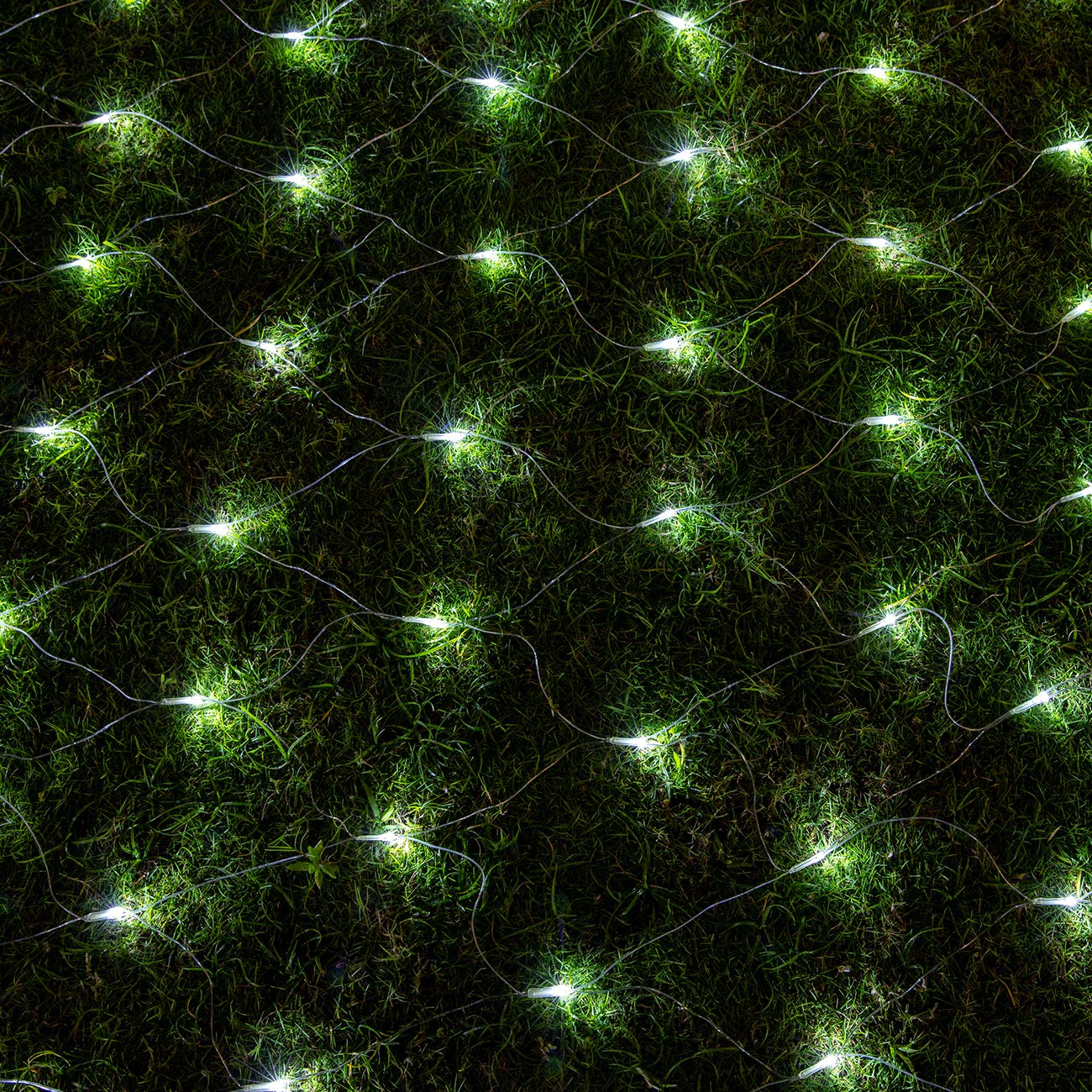
This image shows the AWQ 200 LED White Net Mesh String Lights draped over a white garden bench, extending onto the grass, demonstrating their decorative effect in an outdoor setting.
2. Sikkerhedsoplysninger
- Ensure the power adapter is placed indoors or protected from water when the lights are used outdoors, as the adapter is not waterproof.
- The lights and wiring are IP44 rated, designed to withstand most weather conditions including rain and snow.
- Do not attempt to modify or repair the lights or adapter. Contact qualified personnel for service.
- Holdes væk fra brændbare materialer.
- Unplug the lights from the power source when not in use or before cleaning.
3. Pakkens indhold
- 1 x AWQ 200 LED Net Mesh String Lights (9.8ft x 6.6ft)
- 1 x Power Adapter (30V low voltage, UL 588 certified)
4. Opsætningsvejledning
- Pakker ud: Carefully remove the net mesh lights and power adapter from the packaging.
- Placering: Determine the desired location for your lights. The net design allows for easy draping over bushes, walls, or other structures.
- Tilslut strøm: Connect the male plug of the light string to the female socket of the power adapter. Ensure a secure connection.
- Udvid (valgfrit): These lights are designed with male and female safe plugs, allowing you to connect up to five light chains together for larger decorative areas. Connect additional sets by aligning the connectors and twisting to secure.
- Tænd: Sæt strømadapteren i en almindelig stikkontakt. Lysene skal lyse.

This diagram illustrates the physical dimensions of the net mesh string lights, detailing the 16.4 feet (5 meters) power line, the 9.84 feet (3 meters) by 6.56 feet (2 meters) light string area with 200 LEDs, and the end connector for extending up to 5 sets.
5. Betjeningsvejledning
5.1 Ændring af lystilstande
The AWQ Net Mesh String Lights feature 8 different lighting modes to suit various preferences and occasions. To change the mode, simply press the button located on the power adapter. Each press will cycle through the following modes:
- Kombination
- I bølger
- Sekventiel
- Langsom glød
- Chasing/Blitz
- Langsom fade
- Blink/Blitz
- Konstant på
5.2 Timer funktion
The lights include a built-in timer function that allows them to operate for 6 hours ON and 18 hours OFF automatically each day.
- Sådan aktiverer du timeren: Press and hold the button on the power adapter for 3 seconds. A green light on the adapter will illuminate, indicating the timer is active.
- Sådan annulleres timeren: Press and hold the button on the power adapter for 3 seconds again, or simply unplug the lights from the power source. The green light will turn off.

A close-up of the power adapter, showing the 'PRESS' button used to cycle through 8 lighting modes and activate the 6-hour timer function. A green light indicates the timer is active.
6. Vedligeholdelse
- Rensning: Disconnect the lights from the power source before cleaning. Gently wipe the lights and wires with a soft, dry cloth. Do not use harsh chemicals or abrasive cleaners.
- Opbevaring: When not in use, carefully coil the lights and store them in a cool, dry place away from direct sunlight and moisture. Avoid tangling to prevent damage to the wires and bulbs.
- Inspektion: Periodically inspect the lights and power adapter for any signs of damage, such as frayed wires or cracked casings. Discontinue use if damage is found.
7. Fejlfinding
| Problem | Mulig årsag | Løsning |
|---|---|---|
| Lysene tænder ikke. | Ingen strøm, løs forbindelse eller defekt adapter. | Check if the power adapter is securely plugged into a working outlet. Ensure all connectors between the lights and adapter are firm. |
| Lysene flimrer, eller nogle pærer er gået ud. | Loose connection or damaged wire/bulb. | Check all connections. While individual bulbs are not replaceable, the net is designed for durability. If significant sections are out, contact support. |
| Timerfunktionen virker ikke. | Timer not activated correctly. | Press and hold the button on the adapter for 3 seconds until the green indicator light turns on. If it's already on, press and hold again to reset it. |
| Kan ikke ændre lystilstande. | Button not pressed correctly or adapter issue. | Ensure you are pressing the mode button firmly. If the issue persists, try unplugging and replugging the unit. |
8. Specifikationer
| Feature | Detalje |
|---|---|
| Mærke | AWQ |
| Modelnummer | JT-EL/FC300V0300 |
| UPC | 610452362375 |
| Lyskildetype | LED |
| Antal lysdioder | 200 |
| Netto dimensioner | 9.8 ft x 6.6 ft (3m x 2m) |
| Power Line Længde | 16.4 fod (5 m) |
| Samlet længde (ca.) | 26.2 fod |
| Lys farve | Hvid |
| Strømkilde | Elektrisk med ledning |
| Voltage | 30 volt |
| Wattage | 6 watt |
| Kontrolmetode | Button on Adapter |
| Særlige funktioner | 8 Lighting Modes, Timer Function (6h ON/18h OFF) |
| Indendørs/Udendørs brug | Indoor, Outdoor (Adapter requires indoor placement or protection) |
| Vandmodstandsniveau | IP44 (Lights and wire) |
| Materiale Type | Plast |
| Kan forlænges | Connect up to 5 sets |
| Varens vægt | 1.1 pund |
9. Garanti og support
For garantioplysninger eller teknisk support henvises til produktemballagen eller kontakt den forhandler, hvor produktet blev købt. Gem din købsbevis i tilfælde af garantikrav.