
1. Introduktion
This manual provides instructions for the CAIWEI WiFi Bluetooth Mini Projector, Model US2-C180AB-01F. This device is a portable LCD projector designed for displaying video, images, and other media. It features wireless connectivity options including WiFi for screen mirroring and Bluetooth for audio and peripheral device connections. The projector operates on an Android 6.0 system, allowing for direct application installation and internet browsing.
2. Pakkens indhold
Bekræft, at alle nedenstående varer er inkluderet i din pakke. Hvis der mangler eller er beskadigede varer, bedes du kontakte kundesupport.
- CAIWEI Mini Projector
- Fjernbetjening
- AC strømkabel
- AV-kabel
- HDMI kabel
- Brugermanual

Figure 2.1: Projector and Included Accessories. This image displays the projector along with its standard accessories: a remote control, AC power cable, AV cable, HDMI cable, and the user manual. The physical dimensions of the projector (204mm length, 150mm width, 88mm height) are also indicated.
3. Produktet er slutview
3.1 Projektorkomponenter og betjeningselementer
Familiarize yourself with the various ports and control buttons on the projector.

Figure 3.1: Projector Controls and Ports. This diagram illustrates the top panel controls including keystone adjustment, focus wheel, power key, menu, directional keys, return, and source selection. The side panel shows ports for Audio Out, AV, USB, HDMI, VGA, and the speaker grille, along with a vent.
3.2 Nøglefunktioner
- Trådløs forbindelse: Integrated Android 6.0 operating system with WiFi and Bluetooth 4.0 for direct app installation, internet browsing, and wireless screen mirroring from smartphones (Airplay/Miracast/DLNA).
- High-Definition Display: Native resolution of 1280x720 pixels, supporting up to 1920x1080. Features 3800 LED lumens brightness and a 4000:1 contrast ratio.
- Long-Life LED Lamp: The LED light source has an expected lifespan of approximately 50,000 hours.
- Multimediekompatibilitet: Understøtter forskellige file formats including TXT, JPEG, BMP, PNG, MP3, WMA, ASF, OGG, AAC, WAV, 3GP, AVI, MKV, FLV, MOV, MP4, MPG, VOB, and RMVB.

Figure 3.2: Android OS and Wireless Connection. This image highlights the projector's Android 6.0 operating system interface, demonstrating its ability to run applications. It also illustrates the wireless connection feature, allowing screen mirroring from smartphones, tablets, and laptops without physical cables.
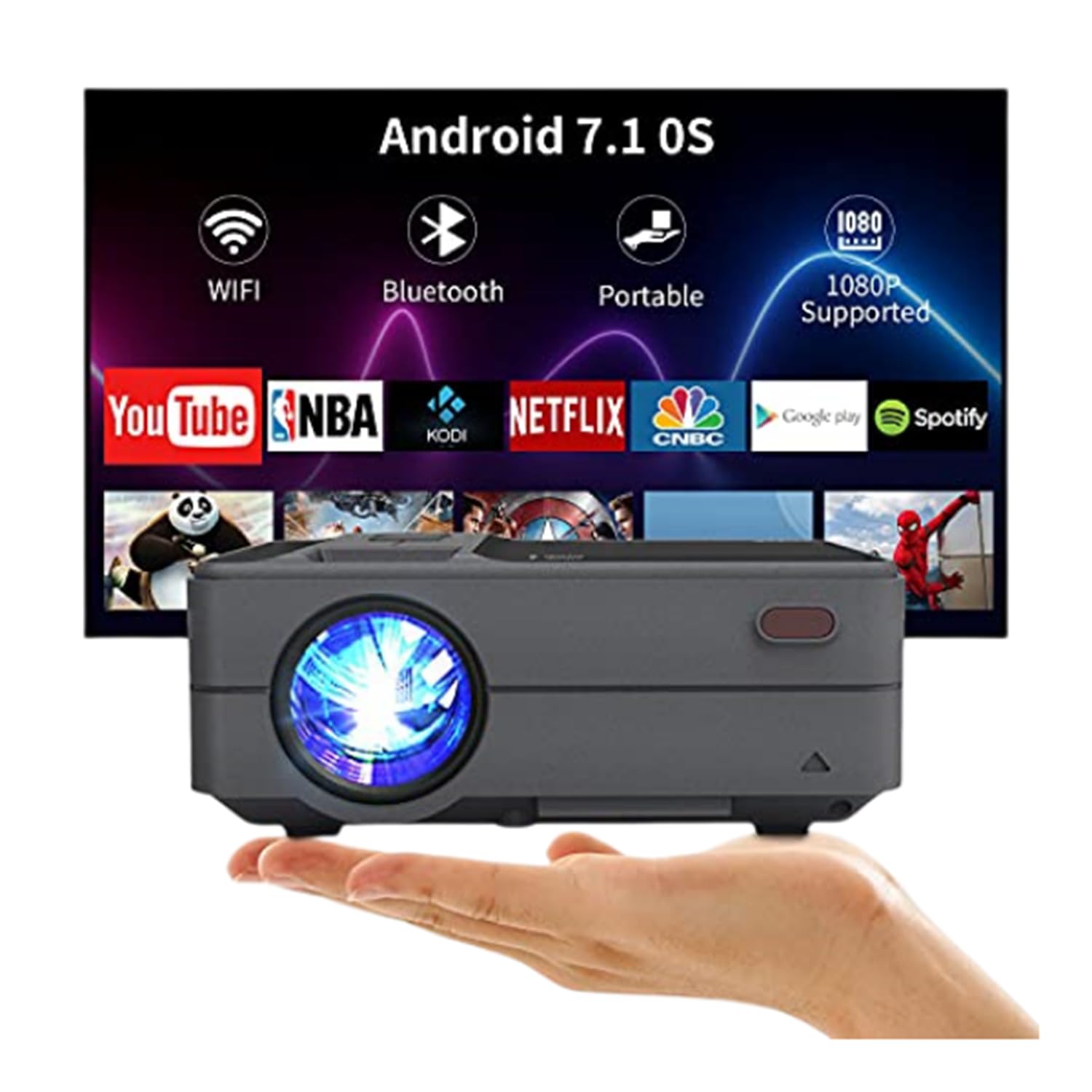
Figure 3.3: Bluetooth 4.0 Connectivity. This image demonstrates the projector's Bluetooth 4.0 capabilities, showing its compatibility with various Bluetooth devices such as external speakers, gamepads, keyboards, and mice for enhanced user interaction and audio output.
4. Opsætning
4.1 Strømtilslutning
- Connect the AC power cable to the projector's power input port.
- Plug the other end of the AC power cable into a power outlet.
4.2 Indledende tænding
- Tryk på tænd/sluk-knappen på projektoren eller fjernbetjeningen for at tænde for enheden.
- Allow a few moments for the projector to boot up and display the main interface.
4.3 Fokus- og Keystone-justering
- Fokus: Rotate the focus ring located on the top of the projector until the projected image appears clear and sharp.
- Keystone-korrektion: Use the keystone adjustment control to correct trapezoidal distortion if the projector is not perfectly perpendicular to the screen. The projector supports manual ±15° keystone correction.
5. Betjeningsvejledning
5.1 Kildevalg
Sådan vælger du en inputkilde:
- Tryk på knappen 'Kilde' på projektoren eller fjernbetjeningen.
- Navigate through the available input options (HDMI, USB, AV, VGA) using the directional keys.
- Tryk på 'OK' eller 'Enter' for at bekræfte dit valg.
5.2 Trådløs skærmspejling (WiFi)
The projector supports wireless screen casting for smartphones and tablets.
- For iOS Devices (Airplay): Ensure both the projector and your iOS device are connected to the same WiFi network. On your iOS device, open Control Center and select 'Screen Mirroring', then choose the projector from the list of available devices.
- For Android Devices (Miracast/DLNA): Ensure both the projector and your Android device are connected to the same WiFi network. On your Android device, enable 'Wireless Display', 'Screen Cast', or 'Smart View' (names may vary by device) and select the projector.
5.3 Bluetooth-forbindelse
Sådan tilslutter du Bluetooth-enheder:
- Go to the projector's settings menu and navigate to the Bluetooth section.
- Aktiver Bluetooth på projektoren.
- Put your Bluetooth device (e.g., speaker, gamepad, keyboard, mouse) into pairing mode.
- Vælg din enhed fra listen over tilgængelige enheder på projektorens skærm for at parre.
5.4 Medieafspilning fra USB
Insert a USB flash drive into the USB port. The projector's media player will typically detect the drive automatically. Navigate through the files and select the desired media for playback.
6. Placement and Image Adjustment
6.1 Projektionsafstand og -størrelse
The projector can produce an image size ranging from 24 to 200 inches, with an optimal projection distance between 3.41 and 19.84 feet. Refer to the table below for recommended distances for common screen sizes.
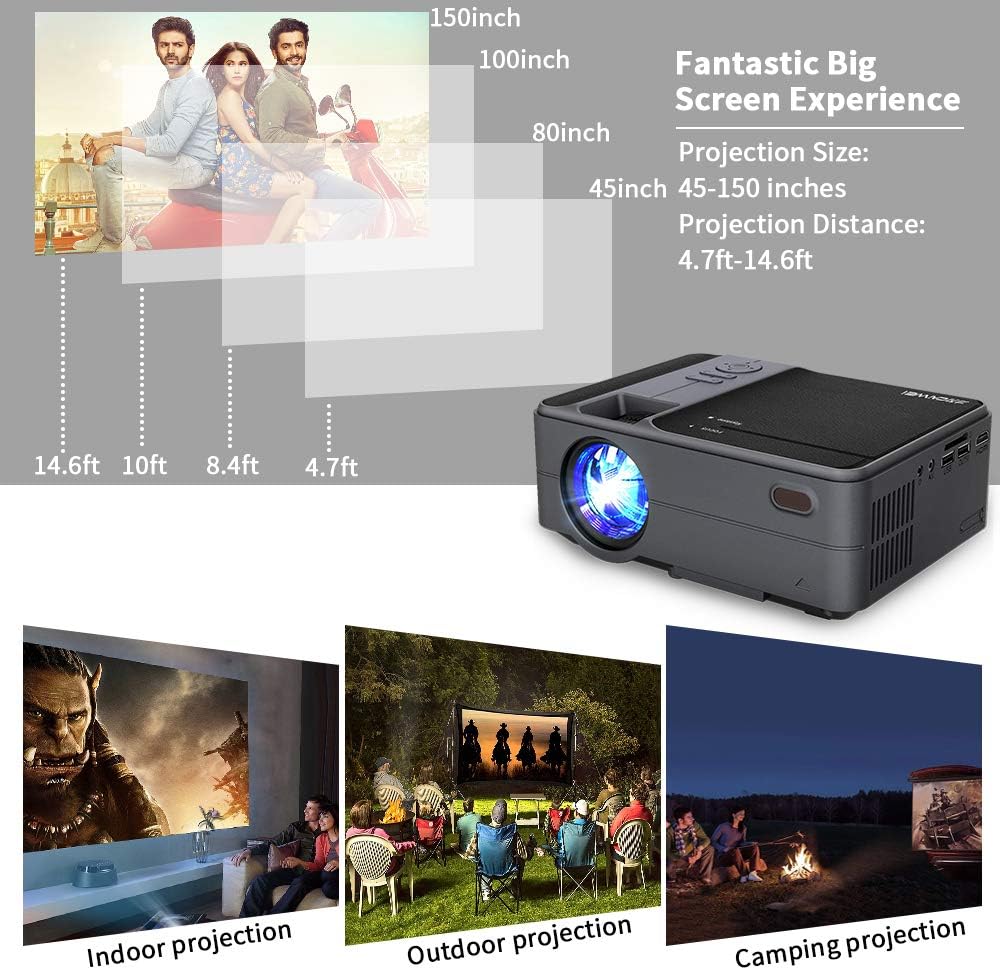
Figure 6.1: Projection Distance Guide. This chart provides recommended projection distances for achieving specific screen sizes, ranging from 45 inches at 4.7 feet to 150 inches at 14.6 feet.
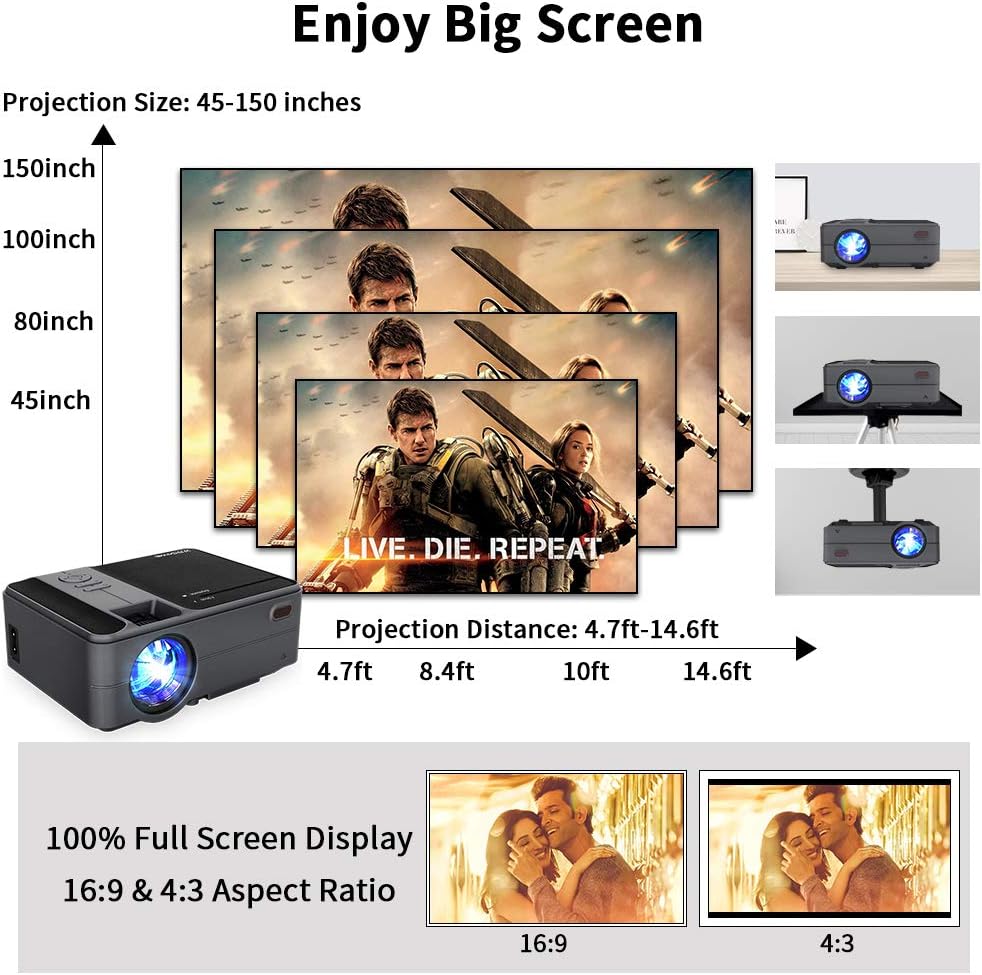
Figure 6.2: Projection Size Examples. This image visually represents various projection sizes (45, 80, 100, and 150 inches) and their respective projection distances, illustrating the scalability of the projected image.
6.2 Billedjusteringer
The projector offers several options for adjusting the image to suit your viewmiljø.
- Digital zoom: The projector supports a 25% digital zoom function, allowing you to adjust the image size without physically moving the projector.
- Keystone-korrektion: Manual ±15° keystone correction is available to correct image distortion.
- Billedflip: A 360-degree image flip function allows for flexible mounting options, including front, rear, and ceiling projection.

Figure 6.3: Image Adjustment Features. This image illustrates the projector's capabilities for 25% digital zoom, manual ±15° keystone correction, and 360-degree image flip, providing flexibility for various projection setups.
7. Vedligeholdelse
Regular maintenance helps ensure optimal performance and extends the lifespan of your projector.
- Rengøring af linser: Brug en blød, fnugfri klud, der er specielt designet til optiske linser, til forsigtigt at rengøre projektorlinsen. Undgå slibende materialer eller barske kemikalier.
- Rengøring af luftventiler: Periodically clean the air vents to prevent dust buildup, which can obstruct airflow and lead to overheating. Use a soft brush or compressed air.
- Opbevaring: Når projektoren ikke er i brug i længere perioder, skal den opbevares køligt, tørt og støvfrit.
8. Fejlfinding
Hvis du støder på problemer med din projektor, kan du se følgende almindelige problemer og løsninger:
| Problem | Mulig årsag | Løsning |
|---|---|---|
| Ingen strøm | Strømkabel ikke tilsluttet; stikkontakt defekt | Sørg for, at strømkablet er korrekt tilsluttet. Test stikkontakten med en anden enhed. |
| Intet billede | Incorrect input source; Cable connection loose; Device not powered on | Vælg den korrekte inputkilde. Kontroller alle kabelforbindelser. Sørg for, at den tilsluttede enhed er tændt. |
| Sløret billede | Fokus ikke justeret; Keystone ikke justeret | Adjust the focus ring. Use keystone correction to square the image. |
| Ingen lyd | Volume too low; Mute enabled; External audio device not connected/selected | Increase volume. Disable mute. Ensure external audio device is properly connected and selected. |
| Fjernbetjeningen virker ikke | Lave/døde batterier; Blokering mellem fjernbetjening og projektor | Udskift batterierne. Sørg for, at der er frit udsyn til projektorens IR-modtager. |
| Problemer med trådløs forbindelse | Incorrect WiFi password; Devices not on same network; Signal interference | Verify WiFi password. Ensure projector and device are on the same network. Reduce interference. |
9. Specifikationer
| Feature | Specifikation |
|---|---|
| Model | US2-C180AB-01F |
| Motortype | LCD |
| Lyskilde | LED |
| Lysstyrke | 3800 Lumen |
| Kontrastforhold | 4000:1 |
| Indfødt opløsning | 1280 x 720 |
| Maks. Understøttet opløsning | 1920 x 1080 |
| Billedstørrelse | 24-200 tommer |
| Projektionsafstand | 3.41 - 19.84 meter |
| Aspektforhold | 16:9 / 4:3 |
| Input/output porte | HDMI, USB, VGA, AV, SD, 3.5mm Audio Out |
| Operativsystem | Android 6.0 |
| CPU | ARM Cortec-A53 Quad-Core 1.7GHz |
| VÆDDER | 1GB DDR3 |
| ROM | 8 GB EMMC |
| Trådløs forbindelse | WiFi, Bluetooth 4.0 |
| Strømforbrug | 40 watt |
| Dimensioner (L x B x H) | 204 x 148 x 80 mm |
| Vægt | 1 KG (2.2 lb) |
10. Garanti og support
The CAIWEI Mini Projector comes with a 12-month warranty for free replacement parts. Lifetime technical support is also provided. For assistance or inquiries, please refer to the contact information provided with your purchase documentation.


