
Vigtige sikkerhedsoplysninger
Read all instructions before operating the Radio Flyer Oasis Car. Failure to follow these instructions may result in serious injury. Keep this manual for future reference.
- Aldersanbefaling: Suitable for children ages 3 years and older (36-72 months).
- Vægt kapacitet: Maximum weight capacity is 130 lbs (59 kg).
- Voksenopsyn: Constant adult supervision is required during operation.
- Driftsmiljø: Use on flat, dry surfaces away from traffic, pools, or steep inclines.
- Beskyttelsesudstyr: Brug altid hjelm og passende sikkerhedsudstyr.
- Batterisikkerhed: Follow all battery charging and handling instructions carefully.
Pakkens indhold
Sørg for, at alle komponenter er til stede, før monteringen påbegyndes:
- Radio Flyer Oasis Battery Power Car (main body)
- 12-volt genopladeligt batteri
- Batterioplader
- Monteringshardware og -værktøj (hvis relevant)
- Brugsanvisning
Monteringsvejledning
Assembly is required for the Radio Flyer Oasis Car. Please follow the detailed step-by-step instructions provided in the separate assembly guide included with your product. Ensure all connections are secure and all parts are correctly installed before first use.
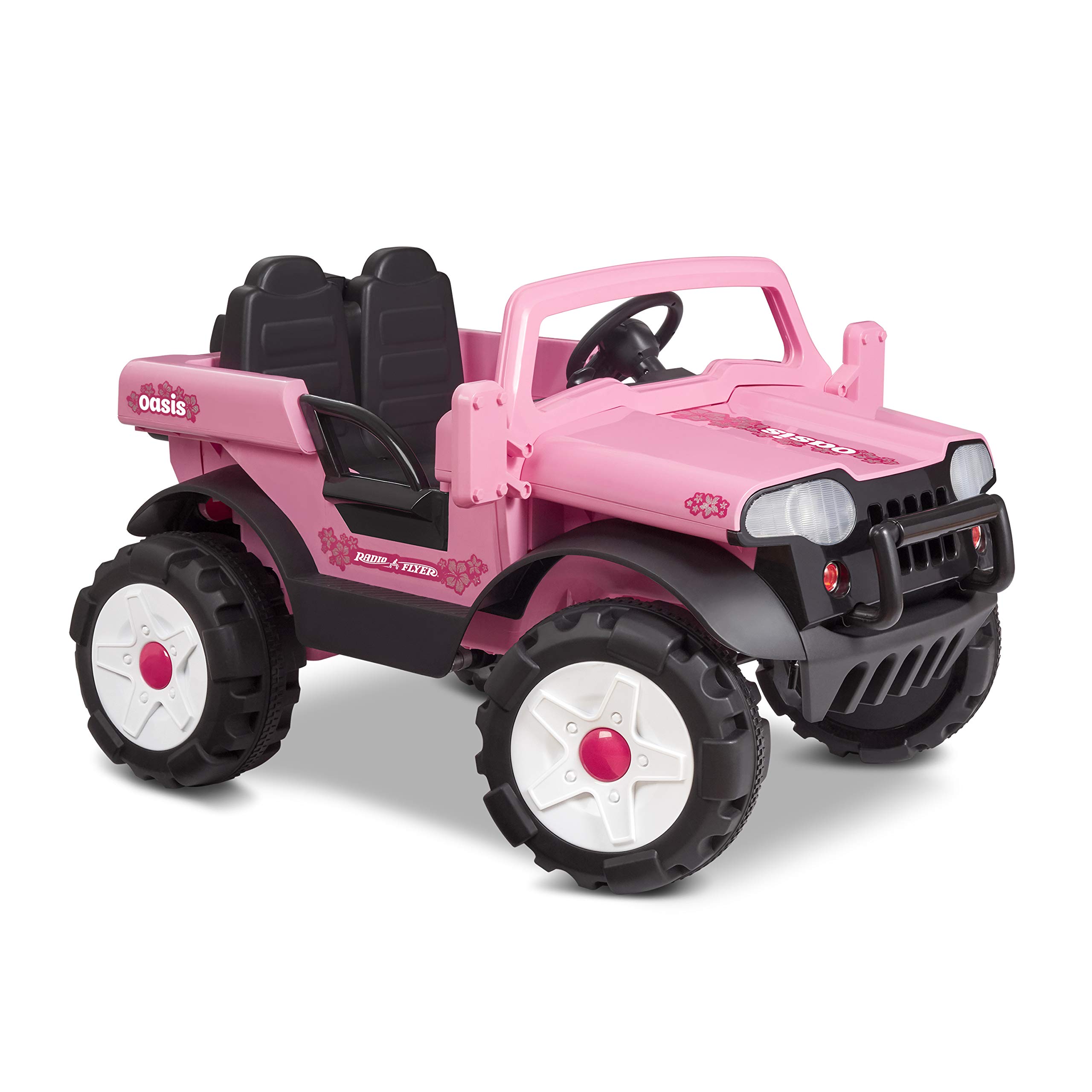
Image: The Radio Flyer Oasis Car, designed for two riders.
Opladning af batteriet
The Radio Flyer Oasis Car is powered by a 12-volt rechargeable battery. Proper charging is essential for optimal performance and battery life.
- Find batterirummet, typisk under sædet.
- Connect the charger to the battery and then plug the charger into a standard wall outlet.
- For the first charge, allow approximately 6 hours. Subsequent charges may vary. Do not overcharge.
- Afbryd opladeren, når opladningen er fuldført.
Always charge the battery in a dry, well-ventilated area. Do not charge near flammable materials.
Betjeningsvejledning
Kørsel af køretøjet
The Oasis Car features a simple control system for easy operation.
- Tænd/sluk: Use the main power switch on the dashboard to turn the vehicle on or off.
- Gaspedal: Press the pedal to move forward. Release to stop.
- Hastighedsindstillinger: The car has two forward speed settings (2.5 MPH and 5 MPH) and a single reverse speed (2.5 MPH). Use the gear shifter on the dashboard to select the desired speed or direction.
- Styretøj: Turn the steering wheel to control the direction of the vehicle.
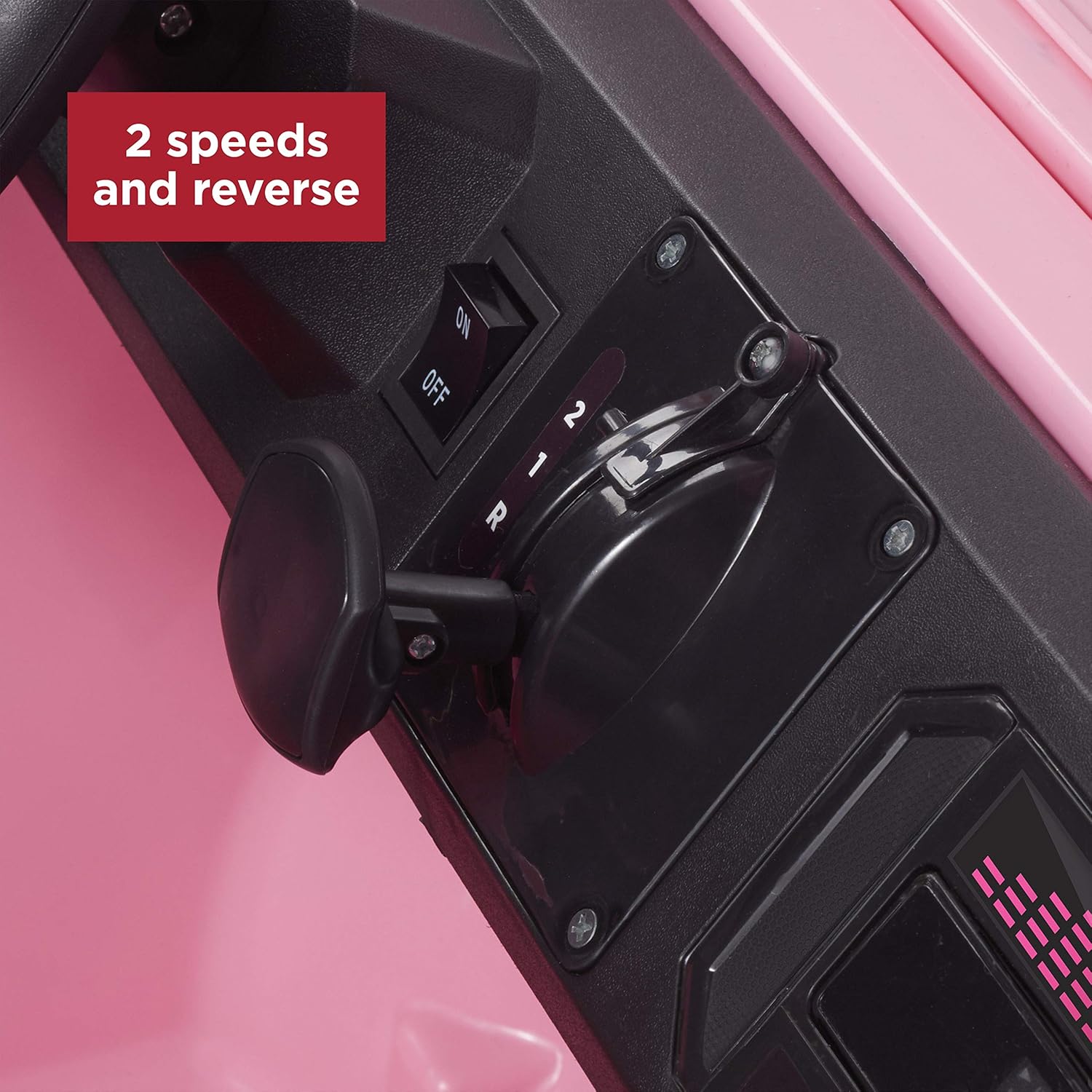
Image: The gear shifter for selecting forward speeds and reverse.
Køretøjsfunktioner
- Two-Rider Seating: Designed to comfortably accommodate two children.
- Åbning af døre: Functional doors allow for easy entry and exit.
- Arbejdslygter: The front headlights illuminate during operation.
- AM/FM Radio with AUX Input: Enjoy music with the integrated radio. An AUX input allows connection of external audio devices. The steering wheel also features 4 realistic car sounds.
- Bageste opbevaring: The 'spare tire' at the rear opens to provide a convenient storage compartment for small toys or essentials.

Image: The car's opening door for easy access.

Image: The functional AM/FM radio with AUX input.
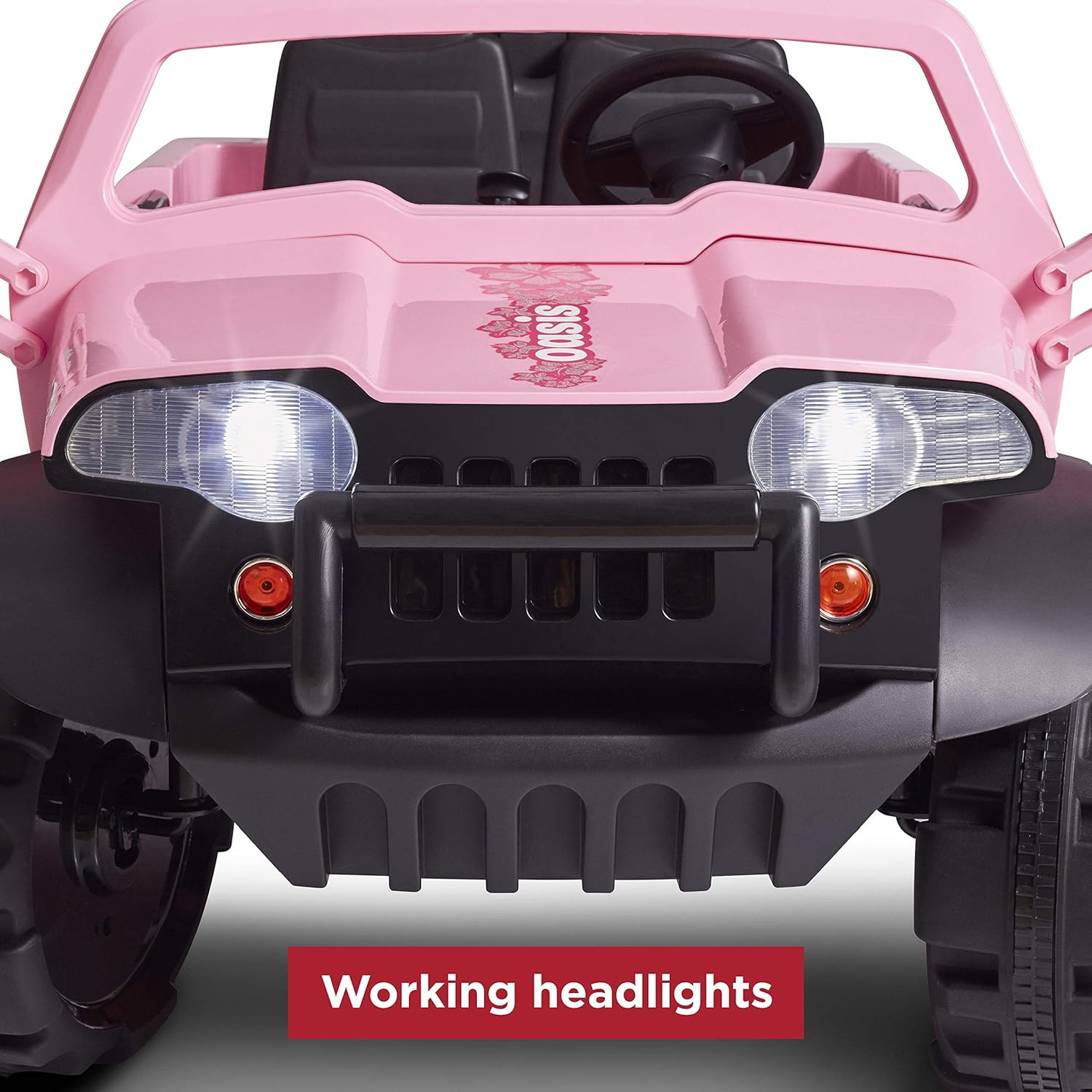
Image: The car's working headlights.
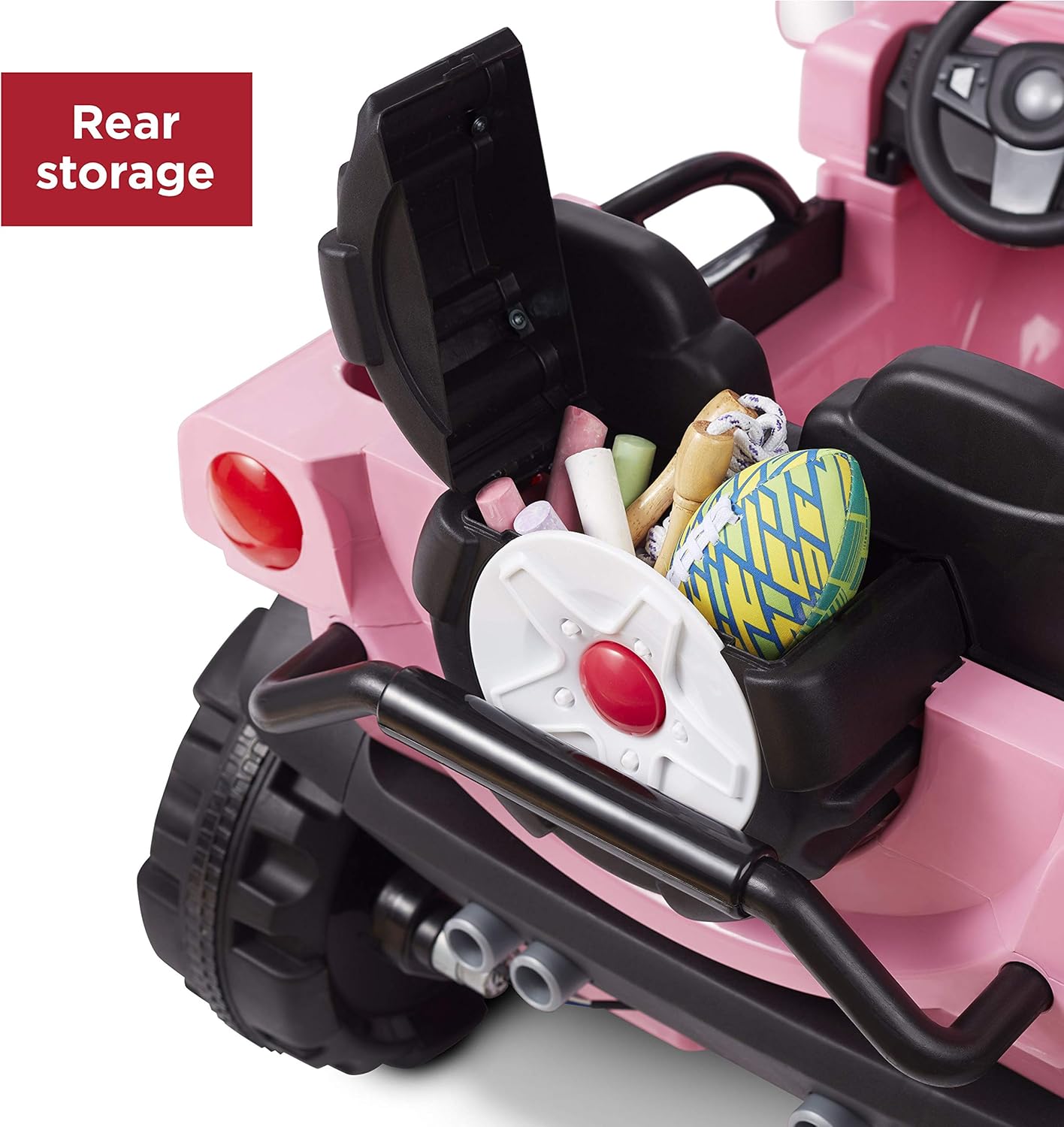
Image: The rear storage compartment.
Video: Denne video giver et visuelt overblikview of the Radio Flyer Oasis Car, showcasing its two-rider capacity, working headlights, functional radio, and ease of use for children.
Opretholdelse
Regular maintenance helps ensure the longevity and safe operation of your Radio Flyer Oasis Car.
- Rensning: Tør køretøjet af med reklameamp klæde. Brug ikke skrappe kemikalier eller slibende rengøringsmidler.
- Batteripleje: Store the battery in a cool, dry place. Charge the battery regularly, even when not in use, to maintain its life. Do not allow the battery to fully discharge for extended periods.
- Opbevaring: Store the vehicle indoors when not in use to protect it from weather elements.
- Inspektioner: Periodically check all screws, nuts, and connections to ensure they are tight and secure. Inspect tires for wear.
Fejlfinding
If you encounter issues with your Radio Flyer Oasis Car, refer to the following common problems and solutions:
| Problem | Mulig årsag | Løsning |
|---|---|---|
| Køretøjet bevæger sig ikke | Battery is low or not connected; Power switch is off; Loose wiring. | Charge the battery; Ensure battery is properly connected; Turn power switch on; Check all wiring connections. |
| Radio virker ikke | Radio is off; Volume is too low; Poor signal. | Turn radio on; Adjust volume; Try a different location for better reception. |
| Køretøjet bevæger sig langsomt | Low battery charge; Operating on an incline or rough terrain; Overloaded. | Recharge battery; Move to a flatter, smoother surface; Ensure weight capacity is not exceeded. |
| Abrupt stopping/starting | Accelerator pedal issue. | Ensure the pedal is fully depressed or released. If the issue persists, contact customer support. |
Specifikationer
| Feature | Detalje |
|---|---|
| Modelnummer | 952PZ |
| Mærke | Radio Flyer |
| Aldersinterval | 3+ years (36-72 months) |
| Maksimal vægtkapacitet | 130 lbs (59 kg) |
| Batteri | 12-volt rechargeable |
| Hastigheder | 2.5 MPH (forward/reverse), 5 MPH (forward) |
| Samlede mål (L x B x H) | 50.5" x 36.9" x 29.9" (128.3 cm x 93.7 cm x 75.9 cm) |
| Varens vægt | 56.4 pund (25.6 kg) |
| Materiale Type | Plast |
| Montering påkrævet | Ja |

Image: The car features large, durable tires suitable for various terrains.
Garanti og support
For warranty information, product registration, or to contact customer support, please refer to the warranty card included with your product or visit the official Radio Flyer website. Radio Flyer is committed to providing quality products and excellent customer service.