
1. Produktet er slutview
The BENFEI 4K HDMI Switch is a compact, bidirectional device designed to manage HDMI signals between multiple sources and displays. It allows you to connect two HDMI sources to one HDMI display, or one HDMI source to two HDMI displays (not simultaneously). This switch supports high-resolution video up to 4K@60Hz, including 3D and 1080p Full HD, ensuring a stable and high-quality audio-visual experience.
- Bidirectional Functionality: Use as a 2 In 1 Out switch or a 1 In 2 Out splitter.
- Høj opløsning support: Up to 3840 x 2160 @ 60Hz, 1080p, 3D, and HDCP.
- Ingen ekstern strøm påkrævet: Plug and play operation.
- Bred kompatibilitet: Compatible with devices like Firestick, Xbox, PS4, Roku, HDTVs, monitors, and projectors.
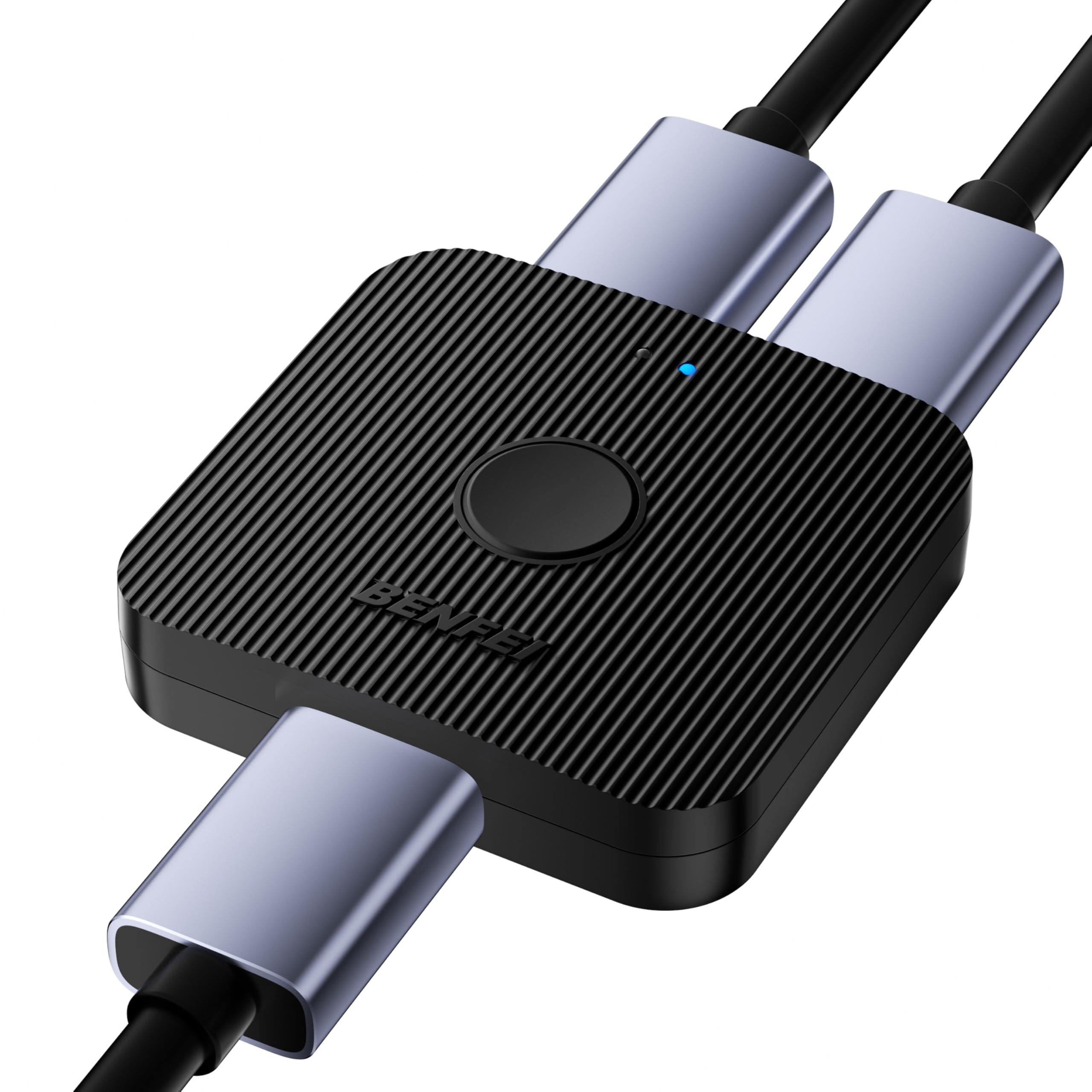
Image 1.1: The BENFEI 4K HDMI Switch with its compact ABS casing.

Image 1.2: Key features of the BENFEI 4K HDMI Switch, including 4K@60Hz, HDCP, HDR, 3D, and Dolby support.
2. Opsætningsvejledning
The BENFEI HDMI Switch is designed for easy plug-and-play setup without the need for external power. Ensure all devices are powered off before making connections.
2.1. 2 In 1 Out Mode (HDMI Switch)
This mode allows you to connect two HDMI source devices (e.g., game console, TV box) to a single HDMI display (e.g., TV, monitor).
- Connect your first HDMI source device to one of the Input ports on the BENFEI HDMI Switch using an HDMI cable.
- Connect your second HDMI source device to the other Input port on the BENFEI HDMI Switch using an HDMI cable.
- Connect your HDMI display to the Produktion port on the BENFEI HDMI Switch using an HDMI cable.
- Tænd for alle tilsluttede enheder.

Image 2.1: Connection diagram for 2 In 1 Out (Switch) mode.
2.2. 1 In 2 Out Mode (HDMI Splitter)
This mode allows you to connect one HDMI source device (e.g., laptop) to two HDMI displays (e.g., two monitors). Note: Only one display can be active at a time. Simultaneous display on both monitors is not supported.
- Tilslut din HDMI-kildeenhed til Input port on the BENFEI HDMI Switch using an HDMI cable.
- Connect your first HDMI display to one of the Produktion ports on the BENFEI HDMI Switch using an HDMI cable.
- Connect your second HDMI display to the other Produktion port on the BENFEI HDMI Switch using an HDMI cable.
- Tænd for alle tilsluttede enheder.

Image 2.2: Connection diagram for 1 In 2 Out (Splitter) mode. Note the single active display limitation.
The switch does not require an external power adapter. It draws power directly from the HDMI source device.
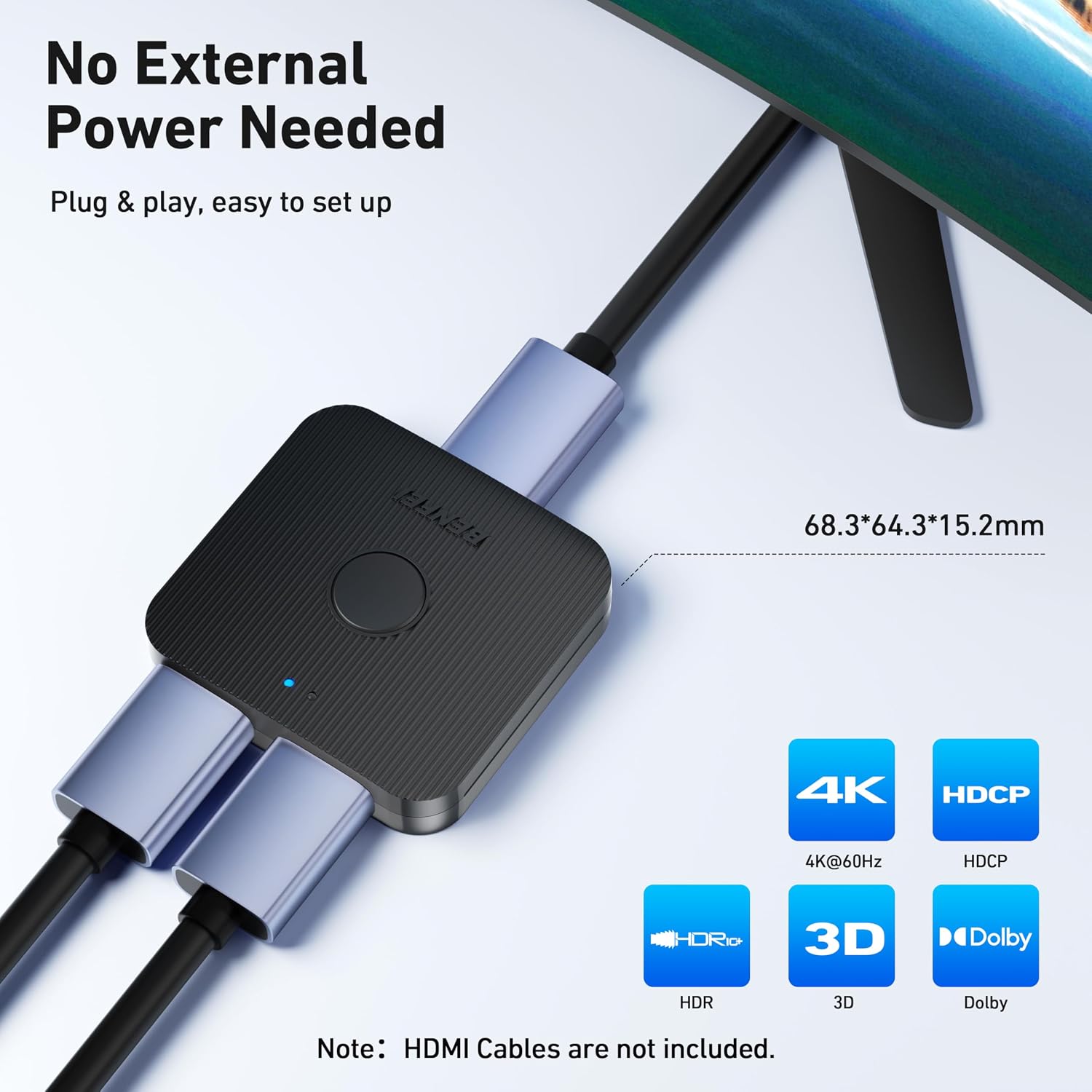
Image 2.3: The BENFEI HDMI Switch operates without external power.
3. Betjeningsvejledning
Once your devices are connected and powered on, operating the BENFEI HDMI Switch is straightforward.
- Locate the button on the top of the HDMI switch.
- Press the button to toggle between the connected HDMI sources (in 2 In 1 Out mode) or between the connected HDMI displays (in 1 In 2 Out mode).
- An LED indicator on the switch will illuminate to show which input/output port is currently active.
The advanced intelligent chip ensures stable signal transmission and prevents loss of picture or sound quality during switching.

Image 3.1: The switch features an advanced intelligent chip for stable signal transmission.
4. Vedligeholdelse
To ensure the longevity and optimal performance of your BENFEI HDMI Switch, follow these simple maintenance guidelines:
- Opbevar enheden et tørt sted, væk fra fugt og ekstreme temperaturer.
- Clean the exterior of the switch with a soft, dry cloth. Avoid using liquid cleaners or abrasive materials.
- Do not attempt to open or repair the device yourself. Refer to professional service if needed.
- Avoid placing heavy objects on the switch or subjecting it to physical impact.
5. Fejlfinding
If you encounter issues with your BENFEI HDMI Switch, please refer to the following common troubleshooting steps:
- Intet signal eller flimrende billede:
- Sørg for, at alle HDMI-kabler er korrekt tilsluttet til både switchen og dine enheder.
- Try using different HDMI cables. Faulty cables are a common cause of signal issues.
- Verify that your display is set to the correct HDMI input.
- Check the resolution compatibility between your source and display.
- Refer to the cable length guidelines in the Specifications section (Table 6.1). Using excessively long or low-quality HDMI cables can degrade signal quality, especially at higher resolutions like 4K.
- Problemer med at skifte:
- Press the switch button firmly to ensure proper activation.
- If in 1 In 2 Out mode, remember that only one display can be active at a time.
- Lydproblemer:
- Ensure your display's audio settings are correctly configured.
- Check the HDMI cable for damage.
6. Specifikationer
- Modelnummer: 000298sort
- Connector Type: HDMI
- Antal porte: 2 (bidirectional)
- Understøttede opløsninger: Up to 3840 x 2160 @ 60Hz, 1920 x 1080 @ 60Hz (1080p Full HD), 720p, 1600 x 1200, 1280 x 1024
- Data Transmission Bandwidth: 10.2 Gbit/s
- Funktioner: 4K, 3D, HDCP, Dolby
- Dimensioner (L x B x H): 6.8 cm x 6.4 cm x 1.5 cm
- Husmateriale: ABS
- Magt: No external power needed (powered via HDMI)
6.1. Optimal Cable Length Guidelines
For optimal performance, especially at higher resolutions, the quality and length of your HDMI cables are crucial. Use AWG26 or AWG24 standard HDMI cables.

Image 6.1: Recommended HDMI cable specifications for optimal resolution.
| Opløsning | Input Length (Max) | Output Length (Max) | AWG |
|---|---|---|---|
| 4K@60Hz | ≤1m / 3.3ft | ≤1m / 3.3ft | 26AWG |
| 4K@30Hz | ≤12m / 39.4ft | ≤12m / 39.4ft | 26AWG |
| 1080p ved 60Hz | ≤20m / 65.6ft | ≤20m / 65.6ft | 24AWG |
Note: HDMI cables are not included with the switch.
7. Garanti og support
BENFEI provides an exclusive 18 måneders ubetinget garanti for this product, ensuring long-term satisfaction with your purchase. If you encounter any issues or have questions, please contact BENFEI customer service for friendly and timely assistance.
For support, please visit the official BENFEI webwebsted eller kontakt din forhandler.


