
TecTake 402229-NL
Tectake® Gaming Office Chair User Manual
Model: 402229-NL
1. Produktet er slutview
The Tectake® Gaming Office Chair is designed to provide exceptional comfort and ergonomic support for extended periods of sitting, whether for office work or gaming. It features a robust integrated steel frame, extra thick padding, and a sporty bucket seat design. Key elements include continuous seat height adjustment, a reclining backrest, height-adjustable armrests, and 360-degree swivel capability. The chair comes with additional neck and lumbar cushions for enhanced comfort and posture support.

Figur 1.1: Forside view of the Tectake Gaming Office Chair, highlighting its ergonomic design and included cushions.

Figure 1.2: The Tectake Gaming Office Chair integrated into a typical gaming environment, showcasindens æstetiske appel.
2. Nøglefunktioner
- Extra Thick Padding: Provides soft and comfortable seating for prolonged use.
- Integrated Steel Frame: Ensures superior quality design and durability.
- Continuous Seat Height Adjustment: Utilizes a high-quality gas pressure spring for smooth height changes.
- Justerbart ryglæn: Can be reclined to a 105° position for relaxation.
- 360° Swivel Functionality: Allows for full rotation, enhancing mobility and access.
- Justerbar vippemekanisme: Can be individually adjusted to suit user's body weight.
- Højdejusterbare armlæn: Designed for optimal body positioning and comfort.
- Included Neck and Lumbar Cushions: Provide additional support for the neck and lower back.
- Holdbare materialer: Constructed with two-tone 100% polyurethane synthetic leather.
- Stabil base: Features a glossy finished cross base with 5 double casters for stability and smooth movement.

Figure 2.1: Illustration of the backrest's 105-degree recline capability.

Figure 2.2: Demonstration of the height-adjustable armrests for personalized comfort.
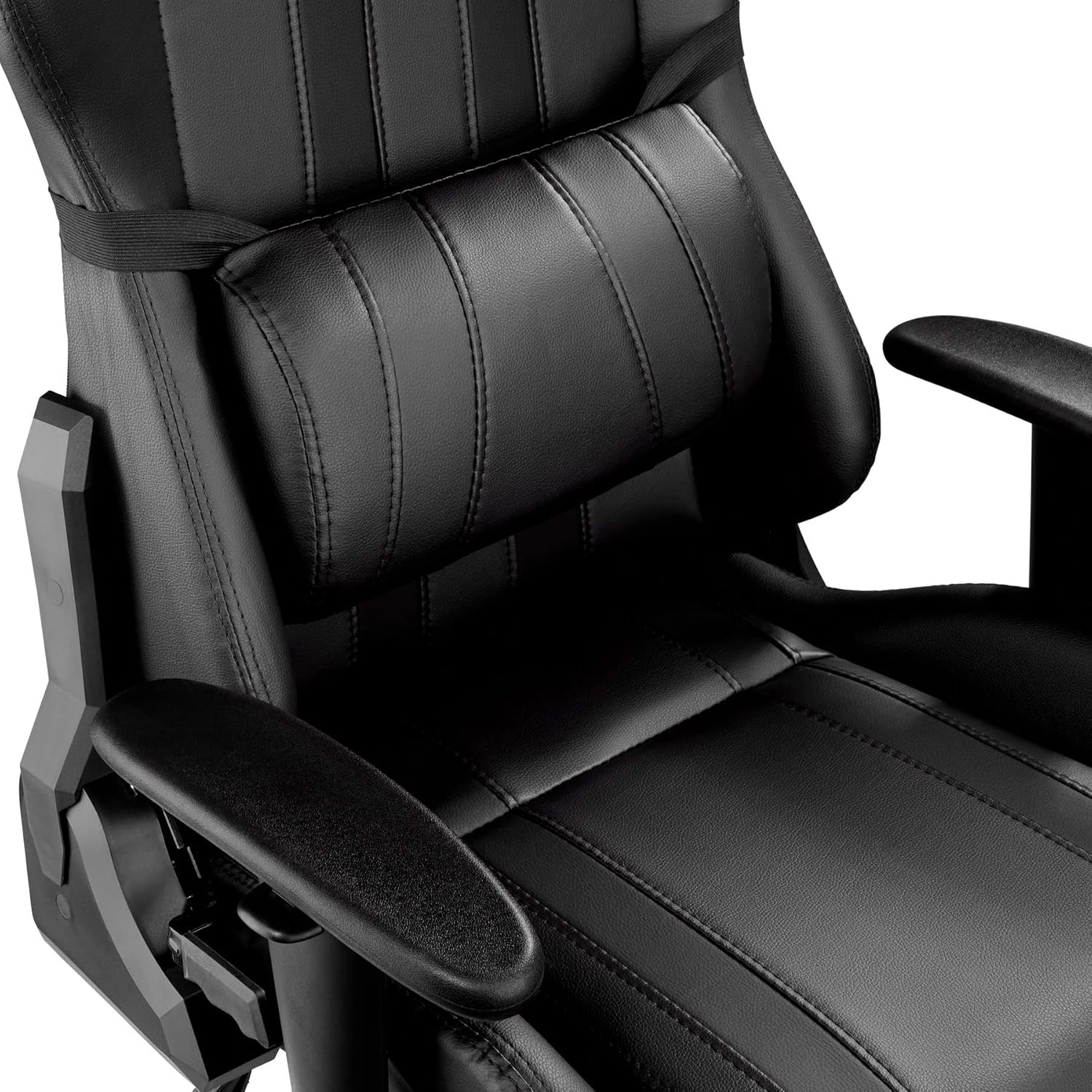
Figur 2.3: Nærbillede view of the adjustable lumbar support cushion.
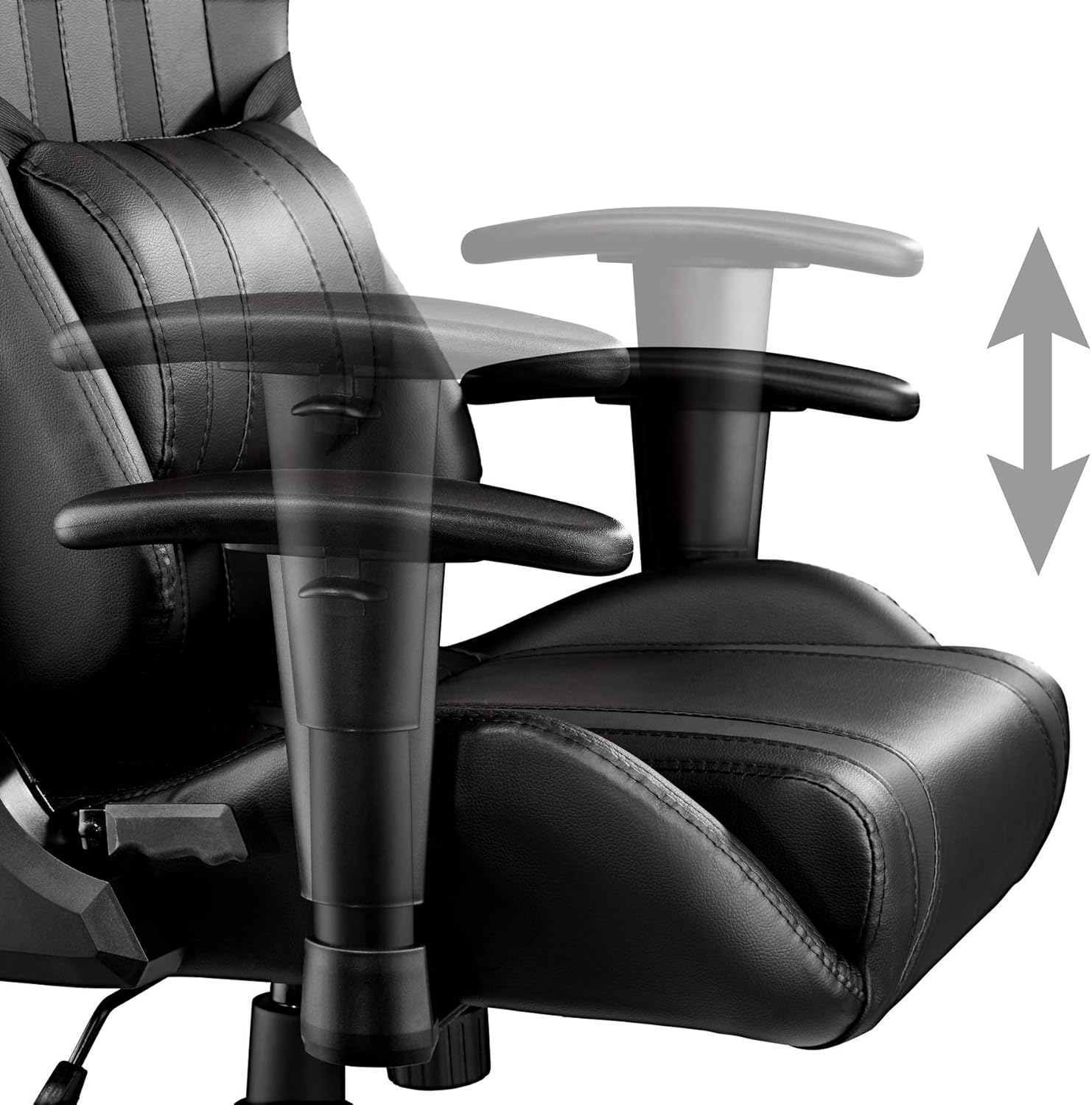
Figure 2.4: Detail of the stable cross base and durable double casters.
3. Tekniske specifikationer
| Attribut | Værdi |
|---|---|
| Overordnede dimensioner (BxDxH) | 70 x 75 x 120-128 cm |
| Sædehøjde | 45-53 cm |
| Seat (WxD) | 40 x 50 cm |
| Backrest (WxH) | 40 x 80 cm |
| Armrest Pad (WxL) | 28 x 8 cm |
| Afstand mellem armlæn | 47 cm |
| Armlæn højde | 58.5-66.5 cm |
| Armlænets højdejustering | 8 cm |
| Seat Padding Thickness | Ca. 8 cm |
| Backrest Padding Thickness | Ca. 5 cm |
| Wheels (Diameter x Width) | Ca. 6 x 5.6 cm |
| Maksimal belastningskapacitet | 120 kg |
| Produktets vægt | 19.8 kg |
| Materialer | Steel frame, plastic parts, 100% polyester padding, 100% polyurethane synthetic leather |
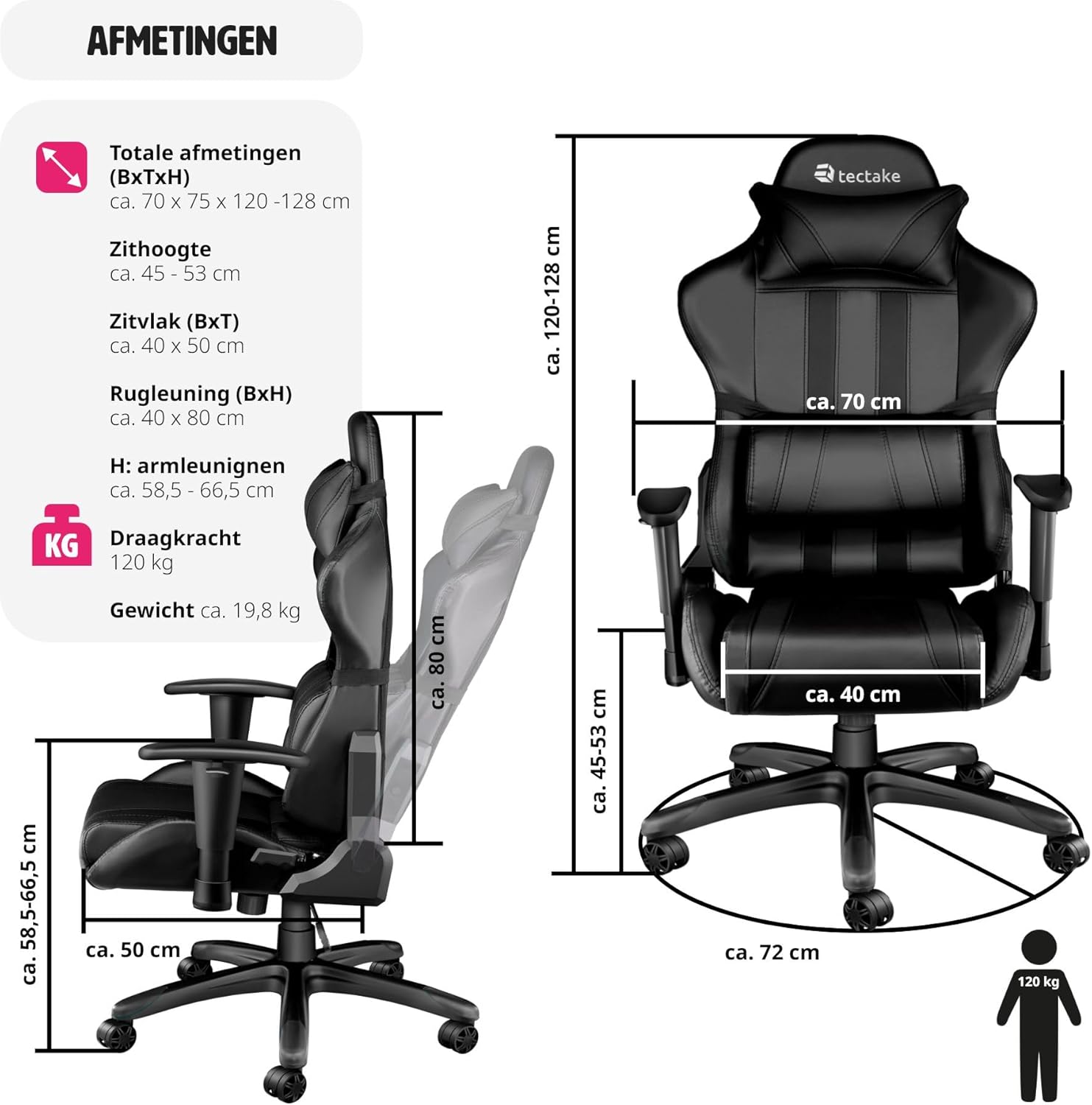
Figure 3.1: Detailed diagram illustrating the chair's various dimensions.
4. Monteringsvejledning
The Tectake Gaming Office Chair is designed for easy assembly. Please follow the included assembly guide for detailed, step-by-step instructions. Ensure all components are present before beginning assembly.
Trin for generalforsamling:
- Pak alle komponenter ud, og kontroller dem i forhold til delelisten i din samlevejledning.
- Fastgør hjulene til stjernebasen.
- Indsæt gasløftecylinderen i midten af stjernebasen.
- Assemble the seat and backrest components, attaching the armrests and mechanism.
- Placer det samlede sæde og ryglæn på gasløftcylinderen.
- Attach the neck and lumbar cushions.
- Test all adjustment functions to ensure proper operation.
For specific screw types and fastening methods, refer to the visual diagrams in your printed assembly manual.
5. Betjeningsvejledning
5.1. Sædehøjdejustering
To adjust the seat height, locate the lever on the right side, beneath the seat. To raise the seat, lift the lever while taking your weight off the chair. To lower the seat, lift the lever while remaining seated.
5.2. Ryglænets tilbagelæning
The backrest can be reclined up to 105 degrees. Locate the recline lever on the left side of the chair. Pull the lever upwards to unlock the backrest, adjust to your desired angle, and then push the lever downwards to lock it in place.
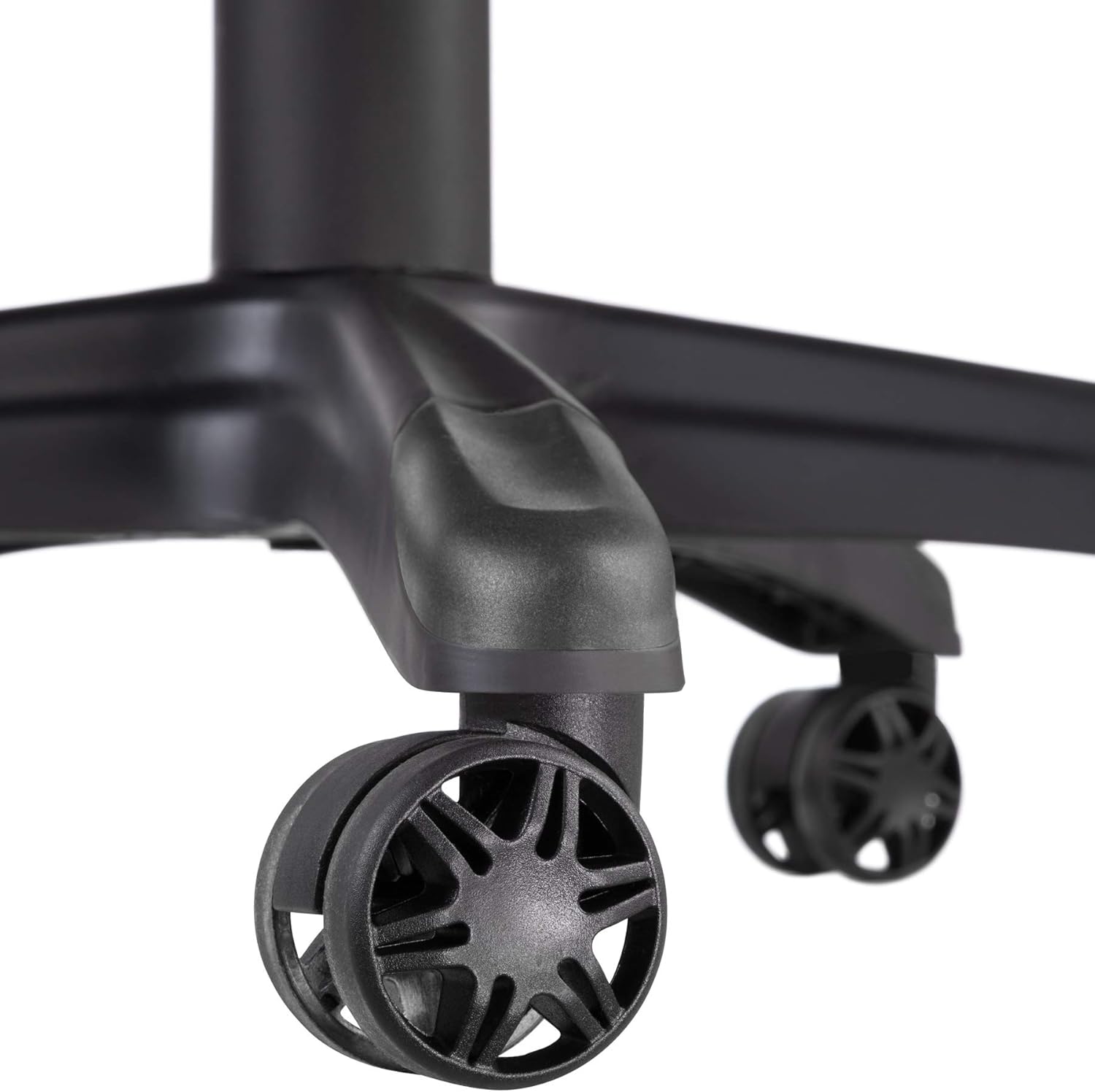
Figure 5.1: Close-up of the tilt and height adjustment levers located beneath the seat.
5.3. Armrest Height Adjustment
To adjust the height of the armrests, press the button located on the side of each armrest support. While holding the button, move the armrest up or down to your preferred height. Release the button to lock the armrest in position.
5.4. Tilt Mechanism Adjustment
The tilt tension can be adjusted to match your body weight. Rotate the round knob located underneath the front of the seat. Turn clockwise to increase tension (making it harder to recline) and counter-clockwise to decrease tension (making it easier to recline).
5.5. 360° drejning
The chair is designed to swivel 360 degrees freely on its base. Simply rotate the chair in any direction as needed.
6. Pleje og vedligeholdelse
Proper care and maintenance will extend the life and appearance of your Tectake Gaming Office Chair.
- Rensning: For the synthetic leather surfaces, wipe regularly with a soft, damp cloth. For stubborn stains, use a mild soap solution and wipe dry immediately. Avoid abrasive cleaners, solvents, or harsh chemicals, as these can damage the material.
- Hjul: Periodically check the casters for hair, dust, or debris that may impede smooth rolling. Clean them as necessary.
- Hardware: Occasionally check all screws and bolts to ensure they are tight. Retighten if necessary to maintain stability and prevent squeaking.
- Eksponering for sollys: Avoid prolonged exposure to direct sunlight, which can cause the synthetic leather to fade or crack over time.
- Vægtgrænse: Do not exceed the maximum load capacity of 120 kg to prevent damage to the chair and ensure safety.
7. Fejlfinding
If you encounter any issues with your Tectake Gaming Office Chair, refer to the following common troubleshooting tips:
- Stolens knirken:
- Check and tighten all assembly screws, especially those connecting the seat to the mechanism and the backrest.
- Apply a small amount of silicone spray to moving parts of the mechanism or where metal components rub.
- Vanskeligheder med at justere højden:
- Sørg for, at gashåndtaget er helt aktiveret.
- If the chair does not go up, ensure you are standing up and taking your weight off the seat when lifting the lever.
- If the chair does not go down, ensure you are fully seated and applying weight when lifting the lever.
- Hjul ruller ikke jævnt:
- Inspect casters for tangled hair, lint, or debris. Clean them thoroughly.
- Ensure the casters are securely inserted into the base.
- Ryglænet låser ikke:
- Ensure the recline lever is pushed down completely to lock the backrest in position.
- Check for any obstructions in the recline mechanism.
Hvis problemet fortsætter efter at have forsøgt disse løsninger, bedes du kontakte kundesupport.
8. Garanti og support
This Tectake Gaming Office Chair comes with a standard return policy. Customers are eligible for a refund or replacement within 30 days of purchase, subject to the terms and conditions of the retailer.
For any questions regarding assembly, operation, maintenance, or to report a defect, please contact the seller directly through your purchase platform. Please have your model number (402229-NL) and proof of purchase ready when contacting support.
Information regarding spare parts availability is not provided in the product details. Please inquire with the seller for any specific spare part needs.
Ask a question about this manual
Ask about setup, troubleshooting, compatibility, parts, safety, or missing instructions. Manuals+ will review the question and use this page’s manual context to help answer it.