
Indledning
The ZVOX AV157 Dialogue Clarifying Sound Bar is designed to significantly enhance your television audio experience, particularly by making dialogue crystal clear and easy to understand. Utilizing patented AccuVoice and SuperVoice technologies, this sound bar boosts voices up to 12 levels and minimizes distracting background noise, ensuring you never miss a word. Its compact design and versatile connectivity options make it an ideal addition to any home entertainment setup, especially for those seeking improved vocal clarity without complex installations.
Hvad er der i æsken
Upon unboxing your ZVOX AV157 Sound Bar, please ensure all the following components are present:
- ZVOX AV157 Sound Bar
- Remote Control (requires 2x AAA batteries, typically included)
- Mini-to-Mini cable (3.5mm audio cable)
- TOSLINK Optical cable
- Mini-to-RCA cable
- Strømadapter

Image: All components included in the ZVOX AV157 Sound Bar packaging.
Opsætning
Placering
The AV157 Sound Bar is designed for flexible placement. It can be comfortably placed on furniture in front of your TV or wall-mounted. Its compact dimensions (19.75" W x 7.75" D x 4" H) and lightweight build allow it to fit seamlessly into various spaces without clutter.

Image: The ZVOX AV157 Sound Bar positioned below a television.
Forbindelse
The AV157 offers two primary ways to connect to your television or other audio sources:
- Optical Digital Input (TOSLINK): This is the recommended connection for most modern TVs, providing high-quality digital audio. Use the included TOSLINK optical cable.
- 3.5 mm analog indgang: For TVs or devices without an optical output, use the included 3.5mm Mini-to-Mini or Mini-to-RCA cable.
Note: This product does not include an HDMI connection and cannot be used as a center speaker. Please check your TV for compatibility before setup.
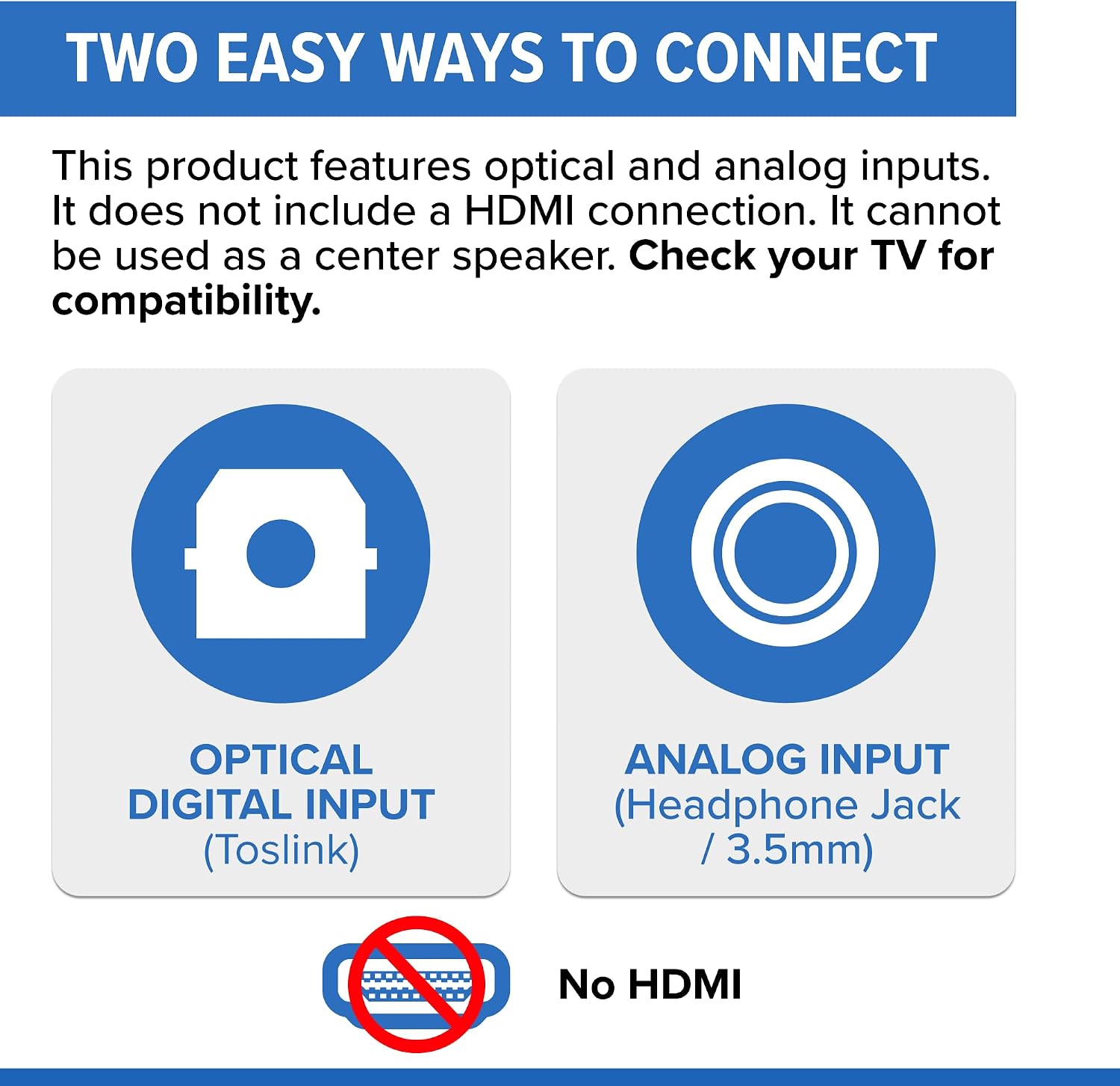
Image: Visual representation of the available audio input ports.
- Connect the appropriate audio cable from your TV's audio output to the corresponding input on the ZVOX AV157 Sound Bar.
- Connect the power adapter to the sound bar and then to a wall outlet.
- Turn on your TV and the sound bar. The sound bar should automatically detect the input.
Betjeningsvejledning
The ZVOX AV157 is designed for user-friendly operation, primarily controlled via its included remote or your TV's remote if programmed.
Fjernbetjening overview
The large-button remote features easy-to-read labels and the AV157's bright alphanumeric display illuminates when adjustments are made, ensuring clear operation.

Image: The ZVOX AV157 Sound Bar and its user-friendly remote control.
Nøglefunktioner og kontroller
- Magt: Turns the sound bar on or off. The sound bar can be set to automatically turn off when the TV is turned off.
- Lydstyrke op/ned: Justerer det samlede lydniveau.
- Stum: Silences the sound bar.
- AccuVoice Technology: Press the ACCUVOICE button to activate and cycle through 12 levels of voice boost. This patented technology lifts voices out of background noise, making dialogue clear even at low volumes.
- SuperVoice Technology: This feature minimizes distracting background noise, allowing dialogue to take center stage for clearer conversations.
- PhaseCue Virtual Surround Sound: Press the SURROUND button to engage room-filling 3D audio. This technology delivers expansive sound from a single compact speaker, enhancing movies and shows.
- Dolby Digital-dekodning: The sound bar includes Dolby Digital decoding for theater-quality sound, capturing details from crisp dialogue to immersive effects.
- Headphone/Subwoofer Output: A convenient jack allows for private listening with headphones or connecting an external subwoofer for enhanced bass.

Image: How AccuVoice technology clarifies dialogue.

Image: How PhaseCue virtual surround sound creates an immersive audio experience.
Opretholdelse
To ensure the longevity and optimal performance of your ZVOX AV157 Sound Bar, follow these simple maintenance guidelines:
- Rensning: Gently wipe the surface of the sound bar with a soft, dry cloth. Avoid using liquid cleaners, aerosols, or abrasive materials, as these can damage the finish or internal components.
- Ventilation: Ensure that the sound bar's vents are not obstructed to prevent overheating. Do not place it in an enclosed cabinet without adequate airflow.
- Miljø: Keep the sound bar away from direct sunlight, heat sources, and excessive moisture. Avoid placing it in areas with high humidity or extreme temperatures.
- Kabler: Periodically check all connected cables for any signs of wear or damage. Ensure they are securely plugged in.
Fejlfinding
If you encounter any issues with your ZVOX AV157 Sound Bar, please refer to the following common troubleshooting steps:
| Problem | Mulig årsag | Løsning |
|---|---|---|
| Ingen lyd | Sound bar is off or muted; incorrect input selected; loose cable connection. | Ensure sound bar is powered on and not muted. Verify the correct input is selected (e.g., Optical, Analog). Check all audio cables are securely connected to both the TV and sound bar. |
| Dialogue is not clear | AccuVoice/SuperVoice not activated or set too low; TV's internal speakers interfering. | Press the ACCUVOICE button repeatedly to increase the voice boost level. Ensure SuperVoice is active. Turn off your TV's internal speakers via its audio settings menu. |
| Fjernbetjening virker ikke | Dead batteries; obstruction between remote and sound bar; remote not paired (if applicable). | Replace remote control batteries. Ensure no objects are blocking the line of sight to the sound bar's front. If using a universal remote, ensure it's correctly programmed for the ZVOX AV157. |
| Sound bar turns off intermittently | Power saving feature; loose power connection. | Check the sound bar's settings for any auto-off or power-saving features and adjust as needed. Ensure the power cable is firmly connected to both the sound bar and the power outlet. |
If these steps do not resolve the issue, please contact ZVOX Audio customer support for further assistance.
Specifikationer
| Feature | Detalje |
|---|---|
| Modelnavn | AV157 |
| Højttaler type | Soundbar |
| Monteringstype | stangmontering |
| Materiale | Plast |
| Farve | Sort |
| Produktdimensioner | 19.75 cm B x 7.75 cm D x 4 cm H |
| Varens vægt | 3 pund |
| Højttaler Maksimal udgangseffekt | 24 watt |
| Frekvensrespons | 62 Hz |
| Forbindelsesteknologi | Wired (Optical, 3.5mm) |
| Lydudgangstilstand | Omgive |
| Controller type | Fjernbetjening |
| Trådløs kommunikationsteknologi | Infrarød |
| Surround Sound Kanalkonfiguration | 2.1 eller 3.1 |
| UPC | 882360015715 |
Garanti og support
Garantioplysninger
The ZVOX AV157 Sound Bar comes with a Begrænset garanti. For specific details regarding the terms and duration of your warranty, please refer to the warranty card included in your product packaging or visit the official ZVOX Audio webwebsted.
Beskyttelsesplaner
Extended protection plans may be available for purchase to cover your ZVOX AV157 Sound Bar beyond the standard limited warranty. These plans typically offer additional coverage for a specified period. Examples of available plans include:
- 2-årig beskyttelsesplan
- 3-årig beskyttelsesplan
- Komplet beskyttelse (månedlig fakturering, dækker berettigede tidligere og fremtidige køb)
Please check with your retailer or the ZVOX Audio website for current pricing and full terms and conditions of these protection plans.
Kundesupport
For technical assistance, troubleshooting, or warranty claims, please contact ZVOX Audio directly. Their customer support team can provide specialized help for your product.
ZVOX Audio Contact Information:
- Webwebsted: www.zvox.com (Se supportsektionen eller kontaktsiden)
- Telefon: Refer to the official ZVOX Audio webhjemmeside for de seneste kontaktnumre.
- E-mail: Refer to the official ZVOX Audio website for email support options.
When contacting support, please have your product model number (AV157) and purchase information readily available.


