
1. Introduktion
This manual provides detailed instructions for the installation, operation, and maintenance of your GREATHTEK 1x4 HDMI Extender Splitter. This device is designed to extend HDMI audio/video signals to multiple displays over Cat5e/Cat6/Cat7 Ethernet cables, supporting resolutions up to 1080P@60Hz over distances up to 50 meters (165 feet).
Læs venligst denne manual grundigt, inden du bruger produktet, for at sikre korrekt opsætning og optimal ydeevne. Gem denne manual til senere brug.
2. Produktfunktioner
- Udvidet transmissionsrækkevidde: Extends HDMI audio/video signals up to 50 meters (165 feet) at 1080p@60Hz using Cat5e/Cat6/Cat7 Ethernet cables.
- Lydstøtte: Supports surround sound up to 7.1-channel or stereo digital audio.
- HDCP-overholdelse: Compatible with HDCP compliant devices and content.
- Enkel installation: Driver-free setup with automatic signal feedback, equalization, and amplifikation.
- Holdbart design: Features a surface-mountable metal housing for durability and reduced EMI/RFI noise interference.
- EDID Management: EDID copy function recognizes display device parameters for optimal source matching.
- Strømkabel (POC): Only one power adapter is required at the transmitter (TX) unit to power the entire system, simplifying installation.
- Høj kompatibilitet: Built-in automatic adjustment and ESD protection systems ensure stable and clear transmission quality across various display devices.
- Alsidige applikationer: Suitable for education, outdoor/indoor LED displays, video conferencing, multimedia home theaters, and more.

Image: The GREATHTEK HDMI Extender Splitter showcasing its key features: 50-meter extension, 1080P@60Hz support, and Power Over Cable (POC) functionality.
3. Pakkens indhold
Kontroller venligst, at alle nedenstående varer er inkluderet i din pakke:
- 1x HDMI 1x4 Extender Transmitter Unit
- 4x HDMI-forlængermodtagerenheder
- 1x strømadapter (DC 12V)
- 1x brugermanual
- 1x garantikort
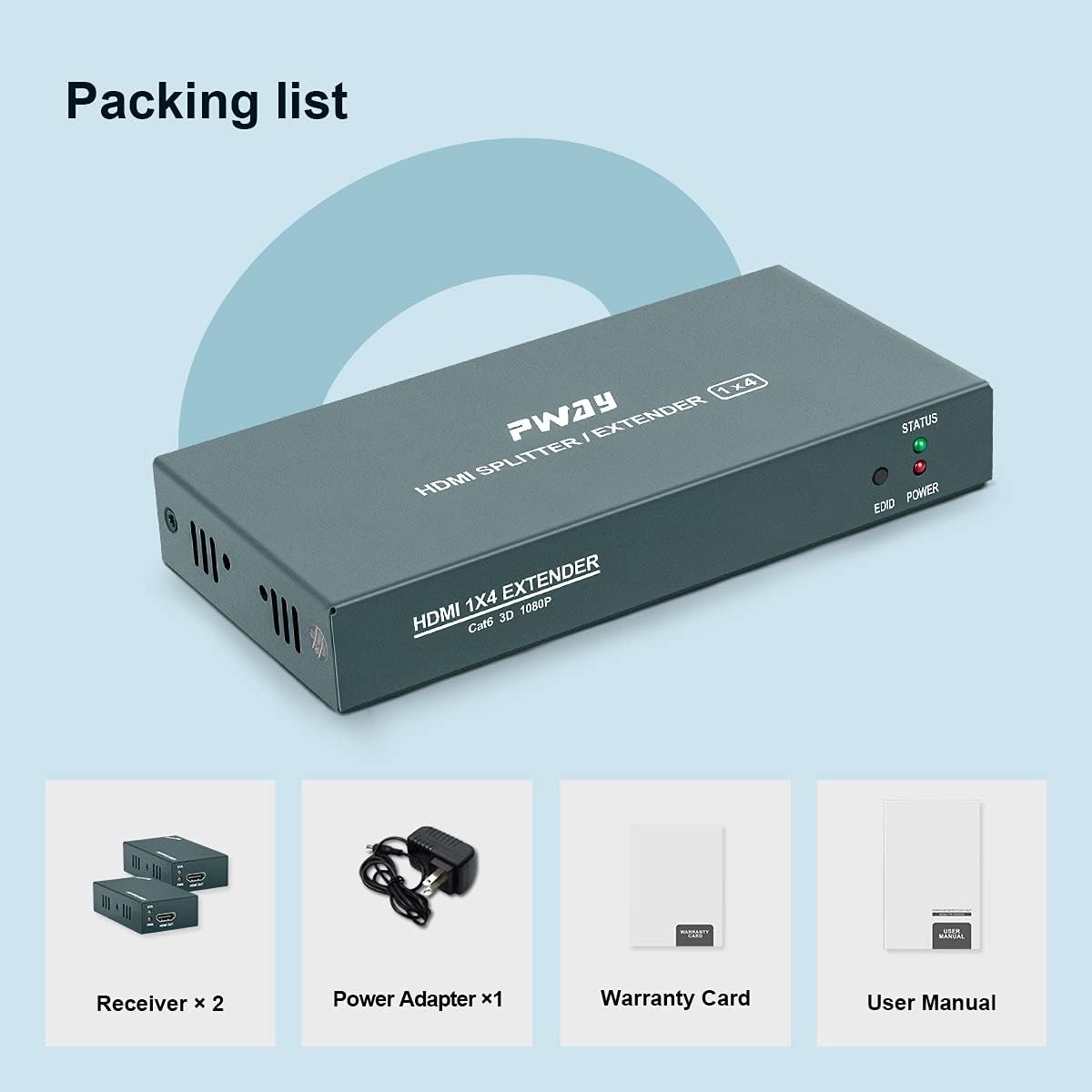
Image: Visual representation of the package contents, including the main extender unit, four receiver units, power adapter, user manual, and warranty card.
4. Opsætningsvejledning
Follow these steps to set up your HDMI Extender Splitter:
- Tilslut HDMI-kilde: Connect your HDMI source device (e.g., PC, TV Box, DVD player, game console) to the HDMI IN port on the Transmitter Unit using a high-quality HDMI cable.
- Tilslut Ethernet-kabler: Connect Cat5e/Cat6/Cat7 Ethernet cables from the Cat6 output ports on the Transmitter Unit to the Cat6 input ports on each of the four Receiver Units. Ensure the cables are securely plugged in.
- Tilslut HDMI-skærme: Connect each Receiver Unit to its respective HDMI display (e.g., TV, monitor) using high-quality HDMI cables.
- Tænd: Connect the provided DC 12V power adapter to the Transmitter Unit. Due to the Power Over Cable (POC) function, the Receiver Units will draw power directly from the Transmitter Unit via the Ethernet cables and do not require separate power adapters.
- Bekræft forbindelsen: Once all connections are made and power is supplied, check the STATUS and POWER indicator lights on both the Transmitter and Receiver units. A stable light indicates a successful connection.

Image: A detailed connection diagram illustrating how to connect the HDMI source to the transmitter, the transmitter to multiple receivers via Cat5e/6/7 cables, and each receiver to a display.
5. Betjeningsvejledning
After successful setup, operating the HDMI Extender Splitter is straightforward:
- Tænd enheder: Ensure your HDMI source device and all connected displays are powered on.
- Kildevalg: Select the correct HDMI input on your displays to view the content from the HDMI source.
- Automatisk justering: The extender splitter features an automatic adjustment system that optimizes the signal quality based on cable length and display characteristics. No manual configuration is typically required for video output.
- EDID Management: The EDID copy function automatically detects and matches the display's EDID information to the source, ensuring compatibility and optimal resolution.
- Indikatorlys:
- POWER LED (Transmitter): Illuminates when the unit receives power.
- STATUS LED (Transmitter/Receivers): Illuminates when a stable HDMI signal is detected and transmitted/received.
- EDID LED (Transmitter): Indicates EDID status.

Billede: Et nærbillede view of the indicator lights on the extender unit, showing the STATUS, EDID, and POWER LEDs.
6. Vedligeholdelse
To ensure the longevity and optimal performance of your GREATHTEK HDMI Extender Splitter, follow these maintenance guidelines:
- Rensning: Use a soft, dry cloth to clean the exterior of the units. Do not use liquid cleaners or aerosols, as they may damage the device.
- Ventilation: Sørg for, at enhederne er placeret et godt ventileret område for at forhindre overophedning. Bloker ikke ventilationsåbninger.
- Kabelstyring: Keep all cables neatly organized and avoid sharp bends or excessive tension, which can damage the cables or ports.
- Miljøforhold: Operate the device within recommended temperature and humidity ranges. Avoid extreme temperatures or direct sunlight.
- Strømafbrydelse: Disconnect the power adapter from the main unit if the device will not be used for an extended period.
7. Fejlfinding
If you encounter issues with your HDMI Extender Splitter, refer to the following troubleshooting steps:
| Problem | Mulig årsag | Løsning |
|---|---|---|
| Ingen videoudgang på skærmen. |
|
|
| Flimrende eller ustabil video. |
|
|
| Ingen lyd. |
|
|
| STATUS LED not lit on receiver. |
|
|
If the problem persists after trying these solutions, please contact GREATHTEK customer support for further assistance.
8. Specifikationer
| Feature | Detalje |
|---|---|
| Modelnummer | PW-HT226P4 |
| HDMI version | Supports 1080P@60Hz, 3D |
| Transmissionsafstand | Up to 50m (165ft) over Cat5e/Cat6/Cat7 cable |
| Understøttede lydformater | 7.1-channel surround sound, stereo digital audio |
| HDCP-overholdelse | Ja |
| EDID Management | EDID-kopifunktion |
| Strømforsyning | DC 12V (Transmitter only, POC for receivers) |
| Materiale til hus | Metal |
| Vægt | 0.91 Kilograms (Total package weight) |
| Certificeringer | FCC, CE, RoHS kompatibel |
9. Garantioplysninger
This GREATHTEK product comes with a limited warranty. Please refer to the included Warranty Card in your package for specific terms, conditions, and duration of the warranty. Retain your proof of purchase for any warranty claims.
10. Kundesupport
For technical assistance, troubleshooting beyond this manual, or warranty inquiries, please contact GREATHTEK customer support. Contact information can typically be found on the product packaging, the included warranty card, or the official GREATHTEK webwebsted.
"Please don’t hesitate to contact with us if you have any questions on our product, we will provide you a satisfied solution on time."


