
Indledning
Thank you for choosing the DEPSTECH D04 1080P HD WebDenne manual indeholder vigtige oplysninger om opsætning, betjening og vedligeholdelse af dit kamera. webcam to ensure optimal performance. The D04 webcam is designed to deliver sharp, crystal-clear video and natural audio for various applications, including video conferencing, online teaching, streaming, and gaming.
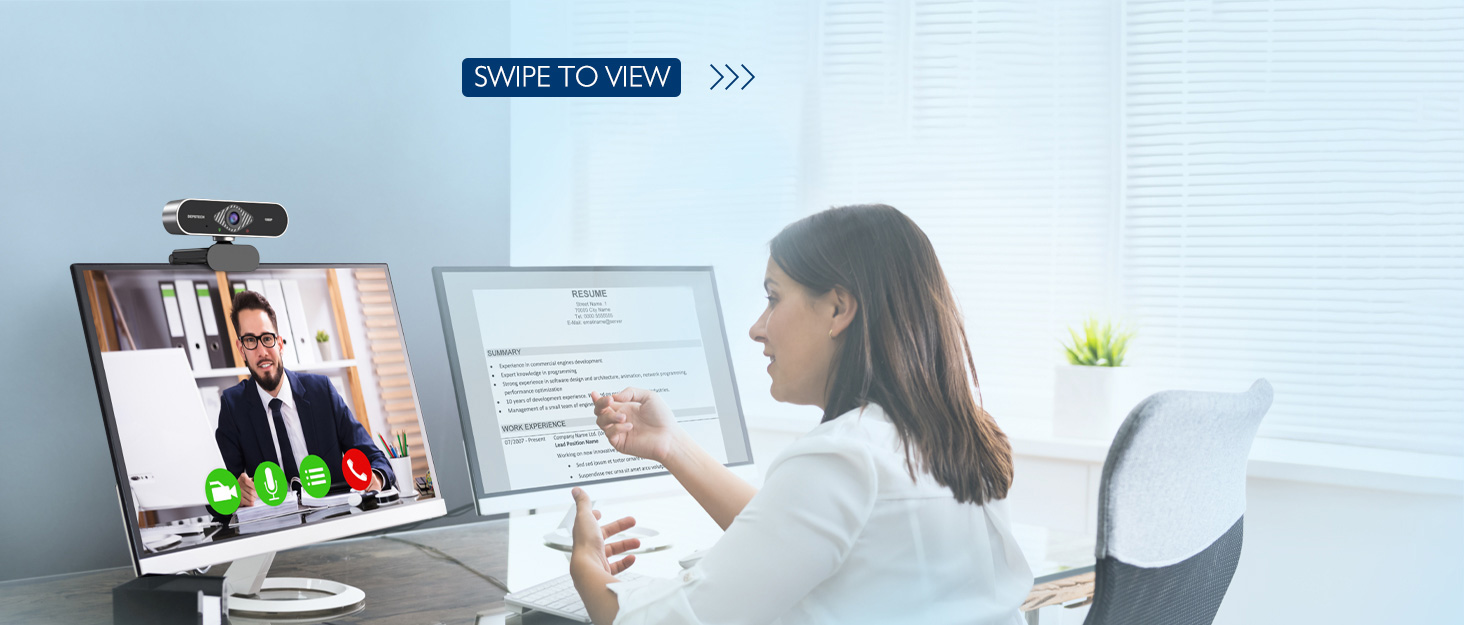
Image: DEPSTECH D04 Webcam in use for a video conference.
Nøglefunktioner:
- Fuld HD 1080P-video: Delivers sharp and crystal-clear video at 30 frames per second with a 6-layer glass HD lens and 1/2.9” CMOS image sensor.
- Stereo Microphone with Noise Reduction: Features an automatic noise reduction function for clearer and more natural sound, even in noisy environments.
- Automatic Light Correction & HDR: Ensures excellent video quality even in dimly lit conditions.
- Tilslut og brug: No additional drivers or software required for most operating systems.
- Bred kompatibilitet: Works with MAC OS, Windows XP/7/8/10, and popular applications like Skype, YouTube, Yahoo!, and Zoom.
Pakkens indhold
- DEPSTECH D04 Webcam
- Mini stativ
- Privatlivsdækning
- Brugermanual
Opsætningsinstruktioner
1. Placement of the Webcam
DEPSTECH D04 webcam features a flexible mounting clip that allows it to be placed on various devices or surfaces.
- På en skærm/bærbar computer: Åbn klipsen og placer webcam on top of your monitor or laptop screen. Adjust the angle so the camera is stable and facing you.
- På et stativ: Vedhæft webcam to the included mini tripod using the universal screw mount at the bottom of the clip. Place the tripod on a flat surface.
- På en flad overflade: The clip can also be folded to create a stand, allowing the webcam to sit directly on your desk or shelf.

Billede: Webcam mounted on a laptop screen.

Billede: Webcam mounted on a tripod.
2. Tilslutning af Webcam
DEPSTECH D04 webcam is a plug-and-play device, requiring no additional driver installation for most operating systems.
- Tilslut USB-kablet fra webcam to an available USB port on your computer (desktop or laptop).
- Wait for your operating system to automatically detect and install the device. This usually takes a few seconds.
- Once detected, the webcam is ready for use with your preferred video communication or recording software.

Image: USB connection for the webcam.
Betjeningsvejledning
1. Brug af Webcam with Software
After connecting, your DEPSTECH D04 webcam will be recognized as a standard video and audio input device by most applications.
- Open your desired video conferencing, streaming, or recording application (e.g., Zoom, Skype, OBS, YouTube, Facetime).
- Navigate to the application's settings or preferences, usually under 'Audio' and 'Video' sections.
- Select "DEPSTECH D04 Webcam" or "USB 2.0 Camera" as your video input device.
- Select "USB 2.0 Camera Audio" as your microphone input device.
- Adjust video and audio settings as needed within the application.

Image: User engaged in a video call with the webcam.
2. Fortrolighedsdækning
De webcam includes a privacy cover for enhanced security and peace of mind. Slide the cover over the lens when the webcam is not in use to prevent accidental recordings or unauthorized access.

Billede: Webcam with the privacy cover closed.
3. Indikatorlys
De webcam features indicator lights to show its status:
- Grønt lys: Indicates the camera is active and in use by an application.
- Rødt lys: Angiver webcam is powered on and connected.
Opretholdelse
To ensure the longevity and optimal performance of your DEPSTECH D04 webkamera, følg disse vedligeholdelsesretningslinjer:
- Rengøring af linsen: Tør forsigtigt linsen af med en blød, fnugfri klud. Undgå at bruge skrappe kemikalier eller slibende materialer, der kan ridse linsen.
- Rengøring af kroppen: Brug en blød, tør klud til at rengøre ydersiden af webcam.
- Opbevaring: Når den ikke er i brug, især i længere perioder, skal den opbevares webcam in a clean, dry place. Use the privacy cover to protect the lens.
- Undgå ekstreme forhold: Udsæt ikke webudsættes for ekstreme temperaturer, fugtighed eller direkte sollys.
Fejlfinding
If you encounter issues with your DEPSTECH D04 webkamera, se følgende almindelige løsninger:
- WebKamera ikke fundet:
- Prøv at forbinde webkameraet til en anden USB-port på din computer.
- Genstart din computer.
- Sørg for, at USB-kablet er korrekt tilsluttet.
- Tjek enhedshåndteringen (Windows) eller systemoplysningerne (Mac) i dit operativsystem for at se, om webkameraet er angivet.
- Ingen video/sort skærm:
- Sørg for, at privatlivsdækslet er åbent.
- Bekræft, at webcam er valgt som videoinputenhed i din applikations indstillinger.
- Luk og genåbn applikationen.
- Ingen lyd/dårlig lydkvalitet:
- Ensure "USB 2.0 Camera Audio" is selected as the microphone input in your application's settings.
- Kontrollér din computers lydindstillinger for at sikre, at mikrofonen er aktiveret og ikke slået fra.
- Adjust the microphone input volume in your application or system settings.
- Dårlig videokvalitet:
- Sørg for tilstrækkelig belysning i dine omgivelser. webcam has auto light correction, but good ambient light helps.
- Rengør webcam linse.
- Check your internet connection speed if streaming or video conferencing.
Specifikationer
| Mærke | DEPSTECH |
| Modelnummer | D04 |
| Videooptagelsesopløsning | 1080p |
| Billedoptagelseshastighed | 30 fps |
| Fotosensorteknologi | CMOS (1/2.9” CMOS image sensor) |
| Fokus Type | Fast fokus |
| Linsetype | Vidvinkel |
| Forbindelsesteknologi | USB |
| Understøttet lydformat | Stereoanlæg |
| Særlige funktioner | Auto Light Correction, Noise Canceling Microphone, Tripod and Privacy Cover Included |
| Operativsystemkompatibilitet | Mac OS, Windows XP/7/8/10 |
| Farve | Sort |
Garantioplysninger
DEPSTECH D04 Webkameraet leveres med et 1 års garanti from the date of purchase. This warranty covers manufacturing defects and ensures the product is free from defects in material and workmanship under normal use. Please retain your proof of purchase for warranty claims. The warranty does not cover damage caused by misuse, accident, unauthorized modification, or external causes.
Støtte
For further assistance, technical support, or warranty inquiries, please contact DEPSTECH customer service. You can typically find contact information on the official DEPSTECH webhjemmeside eller gennem den forhandler, hvor du købte produktet.
Please have your model number (D04) and proof of purchase ready when contacting support.