
Indledning
This manual provides comprehensive instructions for the ChamZA Built-in Motion Plus 2 in 1 Wireless Remote Controller Gamepad, designed for use with Wii and Wii U consoles. Please read this manual thoroughly before using the product to ensure proper operation and longevity.
Nøglefunktioner
- 2 i 1 design: Integrates remote control and Motion Plus functionality.
- Kompatibilitet: Fully compatible with both Wii and Wii U consoles.
- Trådløs forbindelse: Utilizes Bluetooth for a stable connection with a range of up to 8 meters.
- Integrerede sensorer: Features a built-in COMS sensor for infrared light detection from the sensor bar, providing accurate light-spot moving information and supporting sensitivity switching.
- Audio feedback: Includes a built-in sound module to convey induction sound from the console to the speaker, and a dedicated speaker for sound output.
- Vibrationsfeedback: Equipped with a built-in motor for immersive vibration sensing feedback.
- Strømkilde: Kræver 2 x AA-batterier (medfølger ikke).
- Udvidelsesport: Features an extension terminal for connecting peripheral devices such as a Nunchuck controller.
Opsætning
1. Batteriinstallation
- Åbn batteridækslet på bagsiden af fjernbetjeningen.
- Insert two AA dry batteries, ensuring correct polarity (+/-).
- Luk batterirummets dæksel forsvarligt.
2. Connecting to the Console (Synchronization)
- Ensure your Wii or Wii U console is powered on and the sensor bar and AV cable are properly connected.
- Locate the red "SYNC" button on the back of the remote controller (usually under the battery cover). Press this button. The four LED indicators on the front of the remote will begin blinking rapidly, indicating it is searching for a connection. Ensure sufficient battery power for this step.
- On your Wii console, locate and press the red code pair button. This button is typically found behind the small flap on the front of the console or inside the battery compartment of the console itself.
- Once synchronization is successful, one of the LED indicators on the remote will remain solid bright, indicating a stable connection.

Figure 1: Location of the SYNC button on the remote and console for pairing. The remote shown is black, but the process is identical for the Sky Blue model.
Betjeningsvejledning
1. Grundlæggende kontrol
The remote controller functions as a primary input device for your Wii/Wii U console. It detects motion, tilt, and infrared light from the sensor bar to translate your movements into in-game actions. Buttons on the remote allow for various commands and selections.
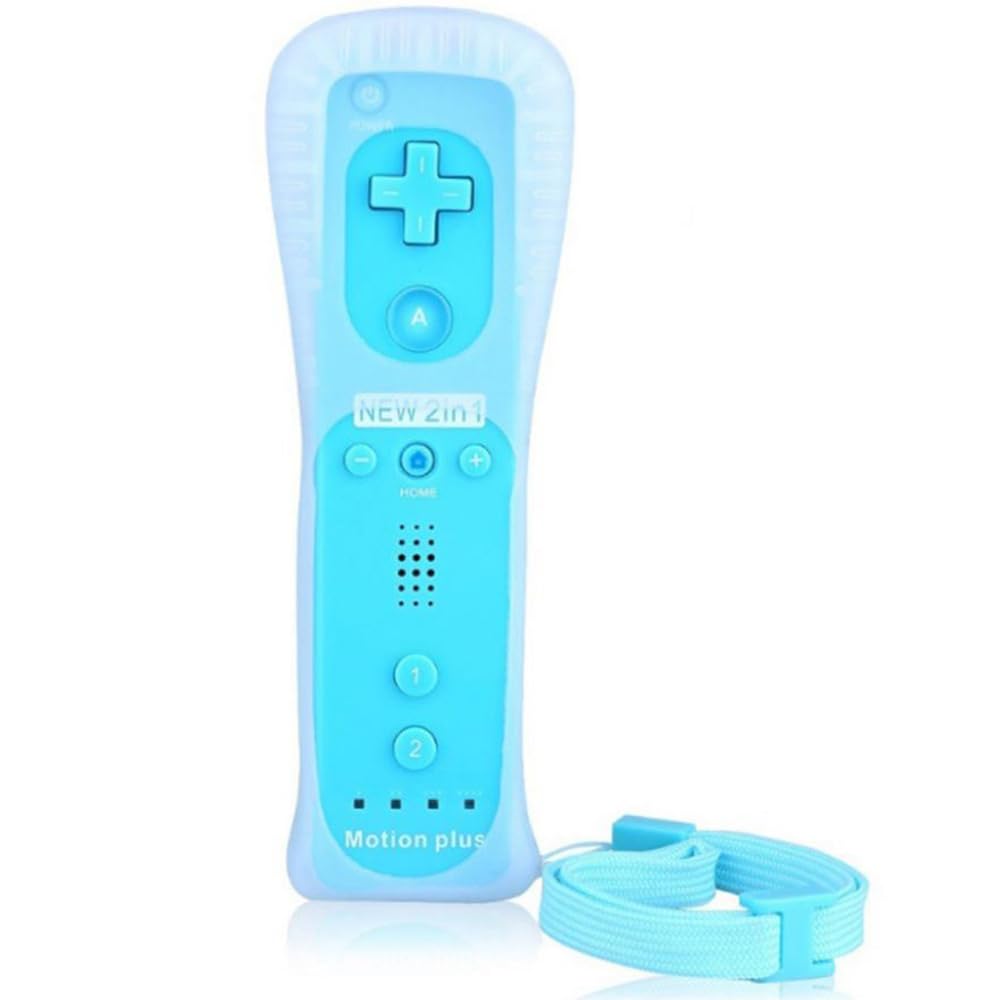
Figure 2: ChamZA Built-in Motion Plus 2 in 1 Wireless Remote Controller in Sky Blue.
2. Nunchuck Controller Connection
For games requiring additional analog control and button inputs, connect a Nunchuck controller to the extension terminal at the bottom of the remote. The Nunchuck enhances gameplay by providing a joystick and two additional trigger buttons.

Figur 3: Eksample of a Wii Remote and Nunchuck Controller setup. The controllers shown are black, but the connection method is universal.

Figure 4: The Nunchuck controller's accelerometer detects movement, enhancing first-person shooter games by allowing natural aiming and firing.
3. Motion Plus Functionality
The built-in Motion Plus technology provides enhanced precision and accuracy for motion-controlled games, judging movement and tilt with greater detail. This eliminates the need for an external Motion Plus adapter.

Figure 5: The remote features built-in Motion Plus for precise movement and tilt detection. The remote shown is black.
4. Wireless Range and Multiple Controllers
The controller maintains a stable Bluetooth connection up to 8 meters. Up to four controllers can be connected to a single console for multi-player gaming.

Figure 6: Stable Bluetooth connectivity allows for an 8-meter wireless range. The remote shown is black.

Figure 7: A single console can support up to four controllers for multiplayer sessions. The remote shown is black.
Opretholdelse
- Rensning: Tør controlleren af med en blød, tør klud. Undgå at bruge skrappe kemikalier eller slibende rengøringsmidler.
- Opbevaring: Opbevar controlleren et køligt, tørt sted væk fra direkte sollys og ekstreme temperaturer.
- Batteripleje: Fjern batterierne, hvis controlleren ikke skal bruges i længere tid, for at forhindre lækage.
- Beskyttelsesetui: Using the included shockproof silicone case can help protect the controller from accidental drops and impacts.
Fejlfinding
1. Cannot Connect with Wii Console
- Reset Remotes: Try resetting the remote by pressing the SYNC button again.
- Clear Bluetooth Links: If multiple Bluetooth devices have been paired, the console might have too many active links. Try deleting all existing Bluetooth links from your console's settings and then attempt to connect the remote again.
2. Glitches or Screen Flashing
- Press the red SYNC button on the battery cover of the remote and the START button on your main console simultaneously. This can help re-establish a stable connection.
3. Controller Stops Working After a Period
- Perform ZERO CLEARING: Press the red SYNC button on your main console to perform a 'Zero Clearing' and then re-sync the remote.
- Tjek batterier: Ensure batteries have sufficient power. Replace with fresh AA batteries if needed.
Specifikationer
| ASIN | B0883FHKJS |
| Varens vægt | 4.8 ounce |
| Pakkedimensioner | 8 x 2.3 x 1.6 tommer |
| Forbindelse | Trådløs Bluetooth |
| Wireless Range | Op til 8 meter |
| Strømkilde | 2 x AA batterier (medfølger ikke) |
| Kompatibilitet | Nintendo Wii, Nintendo Wii U |
Garanti og support
For warranty information or technical support, please refer to the product packaging or contact ChamZA customer service directly. Contact details are typically provided with the product documentation or on the manufacturer's official webwebsted.