
CREATE 901ac5f5-3fab-4ab6-92cb-7ef7d8ca7a54
CREATE/COOL DC Tower Ventilator Brugermanual
Model: 901ac5f5-3fab-4ab6-92cb-7ef7d8ca7a54
1. Introduktion
Thank you for choosing the CREATE/COOL DC Tower Fan. This bladeless tower fan is designed to provide efficient and quiet air circulation with its advanced DC motor and 9-speed settings. Featuring a sleek design, remote control, and 90-degree oscillation, it offers optimal comfort for any room.
Læs venligst denne manual grundigt, inden du bruger enheden, for at sikre sikker og korrekt brug. Gem denne manual til senere brug.
2. Sikkerhedsinstruktioner
- Tag altid ventilatorens stik ud af stikkontakten, inden du rengør eller udfører vedligeholdelse.
- Brug ikke ventilatoren med en beskadiget ledning eller et beskadiget stik. Hvis ledningen eller stikket er beskadiget, skal du kontakte kvalificeret servicepersonale.
- Do not place the fan near water or in excessively humid environments.
- Keep fingers, hair, and loose clothing away from the fan's openings during operation.
- Sørg for, at ventilatoren er placeret på en stabil, flad overflade for at forhindre den i at vælte.
- Dette apparat er ikke beregnet til brug af personer (inklusive børn) med nedsatte fysiske, sensoriske eller mentale evner, eller mangel på erfaring og viden, medmindre de har fået opsyn eller instruktion i brugen af apparatet af en person, der er ansvarlig for deres sikkerhed.
- Børn skal være under opsyn for at sikre, at de ikke leger med apparatet.
- Do not insert any objects into the fan's openings.
- Dæk ikke ventilatoren til under drift.
3. Pakkens indhold
Bekræft at alle varer er til stede i pakken:
- CREATE/COOL DC Tower Fan Unit
- Fjernbetjening
- Netledning (integreret)
- Brugervejledning (dette dokument)
4. Opsætning
- Pak ventilatoren ud: Carefully remove the tower fan and all accessories from the packaging.
- Placering: Place the fan on a firm, level surface. Ensure there is adequate space around the fan for proper air circulation and oscillation.
- Tilslut strøm: Sæt strømstikket i en almindelig stikkontakt. Sørg for, at lydstyrken er korrekt.tage matcher ventilatorens krav (230V).
- Fjernbetjenings batteri: The remote control may require batteries (not included). Open the battery compartment and insert the correct type and number of batteries, observing polarity.
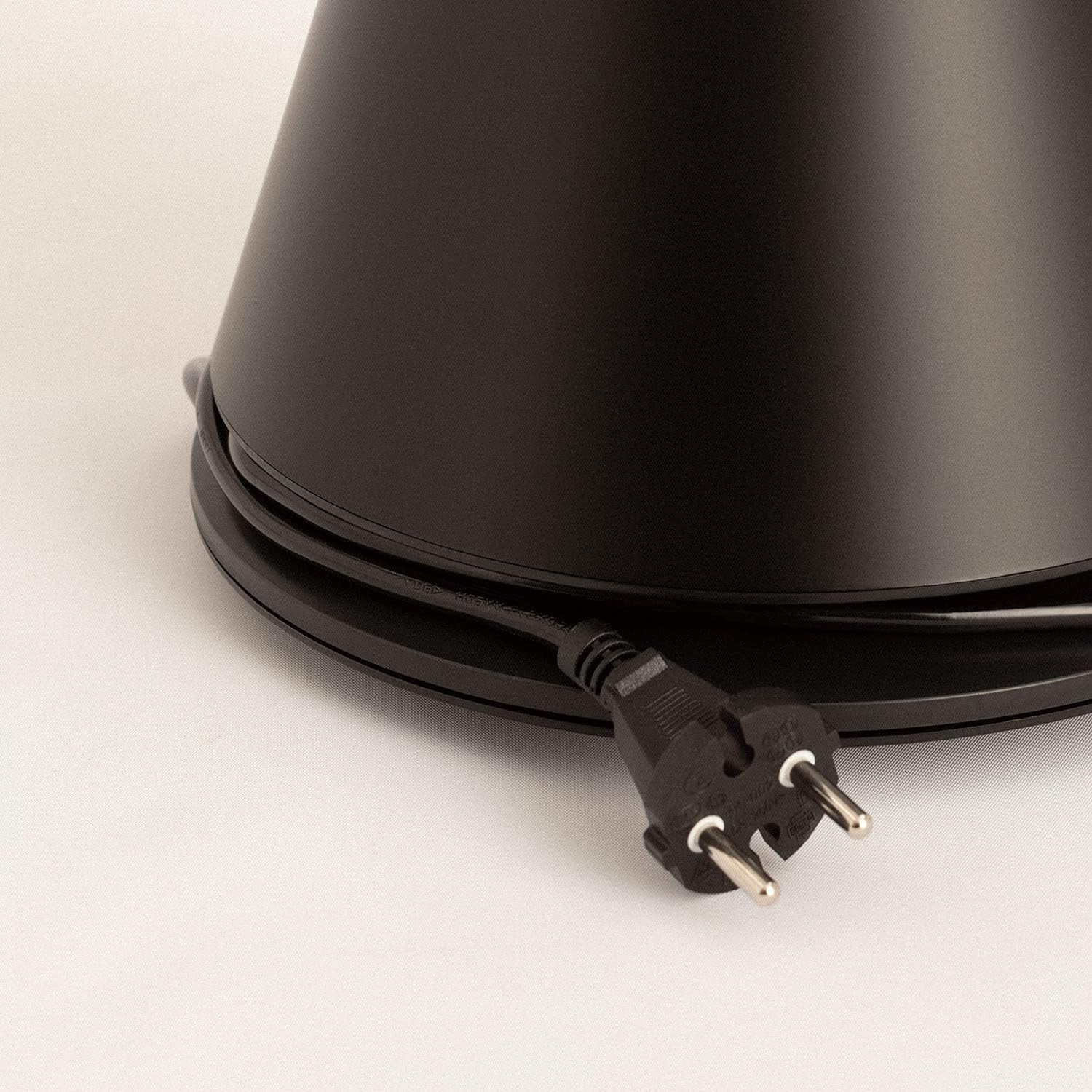
Image: Power cord connected to the fan base.
This image shows the integrated power cord and plug, ready for connection to a wall outlet. The cord is neatly wrapped around the base for storage.
5. Betjeningsvejledning
Control Panel (Digital Display Touch-System)
The fan features a digital display touch-system on its top, which also serves as the integrated remote control storage. Touch the icons to control the fan.
Fjernbetjening
The magnetic remote control can be stored conveniently on top of the fan. It provides full functionality for operating the fan from a distance.

Image: Remote control for the tower fan.
This image displays the compact remote control with clearly labeled buttons for power, speed adjustment, mode selection, and oscillation control.
Funktioner:
- Tænd/sluk: Tryk på tænd / sluk-knappen (⏻) for at tænde eller slukke for ventilatoren.
- Hastighedstilpasning: The fan has 9 speed levels. Use the '+' and '-' buttons to increase or decrease the fan speed.
- Vindtilstande: Select between 2 wind modes (e.g., Normal, Sleep, Natural - specific modes may vary). Press the mode button to cycle through available modes.
- oscillation: Tryk på oscillationsknappen (↻) to activate or deactivate the 90-degree oscillation feature, which distributes air evenly across the room.
- Timer: Set the fan to automatically turn off after a specified period. Refer to the display for timer settings (e.g., 1-12 hours).

Image: Tower fan placed in a bedroom.
This image shows the sleek black tower fan positioned in a modern bedroom, demonstrating its compact footprint and aesthetic integration into a living space.
6. Vedligeholdelse
Regelmæssig rengøring vil bidrage til at opretholde ventilatorens ydeevne og forlænge dens levetid.
- Rengøring af ydersiden: Tør ventilatorens yderflader af med en blød, tør klud.amp klæde. Brug ikke slibende rengøringsmidler eller opløsningsmidler.
- Fjernelse af støv: Use a vacuum cleaner with a brush attachment or compressed air to remove dust from the air intake and outlet grilles.
- Opbevaring: Hvis ventilatoren opbevares i længere tid, skal du tage stikket ud, rengøre den grundigt og opbevare den et køligt og tørt sted, helst i dens originale emballage.
- Nedsænk ikke ventilatoren i vand eller anden væske.
7. Fejlfinding
| Problem | Mulig årsag | Løsning |
|---|---|---|
| Ventilatoren tænder ikke. | Ikke tilsluttet; Strømstik virker ikke; Tænd/sluk-knap ikke trykket ned. | Sørg for, at ventilatoren er tilsluttet en stikkontakt, der virker. Tryk på tænd/sluk-knappen. |
| Svag luftstrøm. | Low speed setting; Air inlets/outlets blocked by dust. | Øg ventilatorhastigheden. Rengør luftindtag og -udtag. |
| Blæseren larmer. | Fan not on a level surface; Internal obstruction; High speed setting. | Place the fan on a flat, stable surface. Check for any obstructions. Reduce fan speed. |
| Fjernbetjening virker ikke. | Batterier døde eller forkert isat; Blokering mellem fjernbetjening og ventilator. | Replace batteries, ensuring correct polarity. Remove any obstructions. Ensure remote is pointed at the fan. |
8. Specifikationer
| Feature | Detalje |
|---|---|
| Mærke | SKABE |
| Modelnummer | 901ac5f5-3fab-4ab6-92cb-7ef7d8ca7a54 |
| Produktdimensioner | 102 x 23 x 102 cm (ca. 23 D x 23 B x 102 H cm) |
| Vægt | 2.6 kilo |
| Farve | Sort |
| Strømkilde | Elektrisk med ledning |
| Voltage | 230 volt |
| Wattage | 26 watt |
| Støjniveau | 2 dB (Note: This value seems unusually low based on customer reviews, typical fan noise is higher. Please refer to actual product performance.) |
| Antal hastigheder | 9 |
| Særlige funktioner | Oscillating, Lightweight, DC Motor, Timer, Remote Control |
9. Garanti og support
CREATE products are manufactured to the highest quality standards. For information regarding warranty coverage, please refer to the warranty card included with your purchase or visit the official CREATE webwebsted.
For technical support, troubleshooting assistance, or spare parts, please contact CREATE customer service. Contact details can typically be found on the product packaging or the official brand webwebsted.
Webwebsted: CREATE Officiel Butik
Ask a question about this manual
Ask about setup, troubleshooting, compatibility, parts, safety, or missing instructions. Manuals+ will review the question and use this page’s manual context to help answer it.