
1. Introduktion
This manual provides essential instructions for the safe and efficient assembly, operation, and maintenance of your MAIDeSITe T2 Pro Plus Dual Motor Electric Standing Desk Frame. Please read this manual thoroughly before use and retain it for future reference.
The MAIDeSITe T2 Pro Plus is a height-adjustable electric standing desk frame featuring a powerful dual-motor system for smooth and quiet operation. It is designed to support various desktop sizes and promote a healthier work environment by allowing seamless transitions between sitting and standing positions.
2. Sikkerhedsinstruktioner
- Sørg for, at alle komponenter er forsvarligt fastgjort før brug.
- Hold børn og kæledyr væk fra skrivebordet under drift.
- Do not overload the desk. The maximum weight capacity is 125 kg.
- Sørg for, at der ikke er nogen forhindringer i skrivebordets bane under højdejusteringen.
- Sid eller stå ikke på skrivebordsrammen.
- Afbryd strømmen før rengøring eller vedligeholdelse.
- Brug kun den medfølgende strømadapter.
- The desk features an anti-collision system. Do not attempt to override it.
- The control panel includes a child lock function for safety.
3. Pakkens indhold
Kontroller, at alle komponenter er til stede og ubeskadigede, før monteringen påbegyndes.
- MAIDeSITe T2 Pro Plus Desk Frame (legs, crossbar, feet)
- Control Panel with Smart Keyboard
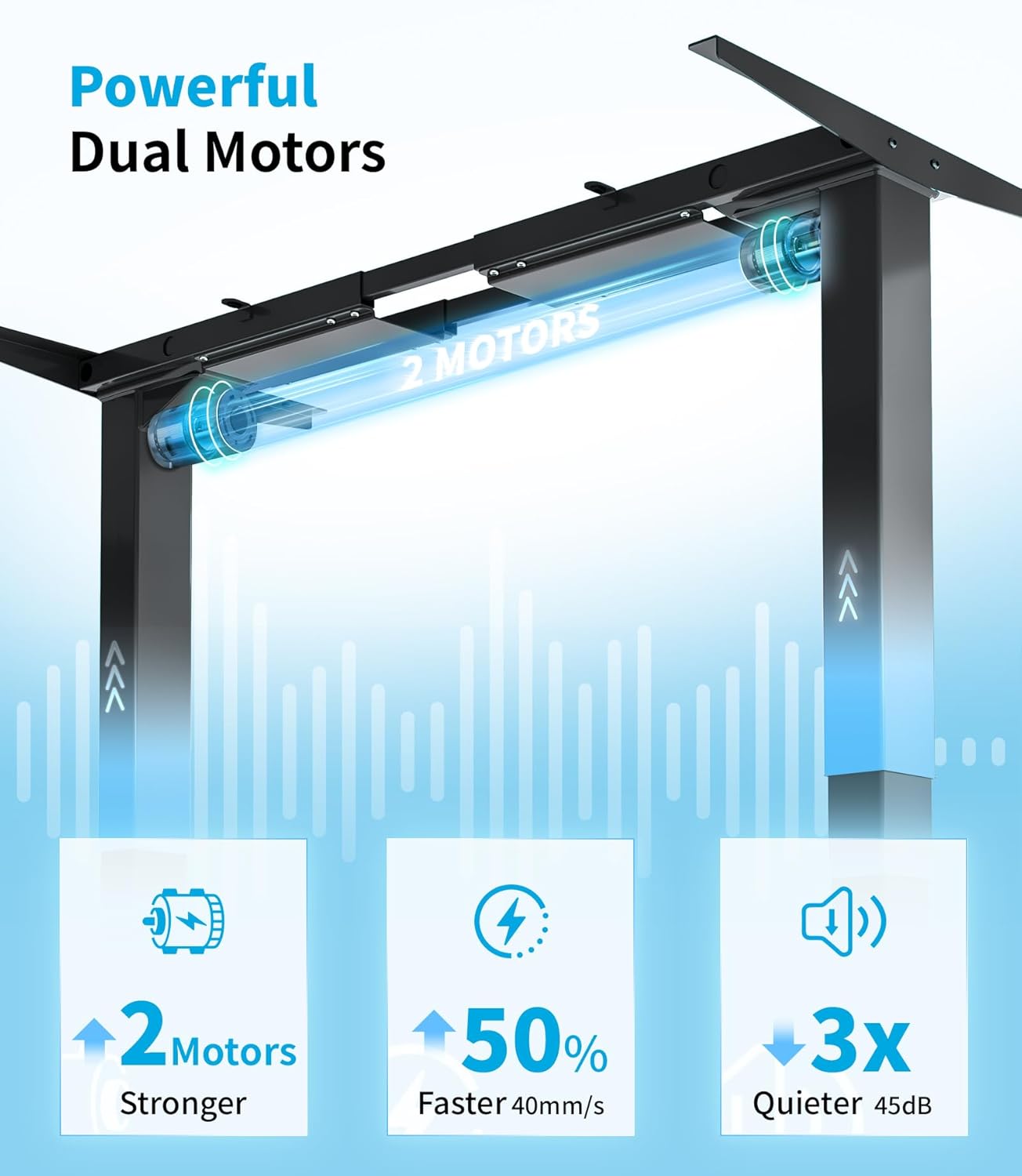
- Dobbelt motorsystem
- Strømadapter og kabler
- Samlebeslag (skruer, værktøj hvis inkluderet)
- Instruktionsmanual (dette dokument)
Note: Desktop surface is sold separately.
4. Opsætning og montering
Assembly typically requires two people. Ensure you have adequate space and the necessary tools (e.g., screwdriver, hex keys, if not provided).
4.1 Udpakning
Tag forsigtigt alle komponenter ud af emballagen. Læg dem på en ren, blød overflade for at undgå ridser.
4.2 Rammesamling
- Attach the feet to the bottom of each leg column using the provided screws.
- Connect the crossbar to the leg columns. Ensure proper alignment and secure all screws.
- Install the dual motors into the designated slots within the frame structure.
- Connect all motor and control panel cables to the main control box, ensuring they are routed neatly to avoid interference with movement.

4.3 Attaching the Desktop
Position your chosen desktop (not included) onto the assembled frame. Ensure it is centered and aligned. Mark the screw holes on the underside of the desktop. Drill pilot holes if necessary, then secure the desktop to the frame using appropriate screws.

4.4 Kabelstyring
Route all cables (power, control panel, and any peripheral cables) using the integrated cable management features or cable ties to prevent snagging during height adjustments. This ensures smooth operation and a tidy workspace.
5. Betjeningsvejledning
5.1 Kontrolpanel overview
The MAIDeSITe T2 Pro Plus features a multi-function control panel with an LCD display, up/down buttons, memory presets, a sit-stand reminder, child lock, and a USB charging port.
5.2 Justering af højde
- Tryk og hold på Op (^) or Ned (v) button to move the desk to your desired height. Release the button to stop.
- The LCD display will show the current height in centimeters.
5.3 Indstilling af hukommelsesforudindstillinger
The control panel allows you to save up to four preferred height settings.
- Indstil skrivebordet til den ønskede højde.
- Tryk på 'SÆT' knap. Displayet vil blinke.
- Tryk straks på en af hukommelsesknapperne ('1', '2', '3', eller '4') to save the current height to that position.
- To recall a saved height, simply press the corresponding memory button. The desk will automatically move to that position.
5.4 Sit-Stand Reminder
To activate the sit-stand reminder:
- Tryk på 'SÆT' knap.
- Brug Op (^) or Ned (v) buttons to cycle through reminder intervals (0.5h, 1h, 2h).
- Trykke 'SÆT' again to confirm your selection. The desk will beep to remind you to change position after the set interval.
5.5 Børnelåsfunktion
For at aktivere børnesikringen skal du trykke på og holde M knappen i 3 sekunder. Displayet viser et låseikon. For at deaktivere skal du trykke på og holde M knappen igen i 3 sekunder.
5.6 Antikollisionssystem
The desk is equipped with an anti-collision system. If the desk encounters an obstruction during adjustment, it will automatically stop and reverse slightly to prevent damage. Ensure the area around the desk is clear before operation.
6. Vedligeholdelse
- Rensning: Disconnect the power before cleaning. Wipe the desk frame with a soft, damp klud. Undgå slibende rengøringsmidler eller opløsningsmidler.
- Inspektion: Kontrollér regelmæssigt alle skruer og forbindelser for at sikre, at de er fastspændte. Efterspænd om nødvendigt.
- Kabelstyring: Ensure cables remain tidy and are not pinched or tangled, especially during height adjustments.
- Smøring: The motors and lifting columns are designed for maintenance-free operation and do not require lubrication.
7. Fejlfinding
| Problem | Mulig årsag | Løsning |
|---|---|---|
| Skrivebordet bevæger sig ikke. | Power cable disconnected, child lock active, overload. | Check power connection. Deactivate child lock. Reduce weight on desk. |
| Skrivebordet bevæger sig ujævnt eller laver usædvanlige lyde. | Løse forbindelser, blokering, ujævn vægtfordeling. | Check all screws and connections. Clear any obstructions. Redistribute weight evenly. |
| Antikollisionssystemet udløses ofte. | Hindring i stien, følsomme omgivelser. | Ensure clear path. Refer to control panel settings for sensitivity adjustment (if available). |
| Hukommelsesforudindstillinger virker ikke. | Not saved correctly. | Gem hukommelsesforudindstillingerne igen ved at følge instruktionerne i afsnit 5.3. |
If the problem persists after attempting these solutions, please contact MAIDeSITe customer support.
8. Specifikationer
- Model: T2 Pro Plus
- Mærke: MAIDeSITe
- Type: 3-Stage Dual Motor Electric Standing Desk Frame
- Højdejusteringsområde: 62 cm - 125 cm
- Frame Width Adjustment Range: 100 cm - 180 cm
- Recommended Desktop Width: 100 cm - 220 cm
- Recommended Desktop Depth: 60 cm - 100 cm
- Løftehastighed: 40 mm/s
- Støjniveau: < 45 dB
- Maksimal vægtkapacitet: 125 kg
- Materiale: 100% High-Quality Industrial Carbon Steel
- Funktioner: 4 Memory Presets, Sit-Stand Reminder, Child Lock, Anti-Collision System, USB Charging Port
- Certificeringer: TÜV RHEINLAND, UKCA
- Varens vægt: 29 kg


9. Garanti og support
MAIDeSITe provides comprehensive warranty and technical support for your T2 Pro Plus desk frame.
- Desk Frame Warranty: 5 år
- Motorgaranti: 3 år
- Teknisk support: Lifetime technical support and installation guidance.
- Returpolitik: 90-day unconditional return policy.
- Kundeservice: 24-hour customer service.
For any questions, assistance, or warranty claims, please contact MAIDeSITe customer service through your purchase platform or the official MAIDeSITe webwebsted.