
1. Introduktion
Thank you for choosing the alphatronics T-22 SBI+ LED display. This manual provides essential information for the safe and efficient use of your device. Please read it thoroughly before operating the product and keep it for future reference.
The alphatronics T-22 SBI+ is equipped with a Basic-Smart Function, allowing easy internet browsing via an integrated browser and access to a selection of applications. It features a Triple Tuner for versatile reception options.
2. Hvad er der i æsken
Tjek venligst indholdet af din pakke:
- alphatronics T-22 SBI+ LED Display
- DVB-T Antenna AN5
- Stativbase
- Fjernbetjening og tilbehør
- Brugervejledning (dette dokument)
Hvis der mangler eller er beskadigede varer, bedes du kontakte din forhandler.
3. Nøglefunktioner
- Triple Tuner: Integrated DVB-S2, DVB-T2 HD, and DVB-C Tuner for HDTV (MPEG2/4).
- 100% Pixel-Free Display: Ensures a perfect visual experience without pixel defects.
- Bluetooth 4.2: For wireless audio connectivity with compatible devices.
- alphatronics Basic-Smart Function: Enables easy internet browsing and access to selected apps.
- LED display: High-quality display technology for vibrant images.

Image: The alphatronics T-22 SBI+ display highlighting its Basic-Smart Functionality.
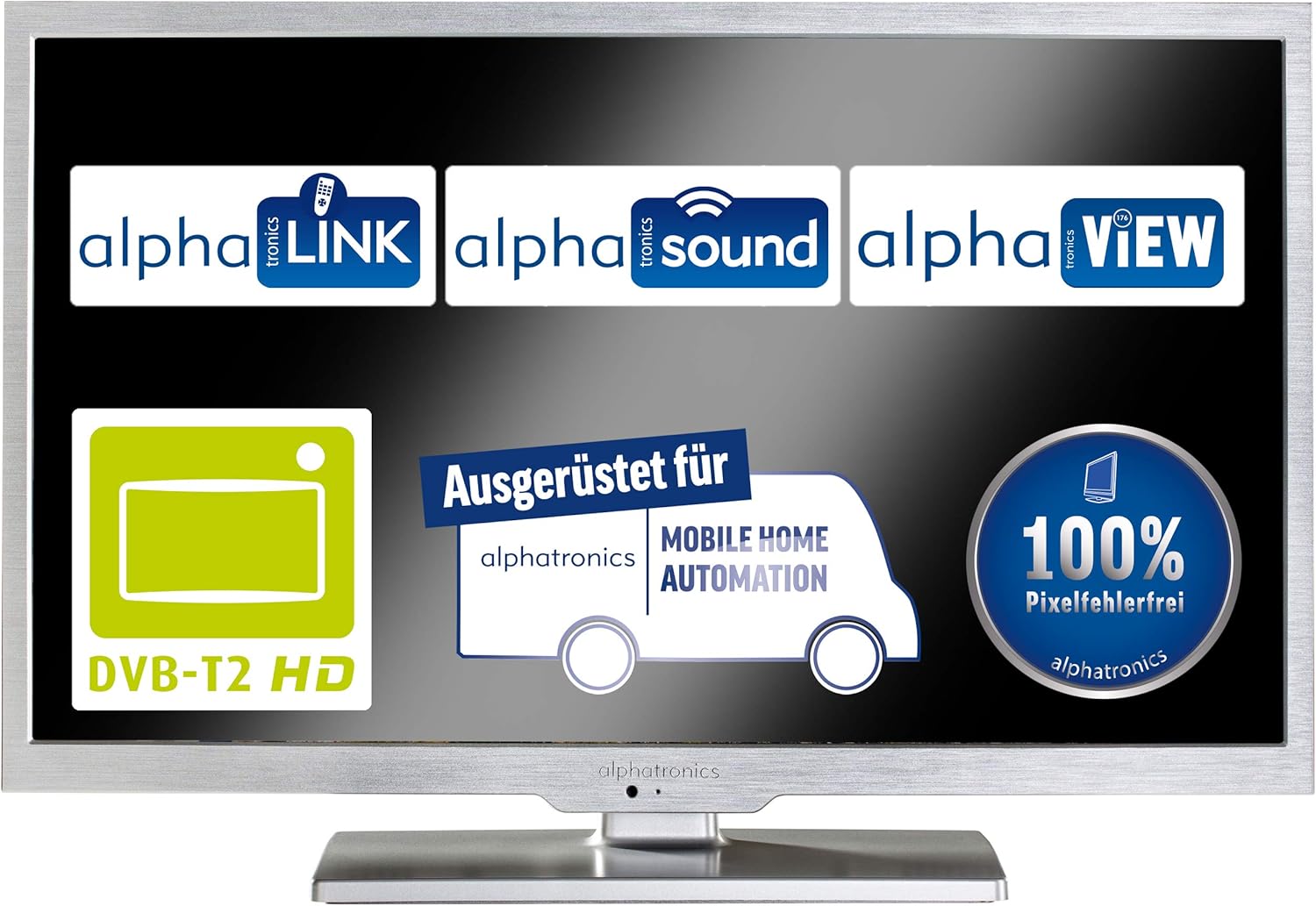
Image: Display showcasing key features such as DVB-T2 HD compatibility and 100% pixel-free guarantee.
4. Opsætning
4.1 Samling af stativet
- Carefully place the display face down on a soft, clean surface to prevent scratches.
- Attach the stand base to the bottom of the display using the provided screws. Ensure it is securely fastened.
- Gently lift the display and place it on a stable, flat surface.

Image: Dimensions of the alphatronics T-22 SBI+ including the stand, useful for placement.
4.2 Tilslutningskabler
- Magt: Connect the power cable to the display and then to a wall outlet.
- Antenne/Satellit: Connect your DVB-T antenna (AN5 included) or satellite cable to the corresponding input on the display.
- Eksterne enheder: Use HDMI, USB, or other available ports to connect external devices such as media players or game consoles.
4.3 Første opstart og indledende opsætning
- Press the power button on the display or remote control to turn on the device.
- Follow the on-screen prompts to select your language, country, and perform an automatic channel scan for DVB-S2, DVB-T2 HD, or DVB-C.
- Connect to your Wi-Fi network to enable the Basic-Smart Function and access online features.

Image: The alphatronics T-22 SBI+ display, ready for use after setup.
5. Betjeningsvejledning
5.1 Grundlæggende betjening
- Tænd/sluk: Use the power button on the remote or display.
- Kanalvalg: Brug CH+/- knapperne eller det numeriske tastatur på fjernbetjeningen.
- Lydstyrkekontrol: Brug VOL+/- knapperne på fjernbetjeningen.
- Inputkilde: Press the 'Source' or 'Input' button on the remote to switch between TV, HDMI, USB, etc.
5.2 Using the Basic-Smart Function
The integrated Basic-Smart Function allows you to access internet content directly on your display.
- Ensure the display is connected to a stable Wi-Fi network.
- Navigate to the 'Smart' or 'Apps' menu using your remote control.
- Select the integrated browser to surf the internet or choose from the pre-installed applications.
5.3 Bluetooth-forbindelse
To connect Bluetooth audio devices (e.g., headphones, speakers):
- Go to the 'Settings' menu and select 'Bluetooth'.
- Enable Bluetooth on the display and put your audio device into pairing mode.
- Select your device from the list of available devices on the display to pair.
6. Vedligeholdelse
6.1 Rengøring af skærmen
- Tag altid stikket ud af stikkontakten før rengøring.
- Brug en blød, fnugfri klud til forsigtigt at tørre skærmen og kabinettet af.
- Til genstridige mærker, dampRengør kluden let med vand eller en specialiseret skærmrens. Sprøjt aldrig væske direkte på skærmen.
- Undgå at bruge slibende rengøringsmidler, voks eller opløsningsmidler.
6.2 Generel pleje
- Bloker ikke ventilationsåbninger.
- Hold skærmen væk fra direkte sollys, varmekilder og overdreven fugtighed.
- Avoid placing heavy objects on top of the display.
7. Fejlfinding
If you encounter issues with your alphatronics T-22 SBI+, please refer to the following common problems and solutions:
| Problem | Mulig årsag | Løsning |
|---|---|---|
| No power / Display does not turn on | Power cable not connected; Power outlet faulty; Remote control batteries low. | Check power cable connection; Try a different outlet; Replace remote control batteries. |
| Intet signal / Blank skærm | Incorrect input source selected; Antenna/cable not connected; Channel scan not performed. | Press 'Source' button to select correct input; Check antenna/cable connections; Perform a channel scan. |
| No internet connection (Basic-Smart Function) | Wi-Fi not connected; Incorrect Wi-Fi password; Router issue. | Check Wi-Fi settings and password; Restart your Wi-Fi router; Ensure strong Wi-Fi signal. |
| Fjernbetjening virker ikke | Batteries depleted; Obstruction between remote and display; Remote not paired (if applicable). | Replace batteries; Remove obstructions; Refer to remote control pairing instructions if necessary. |
If the problem persists after trying these solutions, please contact alphatronics customer support.
8. Specifikationer
| Feature | Detalje |
|---|---|
| Modelnavn | T-22 Sbi+ |
| Produktmål (med stativ) | 50.3 x 34.2 x 15.3 cm |
| Varens vægt | 3.3 kilo |
| Skærmteknologi | LED |
| Opløsning | HD |
| Forbindelsesteknologi | Bluetooth |
| Understøttede internettjenester | Browser |
| Monteringstype | Vægmontering |
| Farve | Børstet sølv |
| Fabrikant | alfatronik |
| ASIN | B087B76663 |

Image: Dimensions of the alphatronics T-22 SBI+ without the stand, useful for wall mounting.
9. Garanti og support
For information regarding warranty coverage, technical support, or service, please refer to the warranty card included with your product or visit the official alphatronics webDu kan også kontakte din forhandler for at få hjælp.
alphatronics Official Webwebsted: www.alphatronics.de