
Indledning
This manual provides comprehensive instructions for the installation, operation, and maintenance of the AXIS P1447-LE Network Camera. Please read this manual thoroughly before using the product to ensure proper functionality and safety.
The AXIS P1447-LE Network Camera is designed for surveillance applications, offering excellent image quality at 5-megapixel resolution and a 16:9 aspect ratio.
Produkt overview
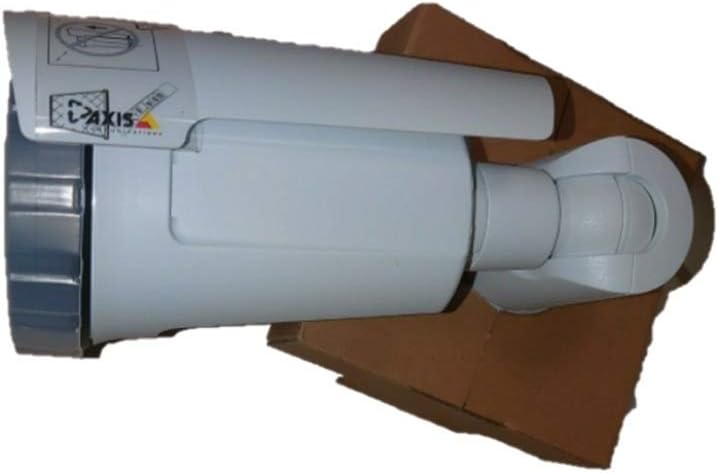
Figure 1: The AXIS P1447-LE Network Camera, a white bullet-style camera with a sun shield, shown resting on a brown cardboard box. The camera features the AXIS logo on its side.
The AXIS P1447-LE is a robust network camera built for reliable outdoor surveillance. Key features include:
- 5 MP resolution for detailed video capture.
- 16:9 format for wide-angle viewing.
- Low light technology (Night Color) for improved performance in challenging lighting conditions.
- Outdoor suitability with IP54 international protection rating.
- Wired connectivity and ONVIF compatibility.
Opsætning og installation
1. Udpakning
Fjern forsigtigt alle komponenter fra emballagen. Kontroller, at alle de dele, der er anført på pakkelisten, er til stede. Gem den originale emballage til senere transport eller opbevaring.
2. Montering af kameraet
The AXIS P1447-LE supports ceiling mount installation. Choose a stable mounting surface that can support the camera's weight and provide an optimal field of view.
- Drill pilot holes according to the mounting template (if provided).
- Secure the mounting bracket to the surface using appropriate screws and anchors.
- Fastgør kamerahuset til monteringsbeslaget, og sørg for, at det er fastlåst.
3. Strøm- og netværksforbindelse
Connect the camera to a power source (AC/DC) and to your network via an Ethernet cable. The camera supports wired connectivity and ONVIF protocol for integration with network video recorders (NVRs) or video management systems (VMS).
- Sørg for, at strømforsyningen opfylder kameraets specifikationer.
- Use a reliable Ethernet cable for stable network connection.
Betjeningsvejledning
1. Indledende adgang og konfiguration
Upon first power-up, the camera will acquire an IP address from your network's DHCP server. Use the AXIS IP Utility or your VMS to discover the camera on the network.
- Få adgang til kameraets web grænseflade ved hjælp af sin IP-adresse i en web browser.
- Log in with the default credentials (refer to the camera's packaging or quick start guide for default username and password). Det anbefales kraftigt at ændre standardadgangskoden med det samme af sikkerhedsmæssige årsager.
- Configure network settings, video resolution (up to 5 MP), frame rate (30 fps), and image quality settings.
2. Video Surveillance and Recording
The camera is primarily used for surveillance. It supports motion-only alert types and can be integrated with various surveillance platforms.
- Set up motion detection zones and sensitivity within the camera's web interface or your VMS.
- Configure recording schedules and storage locations (e.g., NVR, NAS, or cloud storage).
- Utilize the optical zoom feature for detailed viewaf specifikke områder.
3. Fjernbetjening og overvågning
The camera can be controlled and monitored remotely. It is compatible with Amazon Alexa for certain control functions, and general remote control is available via its web interface or integrated VMS.
Opretholdelse
Regular maintenance ensures optimal performance and longevity of your AXIS P1447-LE Network Camera.
- Rengøring af linser: Rengør kameralinsen med jævne mellemrum med en blød, fnugfri klud. Brug en mild linserengøringsopløsning til genstridigt snavs. Undgå slibende materialer, der kan ridse linsen.
- Boligsyn: Inspect the camera housing and mounting bracket for any signs of damage, corrosion, or loose connections. Tighten screws as needed.
- Firmwareopdateringer: Tjek producentens website regularly for firmware updates. Keeping the firmware updated can improve performance, add new features, and address security vulnerabilities.
- Miljøtjek: Ensure the camera's operating environment remains within specified temperature and humidity ranges. Clear any obstructions that might block the camera's view eller ventilation.
Fejlfinding
This section provides solutions to common issues you might encounter with your network camera.
| Problem | Mulig årsag | Løsning |
|---|---|---|
| Intet video-feed |
|
|
| Dårlig billedkvalitet |
|
|
| Kan ikke få adgang web interface |
|
|
Specifikationer
| Feature | Detalje |
|---|---|
| Model | P1447-LE (01054-001) |
| Mærke | ADI (AXIS) |
| Videooptagelsesopløsning | 5 MP |
| Billedhastighed | 30 fps |
| Forbindelsesteknologi | Kablet |
| Forbindelsesprotokol | ONVIF |
| Strømkilde | AC/DC |
| Monteringstype | Loftmontering |
| Indendørs/Udendørs brug | Udendørs |
| International Protection Rating | IP54 |
| Low Light teknologi | Nat farve |
| Alert Type | Kun bevægelse |
| Kontrolmetode | Remote, Amazon Alexa |
| Formfaktor | Kugle |
| UPC | 753359771953 |
Garanti og support
For warranty information and technical support, please refer to the official ADI (AXIS) webwebstedet eller kontakt deres kundeservice direkte. Behold din købskvittering som købsbevis.
Note: Specific warranty terms and support channels may vary by region.