
1. Introduktion
Thank you for choosing the Tribit FlyBuds C1 True Wireless Earbuds (Model BTH91). This manual provides essential information for setting up, operating, and maintaining your new earbuds. Please read it thoroughly to ensure optimal performance and longevity of your device.

Image: Tribit FlyBuds C1 Wireless Earbuds and Charging Case.
2. Sikkerhedsoplysninger
To prevent damage to your earbuds or injury to yourself, please observe the following safety precautions:
- Du må ikke skille ørepropperne eller opladningsetuiet ad eller ændre dem.
- Hold enheden væk fra ekstreme temperaturer, direkte sollys og åben ild.
- Avoid exposing the earbuds to water for prolonged periods, despite their IPX8 rating. Ensure the charging port cover is securely closed before exposure to liquids.
- Do not use abrasive cleaners or harsh chemicals to clean the device.
- Lyt ved moderat lydstyrke for at undgå høreskader.
- Opbevares utilgængeligt for børn og kæledyr.
3. Pakkens indhold
The Tribit FlyBuds C1 package includes:
- Tribit FlyBuds C1 Earbuds (Model BTH91)
- Opladningsetui
- USB-C ladekabel
- Snor
- 6 Pairs of Silicone Ear Tips (various sizes)
- Brugermanual
- 18-måneders garantikort
Image: All items included in the Tribit FlyBuds C1 retail package.
4. Opsætning
4.1. Opladning af øretelefoner og etuiet
Oplad ørepropperne og opladningsetuiet helt inden første brug.
- Placer ørepropperne i opladningsetuiet. Sørg for, at de sidder korrekt i deres respektive holdere.
- Connect the USB-C charging cable to the charging port on the case and to a power source. The LED indicators on the case will show charging status. A full charge takes approximately 1.5 hours.
- The charging case also supports wireless charging. Simply place the case on a compatible wireless charging pad.
The earbuds provide up to 5 hours of playback on a single charge, and the charging case extends total playtime to up to 100 hours.
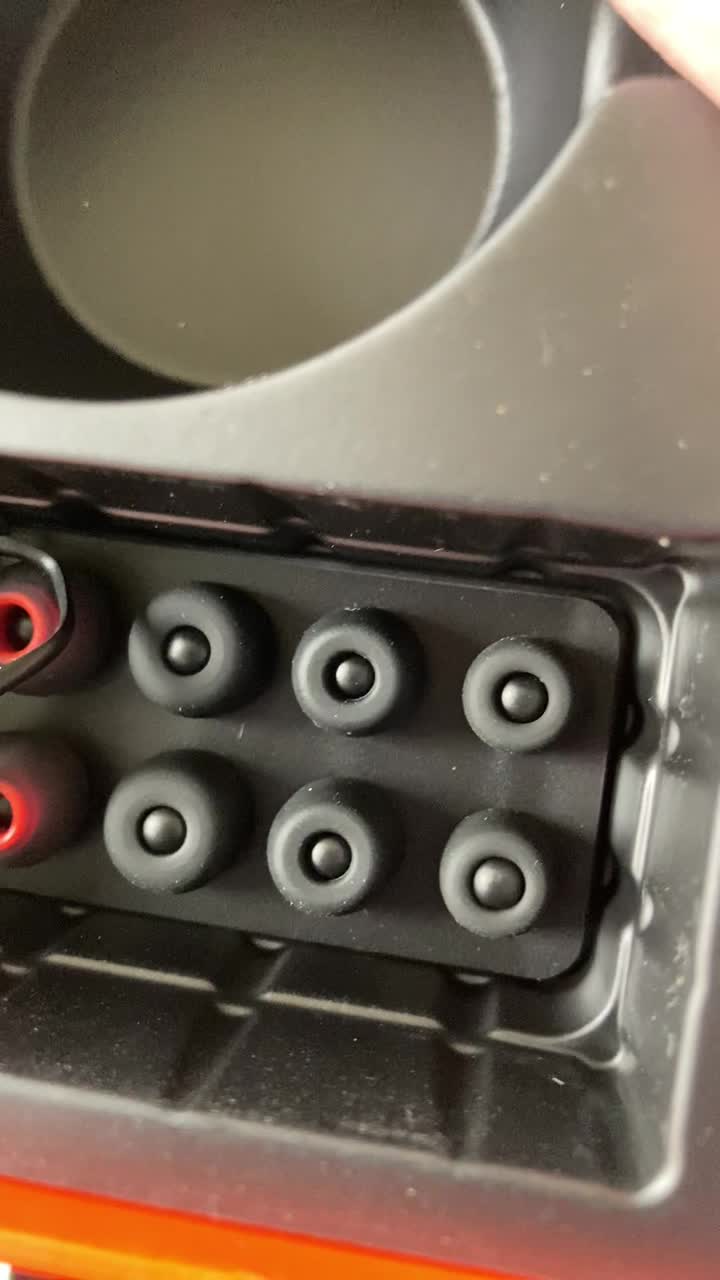
Image: Tribit FlyBuds C1 earbuds charging inside their case, with battery indicator lights visible.
4.2. Parring med din enhed
The Tribit FlyBuds C1 feature one-step pairing for convenience.
- Åbn opladningsetuiet. Ørepropperne går automatisk i parringstilstand.
- Aktiver Bluetooth på din enhed (smartphone, tablet, bærbar computer), og søg efter tilgængelige enheder.
- Select "Tribit FlyBuds C1" from the list of devices. Once connected, a voice prompt will confirm successful pairing.
- The earbuds will automatically connect to the last paired device when the case is opened. To unpair, press and hold the button on the charging case.
4.3. Tilpasning af ørepropperne
For optimal sound quality and comfort, choose the correct size ear tips.
- Experiment with the 6 included pairs of silicone ear tips to find the best fit for your ears. A snug fit ensures better bass response and noise isolation.
- Før forsigtigt ørepropperne ind i øregangen, og drej dem let for at fastgøre dem.
Image: Selection of silicone ear tips for personalized fit.
5. Betjeningsvejledning
5.1. Tænd/sluk
- Tænd: Åbn opladningsetuiet, og øretelefonerne tænder automatisk.
- Sluk: Sæt ørepropperne tilbage i opladningsetuiet, og luk låget. De slukker automatisk og begynder at oplade.
5.2. Musikafspilning
The Tribit FlyBuds C1 feature physical buttons for control:
- Afspil/pause: Tryk én gang på knappen på en af øretelefonerne.
- Næste nummer: Dobbelttryk på knappen på den højre øreprop.
- Forrige nummer: Dobbelttryk på knappen på den venstre øreprop.
Note: Volume control is not directly available on the earbuds. Please adjust volume via your connected device.
5.3. Opkaldsstyring
- Besvar/afslut opkald: Tryk én gang på knappen på en af øretelefonerne.
- Afvis opkald: Press and hold the button on either earbud for 2 seconds.
- Aktivér stemmeassistent (Siri, Google Assistant): Triple-press the button on either earbud.
The earbuds feature 4 microphones with CVC 8.0 Call Noise Reduction for clear calls.
5.4. Single Earbud Mode
Either earbud can be used independently. Simply take one earbud out of the case, and it will automatically connect to your device. The other earbud can remain in the case or be used later.
5.5. IPX8 Vandtætning
The Tribit FlyBuds C1 are IPX8 rated, offering protection against sweat, splashes, and submersion in water up to 1 meter for 30 minutes. This makes them suitable for sports and exercise in various weather conditions.
- Ensure the USB-C charging port cover is securely closed before exposing the earbuds to water.
- Do not charge the earbuds if they are wet. Dry them thoroughly before placing them back in the charging case.
6. Vedligeholdelse
Proper maintenance ensures the longevity and performance of your Tribit FlyBuds C1.
- Rensning: Regularly clean the earbuds and charging case with a soft, dry, lint-free cloth. For ear tips, remove them and wash with mild soap and water, then dry completely before reattaching.
- Opbevaring: Når ørepropperne ikke er i brug, skal de opbevares i deres opladningsetui for at beskytte dem og holde dem opladede. Opbevares køligt og tørt, væk fra ekstreme temperaturer.
- Undgå skader: Do not drop, puncture, or expose the device to strong impacts.
7. Fejlfinding
If you encounter issues with your Tribit FlyBuds C1, try the following solutions:
| Problem | Løsning |
|---|---|
| Øretelefoner parrer ikke |
|
| Ingen lyd eller lav lydstyrke |
|
| Øretelefoner oplader ikke |
|
| Intermitterende forbindelse |
|
8. Specifikationer
| Feature | Detalje |
|---|---|
| Modelnavn | BTH91 (FlyBuds C1) |
| Forbindelsesteknologi | Trådløs (Bluetooth) |
| Bluetooth version | 5.2 |
| Bluetooth rækkevidde | 10 meter |
| Batterilevetid (ørepropper) | Op til 5 timer pr. Opladning |
| Samlet spilletid (med opladningsetui) | Op til 100 timer |
| Opladningstid | Ca. 1.5 timer (kasse) |
| Vandmodstandsniveau | IPX8 (vandtæt) |
| Støjkontrolfunktioner | CVC 8.0 Call Noise Reduction, Sound Isolation |
| Kontrolmetode | Fysisk knap |
| Opladningsport | USB-C, Wireless Charging (Qi-compatible) |
| Varens vægt | 2.4 ounce |
| Produktdimensioner | 2.4 x 2.4 x 1.2 tommer |
9. Garanti og support
Tribit provides an 18-month warranty for the FlyBuds C1 (Model BTH91) from the date of purchase. This warranty covers manufacturing defects and ensures your product is free from material and workmanship flaws under normal use.
For warranty claims, technical support, or any questions regarding your product, please contact Tribit customer service:
- E-mail: support@tribaudio.com
- Support billet: Besøg tribitaudio.com/support
- Telefon: 1-888-232-3138 (Mon-Fri, 9:00-6:00 PST [US])
Please have your purchase receipt and product model number (BTH91) ready when contacting support.