
Indledning
This manual provides comprehensive instructions for the safe and efficient use of your TUINYO TP19 Bluetooth Wireless Over-Ear Headphones. Please read this manual thoroughly before operating the device and retain it for future reference.

Image: TUINYO TP19 Bluetooth Wireless Over-Ear Headphones, showcasing the sleek design in black and blue.
Sikkerhedsoplysninger
- Undgå langvarig eksponering for høje lydstyrker for at forhindre høreskader.
- Brug ikke hovedtelefoner under kørsel, cykling eller i situationer, hvor det kan være farligt at ikke høre omgivende lyde.
- Hold enheden væk fra vand, fugt og ekstreme temperaturer.
- Forsøg ikke at skille hovedtelefonerne ad eller ændre dem. Dette kan ugyldiggøre garantien og forårsage skade.
- Clean the headphones with a soft, dry cloth. Avoid using harsh chemicals.
Pakkens indhold
- TUINYO TP19 Bluetooth Wireless Over-Ear Headphones
- Micro USB opladningskabel
- 3.5 mm lydkabel
- Beskyttende etui
- Brugervejledning (dette dokument)

Image: All items included in the TUINYO TP19 headphone package: the headphones, a protective case, a micro USB charging cable, and a 3.5mm audio cable.
Produkt overview
The TUINYO TP19 headphones feature a comfortable over-ear design with soft memory-protein earmuffs and an adjustable stainless steel headband for a perfect fit. Controls are intuitively placed on the earcup.

Billede: Detaljeret view of the headphone's ergonomic features: leather-padded headband, adjustable headband mechanism, soft memory-protein earmuffs, and the equalizer (EQ) button.
Nøglefunktioner:
- High Fidelity Stereo Sound: Powered by 40mm neodymium drivers for immersive audio.
- Komfortabelt design: Memory-protein ear cushions and adjustable headband for extended wear.
- Dobbelt tilstand: Understøtter både trådløs Bluetooth og kablede 3.5 mm lydforbindelser.
- Lang batterilevetid: Op til 40 timers spilletid på en enkelt opladning.
- Indbygget mikrofon: Til håndfri opkald og stemmekommandoer.
- Sammenfoldeligt design: For nem bærbarhed og opbevaring.
Opsætning
1. Opladning af hovedtelefonerne
- Connect the micro USB charging cable to the charging port on the headphones.
- Tilslut den anden ende af kablet til en USB-strømadapter (medfølger ikke) eller en computers USB-port.
- The LED indicator will show charging status (typically red while charging, off or blue when fully charged).
- A full charge takes approximately 2-2.5 hours and provides up to 40 hours of music playtime.

Image: Graphic illustrating the impressive battery duration, highlighting up to 35 hours of battery life and a quick charge feature where 15 minutes of charging provides 3 hours of playtime.
2. Tænd/sluk
- Tænd: Press and hold the Power button (usually the multi-function button) for a few seconds until the LED indicator lights up and you hear a power-on prompt.
- Sluk: Press and hold the Power button again for a few seconds until the LED indicator turns off and you hear a power-off prompt.
3. Bluetooth-parring
- Sørg for, at hovedtelefonerne er slukket.
- Tryk på tænd/sluk-knappen og hold den nede i cirka 5-7 sekunder, indtil LED-indikatoren blinker skiftevis rødt og blåt, hvilket angiver parringstilstand.
- Aktiver Bluetooth på din enhed (smartphone, tablet, pc), og søg efter tilgængelige enheder.
- Select "TP 19" from the list of devices.
- Once paired, the LED indicator will flash blue slowly, and you will hear a connection confirmation.
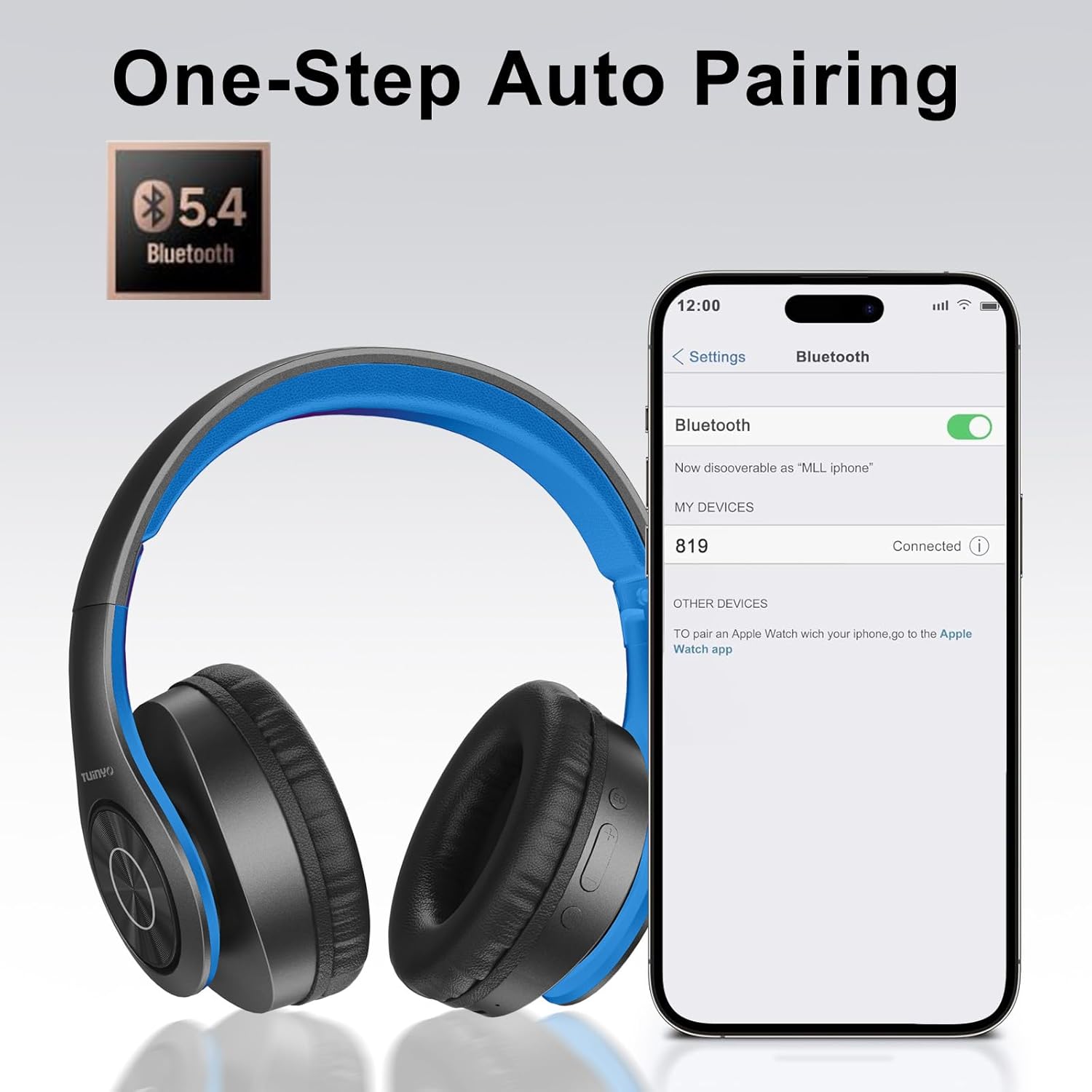
Image: A smartphone screen displaying the Bluetooth settings, showing the "819" (representing the TP19 headphones) successfully connected, illustrating the one-step auto pairing feature.
Video: An official TUINYO video demonstrating the Bluetooth pairing process and showing the headphones in use. This video highlights the ease of connecting the headphones to a device.
Betjeningsvejledning
1. Wireless Mode
- Afspil/pause: Tryk én gang på multifunktionsknappen.
- Lydstyrke op: Tryk på knappen "+".
- Skrue ned for lyden: Tryk på knappen "-".
- Næste nummer: Tryk på knappen "+", og hold den nede.
- Forrige nummer: Tryk på knappen "-" og hold den nede.
2. Kablet tilstand
When the battery is low or if you prefer a wired connection, you can use the included 3.5mm audio cable.
- Tilslut den ene ende af 3.5 mm lydkablet til lydindgangsporten på hovedtelefonerne.
- Connect the other end to your audio device's 3.5mm jack.
- In wired mode, controls on the headphones may be limited, and playback will be controlled by your connected device.
3. Opkaldsfunktioner
- Besvar/afslut opkald: Tryk én gang på multifunktionsknappen.
- Afvis opkald: Tryk og hold multifunktionsknappen nede i 2 sekunder.
- Genopkald sidste nummer: Tryk to gange på multifunktionsknappen.
4. Stemmeassistent
The headphones support voice-enabled assistants like Siri. Press the Multi-function button twice to activate your device's voice assistant.
5. Sound Effects (EQ Mode)
The headphones feature multiple sound effects (EQ modes) to customize your listening experience. Press the EQ button (often labeled "EQ" or a similar icon) to cycle through available modes such as Normal, Rock, Pop, Classic, Jazz, and Country.
Video: An official TUINYO video showcasing the various sound modes and controls on the headphones, demonstrating how to switch between different equalizer settings.
Opretholdelse
- Store the headphones in the protective case when not in use to prevent damage.
- Hold opladningsporten og lydstikket fri for støv og snavs.
- Avoid exposing the headphones to direct sunlight or extreme heat for extended periods.
- Do not use abrasive cleaners or solvents on the headphones.
Fejlfinding
| Problem | Løsning |
|---|---|
| Hovedtelefonerne tænder ikke. | Sørg for, at hovedtelefonerne er fuldt opladet. Tilslut dem til en strømkilde, og prøv igen. |
| Kan ikke parres med enheden. |
|
| Ingen lyd i trådløs tilstand. |
|
| Ingen lyd i kablet tilstand. |
|
Specifikationer
| Feature | Detalje |
|---|---|
| Modelnavn | TP 19 |
| Forbindelsesteknologi | Trådløs (Bluetooth) |
| Trådløs kommunikationsteknologi | Bluetooth 5.1 |
| Bluetooth rækkevidde | 10 meter |
| Audio driver type | Dynamisk Driver |
| Audio driver størrelse | 40 millimeter |
| Frekvensrespons | 20 KHz |
| Impedans | 32 Ohm |
| Batterilevetid | 40 timer |
| Opladningstid | 2.5 timer |
| Hovedtelefonstik | 3.5 mm Jack |
| Kontroltype | Stemmestyring, berøring |
| Speciel funktion | Sammenfoldelig |
| Varens vægt | 8.9 ounces (251 gram) |
| Produktdimensioner | 6.85 x 3.9 x 9.72 tommer |
| Materiale | Plast |
| Inkluderede komponenter | Cable, Protective Case, micro usb cable |
Garanti og support
By choosing TUINYO, you are covered by a 30-day hassle-free return policy and a one-year warranty. For any inquiries or assistance, please contact our prompt and friendly customer service, available 24/7.
For further support, visit the official TUINYO store: TUINYO Store