
1. Introduktion
This manual provides detailed instructions for the safe and efficient use of your Generic SP-20A Wireless Bluetooth Speaker. Please read this manual thoroughly before operating the device and retain it for future reference.
Pakkens indhold
- SP-20A Wireless Bluetooth Speaker
- USB opladningskabel
Ensure all items are present and in good condition. If any items are missing or damaged, contact your retailer.
2. Opsætning
2.1 Opladning af højttaleren
Before initial use, fully charge the speaker. Connect the supplied USB charging cable to the speaker's micro USB port and the other end to a USB power adapter (not included) or a computer's USB port. The charging indicator light will illuminate during charging and turn off when fully charged.
Note: Battery backup may vary according to the volume level during playback.
2.2 Tænd/sluk
To power on the speaker, press and hold the Power button for a few seconds until you hear an audible prompt or see an indicator light. To power off, repeat the process.
2.3 Bluetooth -parring
- Ensure the speaker is powered on and in Bluetooth pairing mode. An indicator light will typically flash, and an audible prompt may be heard.
- Aktiver Bluetooth på din mobilenhed (smartphone, tablet osv.).
- Søg efter available Bluetooth devices. The speaker will appear as "SP-20A" or similar.
- Select "SP-20A" to connect. Once paired, the speaker will provide an audible confirmation, and the indicator light will stop flashing.
- Højttaleren vil automatisk forsøge at genoprette forbindelsen til den sidst parrede enhed, når den tændes.
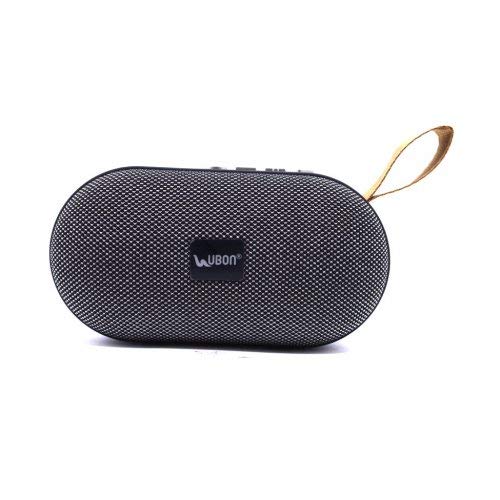
Figur 1: Bag view of the SP-20A speaker, highlighting the USB port, SD card slot, micro USB charging port, and control buttons on the top surface. A carrying strap is visible on the left.
3. Betjening
3.1 Bluetooth-tilstand
Once paired with your device, audio will stream wirelessly to the speaker. Use your connected device to control playback (play/pause, skip tracks) and adjust volume. The speaker may also have integrated controls for these functions.
3.2 SD Card and USB Playback
Insert a microSD card or a USB flash drive containing MP3 audio files into the respective slot on the speaker. The speaker will automatically detect the storage device and begin playing music. Use the speaker's control buttons to navigate tracks and adjust volume.
3.3 FM-radiotilstand
To activate FM radio mode, press the Mode button (if available) until you hear the FM radio prompt. The speaker will automatically scan and save available FM stations. Use the skip buttons to cycle through saved stations.
3.4 Lydstyrkekontrol
Adjust the volume using the dedicated volume buttons on the speaker or through your connected Bluetooth device.
4. Vedligeholdelse
4.1 Rengøring
Wipe the speaker with a soft, dry cloth. Do not use abrasive cleaners, waxes, or solvents. Avoid exposing the speaker to excessive moisture.
4.2 Opbevaring
Når højttaleren ikke er i brug i længere perioder, skal den opbevares køligt og tørt, væk fra direkte sollys og ekstreme temperaturer. Det anbefales at oplade batteriet med jævne mellemrum for at forlænge dens levetid.
5. Fejlfinding
| Problem | Mulig løsning |
|---|---|
| Højttaleren tænder ikke. | Sørg for, at batteriet er opladet. Tilslut højttaleren til en strømkilde med USB-kablet. |
| Kan ikke parre med Bluetooth-enhed. |
|
| Ingen lyd eller lav lydstyrke. |
|
| SD card/USB playback not working. |
|
6. Specifikationer
| Modelnavn | SP-20A |
| Mærke | Generisk |
| Forbindelsesteknologi | USB, Bluetooth |
| Trådløs teknologi type | Bluetooth |
| Lydudgangstilstand | Stereoanlæg |
| Højttaler type | Boghylde |
| Materiale | ABS plast |
| Strømkilde | Batteridrevet |
| Kompatible enheder | Smartphone, tablet |
| Varens vægt | 173 gram |
7. Garanti og support
Specific warranty information for the Generic SP-20A Wireless Bluetooth Speaker is not provided in the product details. For warranty claims or technical support, please contact the retailer where the product was purchased or the manufacturer, Balaji Enterprises, directly.
Gem altid din købsbevis til eventuelle garantirelaterede spørgsmål.