
Daytech CC02 1-1 Storbritannien
Daytech trådløst plejeopkaldsknapsystem
Model: CC02 1-1 UK Brugermanual
Indledning
Tak, fordi du har valgt Daytechs trådløse opkaldsknapsystem til plejepersonale. Dette system er designet til at give ro i sindet og hurtig assistance til plejepersonale og personer med plejebehov, såsom ældre, patienter eller personer med begrænset mobilitet. Systemet inkluderer en bærbar batteridrevet modtager og en trådløs opkaldsknap, der muliggør nem kommunikation og hurtig respons i hjemmet eller på plejeenheden.

Figur 1: Daytech trådløst opkaldsknapsystem til plejere, der viser den bærbare modtager og opkaldsknappen. Modtageren har et elegant, moderne design med indikatorlamper, og opkaldsknappen er kompakt med en fremtrædende rød opkaldsknap og snorbeslag.
Produktegenskaber og fordele
- Trådløst plejepersonsøgersystem: Dette system inkluderer en bærbar batteridrevet modtager og en trådløs opkaldsknap, der gør det muligt for plejepersonale at udføre andre opgaver, mens de forbliver opmærksomme på opkald om assistance fra beboere eller pårørende.
- Nem at bruge: Designet med henblik på enkelhed sender et enkelt tryk på opkaldsknappen en alarm til plejepersonalet, hvilket gør den ideel til akutte situationer, især om natten.
- Tilpasselige advarsler: Modtageren tilbyder 55 forskellige ringetoner og 5 justerbare lydstyrkeniveauer, der spænder fra 0 dB (lydløs med blinkende lys) til 110 dB, hvilket sikrer en alarm, der passer til ethvert miljø.
- Udvidet rækkevidde: Det trådløse signal har en rækkevidde på op til cirka 150 meter i åbne områder, hvilket sikrer pålidelig kommunikation i et typisk hjem eller en plejeenhed.
- Alsidig anvendelse: Velegnet til seniorer, patienter, personer med særlige behov, gravide kvinder og børn, da den giver en effektiv og kompakt fjernbetjening til at anmode om assistance.

Figur 2: Illustrerer forskellige personer, der kan drage fordel af Daytechs trådløse plejeopkaldsknapsystem, herunder dem, der har brug for ældrepleje, handicappleje, patientpleje og sengeliggende personer.

Figur 3: Demonstrerer systemets fleksibilitet med 55 ringetoner og 5 justerbare lydstyrkeniveauer. Den viser, hvordan forskellige opkaldsknapper kan indstilles til forskellige ringetoner til bestemte steder, f.eks. et soveværelse eller badeværelse, og fremhæver udvalget af lydstyrkemuligheder.
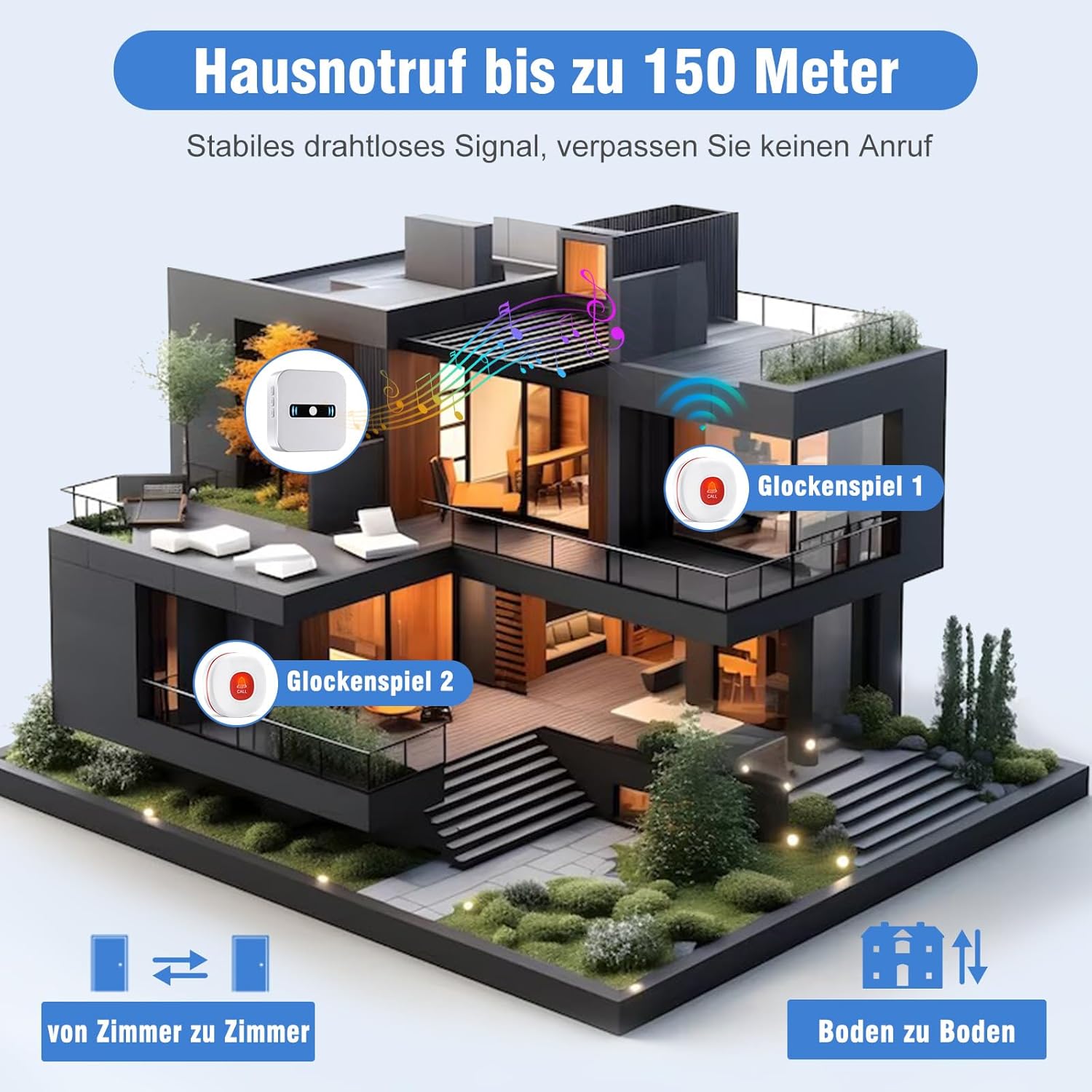
Figur 4: Visuel repræsentation af systemets imponerende trådløse rækkevidde, der kan sende signaler op til 150 meter (500 fod) i et hjem, hvilket sikrer pålidelige alarmer på tværs af flere rum og etager.
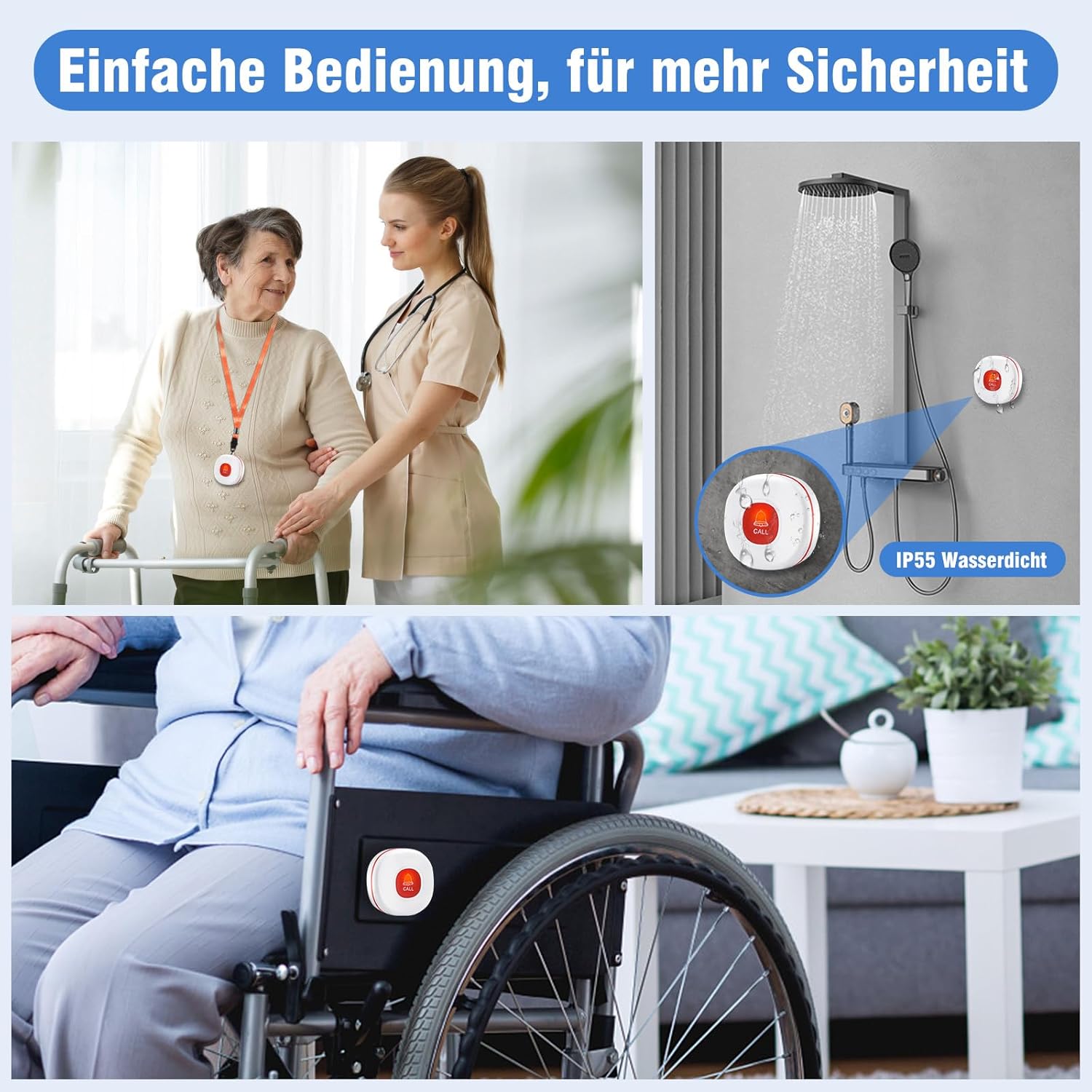
Figur 5: Fremhæver den nemme betjening og de forbedrede sikkerhedsfunktioner, herunder dens IP55-vandtæthedsklassificering til brug i våde miljøer som brusere, og dens egnethed til fastgørelse til kørestole for nem adgang.
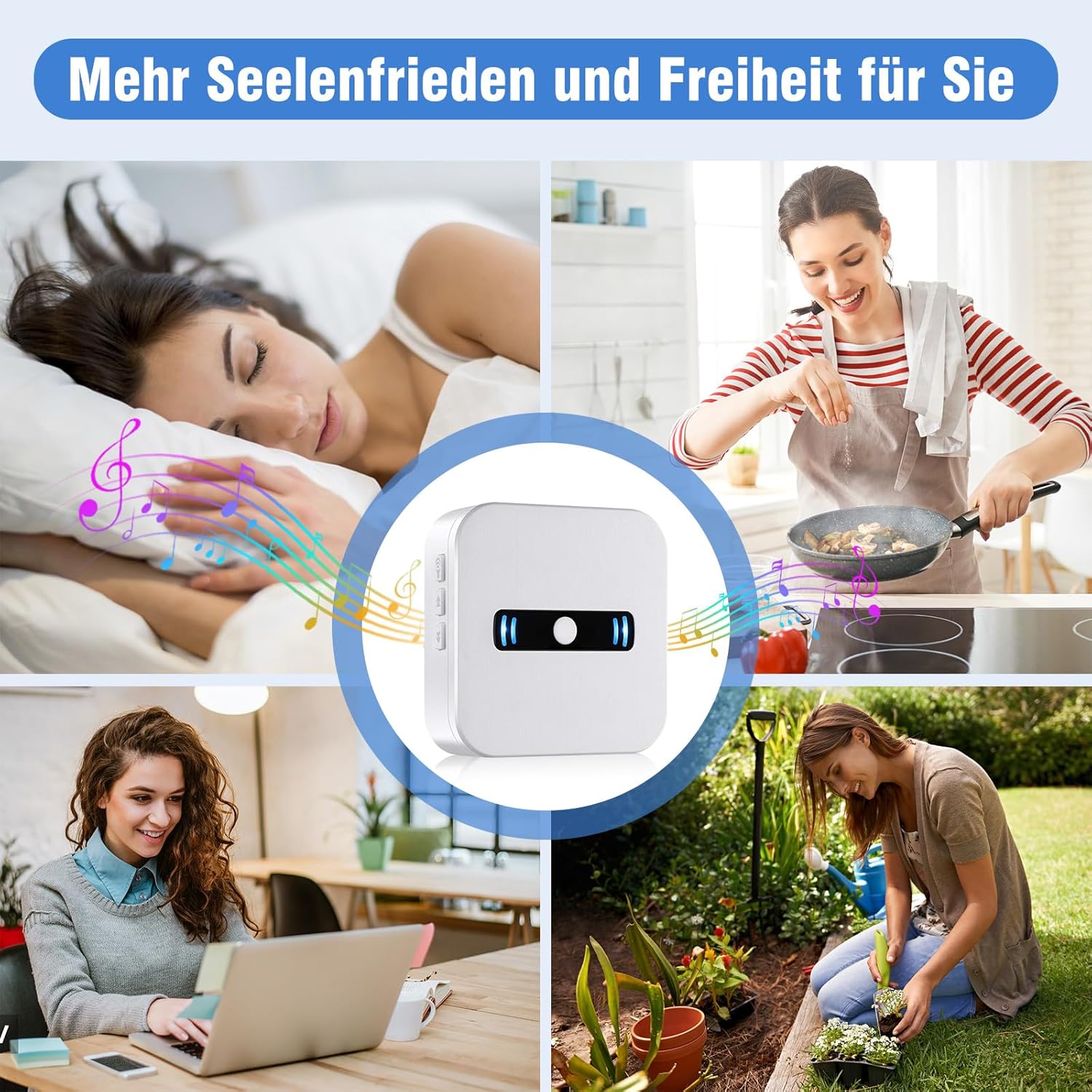
Figur 6: Illustrerer, hvordan systemet giver plejepersonale større ro i sindet og frihed, så de kan udføre andre opgaver i huset, samtidig med at de har tillid til, at de vil blive advaret, hvis der er behov for hjælp.
Opsætningsvejledning
1. Udpakning og indledende inspektion
Fjern forsigtigt alle komponenter fra emballagen. Sørg for, at du har den bærbare modtager, opkaldsknappen og alt medfølgende tilbehør. Undersøg alle dele for tegn på skader.
2. Batteriinstallation (modtager)
- Find batterirummet på bagsiden af den bærbare modtager.
- Åbn batterirummets dæksel.
- Sæt 2 AAA alkaliske batterier (medfølger) i batterirummet, og sørg for at polerne vender korrekt (+/-).
- Luk batterirummets dæksel forsvarligt.
Figur 7: Bag view af modtageren, der illustrerer batterirummet, hvor 2 AAA-batterier skal isættes. Bemærk: Billedet viser 3 batterier, men produktspecifikationerne angiver, at 2 AAA-batterier kræves til denne model.
3. Batteri til opkaldsknap
Opkaldsknappen leveres med et forudinstalleret batteri. Fjern eventuelle beskyttelsestapperne før første brug. Hvis batteriet skal udskiftes senere, henvises til afsnittet Vedligeholdelse.
4. Parring (forhåndsparret)
Dit Daytech trådløse opkaldsknapsystem til plejepersonale er typisk parret fra fabrikken. For at teste skal du blot trykke på opkaldsknappen, og modtageren bør afgive en alarm. Hvis enhederne ikke reagerer, eller hvis du ønsker at parre yderligere knapper (sælges separat), henvises der til afsnittet om fejlfinding eller den fulde manual for at få instruktioner om parring.
5. Placering
- Modtager: Placer modtageren et centralt sted, hvor plejeren nemt kan høre eller se alarmerne. Overvej at placere den i et soveværelse, en stue eller et køkken.
- Opkaldsknap: Opkaldsknappen kan bæres om halsen med den medfølgende halssnor, placeres på et natbord eller monteres et praktisk sted, f.eks. på et badeværelse eller i nærheden af en seng. Dens vandtæthedsklassificering (IP55) muliggør sikker brug i våde omgivelser som f.eks. brusere.
Betjeningsvejledning
1. Indledning af et opkald
For at anmode om assistance skal du blot trykke på den store røde 'OPKALD'-knap på den trådløse opkaldsknap. Knappen sender et signal til modtageren.
2. Modtagelse af en alarm
Når den bærbare modtager modtager et signal fra opkaldsknappen, vil den:
- Lyt den valgte ringetone.
- Blink dens indikatorlamper.
Alarmen fortsætter i cirka 10 sekunder, eller indtil plejeren reagerer.
3. Justering af lydstyrke og ringetoner
Modtageren har knapper på siden til at justere indstillinger:
- Lydstyrkekontrol: Brug lydstyrkeknapperne (normalt angivet med højttalerikoner eller op/ned-pile) på siden af modtageren til at skifte mellem de 5 lydstyrkeniveauer (0 dB til 110 dB). Indstillingen 0 dB giver en lydløs alarm med kun blinkende lys.
- Valg af ringetone: Brug knappen til valg af ringetone (ofte angivet med en node eller lignende ikon) til at bladre gennem de 55 tilgængelige melodier. Tryk gentagne gange på knappen, indtil du finder din foretrukne ringetone.
Opretholdelse
1. Udskiftning af batteri
- Modtager: Når modtagerens batterier er lave, udsender den en
Ask a question about this manual
Ask about setup, troubleshooting, compatibility, parts, safety, or missing instructions. Manuals+ will review the question and use this page’s manual context to help answer it.