
1. Introduktion
This manual provides instructions for the ZdalaMit XRT136 Replacement Remote Control. This remote is designed to function as a direct replacement for your original Vizio Smart TV remote without requiring any programming or pairing.
Compatible Vizio Smart TV Models:
- M657-G0
- M557-G0
- PX65-G1
- P659-G1
- P759-G1
- D60-F3
2. Pakkens indhold
Sørg for at alle varer er til stede i pakken:
- 1 x ZdalaMit XRT136 Replacement Remote Control
3. Opsætning
3.1 Batteriinstallation
The remote control requires two (2) AAA alkaline batteries (not included) for operation.
- Find batterirummet på bagsiden af fjernbetjeningen.
- Skub batteridækslet nedad for at åbne det.
- Isæt to nye AAA-batterier, og sørg for, at de positive (+) og negative (-) poler er justeret korrekt med markeringerne inde i batterirummet.
- Skub batteridækslet tilbage på plads, indtil det klikker sikkert.

Billede: Bagside view of the XRT136 remote control, illustrating the battery compartment location.
Once batteries are installed, the remote is ready for use. No programming or pairing is required.
4. Betjeningsvejledning
To operate your Vizio Smart TV, point the ZdalaMit XRT136 remote control directly at the television's infrared receiver. Press the desired buttons to control your TV's functions.

Billede: Forside view of the XRT136 remote control, displaying the layout of all buttons.
4.1 Nøglefunktioner overview
The remote features standard television control buttons, including:
- Power knap: Tænder eller slukker for tv'et.
- Input knap: Selects video input sources (HDMI, AV, etc.).
- Navigationstastatur (op, ned, venstre, højre, OK): Til menunavigation og valg.
- Lydstyrke op/ned: Justerer fjernsynets lydstyrke.
- Kanal op/ned: Skifter tv-kanaler.
- Mute-knap: Slår fjernsynets lyd fra.
- Nummertastatur (0-9): Til direkte kanalindgang.
- Tilbage/Afslut-knapper: Navigates back in menus or exits current functions.
- Menu/Info Buttons: Accesses TV menus and displays information.
- Dedikerede app-knapper: Quick access to streaming services (e.g., VUDU, Netflix, Amazon, Xumo, Crackle, iHeartRadio).

Image: A user holding the XRT136 remote control, demonstrating typical usage by pointing it at a television.
5. Vedligeholdelse
5.1 Rengøring
To clean the remote control, use a soft, dry cloth. Do not use liquid cleaners, sprays, or abrasive materials, as these may damage the remote's surface or internal components.
5.2 Pleje af batterier
- Replace batteries when the remote's performance diminishes or stops working.
- Bland ikke gamle og nye batterier eller forskellige typer batterier.
- Fjern batterierne, hvis fjernbetjeningen ikke skal bruges i længere tid, for at forhindre lækage.
- Bortskaf brugte batterier i henhold til lokale regler.
6. Fejlfinding
6.1 Fjernbetjeningen svarer ikke
- Tjek batterier: Sørg for, at batterierne er isat korrekt med den korrekte polaritet (+/-).
- Udskift batterier: If the batteries are old or depleted, replace them with two new AAA alkaline batteries.
- Synslinje: Ensure there are no obstructions between the remote control and the TV's infrared receiver. Point the remote directly at the TV.
- Afstand: Confirm you are within the effective operating range (up to 33 feet).
6.2 Begrænset funktionalitet
- Verify that your Vizio Smart TV model is listed under the compatible models in Section 1.
- Some advanced TV features or smart functions may require the original remote or specific TV settings. This remote is designed for primary control functions.
7. Specifikationer
| Mærke | ZdalaMit |
| Modelnavn | XRT136 (Mfr Part Number: fghea-593) |
| Kompatible enheder | Vizio Smart Televisions (M657-G0, M557-G0, PX65-G1, P659-G1, P759-G1, D60-F3) |
| Forbindelsesteknologi | Infrarød |
| Controller type | Knap kontrol |
| Antal knapper | 18 |
| Strømforsyning | 2 x 1.5V AAA alkaliske batterier |
| Maksimal rækkevidde | 33 fod (10 meter) |
| Varedimensioner (L x B x H) | 6.75" x 1.79" x 0.55" (17.15 cm x 4.55 cm x 1.4 cm) |
| Varens vægt | 1.6 ounce (45 gram) |
| Speciel funktion | Ergonomisk design |
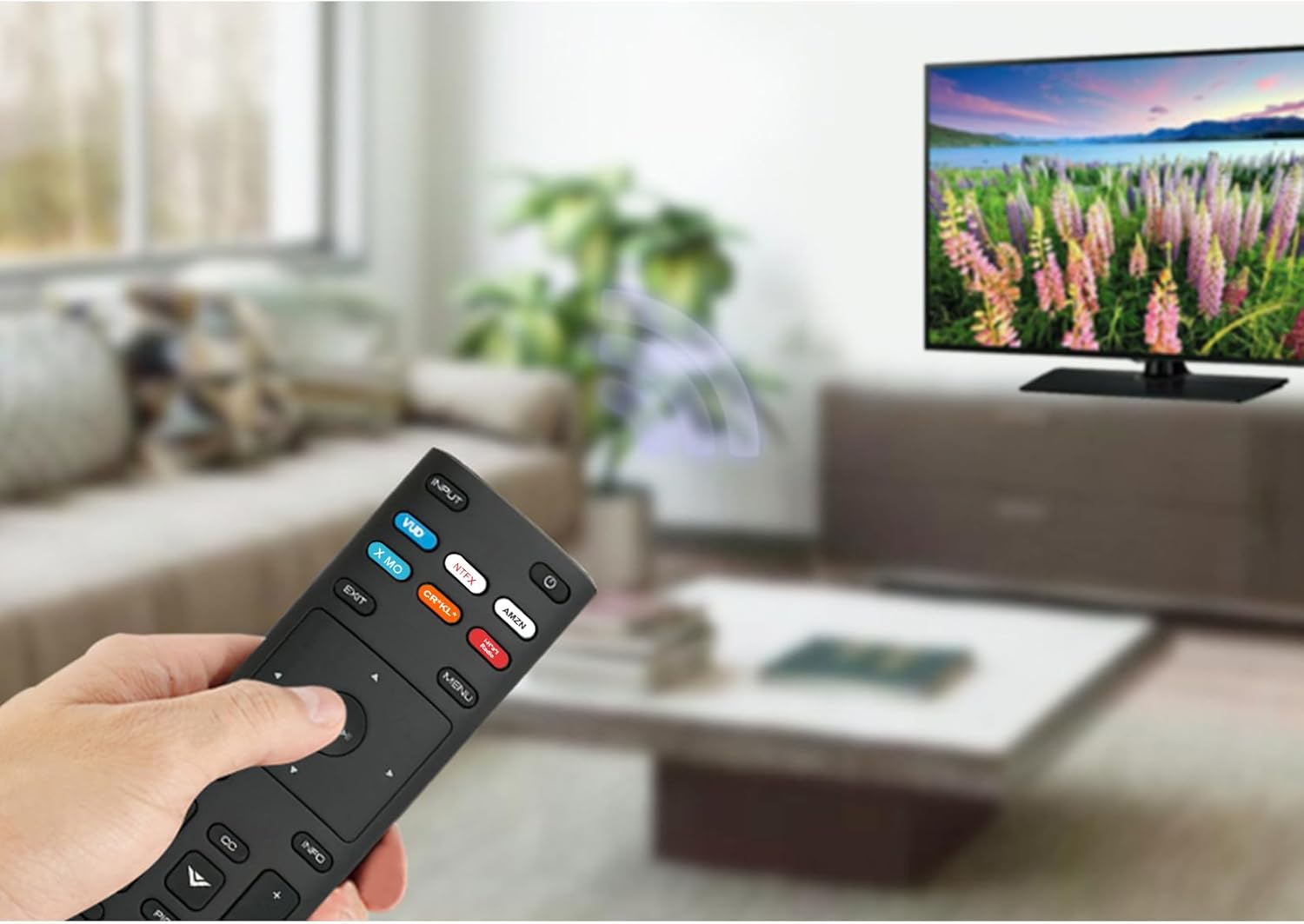
Image: The XRT136 remote control with its physical dimensions highlighted.
8. Garantioplysninger
This ZdalaMit product comes with a 1 års garanti fra købsdatoen. Denne garanti dækker fabrikationsfejl ved normal brug. Den dækker ikke skader forårsaget af misbrug, ulykker, uautoriserede ændringer eller batterilækage.
9. Support
If you encounter any issues or have questions regarding your ZdalaMit XRT136 Replacement Remote Control that are not addressed in this manual, please contact the seller or manufacturer for assistance. Provide your product model (XRT136) and a detailed description of the issue for efficient support.