
Indledning
This manual provides instructions for the safe operation and maintenance of your DBPOWER U818A WIFI Drone. The U818A is a remote-controlled quadcopter equipped with a 720P HD camera for real-time video transmission. It features altitude hold and headless mode, designed for ease of use, making it suitable for beginners.
Please read this manual thoroughly before operating the drone to ensure proper function and to prevent damage or injury.
Sikkerhedsoplysninger
- Take a 10-minute break after each flight to allow the motors to cool down.
- Brug altid dronen i åbne, ryddede områder, væk fra mennesker, dyr og forhindringer.
- Flyv ikke i nærheden af lufthavne, elledninger eller begrænset luftrum.
- Sørg for, at alle propeller er sikkert fastgjort og ubeskadigede før hver flyvning.
- Hold fingre og hår væk fra roterende propeller.
- Må ikke anvendes i stærk vind eller ugunstige vejrforhold.
- Voksenopsyn anbefales til yngre brugere.
Pakkens indhold
Bekræft, at alle nedenstående varer er inkluderet i din pakke:
- 1 x DBPOWER U818A FPV WIFI Drone with 720P HD Camera
- 1 x 2.4 GHz fjernbetjening
- 2 x LiPo 3.7V 350mAh Batteries (for drone)
- 1 x USB oplader
- 1 x-kortlæser
- 1 x 4 GB Micro SD-kort
- 4 x reservepropeller
- 1 x brugermanual
- 1 x Quick Start Guide
Opsætning
1. Charging the Drone Batteries
- Connect the LiPo battery to the USB charger.
- Plug the USB charger into a USB power source (e.g., computer, USB wall adapter).
- Indikatorlampen på opladeren viser opladningsstatus (se opladerens instruktioner for specifikke lysmønstre).
- Charging typically takes approximately 60-90 minutes per battery.
2. Installation af fjernbetjeningsbatterier
- Fjernbetjeningen kræver 4 x AA-batterier (medfølger ikke).
- Åbn batterirummet på bagsiden af fjernbetjeningen.
- Indsæt batterierne, og sørg for korrekt polaritet (+/-).
- Luk batterirummet.
3. Installing Propellers (if necessary)
- Ensure propellers are correctly matched to their respective motor shafts (usually marked A and B).
- Securely attach each propeller.
4. Indsættelse af Micro SD-kort
- Locate the Micro SD card slot on the drone.
- Insert the provided 4GB Micro SD card until it clicks into place.
5. Pairing the Drone with the Remote Control
- Placer dronen på en flad, plan overflade.
- Connect the drone battery. The drone's LED lights will flash.
- Tænd for fjernbetjeningen.
- Tryk venstre joystick (gashåndtag) helt op, og derefter helt ned.
- The drone's LED lights will become solid, indicating successful pairing.
6. App Installation and Wi-Fi Connection (for FPV)
- Download the 'Flyingsee' or 'UDIRC FPV' app from your smartphone's app store (iOS or Android).
- Tænd for dronen.
- On your smartphone, go to Wi-Fi settings and connect to the drone's Wi-Fi network (usually named 'UDIRC' followed by numbers/letters).
- Åbn appen for at view the live camera feed and access app-based controls.
Betjeningsvejledning
Grundlæggende flyvekontrol
- One-Button Take-Off/Landing: Tryk på den dertil beregnede knap på fjernbetjeningen for automatisk start eller landing.
- Gashåndtag (venstre joystick): Skub op for at stige op, træk ned for at stige ned.
- Retningskontrol (højre joystick): Skub fremad/bagud for at bevæge dronen fremad/bagud. Skub til venstre/højre for at bevæge dronen til venstre/højre.
- Drejning (venstre joystick venstre/højre): Push left/right to rotate the drone counter-clockwise/clockwise.

Image: One-Button Take-Off/Landing feature for simplified operation.
Højdeholdetilstand
The advanced barometer allows the drone to maintain a stable altitude automatically, simplifying control for beginners and enabling stable photography.

Image: Altitude Hold Mode for stable flight and photography.
Hovedløs tilstand
In Headless Mode, the drone's orientation is relative to the pilot, not the drone's front. This means pushing the right joystick forward will always make the drone fly away from you, regardless of which way the drone is facing. This simplifies control, especially for beginners.
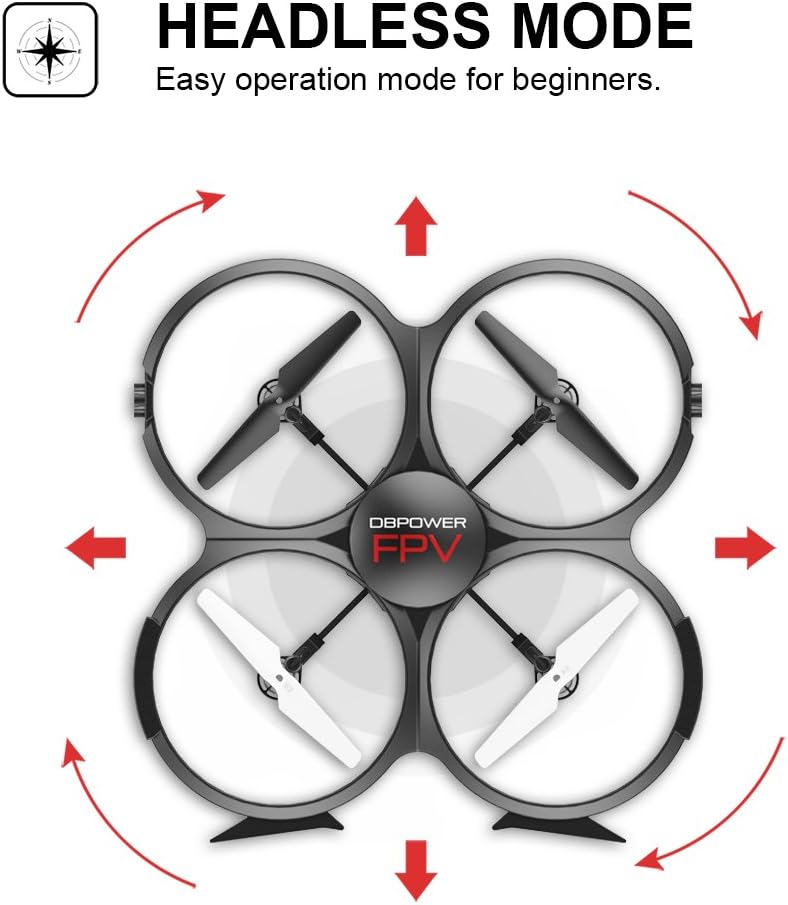
Image: Headless Mode for easier directional control.
3D Flips & Rolls
The drone supports automatic 360-degree flips. Consult the remote control diagram in the quick start guide for the specific button or joystick combination to activate this function.

Image: 3D Flip & Rolls feature for aerial maneuvers.
720P HD Camera and FPV (First Person View)
The integrated 720P HD camera captures photos and videos. Through Wi-Fi real-time transmission, you can view the live feed on your smartphone via the dedicated app. This allows for capturing aerial footage and photos directly to the Micro SD card or your phone.

Image: 720P HD WIFI Camera for capturing high-definition aerial views.
Tyngdekraftsinduktionstilstand
When using the smartphone app, Gravity Induction Mode allows you to control the drone's forward/backward/left/right movement by tilting your mobile phone.
Low Power alarm
When the drone's battery is low, the remote control will emit an audible beep to alert you to fly the drone back and land it, preventing loss of control due to power depletion.

Image: Low Power Alarm feature on the remote control.
Kontroltilstande
The drone can be controlled using either the included 2.4 GHz remote control or via the dedicated smartphone application, offering flexibility in operation.
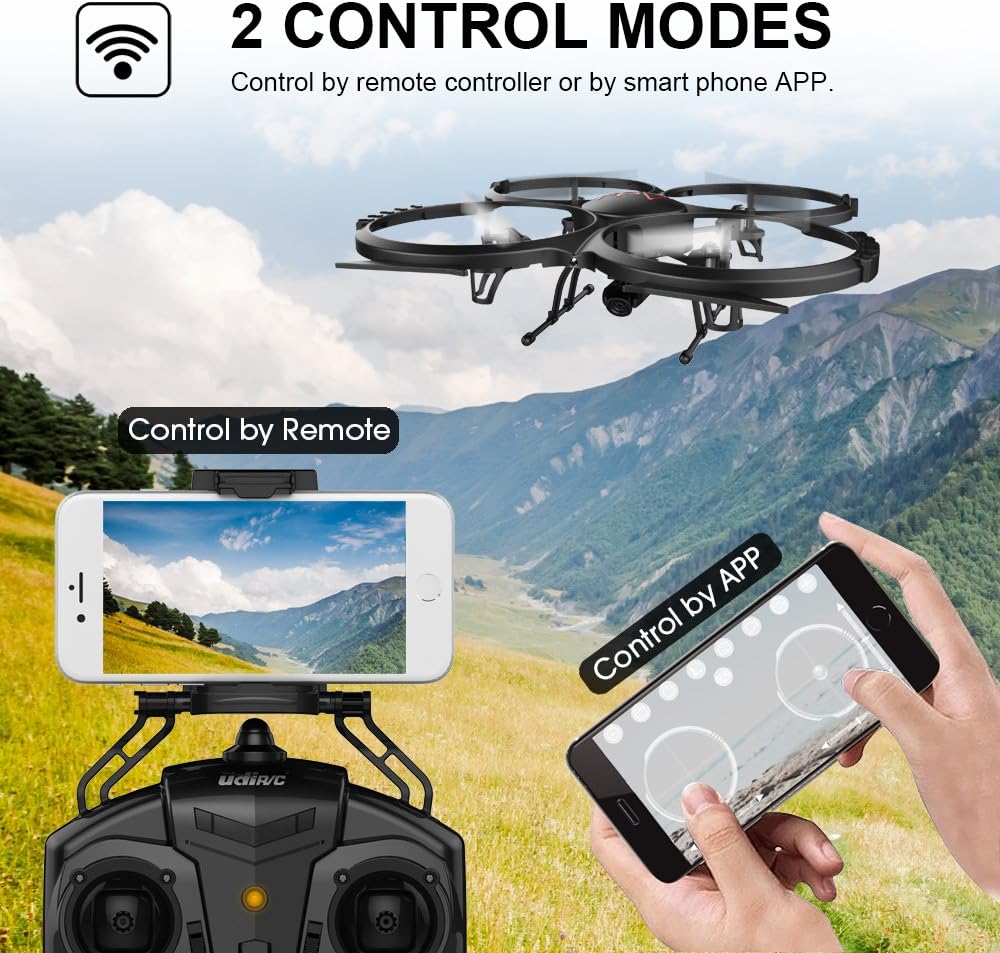
Image: Two Control Modes: Remote Control and Smartphone App.
3D View Mode (VR Headset Support)
The drone's FPV feed can be used with a compatible VR headset (not included) for an immersive 3D viewing experience during flight.

Image: 3D View Mode with optional VR headset for immersive flight.
Opretholdelse
Udskiftning af propel
- Hvis en propel er beskadiget, skal den straks udskiftes med en reservepropel fra pakken.
- Ensure the new propeller is correctly oriented and securely fastened.
Rensning
- Brug en blød, tør klud til at rengøre dronens hus og kameralinsen.
- Avoid using liquids or solvents that could damage electronic components.
Motorkøling
- Allow motors to cool for at least 10 minutes after each flight to prolong their lifespan.
Fejlfinding
- Dronen svarer ikke: Ensure the drone and remote control are fully charged and properly paired. Check for any obstructions to the propellers.
- Ustabil flyvning: Recalibrate the drone on a flat surface. Check if propellers are damaged or incorrectly installed. Avoid flying in windy conditions.
- Ingen FPV-feed: Ensure your smartphone is connected to the drone's Wi-Fi network and the app is open. Check for strong Wi-Fi interference.
- Kort flyvetid: Ensure batteries are fully charged. Flight time can be affected by aggressive flying, wind, and cold temperatures.
- Dronedrift: Use the trim buttons on the remote control to adjust for minor drifts.
Specifikationer
| Feature | Detalje |
|---|---|
| Mærke | DBPOWER |
| Modelnummer | U818A WIFI |
| Videooptagelsesopløsning | 720p |
| Forbindelsesteknologi | Wi-Fi |
| Færdighedsniveau | Ingen erfaring påkrævet |
| Videooptagelsesformat | MP4 |
| Kontroltype | Fjernbetjening |
| Materiale | Plast |
| Batterisammensætning | Lithium-ion |
| Batterier til fjernbetjening | 4 x AA (medfølger ikke) |
| Rechargeable Drone Batteries | 2 x 3.7V 350mAh LiPo (included) |
| Medietype | Micro SD (4GB included) |
Garanti og support
The DBPOWER U818A WIFI Drone comes with a 1-year warranty.
For any issues or technical assistance, please contact our support team via Amazon messaging. Our technical support team will provide the best possible solution.