
Indledning
This manual provides detailed instructions for the operation and maintenance of your Wendry RXTX10 Bluetooth Audio Receiver Transmitter. This versatile device allows you to wirelessly transmit audio from non-Bluetooth sources to Bluetooth headphones/speakers, or receive audio from Bluetooth-enabled devices on traditional wired audio systems. Please read this manual thoroughly before use to ensure proper functionality and to maximize your experience.
Produkt overview

Image: The Wendry RXTX10 Bluetooth Audio Receiver Transmitter, showing its compact black design with control buttons and ports.
Nøglefunktioner
- Easy operation for both audio transmission and reception.
- Bluetooth emission mode: Transmit audio from devices like TVs, CD players, or MP3 players to Bluetooth speakers or headsets.
- Bluetooth receiving mode: Stream music from mobile phones to traditional home audio systems.
- Supports volume control and track switching (last/next song).
- Integrated receiver and transmitter functionality in one device.
- Low-latency technology for real-time audio synchronization, suitable for online games, TV, and movies.
- Built-in rechargeable battery for extended working time.
Pakkens indhold

Image: The RXTX10 device shown alongside its USB charging cable and 3.5mm audio cable.
- 1 x Wendry RXTX10 Audio Receiver and Transmitter
- 1 x 3.5 mm lydkabel
- 1 x USB ladekabel
- 1 x Brugermanual (dette dokument)
Specifikationer
| Feature | Detalje |
|---|---|
| Bluetooth version | 4.2 |
| Protokolstøtte | A2DP, AVRCP |
| Afkodningsstøtte | MP3, WAV, WMA, APE |
| Transmissionsafstand | Approx. 10 meters (32.8 ft) in open space |
| Arbejdstid | Op til 8 timer |
| Signal-støjforhold | 95dB |
| Indbygget batteri | 300mAh |
| Forbindelsesteknologi | Bluetooth |
| Kompatible enheder | Smartphones, Speakers, TVs, MP3 Players, CD Players |
| Connector Type | 3.5mm Jack, RCA (via adapter, not included) |
| Lydudgangstilstand | Stereoanlæg |
| Varens vægt | 0.05 kilo (1.76 ounce) |
Opsætning
Opladning af enheden

Image: The RXTX10 device highlighting its built-in battery and charging capability.
- Connect the supplied USB charging cable to the micro USB port on the RXTX10.
- Tilslut den anden ende af USB-kablet til en standard USB-strømadapter (5V) eller en computers USB-port.
- The indicator light will show charging status (refer to LED indicator section for details, if available).
- A full charge typically takes approximately 2 hours and provides up to 8 hours of working time.
Tænd/sluk
- For at tænde: Tryk og hold tænd/sluk-knappen (ⓘ) i cirka 3 sekunder, indtil indikatorlampen lyser.
- For at slukke: Tryk og hold tænd/sluk-knappen (ⓘ) for approximately 3 seconds until the indicator light turns off.
Betjeningsvejledning
Switching Modes (Receiver/Transmitter)
The RXTX10 supports both Receiver (RX) and Transmitter (TX) modes. The mode is typically indicated by a switch or button on the device. Ensure the device is in the correct mode for your intended use.
- RX-tilstand (modtager): Used to receive Bluetooth audio from a smartphone, tablet, or computer and output it to a wired speaker, car stereo, or home audio system.
- TX-tilstand (sender): Used to transmit audio from a non-Bluetooth device (e.g., TV, CD player, MP3 player) to Bluetooth headphones or speakers.
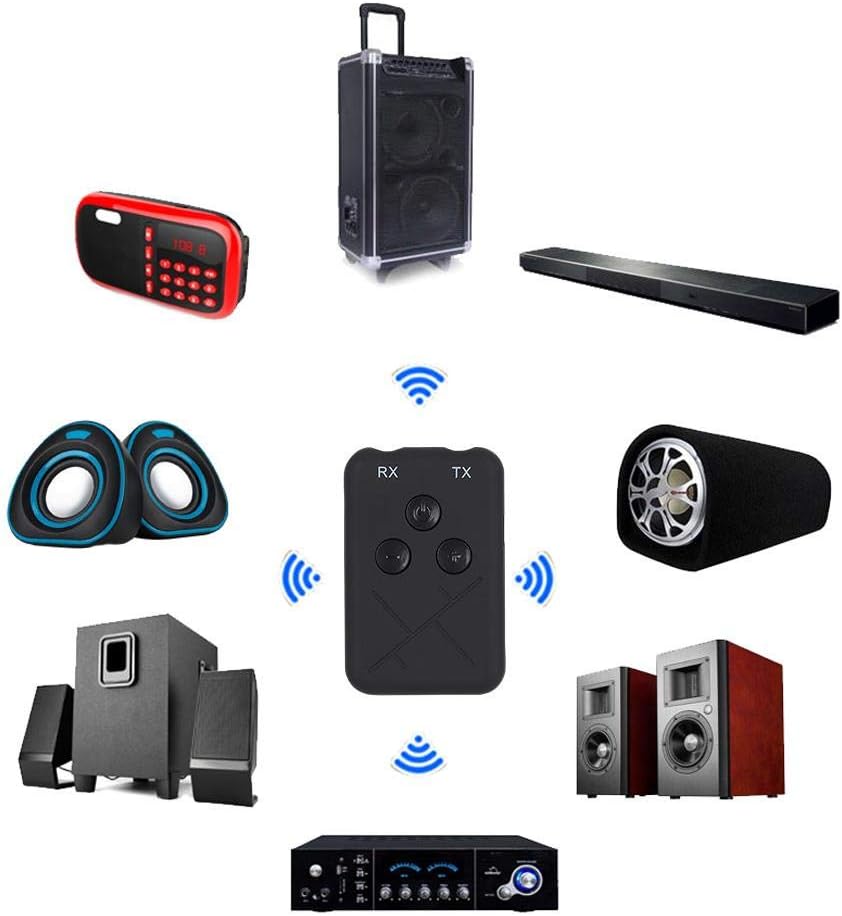
Image: The RXTX10 device centrally positioned, illustrating its connectivity to a range of audio equipment like speakers, soundbars, and amplifiers, indicating its dual receiver and transmitter capabilities.
Modtagertilstand (RX)
- Ensure the RXTX10 is in RX mode.
- Connect the RXTX10 to your non-Bluetooth audio device (e.g., wired speakers, car stereo) using the 3.5mm audio cable.
- Power on the RXTX10. It will automatically enter pairing mode (indicator light will flash).
- On your Bluetooth-enabled device (smartphone, tablet), search for Bluetooth devices and select "RXTX10" to pair.
- Once paired, the indicator light will become solid. You can now stream audio from your Bluetooth device to your connected audio system.

Image: The RXTX10 device connected via a 3.5mm cable to a speaker, with a smartphone wirelessly streaming music to it, demonstrating receiver mode functionality.
Sendertilstand (TX)
- Ensure the RXTX10 is in TX mode.
- Connect the RXTX10 to your non-Bluetooth audio source (e.g., TV, CD player) using the 3.5mm audio cable.
- Power on the RXTX10. It will automatically enter pairing mode (indicator light will flash).
- Sæt dine Bluetooth-hovedtelefoner eller -højttaler i parringstilstand.
- The RXTX10 will automatically search for and connect to nearby Bluetooth receiving devices. Once connected, the indicator light will become solid.
- Audio from your source device will now be transmitted wirelessly to your Bluetooth headphones or speaker.

Image: The RXTX10 device connected to a television, transmitting audio wirelessly to two speakers, highlighting its low-latency capability for synchronized sound with video.
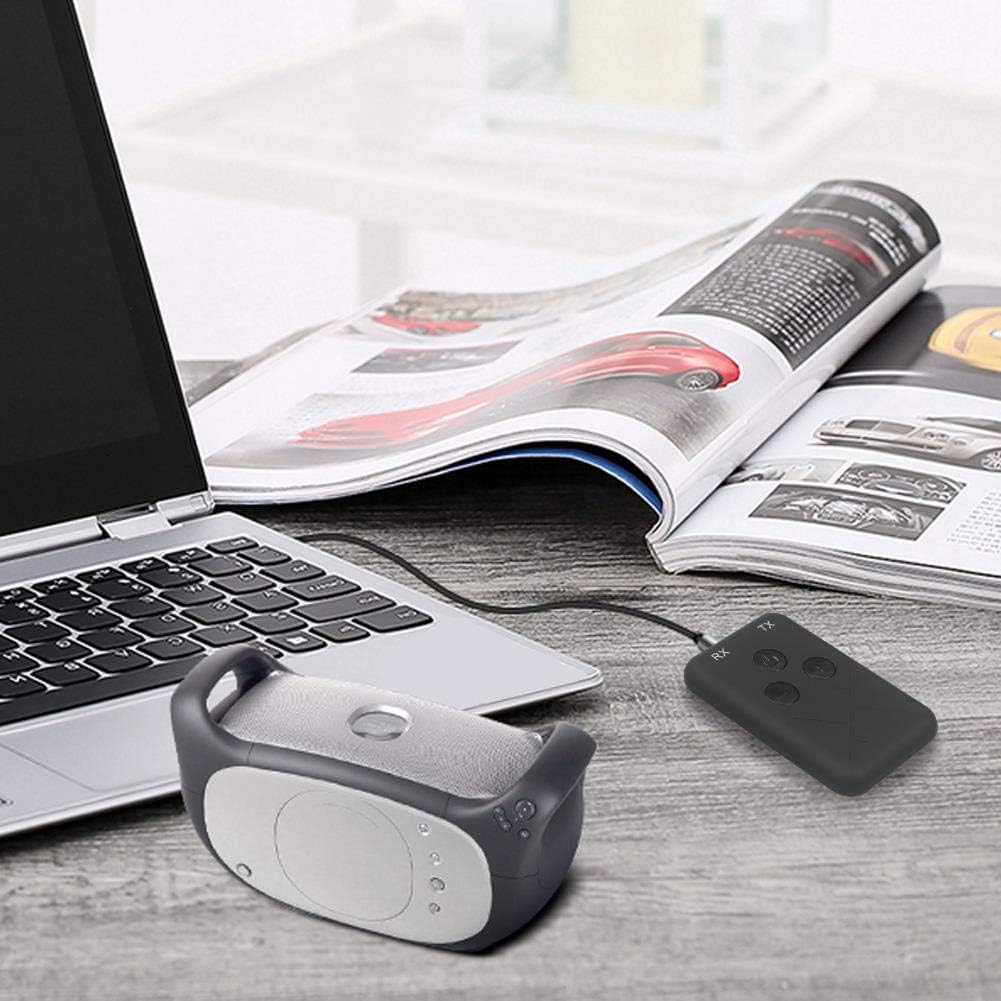
Image: The RXTX10 device connected to a laptop via a 3.5mm cable, transmitting audio to a nearby Bluetooth speaker, demonstrating its use with computers.
Volume Control and Song Switching
The RXTX10 features dedicated buttons for audio control:
- Lydstyrke op: Tryk på + knap.
- Skrue ned for lyden: Tryk på - knap.
- Næste nummer: Tryk længe på + button (functionality may vary based on connected device).
- Forrige nummer: Tryk længe på - button (functionality may vary based on connected device).
Opretholdelse
- Hold enheden tør. Fugt kan beskadige de interne kredsløb.
- Udsæt ikke enheden for ekstreme temperaturer.
- Rengør enheden med en blød, tør klud. Undgå at bruge skrappe kemikalier eller slibende rengøringsmidler.
- Opbevar enheden et køligt og tørt sted, når den ikke er i brug i længere perioder.
- Undgå at tabe eller udsætte enheden for kraftige stød.
Fejlfinding
| Problem | Mulig årsag | Løsning |
|---|---|---|
| Enheden tænder ikke. | Lavt batteri. | Oplad enheden helt ved hjælp af det medfølgende USB-kabel. |
| Cannot pair with another device. | Enheden er ikke i parringstilstand; for langt fra hinanden; interferens. | Ensure the RXTX10 is in the correct RX/TX mode and pairing mode (flashing indicator). Place devices closer. Turn off other Bluetooth devices. |
| Ingen lydudgang/-indgang. | Incorrect cable connection; wrong mode; volume too low. | Check 3.5mm audio cable connections. Verify RXTX10 is in the correct RX/TX mode. Adjust volume on both the RXTX10 and the connected audio device. |
| Audio quality is poor or intermittent. | Distance too great; obstacles; low battery. | Reduce distance between devices. Remove obstacles. Ensure the RXTX10 is fully charged. |
Garanti og support
For warranty information or technical support, please refer to the contact details provided with your purchase documentation or visit the official Wendry webwebsted. Gem din købsbevis i tilfælde af garantikrav.
For further assistance, you may contact Wendry customer service via their official channels. Please have your model number (RXTX10) and purchase date ready.