
Indledning
This manual provides essential information and instructions for using your new OPPO F23 5G smartphone. Please read this manual thoroughly before using the device to ensure proper operation and to maximize its features. Keep this manual for future reference.
1. Opsætning
1.1 Udpakning og pakkeindhold
Bekræft at alle varer er til stede i pakken:
- OPPO F23 5G Smartphone
- Adapter
- USB kabel
- Telefon etui
- SIM-bakkeudkaster
- Skærmbeskytter (forudpåsat eller i æske)

Image: Contents of the OPPO F23 5G retail box, showing the smartphone, charger, USB cable, protective case, and SIM ejector tool.
1.2 Installation af SIM -kort
The OPPO F23 5G supports Dual Hybrid 5G SIM cards (Nano-SIM size).
- Find SIM-kortbakken på siden af enheden.
- Sæt SIM-kortbakkens udløserværktøj ind i det lille hul ved siden af bakken, og tryk forsigtigt, indtil bakken springer ud.
- Place your Nano-SIM card(s) and/or microSD card (for storage expansion up to 1TB) into the tray with the gold contacts facing down. Ensure they are correctly seated.
- Sæt forsigtigt bakken tilbage i telefonen.

Billede: Et nærbillede view of the side of the OPPO F23 5G, highlighting the SIM card tray slot.
1.3 Første opstart og opsætning
To power on your device, press and hold the Power button located on the side until the OPPO logo appears. Follow the on-screen instructions to complete the initial setup, which includes selecting your language, connecting to Wi-Fi, and setting up your Google account.
1.4 Opladning af batteriet
The OPPO F23 5G is equipped with a 5000 mAh battery and supports 67W SUPERVOOC charging. Use the provided adapter and USB Type-C cable for optimal charging speed.
- Connect the USB cable to the adapter and then to the phone's USB Type-C port.
- Sæt adapteren i en stikkontakt.
- A charging animation will appear on the screen.

Image: The OPPO F23 5G connected to its 67W SUPERVOOC charger, displaying a fast-charging animation on the screen.
2. Betjening af din enhed
2.1 Display og navigation
The device features a 6.72-inch FHD+ display with a 120Hz refresh rate, providing a smooth visual experience. Navigate using touch gestures or the on-screen navigation bar.
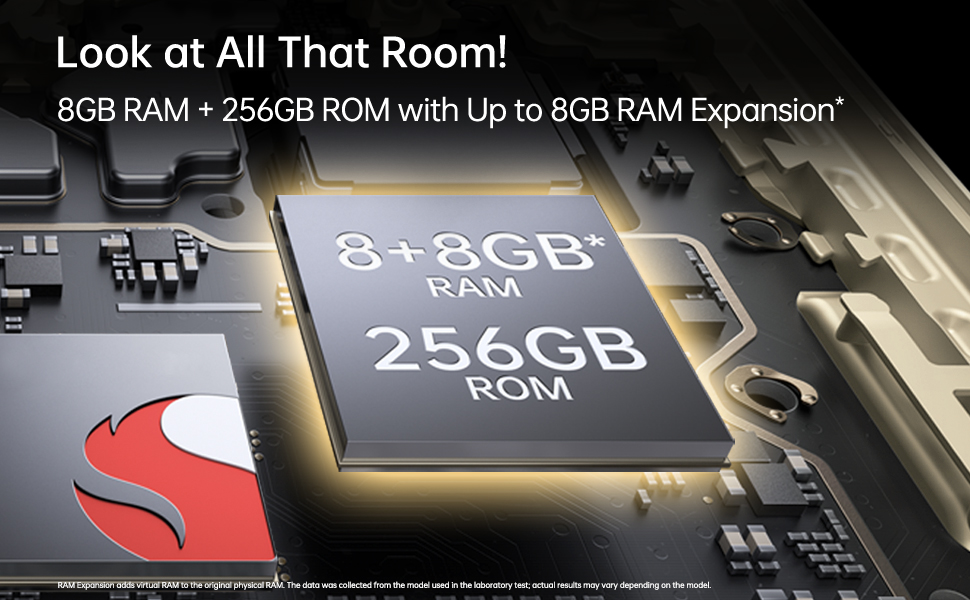
Image: The OPPO F23 5G display showcasing its 120Hz refresh rate and 6.72-inch FHD+ screen.
2.2 Kamerafunktioner
The OPPO F23 5G is equipped with a versatile camera system:
- Bagkamera: 64MP Main, 2MP Monochrome, 2MP Microscope lens. Features include AI Color Portrait and Dual View Video.
- Forreste kamera: 32MP for high-resolution selfies.
To access the camera, tap the Camera icon on your home screen. Select different modes like Photo, Video, Portrait, and Microscope from the interface.
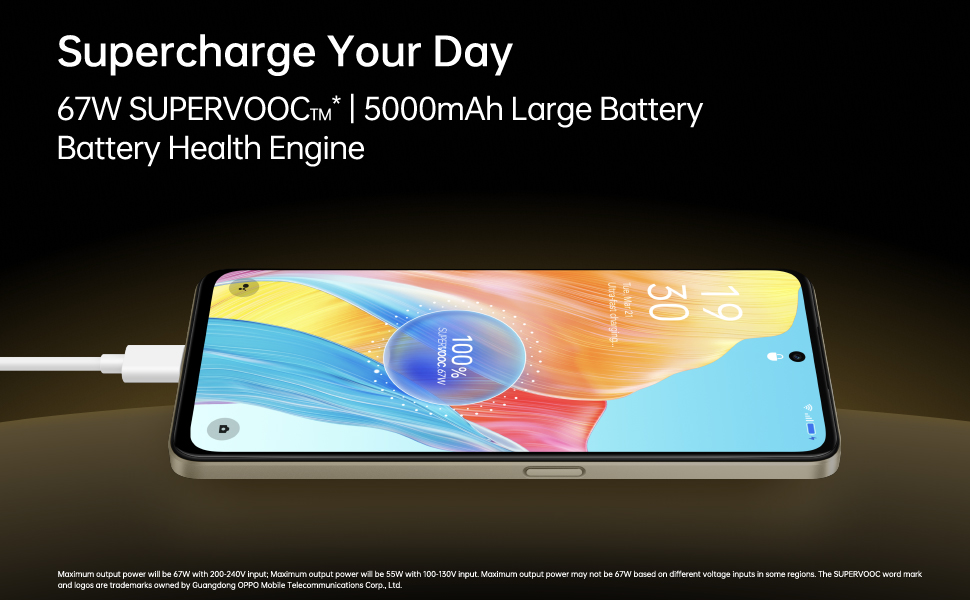
Image: A composite image demonstrating the OPPO F23 5G's camera capabilities, including a person taking a selfie with the 32MP front camera, a sample image from the 64MP AI camera, and a close-up shot using the 40x microlens.

Billede: En detaljeret view of the OPPO F23 5G's rear camera module, highlighting the triple camera setup and the 40x microscope lens.
2.3 Hukommelse og lagring
The device comes with 8GB RAM and 256GB internal storage (ROM). RAM can be expanded virtually by up to an additional 8GB. Storage is expandable up to 1TB via a microSD card.
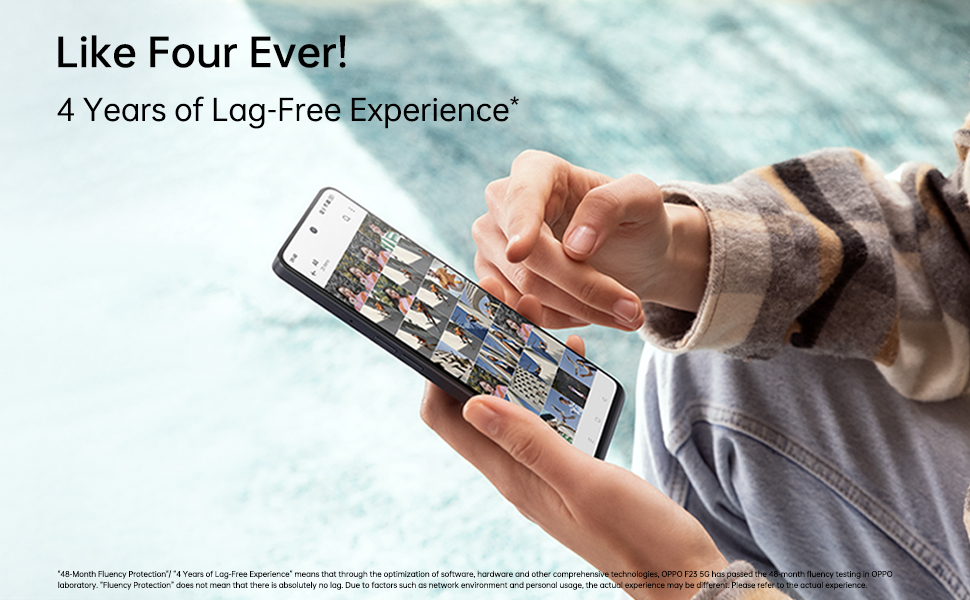
Image: An illustration depicting the OPPO F23 5G's memory and storage capabilities, showing 8GB RAM, 256GB ROM, and the option for 8GB RAM expansion.
2.4 Sikkerhedsfunktioner
Unlock your phone securely using:
- Fingeraftrykssensor: Integrated into the power button for quick and convenient access.
- Ansigtsgenkendelse: Brug dit ansigt til at låse enheden op.
Set up these features in Settings > Password & Biometrics.
2.5 Forbindelse
The OPPO F23 5G supports various connectivity options:
- Mobil: 5G network compatibility.
- Trådløs: Wi-Fi og Bluetooth.
- wired: USB Type-C port for charging and data transfer, 3.5 mm headphone jack.
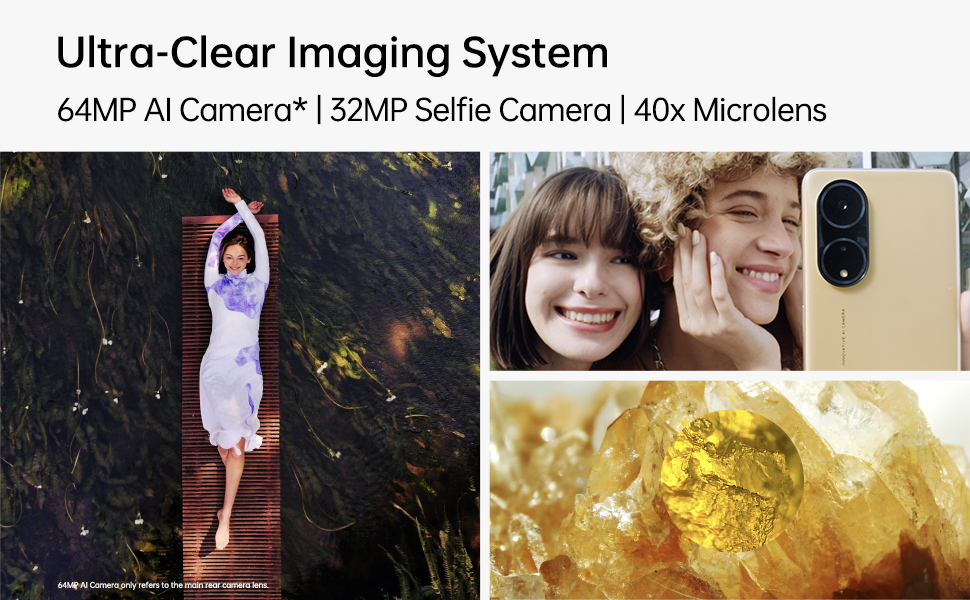
Image: A person interacting with the OPPO F23 5G, demonstrating the device's smooth performance and user experience.
3. Vedligeholdelse
3.1 Pleje af batterier
To prolong battery life and maintain performance:
- Undgå ekstreme temperaturer.
- Use only the original OPPO charger and cable.
- The device features a Battery Health Engine to optimize charging and extend battery lifespan.
3.2 Softwareopdateringer
Tjek regelmæssigt efter og installer softwareopdateringer for at sikre, at din enhed har de nyeste funktioner, sikkerhedsrettelser og forbedringer af ydeevnen. Gå til Indstillinger > Om enhed > Opdateret for at søge efter opdateringer.
3.3 Rengøring af din enhed
Use a soft, lint-free cloth to clean the screen and body of your phone. Avoid using harsh chemicals or abrasive materials. The device has a Water Resistant level, but avoid submerging it in water.
4. Fejlfinding
4.1 Almindelige problemer og løsninger
- Enheden tænder ikke: Sørg for, at batteriet er opladet. Tryk på tænd/sluk-knappen og hold den nede i mindst 10 sekunder for at fremtvinge en genstart.
- Opladningsproblemer: Check if the charger and cable are securely connected. Try a different power outlet.
- Problemer med netværksforbindelse: Ensure SIM card is correctly inserted. Try restarting the device. Check network settings in Indstillinger > Mobilnetværk.
- Apps der går ned eller fryser: Luk og genåbn appen. Ryd appens cache (Indstillinger > Apps > Appadministration > [Appnavn] > Lagerforbrug > Ryd cacheGenstart telefonen.
4.2 Fabriksindstilling
Hvis du oplever vedvarende problemer, kan en fabriksnulstilling muligvis løse dem. Advarsel: Dette vil slette alle data på din telefon. Sikkerhedskopier vigtige data, før du fortsætter. Gå til Settings > System settings > Back up and reset > Reset phone > Erase all data.
5. Specifikationer
| Feature | Detalje |
|---|---|
| Mærke | OPPO |
| Model | F23 5G |
| Operativsystem | Android 13.0 |
| VÆDDER | 8 GB (+ up to 8GB RAM Expansion) |
| Intern opbevaring | 256 GB ROM (Expandable Upto 1TB) |
| CPU model | Snapdragon (2.4 GHz) |
| Batterikapacitet | 5000 mAh Lithium-Ion |
| Opladning | 67W SUPERVOOC (approx. 18 mins for full charge) |
| Bagkamera | 64MP Main + 2MP Monochrome + 2MP Microscope |
| Forreste kamera | 32 MP |
| Skærmstørrelse | 6.72 inches (17.07 cm) FHD+ Punch-hole |
| Opdateringshastighed | 120 Hz |
| Opløsning | 2400 x 1080 pixels (1080p) |
| SIM-korttype | Dual Hybrid 5G SIM (Nano) |
| Forbindelse | 5G, Wi-Fi, Bluetooth, USB Type C, 3.5 mm Jack |
| Sikkerhed | Fingerprint Sensor, Face Recognition |
| Vandmodstand | Vandtæt |
| Dimensioner | 16.6 x 7.6 x 0.8 centimeter |
| Vægt | 192 gram |
6. Garanti og support
6.1 Garantioplysninger
Your OPPO F23 5G comes with a limited warranty:
- Håndsæt: 12 måneder fra købsdatoen.
- Adapter & Cable: 6 måneder fra købsdatoen.
Gem venligst dit købsbevis for garantikrav.
6.2 Kundesupport
For teknisk assistance, service eller yderligere forespørgsler, kontakt venligst OPPOs kundesupport:
- Fabrikant: OPPO Mobiles India Pvt Ltd
- Adresse: 5. SAL, Tårn B, BYGNING, N-8, DLF Cyber City, DLF Fase 2, Gurugram, Haryana 122002
- Gratis nummer: 18001032777