
1. Introduktion
Thank you for choosing the Awei A831BL Bluetooth In-Ear Headset. This manual provides essential information for the safe and efficient use of your device. Please read it carefully before use and retain it for future reference.
The Awei A831BL is a wireless in-ear headset designed for mobile phone use, offering up to 8 hours of continuous talk and music playback. It features pure, high-quality bass sound and is suitable for various activities.
2. Pakkens indhold
Tjek venligst pakken for følgende varer:
- Awei A831BL Bluetooth In-Ear Headset
- USB opladningskabel
- Ørespidser (forskellige størrelser)
- Brugermanual
3. Produktet er slutview
Familiarize yourself with the components of your Awei A831BL headset.
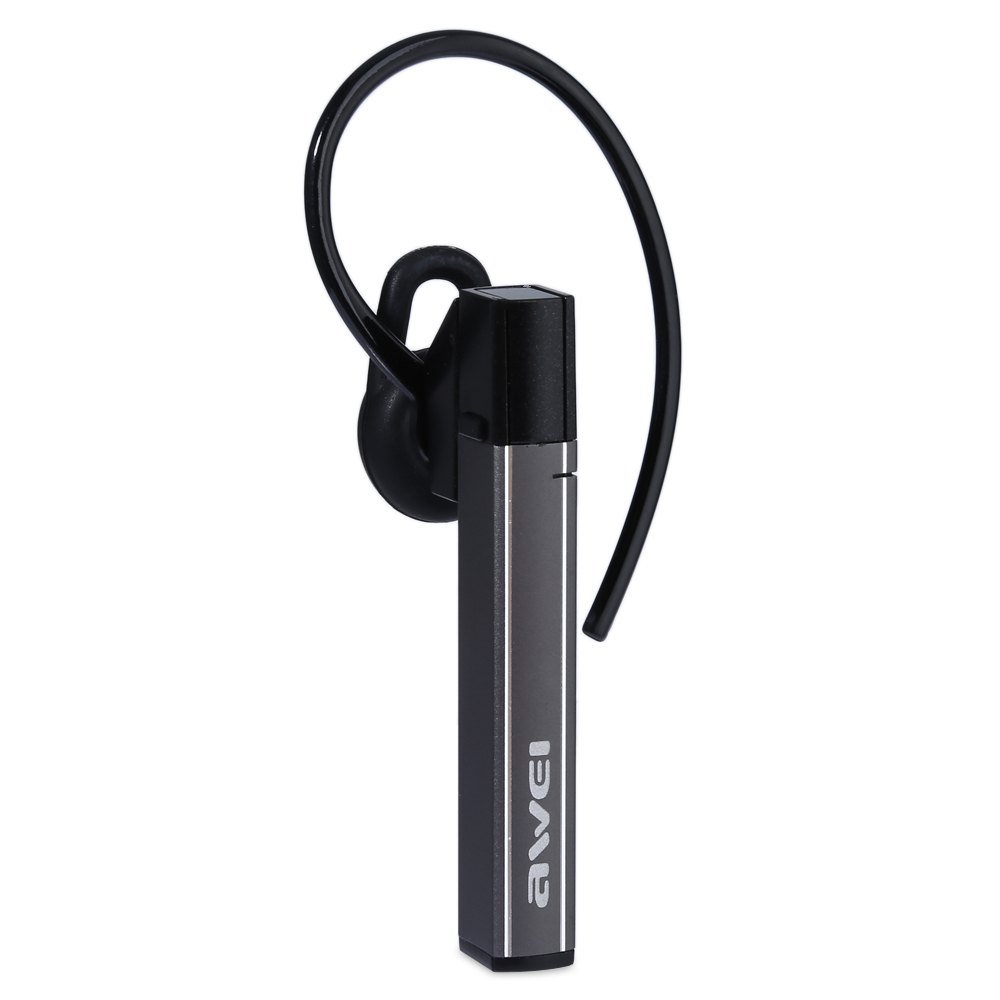
Image: The Awei A831BL Bluetooth In-Ear Headset in grey, showing the earbud design and inline controls.
The headset features an ergonomic in-ear design for comfortable wear, especially during activities. It includes an integrated microphone for hands-free calls and inline controls for managing audio and calls.
4. Opsætning
4.1 Opladning af headsettet
- Tilslut USB-opladerkablet til opladningsporten på headsettet.
- Tilslut den anden ende af USB-kablet til en USB-strømadapter (medfølger ikke) eller en computers USB-port.
- The indicator light will illuminate (e.g., red) during charging.
- Once fully charged, the indicator light will change (e.g., turn blue or turn off).
A full charge provides up to 8 hours of talk or music playback time.
4.2 Bluetooth -parring
- Sørg for, at headsettet er fuldt opladet og slukket.
- Press and hold the Multi-function button (usually the center button on the inline control) for approximately 5-7 seconds until the indicator light flashes red and blue alternately, indicating pairing mode.
- On your mobile phone or Bluetooth-enabled device, enable Bluetooth and search for available devices.
- Select "Awei A831BL" from the list of found devices.
- Hvis du bliver bedt om en adgangskode, skal du indtaste "0000" (fire nuller).
- Når parringen er gennemført, blinker indikatorlampen langsomt blåt, og du hører muligvis en bekræftelsestone.
Headsettet vil automatisk forsøge at genoprette forbindelsen til den sidst parrede enhed, når det tændes.
5. Betjeningsvejledning
5.1 Tænd/sluk
- Tænd: Press and hold the Multi-function button for about 3 seconds until the blue indicator light flashes.
- Sluk: Press and hold the Multi-function button for about 3-4 seconds until the red indicator light flashes briefly and then turns off.
5.2 Musikafspilning
- Afspil/pause: Tryk én gang på multifunktionsknappen.
- Lydstyrke op: Tryk på '+'-knappen.
- Skrue ned for lyden: Tryk på '-' knappen.
- Næste nummer: Tryk på '+'-knappen og hold den nede.
- Forrige nummer: Tryk på '-'-knappen og hold den nede.
5.3 Opkaldshåndtering
- Besvar opkald: Tryk én gang på multifunktionsknappen, når du modtager et opkald.
- Afslut opkald: Tryk én gang på multifunktionsknappen under et opkald.
- Afvis opkald: Press and hold the Multi-function button for about 2 seconds when a call comes in.
- Genopkald sidste nummer: Tryk to gange på multifunktionsknappen.
The integrated microphone allows for clear hands-free communication.
6. Vedligeholdelse
- Rengør headsettet regelmæssigt med en blød, tør klud.
- Undgå at udsætte headsettet for ekstreme temperaturer, fugtighed eller ætsende stoffer.
- Forsøg ikke at skille headsettet ad eller ændre det, da dette vil ugyldiggøre garantien og kan forårsage skade.
- Opbevar headsettet et køligt og tørt sted, når det ikke er i brug.
7. Fejlfinding
| Problem | Løsning |
|---|---|
| Headsettet tænder ikke. | Sørg for, at headsettet er fuldt opladet. Tilslut det til en strømkilde, og prøv igen. |
| Kan ikke parres med en enhed. | Ensure the headset is in pairing mode (flashing red and blue). Turn off and on your device's Bluetooth. Move closer to the device. Clear previous Bluetooth connections on your device. |
| Ingen lyd eller lav lydstyrke. | Kontrollér lydstyrken på både headsettet og din tilsluttede enhed. Sørg for, at headsettet er korrekt tilsluttet. |
| Dårlig opkaldskvalitet. | Ensure the microphone is not obstructed. Move to an area with less interference. Check your phone's signal strength. |
8. Specifikationer
| Feature | Detalje |
|---|---|
| Mærke | Awei |
| Modelnummer | A831BL |
| Farve | Grå |
| Forbindelsesteknologi | Trådløs (Bluetooth) |
| Headset-type | In-Ear |
| Mikrofon | Ja |
| Støjreduktion | Ingen |
| Batterilevetid | Up to 8 hours (talk/music) |
| Lydfunktioner | Pure, high-quality bass sound |
| Materiale | Plast |
| Kompatible enheder | Mobiltelefoner |
9. Garanti og support
Awei products are designed and manufactured to the highest quality standards. For warranty information and customer support, please refer to the warranty card included in your package or contact your local retailer. Keep your purchase receipt as proof of purchase.
For further assistance, please visit the official Awei webwebsted eller kontakt deres kundeserviceafdeling.