Welcome to your XClear Wireless Earbuds user manual. This guide provides essential information for setting up, operating, and maintaining your earbuds to ensure optimal performance and longevity. Please read this manual thoroughly before using your device.
Hvad er der i æsken
Trådløs opladningsetui
Ørepropper (forskellige størrelser)
Brugermanual
2. Produktet er slutview
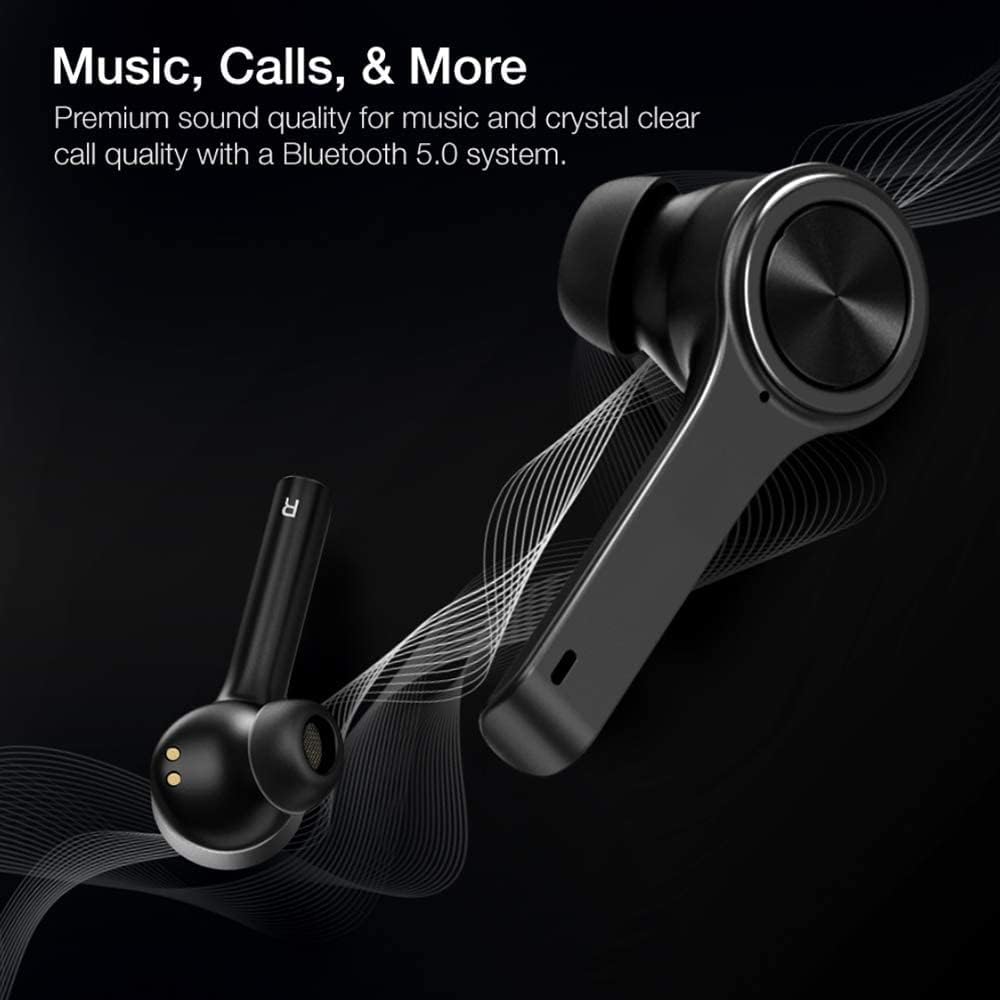
The XClear Wireless Earbuds (Model TT000082) are designed for an immersive audio experience with advanced features for convenience and durability. They feature Bluetooth 5.0 technology for stable connections and clear audio.
Nøglefunktioner
Premium lydkvalitet: Enjoy clear music and calls via Bluetooth 5.0.
Hurtig parring: Quick and easy connection by opening the charging case.
Kompakt ladetaske: Portable case with a digital LED battery indicator.
Komfortabel pasform: Ergonomic design for a secure fit during daily use and sports.
IPX5 Svedtæt: Designet til at modstå sved og lette stænk.
Image: XClear Wireless Earbuds and Charging Case. The earbuds are shown alongside their compact charging case, highlighting their sleek design.
Image: A person running while wearing XClear Wireless Earbuds, demonstrating a secure and comfortable fit during physical activity. A close-up inset shows an earbud in an ear.
3. Opsætning
Indledende opladning
Before first use, fully charge the earbuds and the charging case. Place the earbuds into the charging case. Connect the charging case to a power source using a compatible USB-C cable. The digital LED battery indicator on the case will show the charging progress. A full charge provides up to 5 hours of playtime for the earbuds and an additional 14 hours with the charging case.
Image: The XClear Wireless Earbuds charging case displaying battery life. Graphics indicate 5 hours of playtime for earbuds and 14 hours with the case.
Parring med din enhed
Sørg for, at øretelefonerne er opladet.
Open the charging case. The earbuds will automatically enter pairing mode, indicated by bright LED lights.
Gå til Bluetooth-indstillinger på din smartphone eller Bluetooth-aktiverede enhed.
Select "XClear Earbuds" from the list of available devices to connect.
Once connected, the LED lights on the earbuds will indicate a successful pairing.
Selecting the Right Eartips
For optimal sound quality and comfort, select the eartips that best fit your ear canals. An improper fit may result in reduced sound quality or call performance. Experiment with the different sizes provided to find the most snug and secure fit.
4. Betjeningsvejledning
Tryk på kontrolelementer
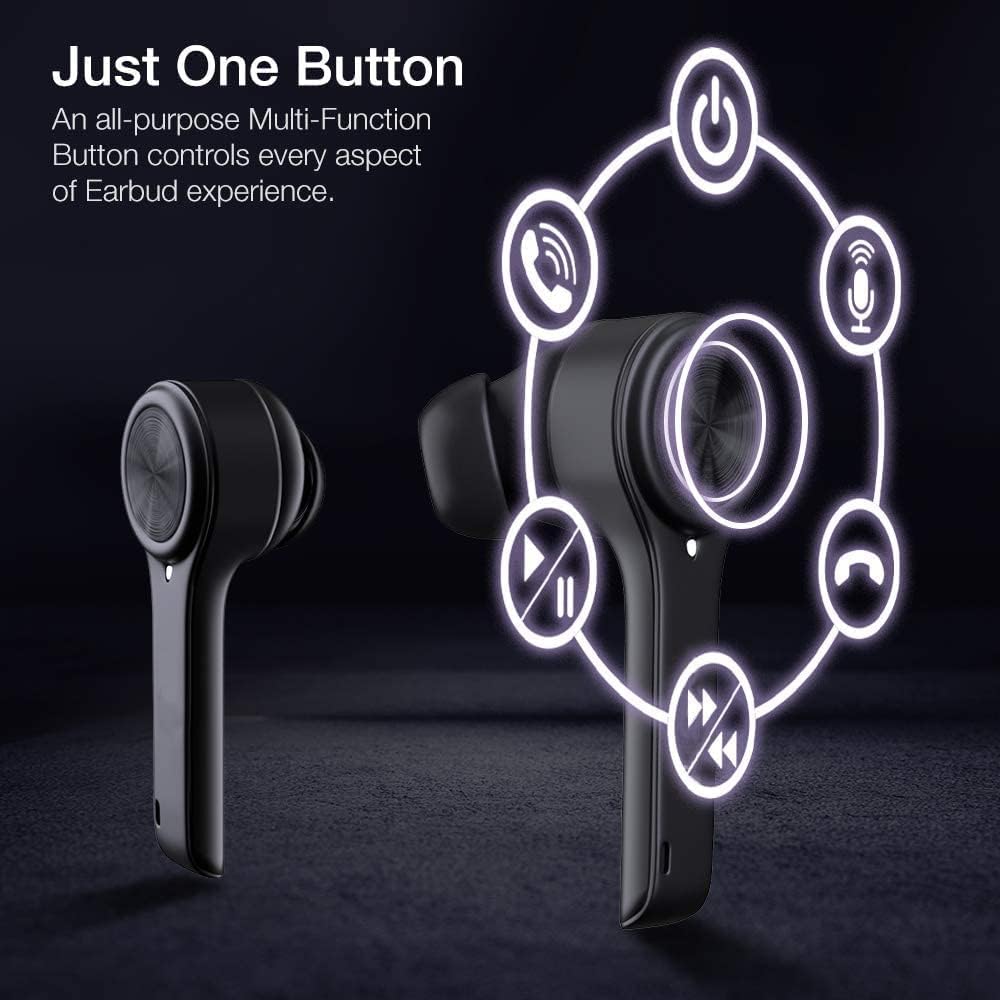
The XClear Wireless Earbuds feature intuitive touch controls for managing your audio and calls:
Afspil/pause: Et enkelt tryk på begge øretelefoner.
Næste nummer: Tryk to gange på den højre øretelefon.
Forrige nummer: Dobbelttryk på venstre øretelefon.
Besvar/afslut opkald: Enkelt tryk på begge øretelefoner under et indgående opkald.
Afvis opkald: Tryk og hold en af øretelefonerne nede i 2 sekunder under et indgående opkald.
Aktiver stemmeassistent: Tryk tre gange på en af øretelefonerne.
Image: A diagram illustrating the multi-function touch controls on the XClear Earbuds, showing icons for power, calls, microphone, play/pause, and track skipping.
Dual Mode Listening
You can use the XClear Wireless Earbuds in either Stereo Mode (both earbuds) or Single Ear Mode (one earbud). To properly use Single Ear Mode, ensure the unused earbud is placed in the charging case and the lid is closed.
Image: A man wearing a single XClear earbud, demonstrating the dual mode listening feature. The text indicates the ability to switch between stereo and single ear mode.
5. Vedligeholdelse
Rengøring og opbevaring
Rengør regelmæssigt ørepropperne og opladningsetuiet med en blød, tør klud.
Undgå at bruge skrappe kemikalier eller slibende materialer.
Opbevar ørepropperne i deres opladningsetui, når de ikke er i brug, for at beskytte dem mod støv og skader.
Batteripleje
For at forlænge batterilevetiden bør du undgå at aflade ørepropperne og opladningsetuiet helt ofte.
Charge the device using only the provided cable or a certified USB-C charger.
Udsæt ikke enheden for ekstreme temperaturer.
Image: A close-up of an XClear earbud with water droplets, illustrating its sweatproof and water-resistant design.
6. Fejlfinding
Fælles problemer og løsninger
Øretelefoner oplader ikke: Ensure the charging cable is securely connected to both the case and the power source. Verify that the earbuds are correctly seated in the charging case. Check the charging case's battery level.
Ørepropper parrer ikke: Make sure Bluetooth is enabled on your device. Place the earbuds back in the case, close the lid, then open it again to re-enter pairing mode. If issues persist, try forgetting the device in your Bluetooth settings and re-pairing.
Dårlig lydkvalitet: Ensure the eartips provide a snug fit in your ear canals. Clean any debris from the earbud speakers. Check the audio source for quality issues.
En øreprop virker ikke: Place both earbuds back into the charging case, close the lid, and then open it again. This often re-syncs them. If the issue continues, try resetting the earbuds (refer to the full manual for specific reset instructions if available).
XClear offers a 1-Year Warranty on this product. Please retain your proof of purchase for warranty claims. For detailed terms and conditions, refer to the official XClear webwebsted eller kontakt kundesupport.
Kundesupport
For further assistance, technical support, or warranty inquiries, please visit the XClear official webwebstedet eller kontakt deres kundeserviceafdeling. Kontaktoplysninger kan typisk findes på produktemballagen eller mærkets webwebsted.