
1. Introduktion
Tak for købetasing the Majority Scholars Compact DVD Player. This device is designed for versatile media playback, supporting multiple disc formats and regions. It features both HDMI and RCA connectivity for broad compatibility with various display devices, along with a USB port for playing digital media files. This manual provides essential information for setting up, operating, and maintaining your DVD player.
2. Sikkerhedsoplysninger
- Udsæt ikke enheden for regn eller fugt for at forhindre brand eller elektrisk stød.
- Sørg for tilstrækkelig ventilation omkring enheden. Bloker ikke ventilationsåbningerne.
- Undgå at placere enheden på ustabile overflader.
- Åbn ikke c'enasing. Overlad al service til kvalificeret personale.
- Tag stikket ud af enheden under tordenvejr, eller når den ikke skal bruges i længere perioder.
- Brug kun tilbehør/tilbehør specificeret af producenten.
3. Pakkens indhold
Markér venligst feltet for følgende elementer:
- Majority Scholars Compact DVD Player
- Fjernbetjening
- HDMI kabel
- RCA AV kabel
- Strømadapter
- Brugermanual

Figure 3.1: Contents of the Majority Scholars DVD Player package.
4. Produktet er slutview
4.1 Frontpanel

Figur 4.1: Forside view of the DVD player.

Figure 4.2: Close-up of front panel controls and USB port.
The front panel includes the disc tray, a digital display, and essential control buttons such as Open/Close, Play/Pause, and Stop. A USB port is also located on the front for convenient access to digital media.
4.2 Bagpanel

Figure 4.3: Rear panel with connection ports.
The rear panel features the HDMI output for high-definition connection, RCA audio/video outputs for standard definition connections, and the power input port.
4.3 Fjernbetjening
The included remote control provides full functionality for operating the DVD player from a distance. It requires two AAA batteries (not included).
5. Opsætning
5.1 Tilslutning til et tv
You have two primary options for connecting your DVD player to a television:
- HDMI Connection (Recommended for best quality):
Connect one end of the supplied HDMI cable to the HDMI OUT port on the rear of the DVD player and the other end to an HDMI input port on your TV. Select the corresponding HDMI input on your TV using its remote control. - RCA-forbindelse (Standard Definition):
Connect the supplied RCA AV cable to the VIDEO OUT (yellow), AUDIO OUT L (white), and AUDIO OUT R (red) ports on the rear of the DVD player. Connect the other end of the cable to the corresponding AV input ports on your TV. Select the AV input on your TV using its remote control.
5.2 Strømtilslutning
Connect the power adapter to the DC IN port on the rear of the DVD player, then plug the adapter into a standard electrical outlet.
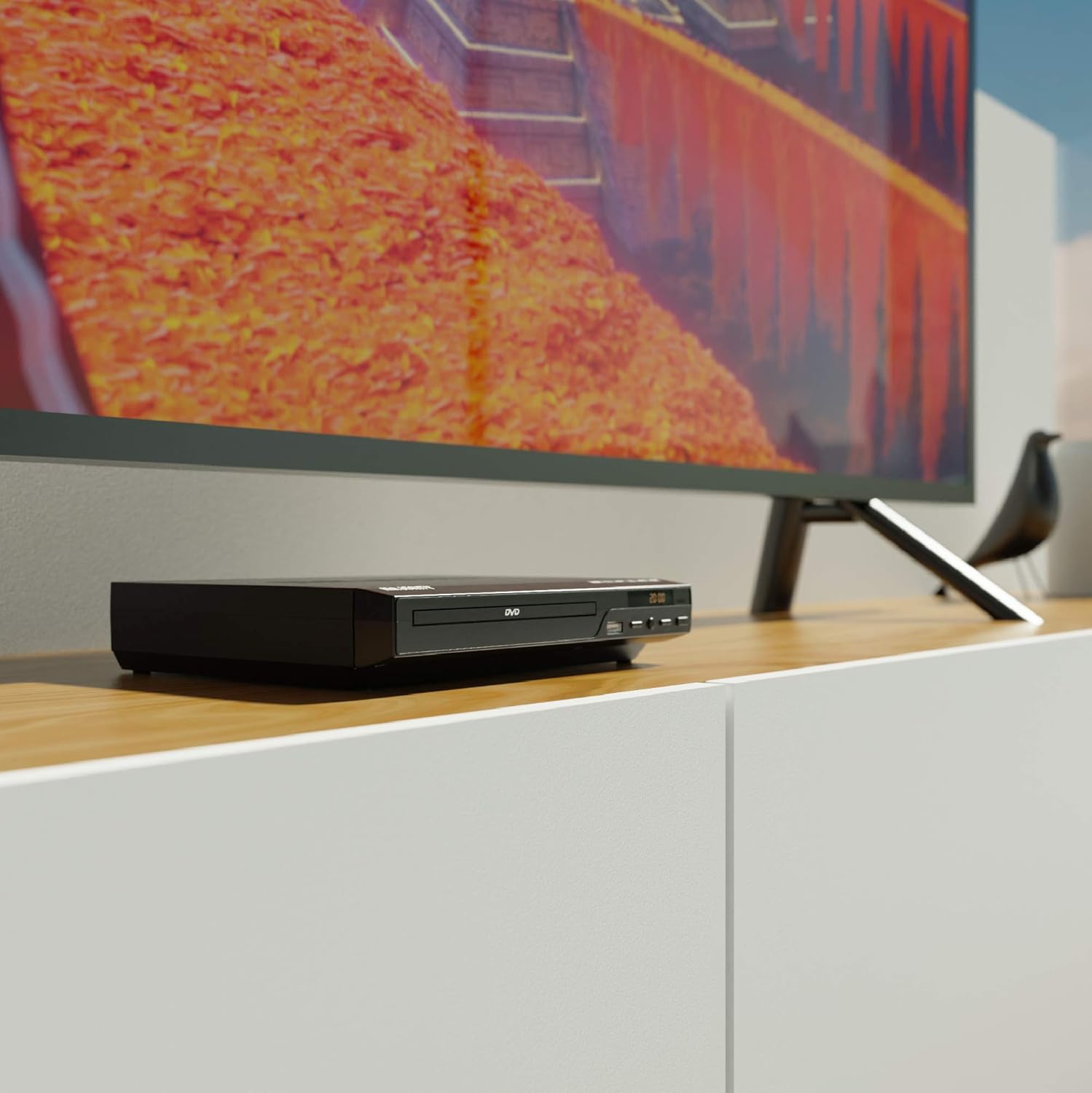
Figure 5.1: DVD player connected and ready for use.
6. Betjeningsvejledning
6.1 Grundlæggende diskafspilning
- Power on the DVD player and your TV. Select the correct input source on your TV.
- Tryk på ÅBN/LUK knappen på frontpanelet eller fjernbetjeningen for at åbne diskskuffen.
- Placer forsigtigt en dvd- eller cd-disk i bakken med etiketsiden opad.
- Tryk på ÅBN/LUK button again to close the tray. The player will begin loading the disc.
- Playback should start automatically. If a menu appears, use the remote control's arrow keys and OK for at navigere.
- Brug AFSPIL/PAUSE og STOP knapperne på fjernbetjeningen eller frontpanelet til at styre afspilningen.
6.2 USB-afspilning
- Indsæt et USB-flashdrev i USB-porten på frontpanelet.
- The player should automatically detect the USB device and display its contents. If not, press the USB knappen på fjernbetjeningen.
- Naviger gennem din files using the arrow keys on the remote and press OK to select and play media (e.g., videos, music, photos).
6.3 Multi-Region and PAL/NTSC Support
This DVD player is region-free, meaning it can play DVDs from all regions (1-6). It also features a built-in PAL/NTSC system, automatically converting video signals to match your TV's standard, ensuring compatibility with discs from different territories.
7. Vedligeholdelse
- Rengøring af enheden: Use a soft, dry cloth to clean the exterior of the DVD player. Do not use liquid cleaners or aerosol sprays.
- Rengøring af diske: Wipe discs from the center outwards with a soft, lint-free cloth. Avoid touching the playback surface.
- Ventilation: Ensure the ventilation slots on the player are not obstructed to prevent overheating.
8. Fejlfinding
| Problem | Mulig årsag | Løsning |
|---|---|---|
| Ingen strøm | Power cable not connected or outlet faulty. | Kontrollér strømkablets forbindelse, og prøv en anden stikkontakt. |
| Intet billede/lyd | Incorrect TV input selected or connection cables loose. | Select the correct HDMI/AV input on your TV. Ensure cables are securely connected. |
| "No Disc" error | Disken er snavset, ridset eller isat forkert. | Clean the disc. Ensure the disc is inserted label-side up. Try a different disc. |
| Fjernbetjening virker ikke | Batterierne er døde eller isat forkert. Blokering mellem fjernbetjening og afspiller. | Replace batteries. Ensure line of sight to the player's sensor. |
| Disc playback skips or freezes | Disc is dirty or damaged. Player is on an unstable surface. | Clean the disc. Place the player on a stable, level surface. |
9. Specifikationer
- Model: ojksfvx-1329
- Produktdimensioner: 8.86 x 7.48 x 1.77 tommer
- Varens vægt: 1.5 pund
- Medietype: CD, DVD (Multi-Region, Region Free)
- Understøttede systemer: PAL/NTSC
- Opløsning: Up to 1920x1080 (via HDMI upconverting)
- Konnektortyper: HDMI, RCA, USB
- Lydudgangstilstand: Stereo, Surroundlyd
- Farve: Sort

Figure 9.1: Dimensions of the DVD player.
10. Garanti og support
The Majority Scholars Compact DVD Player comes with a 3-year warranty. For technical support, warranty claims, or further assistance, please refer to the contact information provided in your product packaging or visit the official Majority webwebsted.