
Lamicall LS07-MX-B
Lamicall Gooseneck Tablet Mount Holder User Manual
Model: LS07-MX-B
Indledning
Thank you for choosing the Lamicall Gooseneck Tablet Mount Holder. This flexible and versatile mount is designed to provide a comfortable and ergonomic viewing experience for your tablet or smartphone in various settings, including your bed, desk, or sofa. Please read this manual carefully before use to ensure proper installation and operation.
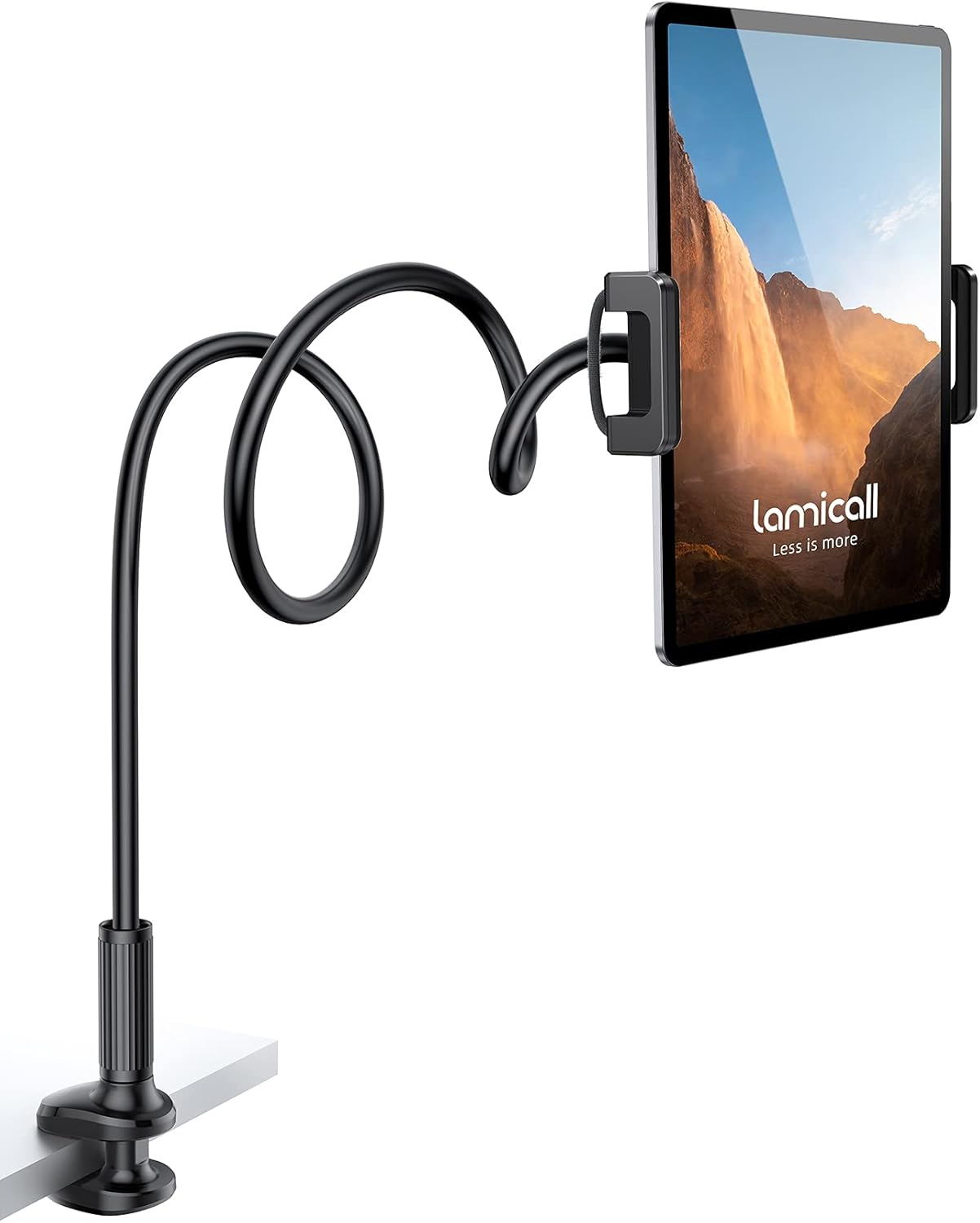
Figure 1: Lamicall Gooseneck Tablet Mount Holder
Sikkerhedsoplysninger
Overhold følgende sikkerhedsforanstaltninger for at forhindre skader på produktet eller personskade:
- Spænd ikke clamp on surfaces, as this may cause damage to furniture.
- Ensure the mount is securely fastened before attaching your device.
- Avoid bending the gooseneck arm excessively or repeatedly at the same point, as this can weaken the internal structure over time.
- When adjusting the gooseneck, use both hands: one to stabilize the base and the other to bend the arm.
- Do not use the mount for supporting devices heavier than recommended.
- Opbevares utilgængeligt for små børn.
Pakkens indhold
Bekræft at alle komponenter er til stede i din pakke:
- 1 x Lamicall Gooseneck Tablet Mount Holder (Flexible Arm with Clamp Grundlag)
- 1 x Device Holder (Tablet/Phone Clamp)
Opsætningsinstruktioner
Follow these steps to set up your Lamicall Gooseneck Tablet Mount Holder:
- Fastgør Clamp Grundlag: Identify a suitable surface (e.g., desk, bedside table, headboard) with a thickness between 0 and 2.7 inches (0-70mm). Unscrew the clamp knap for at åbne clamp jaws. Position the clamp onto the edge of the surface and tighten the knob securely until the clamp is firm and stable.

Figure 2: Secure Clamp Grundlag
- Insert the Device Holder: The device holder (tablet/phone clamp) typically comes pre-attached to the gooseneck arm. If not, ensure it is firmly screwed onto the ball joint at the end of the gooseneck arm.
- Monter din enhed: Gently pull apart the spring-loaded grips of the device holder. Carefully insert your tablet or smartphone (compatible with 4.7-11 inch devices) into the holder, ensuring it is centered and held firmly by the protective rubber grips.
Figure 3: Device Holder Grips
Betjeningsvejledning
Using your Lamicall Gooseneck Tablet Mount Holder for optimal viewing:
- Adjusting the Gooseneck Arm: The flexible arm has an overall length of 36 inches (920mm). To adjust the viewing angle and distance, use both hands to carefully bend the gooseneck arm. For better stability, especially with heavier devices, bend the gooseneck into an "S" or "Z" shape to create multiple support points.

Figure 4: Flexible Arm in Office Use
- Rotating Your Device: The device holder features 360-degree rotation. You can easily switch between portrait and landscape orientations by gently rotating your device within the holder.

Figur 5: Optimal Viewing in Bed
- Ergonomisk placering: Position your device at a comfortable distance from your eyes to reduce strain and maintain an ergonomic posture, especially during extended viewing sessioner.

Figure 6: Relaxed Viewing Posture
Note: This mount is primarily designed for viewing content. It is not recommended for heavy typing or touch interactions that may cause the arm to wobble slightly.
Opretholdelse
To ensure the longevity of your Lamicall Gooseneck Tablet Mount Holder:
- Rengør holderen med en blød, tør klud. Undgå slibende rengøringsmidler eller opløsningsmidler.
- Periodically check the tightness of the clamp and the device holder to ensure they remain secure.
- Opbevar holderen et køligt og tørt sted, når den ikke er i brug.
Fejlfinding
| Problem | Mulig årsag | Løsning |
|---|---|---|
| Mount wobbles or sags. | Clamp not tight enough; arm not properly shaped; device too heavy. | Sørg for, at clamp is fully tightened. Bend the gooseneck into an "S" or "Z" shape for added stability. Verify device weight is within limits. |
| Device slips from holder. | Device not centered; holder not fully gripping. | Re-position device to be centered within the grips. Ensure the spring-loaded grips fully enclose the device. |
| Gooseneck arm is difficult to bend. | Arm is designed to be stiff for stability. | Use both hands to adjust the arm, one hand stabilizing the base and the other bending the arm. Avoid bending at sharp angles. |
Specifikationer
| Feature | Detalje |
|---|---|
| Modelnummer | LS07-MX-B |
| Mærke | Lamicall |
| Farve | Sort |
| Kompatibel enhedsstørrelse | 4.7 - 11 inches (Tablets and Cellphones) |
| Svanehals længde | Ca. 36 tommer (920 mm) |
| Clamp Åbningsområde | 0 - 2.7 tommer (0-70 mm) |
| Rotation | 360-degree (Device Holder) |
| Materiale | High quality magnalium alloy (gooseneck), durable plastic (clamp/holder) |

Figur 7: Produktmål
Garanti og support
Lamicall products come with a standard warranty. For specific warranty terms and conditions, please refer to the warranty card included with your purchase or visit the official Lamicall webwebsted.
If you encounter any issues or have questions regarding your Lamicall Gooseneck Tablet Mount Holder, please contact Lamicall Customer Support:
- Webwebsted: www.lamicall.com
- E-mail: Der henvises til webwebsted for kontaktoplysninger.
Please have your model number (LS07-MX-B) and purchase information ready when contacting support.
Ask a question about this manual
Ask about setup, troubleshooting, compatibility, parts, safety, or missing instructions. Manuals+ will review the question and use this page’s manual context to help answer it.