
Indledning
This manual provides detailed instructions for the installation, operation, and maintenance of your Foscam D2EP IP Camera. The D2EP is a high-definition 2-megapixel outdoor security camera designed for reliable surveillance with features such as infrared night vision, smart motion detection, and wired connectivity. Please read this manual thoroughly before using the product to ensure correct setup and optimal performance.
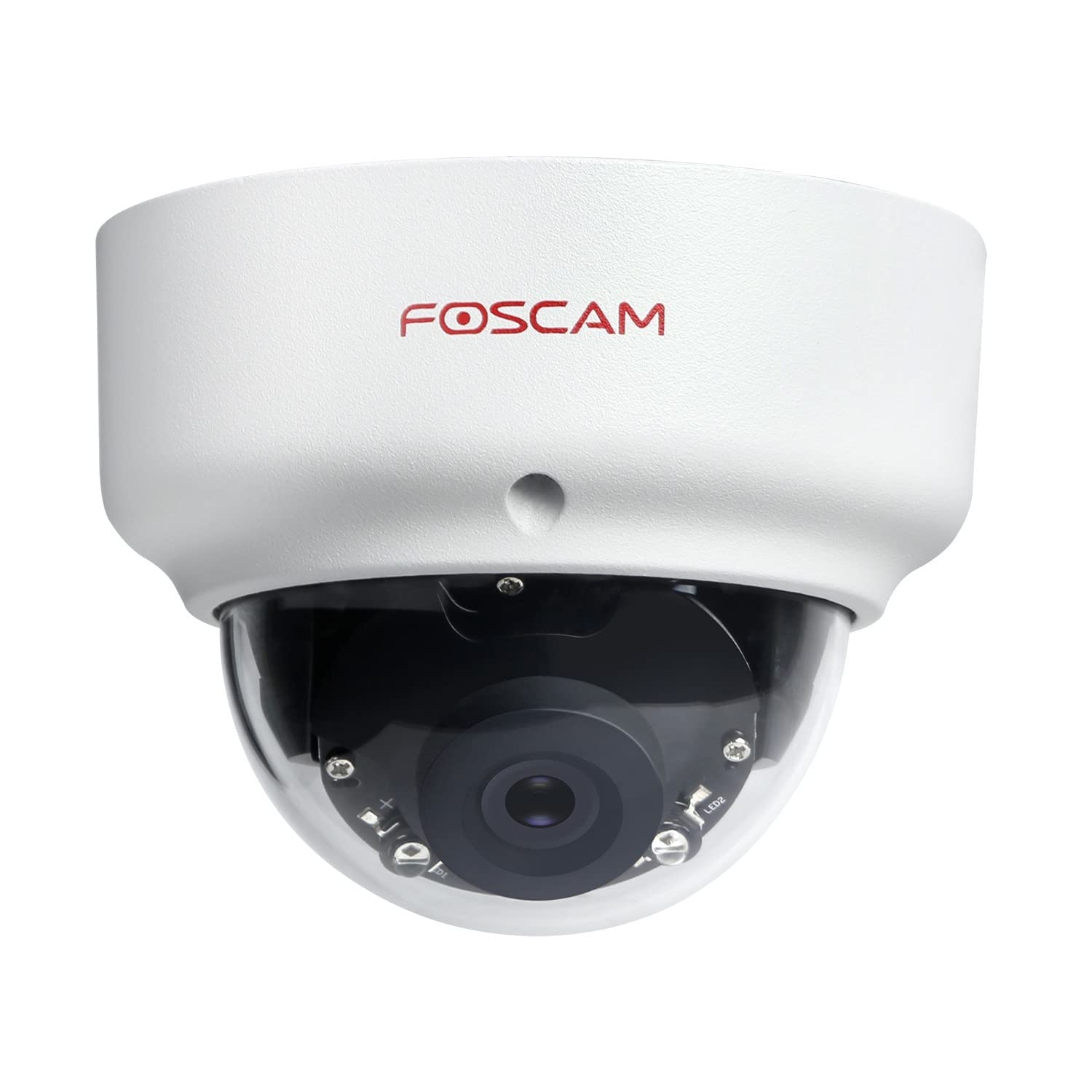
Image: The Foscam D2EP IP Camera, showcasing its compact, dome-shaped design suitable for outdoor environments.
1. Opsætning og installation
1.1 Pakkens indhold
Før installationen påbegyndes, skal du kontrollere, at alle komponenter er til stede i pakken:
- Foscam D2EP IP Camera
- Monteringsskruer og vægdyvler
- Ethernet kabel
- Strømadapter
- Hurtig installationsvejledning

Image: Foscam D2EP IP Camera with its power and Ethernet cables, illustrating the main components included in the box.
1.2 Fysisk installation
The Foscam D2EP camera is designed for outdoor use with an IP66 waterproof rating. Choose a suitable location that provides the desired viewing angle and is within reach of a power source and network connection.
- Monteringssted: Identify a secure mounting surface, such as a wall or ceiling, that offers a clear view af det område, du ønsker at overvåge.
- Bore huller: Use the provided mounting template (if included) or the camera base to mark and drill pilot holes for the mounting screws. Insert wall plugs if mounting on masonry.
- Sikkert kamera: Fastgør kamerabasen sikkert til monteringsfladen med de medfølgende skruer.
- Juster vinkel: Løsn justeringsskruerne på kamerahuset for at placere objektivet optimalt viewing angle. Tighten the screws once the desired angle is achieved.

Image: Foscam D2EP IP Camera mounted under an outdoor patio roof, demonstrating a typical installation scenario for outdoor surveillance.
1.3 Netværks- og strømtilslutning
- Tilslut Ethernet-kabel: Connect one end of the Ethernet cable to the camera's network port and the other end to your router or network switch.
- Tilslut strømadapter: Plug the power adapter into the camera's power input and then into a suitable electrical outlet.
- Indikatorlys: Wait for the camera's indicator light to show a stable status, indicating it is powered on and connected to the network. Refer to the Quick Installation Guide for specific indicator light behaviors.
1.4 Indledende konfiguration
To access and configure your camera, download the Foscam app on your smartphone or use the Foscam client software on your computer.
- Download App/Software: Søg efter "Foscam" in your app store (iOS/Android) or visit the official Foscam website for desktop software.
- Tilføj kamera: Follow the in-app or software instructions to add your D2EP camera. This typically involves scanning a QR code on the camera or manually entering its UID.
- Indstil adgangskode: For security, change the default password immediately upon first access.
- Netværksindstillinger: Configure any necessary network settings, such as static IP (if required by your network).
2. Betjeningsvejledning
2.1 Live View og optagelse
Once configured, you can access the live video feed from your Foscam D2EP camera through the Foscam app or desktop client.
- Levende View: Vælg dit kamera fra enhedslisten for at view the real-time 1080p HD video stream.
- Manuel optagelse: Most Foscam applications allow you to manually start and stop video recordings directly from the live view interface.
- Snapshot: Tag stillbilleder fra live-feedet.
2.2 Bevægelsesdetektion
The D2EP features smart motion detection to alert you to activity in the monitored area.
- Aktivér bevægelsesdetektion: Navigate to the camera settings in the Foscam app/software and enable motion detection.
- Configure Detection Area: Definer specifikke områder inden for kameraets view where motion should be detected, ignoring irrelevant zones.
- Juster følsomhed: Set the motion detection sensitivity to minimize false alarms while ensuring important events are captured.
- Advarselsindstillinger: Configure how you receive alerts (e.g., push notifications, email).
2.3 Dag- og nattesyn
The camera automatically switches between day (color) and night (infrared black and white) vision modes based on ambient light conditions. The infrared LEDs provide clear vision up to 20 meters in low-light environments.
2.4 Amazon Alexa Compatibility
The Foscam D2EP camera is compatible with Amazon Alexa, allowing for voice control and integration into your smart home system. Refer to the Foscam website or Alexa app for detailed instructions on linking your Foscam account and controlling your camera via Alexa commands.
3. Vedligeholdelse
3.1 Rengøring af kameraet
Regularly clean the camera lens and housing to ensure optimal image quality and prevent debris buildup, especially for outdoor installations.
- Brug en blød, damp klud til at tørre kamerahuset af.
- Brug en specialklud og -opløsning til linsen for at undgå ridser.
- Brug ikke skrappe kemikalier eller slibende materialer.
3.2 firmwareopdateringer
Foscam regularly releases firmware updates to improve camera performance, add new features, and enhance security. It is recommended to keep your camera's firmware up to date.
- Check for updates through the Foscam app or desktop client.
- Follow the on-screen instructions carefully during the update process. Do not power off the camera during an update.
4. Fejlfinding
4.1 Camera Not Connecting to Network
- Tjek kabler: Ensure the Ethernet cable is securely connected to both the camera and the router/switch.
- Magt: Verify the camera is powered on and the power adapter is working correctly.
- Routerstatus: Confirm your router is functioning and providing network access.
- IP-adressekonflikt: If using a static IP, ensure it does not conflict with other devices on your network. Try DHCP first.
- Nulstil kamera: If issues persist, perform a factory reset (refer to the Quick Installation Guide for reset button location and procedure).
4.2 Dårlig billedkvalitet
- Ren linse: Sørg for, at kameralinsen er ren og fri for snavs eller pletter.
- Belysning: Verify adequate lighting in the monitored area during the day.
- Nattesyn: In night mode, ensure there are no obstructions blocking the infrared LEDs.
- Opløsningsindstillinger: Check that the camera's resolution is set to 1080p (2MP) in the app/software settings.
4.3 Bevægelsesdetektion virker ikke eller der er for mange falske alarmer
- Aktivér funktion: Confirm motion detection is enabled in the camera settings.
- Detektionsområde: Adjust the detection zone to cover only relevant areas.
- Følsomhed: Increase sensitivity if events are missed; decrease if there are too many false alarms (e.g., from moving trees, shadows).
- Skema: Check if motion detection is scheduled to be active during the desired times.
5. Specifikationer
| Modelnavn | D2EP |
| Mærke | Foscam |
| Opløsning | 2 Megapixel (1080p) |
| Forbindelsesteknologi | Kablet |
| Anbefalet brug | Udendørs sikkerhedskamera |
| Vejrbestandighed | IP66 vandtæt |
| Night Vision Range | Op til 20 meter (infrarød) |
| Nøglefunktioner | Motion Sensor, Day/Night Vision, Amazon Alexa Compatible |
6. Garantioplysninger
The Foscam D2EP IP Camera comes with a 2 års garanti from the date of purchase. This warranty covers manufacturing defects and ensures the product functions as described under normal use. Please retain your proof of purchase for warranty claims. For detailed warranty terms and conditions, please visit the official Foscam webwebsted.
7. Kundesupport
If you encounter any issues or have questions regarding your Foscam D2EP IP Camera that are not covered in this manual, please refer to the following resources:
- Foscam officiel Webwebsted: Besøg www.foscam.com for FAQs, support articles, and the latest firmware.
- Teknisk support: Contact Foscam technical support directly via their webwebstedet eller kontaktoplysningerne på din produktemballage.