
Indledning
Thank you for choosing the Conceptronic REGAS01B Optical Desktop Mouse. This manual provides essential information for setting up, operating, and maintaining your new mouse. Please read these instructions carefully before use to ensure proper functionality and longevity of your device.
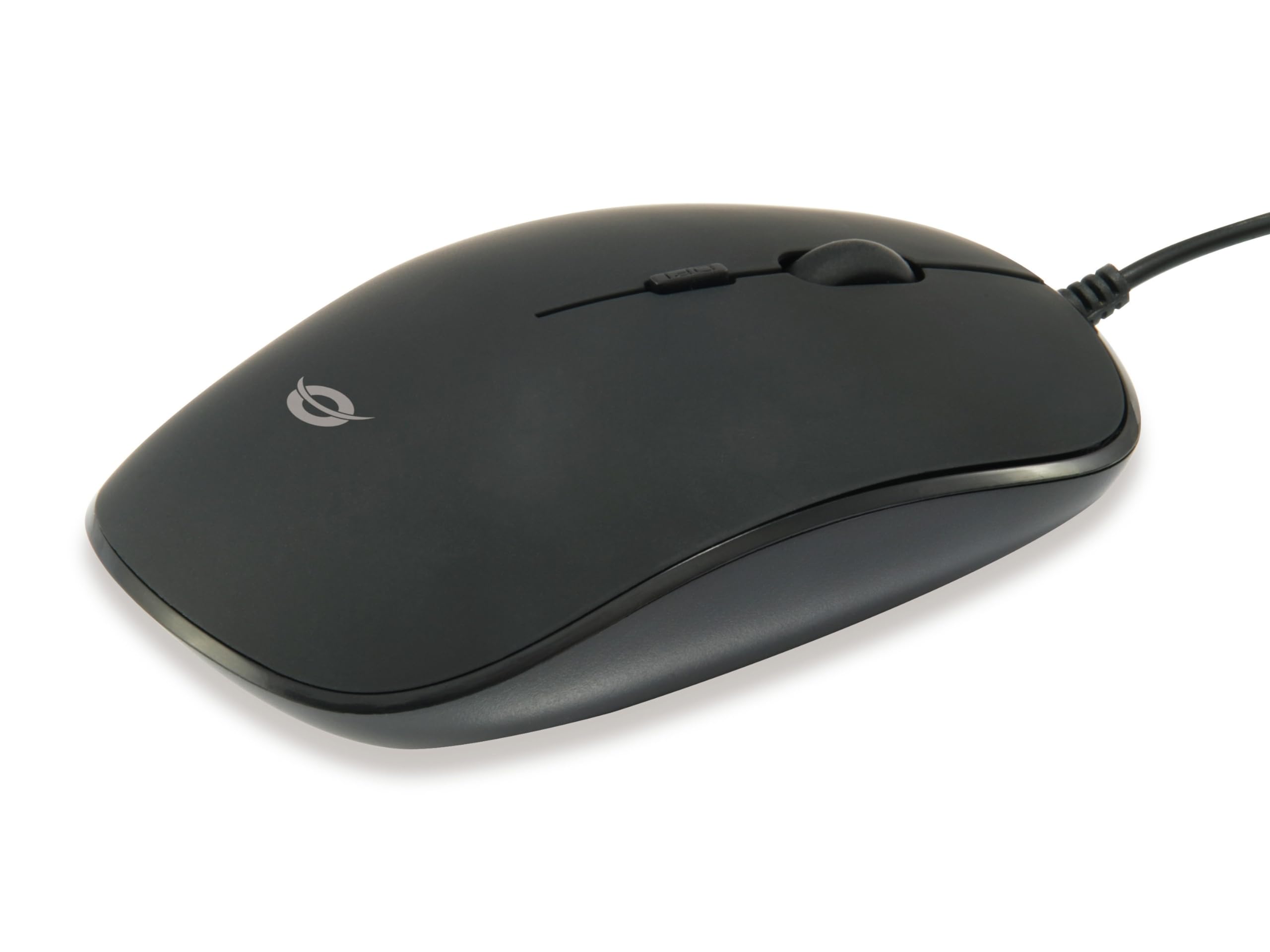
Billede: Top view of the Conceptronic REGAS01B Optical Desktop Mouse, showcasing its ergonomic black design.
Pakkens indhold
Sørg for at alle varer er til stede i pakken:
- Conceptronic REGAS01B Optical Desktop Mouse
- Brugervejledning (dette dokument)
- Note: This is a wired USB mouse and does not require external batteries for operation, despite some generic product data indicating otherwise.
Funktioner
- DPI switch: Adjustable sensitivity (800/1000/1200 DPI) for precise control.
- Plug and Play: Easy installation without the need for additional drivers.
- Ambidextrous design: Komfortabel for både venstre- og højrehåndede brugere.
- Rubberized Surface: Provides enhanced grip and comfort during extended use.
- Optisk sporing: Pålidelig og præcis markørbevægelse.
- USB-forbindelse: Standard wired connection for stable performance.
Opsætning
- Tilslut musen: Locate an available USB port on your computer. Insert the USB connector of the Conceptronic REGAS01B mouse into the USB port.
- Automatisk installation: Your operating system (Windows, Linux, etc.) will automatically detect and install the necessary drivers. This process typically takes a few seconds.
- Klar til brug: Once the installation is complete, the mouse is ready for immediate use. No additional software is required.

Billede: Nærbillede view of the mouse's scroll wheel and the DPI switch button, located behind the scroll wheel.
Betjeningsvejledning
Grundlæggende funktioner
- Venstre klik: Tryk på venstre knap for at vælge elementer, åbn files, eller aktiver funktioner.
- Højreklik: Tryk på den højre knap for at åbne kontekstmenuer eller få adgang til yderligere muligheder.
- Scrollhjul: Rul scrollhjulet op eller ned for at navigere gennem dokumenter og web sider. Scrollhjulet kan også trykkes ned for at bruge et midterklik, afhængigt af softwarekonfigurationen.
Justering af DPI-følsomhed
The Conceptronic REGAS01B mouse features a DPI switch to adjust cursor sensitivity on the fly. This allows you to quickly change between different tracking speeds for various tasks, such as precise editing or fast-paced gaming.
- DPI-knap: Located behind the scroll wheel.
- Følsomhedsniveauer: Press the DPI switch button to cycle through 800, 1000, and 1200 DPI settings.
- Udvælgelse: Each press will change the sensitivity, allowing you to find the optimal speed for your current activity.
Opretholdelse
- Rensning: Brug en blød, tør klud til at rengøre musens overflade. Ved genstridigt snavs, tør letampRengør kluden med vand eller en mild rengøringsopløsning. Undgå skrappe kemikalier eller slibende materialer.
- Optisk sensor: Hold den optiske sensor på undersiden af musen ren og fri for støv og snavs for at sikre nøjagtig sporing.
- Opbevaring: When not in use, store the mouse in a clean, dry environment.
- Undgå væsker: Udsæt ikke musen for overdreven fugtighed, og nedsænk den ikke i væsker.
Fejlfinding
Musen reagerer ikke
- Tjek USB-forbindelse: Sørg for, at USB-kablet er korrekt tilsluttet en fungerende USB-port på din computer. Prøv en anden USB-port.
- Genstart computeren: Nogle gange kan en simpel genstart af computeren løse forbindelsesproblemer.
- Test på en anden computer: Hvis det er muligt, så test musen på en anden computer for at afgøre, om problemet skyldes musen eller computerens opsætning.
Inaccurate Cursor Movement
- Rengør optisk sensor: Sørg for, at den optiske sensor i bunden af musen er ren og fri for støv eller snavs.
- Musemåtte/Overflade: Brug musen på en ren, ikke-reflekterende og ensartet overflade. Undgå meget reflekterende eller gennemsigtige overflader.
- Juster DPI: Experiment with the DPI switch to find a sensitivity setting that provides accurate tracking for your needs.
Specifikationer
| Feature | Detalje |
|---|---|
| Mærke | Konceptronic |
| Modelnavn | REGAS01B |
| Farve | Sort |
| Forbindelsesteknologi | USB (kablet) |
| Bevægelsesdetekteringsteknologi | Optisk |
| DPI-indstillinger | 800 / 1000 / 1200 DPI (Justerbar) |
| Knap Antal | 3 (Left, Right, Scroll Wheel/Middle Click) + DPI Switch |
| Håndorientering | Ambidekstrøs |
| Kompatible enheder | Personlig computer |
| Operativsystemkompatibilitet | Linux, Windows 7, Windows XP (og nyere versioner) |
| Varens vægt | 61 gram |
| Særlige funktioner | Ergonomic Design, Rubberized Surface, Plug & Play |
| Producentens varenummer | REGAS01B |
| GTIN (UPC) | 04015867208526 |
Garanti og support
For garantioplysninger og teknisk support henvises til den officielle Conceptronic webwebstedet eller kontakt din lokale forhandler. Gem din købsbevis til garantikrav.
- Online support: Besøg www.conceptronic.net (Bemærk: Dette er en pladsholder URL, please replace with the actual support URL hvis tilgængelig.)
- Kontakte: Refer to the contact information provided on the product packaging or the Conceptronic webwebsted for kundeservice.