
1. Produktet er slutview
The AOPUTTRIVER AP-846A is a professional digital anemometer designed for high-accuracy measurement of wind speed, wind temperature, and air flow (CFM/CMM). This multi-functional device is suitable for various applications including HVAC system analysis, air blower testing, environmental monitoring, and outdoor activities.
Key features include a large backlit LCD display, data hold function, MAX/MIN/AVG measurement modes, unit switching, and automatic power-off for battery conservation. The remote vane sensor with an extendable coiled cable allows for flexible and precise measurements in various environments.

Figure 1: AOPUTTRIVER AP-846A HVAC Anemometer
2. Pakkens indhold
Når du åbner pakken, skal du kontrollere, at alle nedenstående varer er til stede og i god stand:
- 1 x AOPUTTRIVER AP-846A Digital Anemometer Main Unit
- 1 x Remote Vane Sensor with Coiled Cable
- 1 x 9V (6F22) batteri
- 1 x Hard Carrying Case
- 1 x brugermanual
Figur 2: Pakkens indhold
3. Komponentidentifikation
Familiarize yourself with the main components and controls of the AP-846A anemometer:

Figur 3: Mærkede komponenter
- LCD-skærm: Viser måleaflæsninger, enheder og indikatorer.
- MAX/MIN Value Switch: Toggles between maximum, minimum, and current readings.
- Power-tast: Tænder/slukker enheden.
- Wind Velocity/Flow Transform Key: Switches between wind velocity and air flow (CFM/CMM) modes.
- Data Holding Key: Fryser den aktuelle aflæsning på displayet.
- Unit Transform Key: Changes measurement units (e.g., m/s, mph, °C, °F).
- Data Record Key: Starter dataoptagelse.
- Measuring Key for Average Value of Wind Flow: Calculates and displays the average air flow.
- Read Recorded Data Key: Recalls stored data.
- Wind Flow AVG 2/3 MAX and Figure Input: Used for advanced air flow calculations and area input.
- Reset Key in "READ" Mode/Clear Recorded: Nulstiller optagede data.
- Backlight On/Off Key: Press to activate/deactivate the display backlight.
- Temperaturenhedskontakt: Toggles between Celsius (°C) and Fahrenheit (°F).
- Duct Area Input and Sampling Time Setting Key: Used for setting duct area for CFM/CMM calculations.
- Tilslutningsledning: Connects the main unit to the vane sensor.
- Wind Velocity Sensors: Rotating vane for wind speed measurement.
4. Opsætning
4.1 Batteriinstallation
The AP-846A requires one 9V (6F22) battery. To install or replace the battery:
- Find batterirummet på bagsiden af hovedenheden.
- Unscrew the two screws securing the battery cover.
- Isæt 9V-batteriet, og sørg for at polariteten vender korrekt.
- Sæt batteridækslet på igen, og fastgør det med skruerne.
Note: For optimal performance and to prevent leakage, use alkaline batteries and remove batteries if the device will not be used for an extended period.
4.2 Connecting the Vane Sensor
Connect the remote vane sensor to the main unit by plugging the USB-style connector of the coiled cable into the corresponding port on the top of the main unit.
Video 1: Demonstrates battery installation and connecting the vane sensor to the main unit.
5. Betjeningsvejledning
5.1 Tænd/sluk
- For at tænde skal du trykke på Tænd / sluk-tast (3 i figur 3).
- For at slukke, skal du trykke på og holde nede Tænd / sluk-tast for a few seconds. The device also features an auto power-off function after 5 minutes of inactivity to save battery.
5.2 Backlight Control
Tryk på Backlight On/Off Key (12 in Figure 3) to turn the display backlight on or off. This improves visibility in low-light conditions.
5.3 Valg af enhed
The AP-846A supports multiple units for wind speed and temperature:
- Vindhastighedsenheder: Tryk på Unit Transform Key (6 in Figure 3) to cycle through m/s, km/h, ft/min, knots, and mph.
- Temperaturenheder: Tryk på Temperaturenhed kontakt (13 in Figure 3) to switch between Celsius (°C) and Fahrenheit (°F).
5.4 Wind Speed and Temperature Measurement
To measure wind speed and temperature:
- Ensure the vane sensor is connected to the main unit.
- Tænd for enheden.
- Hold the vane sensor in the airflow, ensuring the air flows through the vane in the direction indicated by the arrow on the sensor.
- The wind speed and temperature readings will be displayed on the LCD.

Figure 4: Measuring airflow from an HVAC unit.

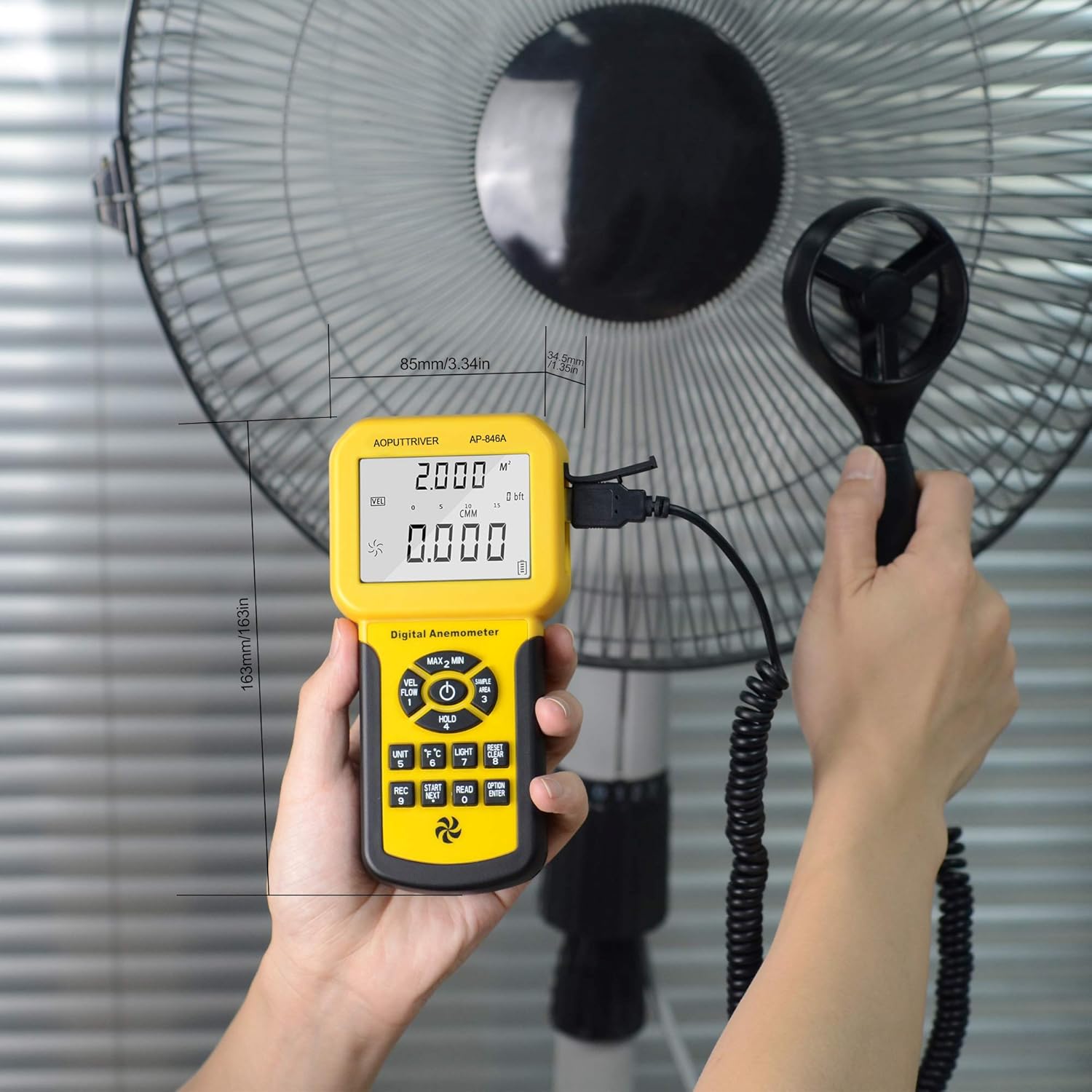
Figure 5: Measuring airflow from a fan.
5.5 CFM (Cubic Feet per Minute) Measurement
To measure CFM, you need to input the area of the duct or vent:
- Tryk på "ENHED" nøgle (6 in Figure 3) to select CFM or CMM mode.
- Tryk på "AREA" nøgle (14 in Figure 3), then use the number keys to enter the duct area (e.g., 1 or 2 for predefined areas, or custom input).
- Tryk på "ENTER" key to confirm the area.
- Position the vane sensor in the airflow. The CFM/CMM reading will be displayed.
Formula: Flow = Velocity * (Free Area)
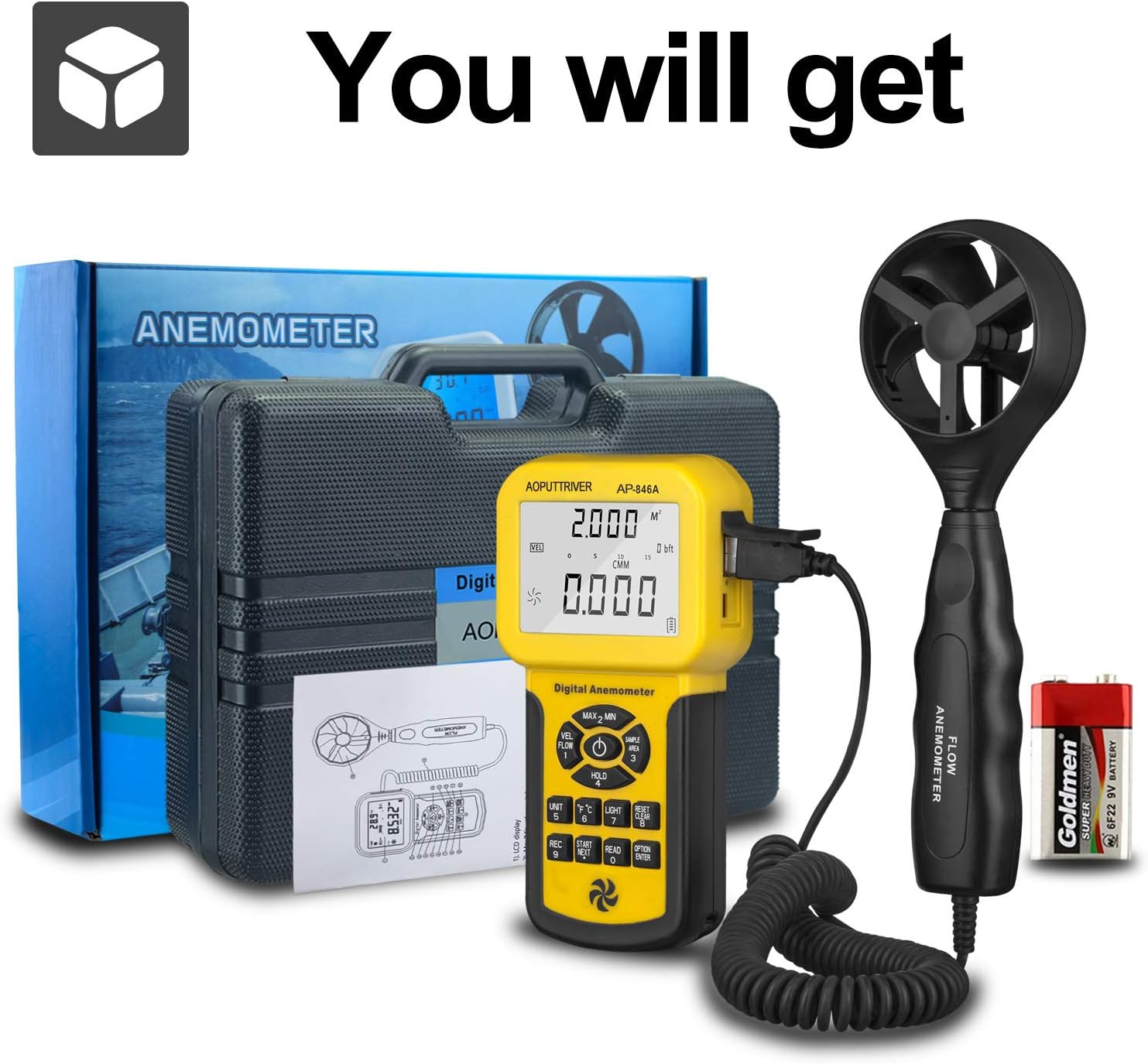
Figure 6: CFM Measurement Guide
5.6 MAX/MIN/AVG Measurement
Tryk på MAX/MIN Value Switch (2 in Figure 3) to cycle through maximum, minimum, and current readings. For average air flow, use the Measuring Key for Average Value of Wind Flow (8 i figur 3).
5.7 Datahold
Tryk på Data Holding Key (5 in Figure 3) to freeze the current reading on the display. Press it again to release the hold.
6. Vedligeholdelse
- Hold enheden ren og tør. Tør af med en blød, tør klud.amp klæde. Brug ikke slibende rengøringsmidler eller opløsningsmidler.
- Store the anemometer in its protective carrying case when not in use to prevent damage to the vane sensor.
- Replace the 9V battery when the low power indicator appears on the display.
- Undgå at udsætte enheden for ekstreme temperaturer eller høj luftfugtighed.
7. Fejlfinding
- Ingen skærm/enhed tænder ikke: Kontroller batteriinstallationen, og sørg for, at batteriet er tilstrækkeligt opladet. Udskift om nødvendigt.
- Upræcise læsninger: Ensure the vane sensor is clean and rotates freely. Verify that the sensor is positioned correctly in the airflow, facing the direction of the flow. Check for any obstructions.
- Displayet ændrer sig ikke: Check if the Data Hold function is activated. Deactivate it by pressing the Data Holding Key.
- CFM/CMM Readings Incorrect: Double-check the entered duct area value. Ensure the correct units (CFM/CMM) are selected.
8. Specifikationer
| Feature | Specifikation |
|---|---|
| Vindhastighedsområde | 0.001-100 mph (0.001-45 m/s) |
| Vindhastighedsnøjagtighed | ±3% + 0.2 rdg (mph), ±3% + 0.1 rdg (m/s) |
| Temperaturområde | 32-113°F (0-45°C) |
| Wind Flow Range (CFM) | 0-999900 ft³/min |
| Wind Flow Range (CMM) | 0-999900 m³/min |
| Wind Flow Area | 0.001-9999 ft² |
| Opløsning | 0.001 mph (wind speed), 0.001-100 (wind flow) |
| Vise | 1.69 x 2.3 inch Large LCD with Backlight |
| Strømforsyning | 1 x 9V (6F22) Battery (included) |
| Automatisk sluk | Efter 5 minutters inaktivitet |
| Dimensioner (hovedenhed) | 3.4 x 1.5 x 6.5 tommer |
| Varens vægt | 11.3 ounces (320 gram) |
| Materiale | Acrylonitril Butadien Styren (ABS) |

Figure 7: Wind Velocity Range and Accuracy
9. Garanti og support
AOPUTTRIVER provides 2-Years Technical Support for this product. If you encounter any problems or have questions regarding your AP-846A anemometer, please contact AOPUTTRIVER customer support for assistance. They will provide troubleshooting guidance or arrange for a replacement if necessary.