
Indledning
Thank you for choosing the Tihebeyan Expandable Corded Telephone. This manual provides detailed instructions to help you set up, operate, and maintain your new telephone. Designed for clarity and convenience, this phone features noise cancellation, last number redial, and essential pause and mute functions, making it ideal for home, school, or office use.
Pakkens indhold
Kontroller venligst, at alle nedenstående varer er inkluderet i din pakke:
- 1 x Wall Telephone Unit
- 1 x telefonlinjekabel
- 1 x Handset Coil Cord
- 1 x Brugermanual (dette dokument)

Image: The Tihebeyan corded telephone unit, along with its telephone line cable and handset coil cord.
Opsætning
Tilslutning af telefonen
- Connect one end of the handset coil cord to the handset and the other end to the designated port on the telephone base unit.
- Connect one end of the telephone line cable to the telephone base unit's line-in port.
- Tilslut den anden ende af telefonkablet til dit telefonstik i væggen.

Image: A four-panel image showing close-ups of the handset cradle, the telephone line cable connection point on the base, the built-in dial pad, and the earpiece/speaker area.
Vægmontering (valgfrit)
This telephone is designed to be wall-mountable for convenience. Use appropriate screws and anchors (not included) to secure the telephone base to a wall surface. Ensure the mounting location allows for easy access to the telephone line jack.
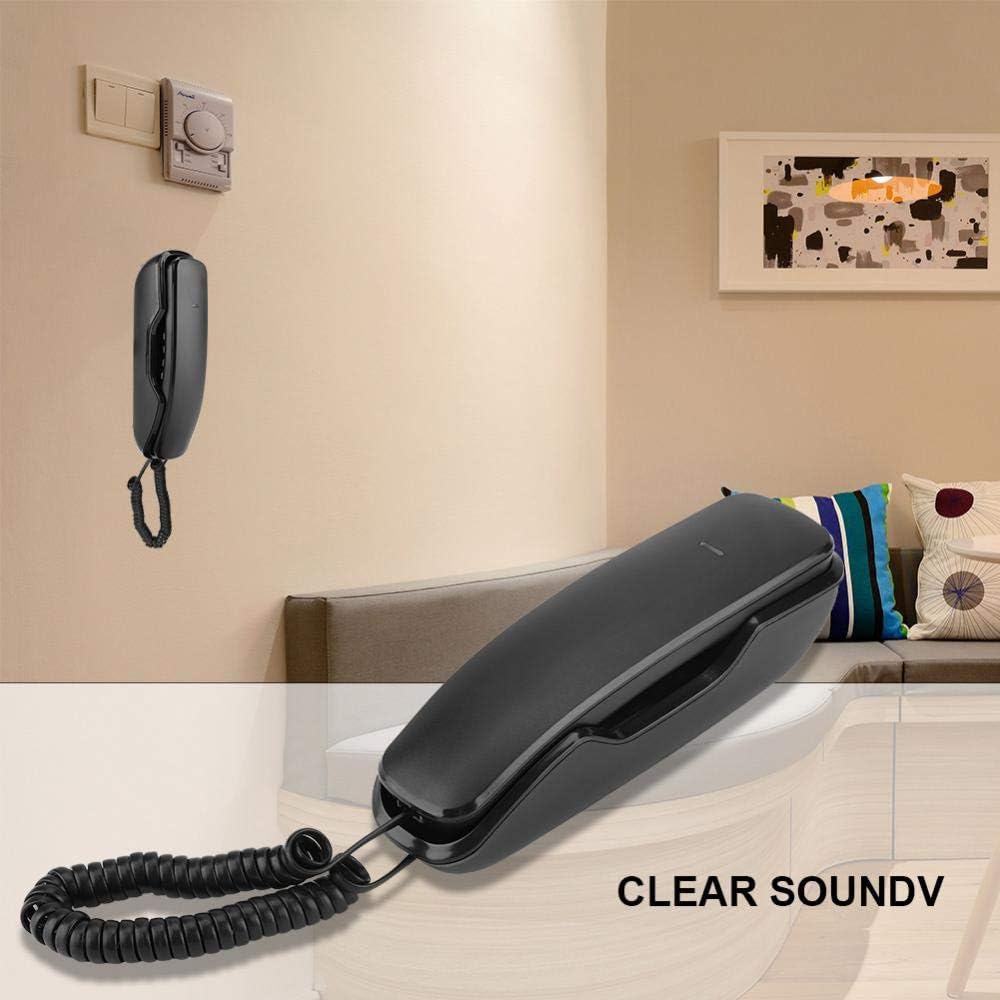
Image: The corded telephone unit shown mounted on a wall in a room setting, demonstrating its compact design and wall-mount capability.
Betjeningsvejledning
Foretag et opkald
- Løft håndsættet.
- Lyt efter en klartone.
- Dial the desired telephone number using the built-in dial pad.
Modtagelse af et opkald
When the telephone rings, simply lift the handset to answer the call.
Genopkaldsfunktion til sidste nummer
The last number redial function allows you to quickly call the most recently dialed number. This is particularly useful if a call is disconnected or if you need to redial a busy number.
- Løft håndsættet.
- Tryk på GENTAGELSE button (often labeled 'RD' or similar) on the keypad. The phone will automatically dial the last number.

Image: A close-up of the telephone handset's keypad, with the 'RD' (Redial) button clearly highlighted, indicating its function for redialing the last number.
Pause funktion
The pause function allows you to temporarily suspend dialing, which can be useful when interacting with automated systems that require a delay between dialing sequences.
- During dialing, press the PAUSE button (often labeled 'PA' or similar) to insert a brief pause.
Mute-funktion
The mute function allows you to speak privately without the other party hearing your conversation. Your voice will be muted to the other end, but you will still be able to hear them.
- Under et opkald skal du trykke på STUM button (often labeled 'M' or 'MUTE').
- To unmute, press the STUM knappen igen.

Image: A close-up of the telephone handset's keypad, highlighting the 'PA' (Pause) and 'M' (Mute) buttons, illustrating their positions for easy access during a call.
Støjreducerende funktion
This telephone incorporates a noise cancelling function designed to reduce background noise, ensuring clearer communication during your calls.

Billede: En detaljeret view of the telephone's earpiece and a portion of the keypad, accompanied by text indicating the
Ask a question about this manual
Ask about setup, troubleshooting, compatibility, parts, safety, or missing instructions. Manuals+ will review the question and use this page’s manual context to help answer it.