
1. Introduktion
Tak for købetasing the PRGR RED EYES POCKET HS-120 Speed Radar. This compact and portable device is designed to accurately measure various speeds, including golf club head speed, ball speed, and estimated carry distance. It is an invaluable tool for golfers and athletes looking to analyze and improve their performance during practice sessions. This manual provides detailed instructions on how to set up, operate, and maintain your device to ensure optimal performance and longevity.
2. Sikkerhedsoplysninger
Læs og forstå venligst følgende sikkerhedsforanstaltninger, før du bruger enheden:
- Udsæt ikke enheden for ekstreme temperaturer, direkte sollys eller høj luftfugtighed.
- Undgå at tabe enheden eller udsætte den for kraftige stød.
- Hold enheden væk fra vand og andre væsker. Hvis den bliver våd, skal du straks slukke den og lade den tørre helt, før du forsøger at bruge den igen.
- Forsøg ikke selv at skille enheden ad eller reparere den. Overlad al service til kvalificeret personale.
- Use only the specified battery type (AAA batteries). Ensure correct polarity when inserting batteries.
- Fjern batterierne, hvis enheden ikke skal bruges i længere tid, for at forhindre lækage.
- Opbevares utilgængeligt for børn.
3. Pakkens indhold
Bekræft at alle varer er til stede i din pakke:
- PRGR RED EYES POCKET HS-120 Speed Radar Unit
- Bæretaske
- AAA Batteries (4 pcs)
- Instruktionsmanual (dette dokument)
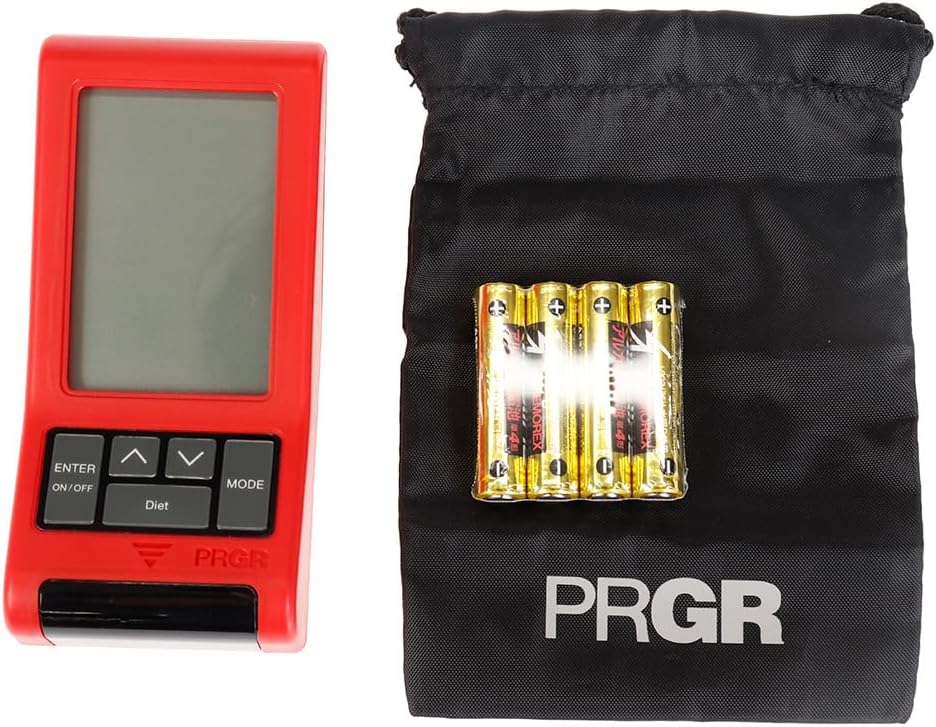
Figure 3.1: PRGR Red Eyes Pocket HS-120 with carrying pouch and batteries.
4. Produktet er slutview
Familiarize yourself with the components of your PRGR RED EYES POCKET HS-120:
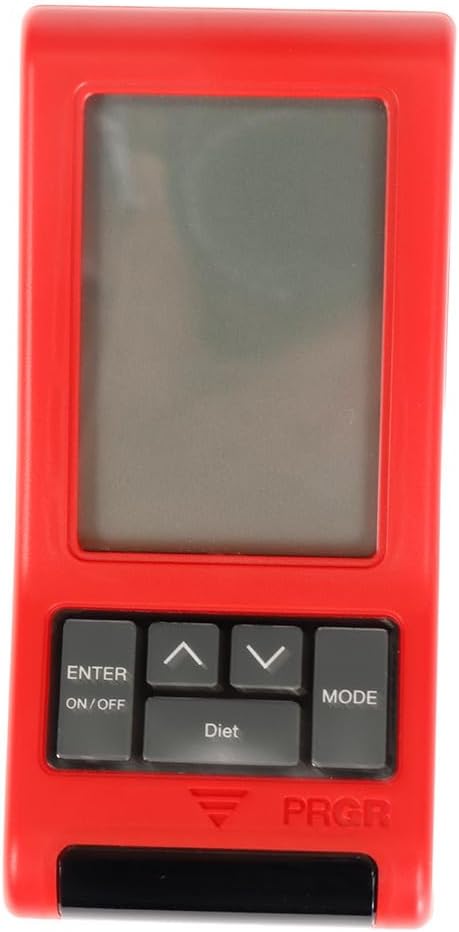
Figur 4.1: Forside View (Display, Control Buttons)

Figur 4.2: Tilbage View (Battery Compartment, Tripod Mount)

Figur 4.3: Side View

Figure 4.4: Control Buttons (ENTER/ON/OFF, Up/Down, MODE)
Nøglekomponenter:
- Skærm: Shows measurement readings, mode, and settings.
- ENTER/ON/OFF Button: Powers the device on/off and confirms selections.
- Op/Ned knapper: Naviger i menuer og juster indstillinger.
- MODE knap: Switches between different measurement modes (e.g., Golf, Baseball) and settings.
- Sensor Window: The area where the radar detects speed. Keep clear of obstructions.
- Batterirum: Located on the back, holds 4 AAA batteries.
- Stativmontering: Allows for stable positioning on a tripod (tripod not included).
5. Opsætning
5.1. Batteriinstallation
- Find batteridækslet på bagsiden af enheden.
- Skub dækslet åbent.
- Isæt 4 AAA-batterier, og sørg for at polerne (+/-) vender korrekt som angivet inde i batterirummet.
- Luk batterirummets dæksel forsvarligt.
5.2. Tænd/sluk
- For at tænde: Tryk og hold nede ENTER/ON/OFF knap i cirka 1 sekund.
- For at slukke: Tryk og hold nede ENTER/ON/OFF button for approximately 2 seconds until the display turns off. The device will also automatically power off after a period of inactivity to conserve battery life.
5.3. Indledende indstillinger
Upon first power-on or after battery replacement, you may need to set the date, time, and preferred measurement units. Use the Up/Down buttons to adjust values and the ENTER button to confirm and move to the next setting.
6. Betjeningsvejledning
6.1. Valg af måletilstand
Tryk på MODE button to cycle through available measurement modes. The PRGR RED EYES POCKET HS-120 supports various modes, including:
- Golftilstand: Measures club head speed, ball speed, and estimated carry distance.
- Baseball Mode: Measures bat swing speed and ball speed.
- Andre tilstande: May include general speed measurement or calorie consumption tracking.
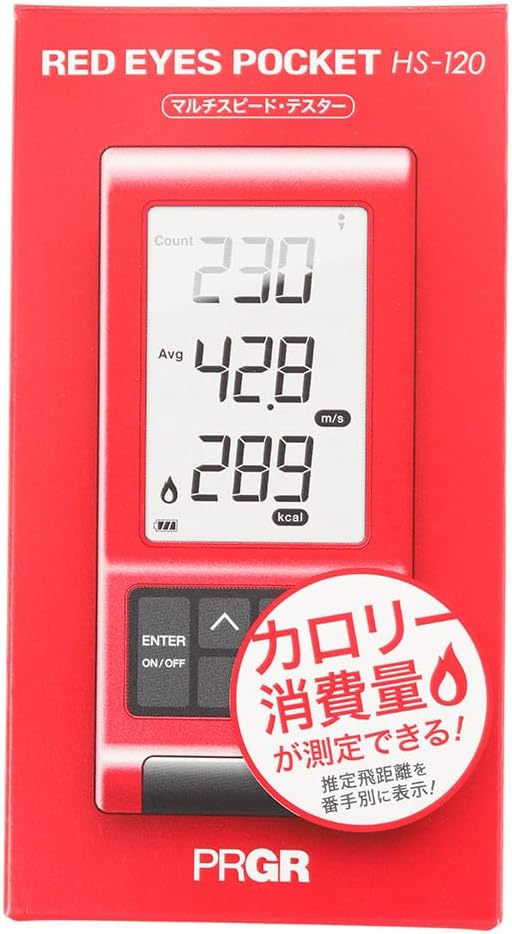
Figure 6.1: Retail packaging indicating multi-speed testing and calorie consumption features.
6.2. Taking a Measurement (Golf Mode Exampdet)
- Place the device on a flat, stable surface approximately 1 meter (3 feet) behind the ball, aligned with your swing path. Ensure there are no obstructions between the device and the ball/club.
- Select 'Golf Mode' using the MODE knap.
- Prepare for your swing.
- Execute your swing. The device will automatically detect the club head speed and ball speed.
- The measured values (Head Speed, Ball Speed, Estimated Carry Distance) will be displayed on the screen.
- The device can also track calorie consumption, which may be displayed or accessible via a dedicated 'Diet' button as seen on the device.
6.3. Forståelse af displayaflæsninger
Displayet viser typisk:
- HS (Head Speed): Your club head speed in meters per second (m/s) or miles per hour (mph).
- BS (Ball Speed): The speed of the ball immediately after impact.
- Bære: Estimated carry distance based on your swing and ball speed.
- Kalorieforbrug: An estimate of calories burned during your session (if applicable to the selected mode).
- Count/Avg: Number of swings taken and average speed.
6.4. Adviewing Past Data
The device stores a certain number of past measurements. Use the Up/Down buttons to scroll through previous readings. Consult the on-screen prompts or the device's quick guide for specific instructions on data review.
7. Vedligeholdelse
- Rensning: Wipe the device with a soft, dry cloth. Do not use abrasive cleaners or solvents. Ensure the sensor window is clean and free of dust or smudges for accurate readings.
- Opbevaring: Store the device in its carrying pouch in a cool, dry place when not in use. Avoid storing in areas with extreme temperatures or high humidity.
- Batteripleje: Replace batteries when the low battery indicator appears. If the device will not be used for an extended period, remove the batteries to prevent potential leakage and damage.
8. Fejlfinding
| Problem | Mulig årsag | Løsning |
|---|---|---|
| Enheden tænder ikke. | Døde eller forkert isatte batterier. | Kontroller batteripolariteten. Udskift med nye AAA-batterier. |
| No reading or inaccurate reading. | Incorrect device placement; sensor obstructed; environmental interference. | Ensure device is 1 meter behind the ball and aligned. Clean sensor window. Avoid using near strong electromagnetic fields. Ensure sufficient distance from other objects. |
| Skærmen er svag eller flimrer. | Lavt batteri. | Udskift batterierne. |
| Knapperne reagerer ikke. | Midlertidig softwarefejl; lavt batteri. | Remove and reinsert batteries. Replace batteries if low. |
Hvis problemet fortsætter efter at have prøvet disse løsninger, bedes du kontakte kundesupport.
9. Specifikationer
| Feature | Detalje |
|---|---|
| Modelnummer | HS-120 (GM042) |
| Farve | Gray, Red |
| Størrelse | Gratis størrelse |
| Håndfærdighed | Ambidekstrøs |
| Materiale | Plast |
| Batterier | 4 x AAA (inkluderet) |
| Seriens navn | RED EYES |
| Pakkedimensioner | 14.6 x 8 x 4.6 cm |
| Vægt | 162 g |
| Først tilgængelig på Amazon.co.jp | 18. juni 2019 |
10. Garanti og support
This product comes with a manufacturer's warranty. Please refer to the warranty card included in your package for specific terms and conditions. For technical support, troubleshooting assistance, or warranty claims, please contact PRGR customer service through their official website or the retailer where you purchased the product. Keep your purchase receipt as proof of purchase.
For more information, visit the official PRGR webwebstedet eller kontakt din lokale forhandler.