
1. Introduktion
The LaCie Mobile Drive is a high-capacity external hard drive designed for reliable data storage and portability. It offers seamless compatibility with Mac, PC, iPad, and iPhone devices via its USB-C interface. This manual provides essential information for setting up, operating, maintaining, and troubleshooting your device.
Hvad er der i æsken
- LaCie Mobile Drive 2TB
- USB-C-kabel
- Lynstartguide (ikke inkluderet i denne digitale manual)

Billede 1.1: Top view of the LaCie Mobile Drive. This image displays the sleek, space grey finish of the portable hard drive.
2. Opsætning
Follow these steps to set up your LaCie Mobile Drive for first-time use.
2.1 Tilslutning af drevet
- Locate the USB-C port on your LaCie Mobile Drive.
- Connect one end of the provided USB-C cable to the drive's USB-C port.
- Connect the other end of the USB-C cable to an available USB-C port on your computer (PC, Mac), iPad, or iPhone.

Billede 2.1: Side view of the LaCie Mobile Drive, highlighting the USB-C port for connection.

Image 2.2: The LaCie Mobile Drive connected to a laptop via its USB-C cable, ready for use.
2.2 Initialisering af drevet
The LaCie Mobile Drive is pre-formatted for compatibility with both Mac and Windows operating systems, allowing immediate use without reformatting. If you wish to optimize the drive for a specific operating system or partition it, you may use your system's disk utility software (e.g., Disk Utility on macOS, Disk Management on Windows).
2.3 Installing LaCie Toolkit Software
The LaCie Toolkit software provides features such as one-click backups, scheduled automatic backups, and folder mirroring. It is recommended to install this software for enhanced functionality.
- Upon connecting the drive, an installer for LaCie Toolkit may appear automatically. If not, navigate to the drive in your file explorer and launch the installer.
- Følg instruktionerne på skærmen for at fuldføre installationen.
- Register your product through the LaCie Toolkit for warranty and support purposes.
3. Betjening af drevet
Once connected and initialized, your LaCie Mobile Drive functions like any other external storage device.
3.1 Overførsel Files
At overføre files, simply drag and drop them to and from the LaCie Mobile Drive icon or folder in your operating system's file leder.
3.2 Using LaCie Toolkit for Backups
Launch the LaCie Toolkit application to access its features:
- Backup: Create one-click backups of selected files eller mapper.
- Skema: Set up automatic backup routines to ensure your data is regularly saved.
- Spejl: Synchronize folders across multiple devices, keeping them identical.
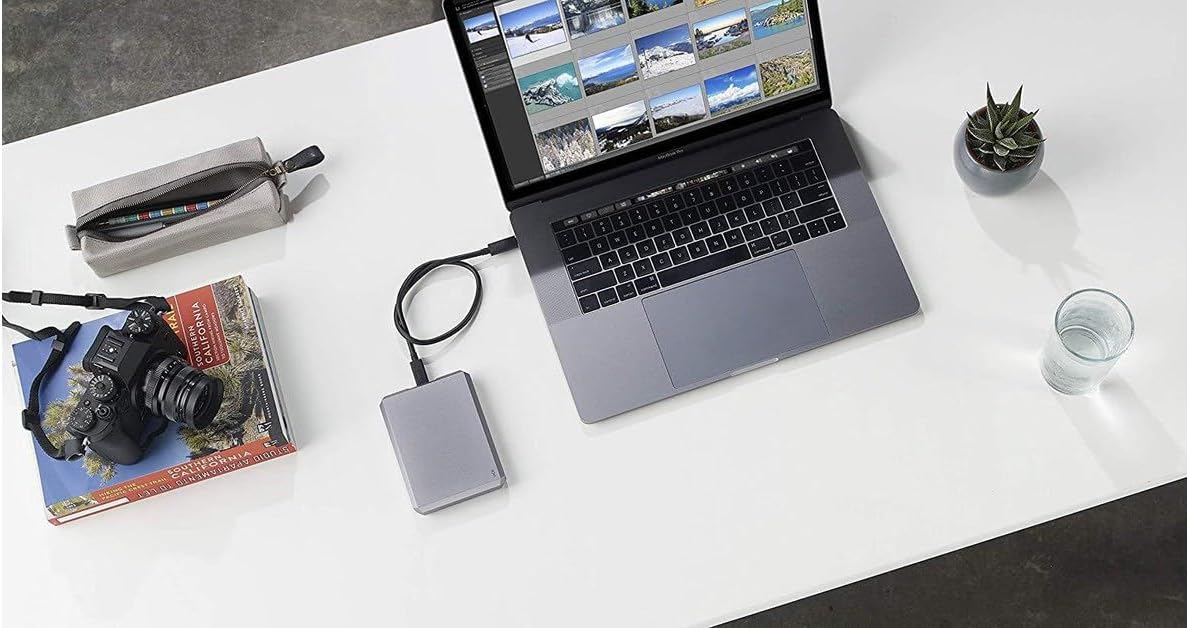
Image 3.1: The LaCie Mobile Drive positioned next to a laptop, demonstrating a typical setup for data management and creative work.
4. Vedligeholdelse
Proper maintenance ensures the longevity and optimal performance of your LaCie Mobile Drive.
4.1 Sikker udkastning
Always safely eject the drive from your computer or device before disconnecting the USB-C cable. This prevents data corruption and potential damage to the drive.
- MacOS: Træk drevikonet til papirkurven, eller højreklik på drevikonet, og vælg 'Skub ud'.
- Windows: Click the 'Safely Remove Hardware and Eject Media' icon in the system tray and select your drive.
4.2 Fysisk pleje
- Opbevar drevet i et rent og tørt miljø.
- Undgå at udsætte drevet for ekstreme temperaturer eller direkte sollys.
- Protect the drive from drops and impacts, as it contains sensitive internal components.
4.3 Softwareopdateringer
Periodically check for updates to the LaCie Toolkit software and your operating system to ensure compatibility and access to the latest features and security enhancements.
5. Fejlfinding
If you encounter issues with your LaCie Mobile Drive, refer to the following common troubleshooting steps.
5.1 Drev ikke genkendt
- Tjek kabelforbindelse: Ensure the USB-C cable is securely connected to both the drive and your device. Try a different USB-C port if available.
- Genstart enhed: Restart your computer, iPad, or iPhone and reconnect the drive.
- Test på en anden enhed: If possible, connect the drive to another compatible device to determine if the issue is with the drive or the original device.
- Check Disk Utility/Management: On macOS, open Disk Utility. On Windows, open Disk Management. See if the drive is listed, even if it's not mounted. You may need to initialize or format it if it's a new drive or has become corrupted.
5.2 Langsomme overførselshastigheder
- USB-port: Ensure you are using a USB 3.0 or USB 3.1 (USB-C) port on your device for optimal speeds. Older USB 2.0 ports will result in significantly slower transfers.
- Kabelkvalitet: Use the provided high-quality USB-C cable. Damaged or low-quality cables can affect performance.
- Baggrundsprocesser: Luk alle unødvendige programmer eller baggrundsprocesser, der muligvis bruger systemressourcer.
- Drevfragmentering: Over time, hard drives can become fragmented, which may reduce performance. Consider defragmenting the drive (Windows only) or reformatting it after backing up your data.
6. Specifikationer
| Modelnavn | LaCie STHG2000402 |
| Digital lagerkapacitet | 2000 GB (2 TB) |
| Harddisk interface | USB 3.1 |
| Forbindelsesteknologi | USB |
| Harddisk formfaktor | 2.5 tommer |
| Læs Speed | Op til 120 megabyte pr. sekund |
| Harddiskens rotationshastighed | 7200 RPM |
| Farve | Space Grey |
| Varens vægt | 200 gram |
| Kompatible enheder | PC, Mac, iPad, iPhone (with appropriate USB-C connection) |
7. Garanti og support
Your LaCie Mobile Drive comes with a comprehensive warranty and support services.
7.1 Begrænset garanti
Produktet indeholder en to års begrænset garanti fra købsdatoen. Denne garanti dækker materiale- og fabrikationsfejl ved normal brug. Gem venligst din købsbevis i tilfælde af garantikrav.
7.2 Datagendannelsestjenester til redning
Included with your purchase are two years of Rescue Data Recovery Services. In the event of unexpected data loss due to accidental damage or mechanical failure, this service provides professional data recovery attempts. For more details and to initiate a recovery case, please refer to the LaCie support webwebsted.
7.3 Teknisk support
For further assistance, technical support, or to access detailed FAQs and drivers, please visit the official LaCie support website. Ensure you have your product model number (STHG2000402) and serial number ready when contacting support.