
Indledning
The Rapoo 1680 Silent Wireless Mouse offers a comfortable and quiet computing experience. Featuring a reliable 2.4GHz wireless connection, 1000 DPI optical tracking, and a silent click design, it is suitable for various environments, including offices and libraries. Its ergonomic and ambidextrous design ensures comfortable use for extended periods, and a long battery life provides convenience.

Image: The Rapoo 1680 Silent Wireless Mouse, showcasing its sleek, ambidextrous design in white.
Hvad er der i æsken
Kontroller venligst, at alle varer er til stede i pakken:
- 1 x Wireless Mouse (Rapoo 1680)
- 1 x USB-modtager
- 1 x AA batteri
- 1 x brugsanvisning

Image: The underside of the Rapoo 1680 mouse with the battery compartment open, showing the included AA battery and the USB nano receiver.
Opsætningsinstruktioner
- Indsæt batteriet: Open the battery compartment located on the underside of the mouse. Insert the provided AA battery, ensuring correct polarity. Close the compartment securely.
- Indsæt USB-modtageren: Locate the USB nano receiver, typically stored within the battery compartment or packaged separately. Plug the USB receiver into an available USB port on your computer (PC, laptop, or tablet).
- Tænd musen: Slide the ON/OFF switch on the bottom of the mouse to the "ON" position. The mouse should now be powered on and ready for use.
- Automatisk forbindelse: The mouse is designed for plug-and-play functionality. Your computer should automatically detect and connect to the mouse within a few seconds. No additional drivers are typically required.
The Rapoo 1680 mouse is compatible with various operating systems, including Windows, Mac OS, Linux, and Chrome OS.
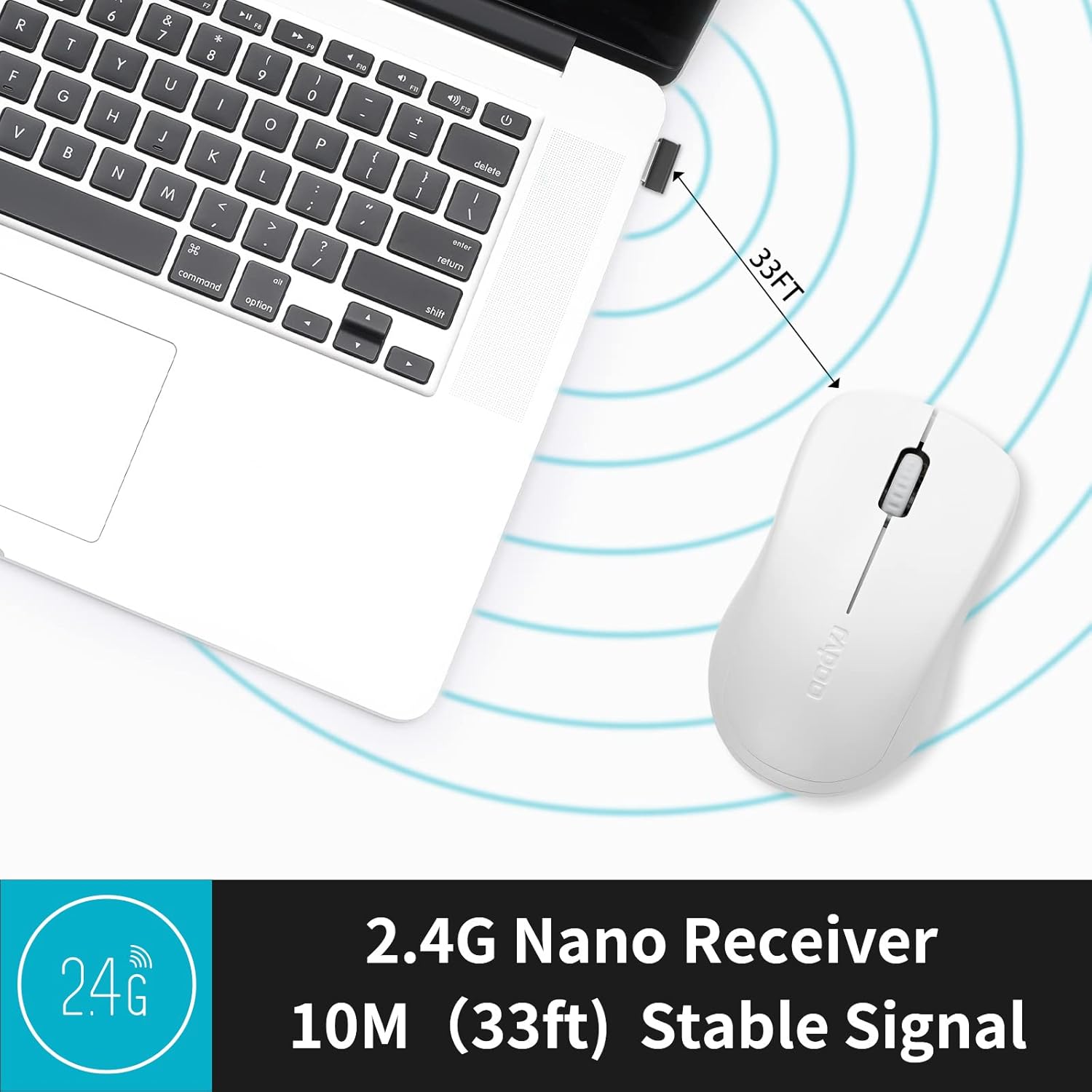
Image: A close-up of the 2.4G Nano Receiver plugged into a laptop, demonstrating the 10-meter (33ft) stable wireless signal range.

Image: The Rapoo 1680 mouse highlighting its wide compatibility with Windows, Mac OS, Linux, and Chrome operating systems.
Betjeningsvejledning
The Rapoo 1680 mouse features a standard 3-button layout for intuitive control.
- Venstre klik: Primær knap til valg af elementer, åbning files, og interaktion med software.
- Højreklik: Sekundær knap til adgang til kontekstmenuer og yderligere muligheder.
- Scrollhjul: Bruges til at scrolle gennem dokumenter og web sider. Scrollhjulet fungerer også som en midterste klikknap.
Design med lydløst klik: This mouse is engineered to reduce click sounds by up to 90%, providing a quiet environment without compromising the tactile click feel. This feature is particularly beneficial in quiet settings such as libraries or shared workspaces.
1000 DPI Optical Tracking: The high-definition 1000 DPI optical tracking engine ensures responsive and smooth cursor control on most surfaces.

Image: The Rapoo 1680 mouse demonstrating its silent click feature, ideal for quiet environments.

Image: A user operating the Rapoo 1680 mouse in a library, emphasizing its quiet operation for undisturbed work.
Opretholdelse
- Udskiftning af batteri: When the mouse performance degrades or stops responding, it may be time to replace the AA battery. Open the battery compartment, remove the old battery, and insert a new AA battery with the correct polarity.
- Rensning: Brug en blød, tør klud til at rengøre musens yderside. Brug en vatpind, der er let fugtet med den optiske sensor.ampened with rubbing alcohol, ensuring no liquid enters the mouse's internal components.
- Opbevaring: When not in use for an extended period, slide the ON/OFF switch to the "OFF" position to conserve battery life. The USB receiver can be stored inside the mouse's battery compartment for safekeeping.
Fejlfinding
- Musen reagerer ikke:
- Ensure the mouse is switched "ON" using the ON/OFF switch on the bottom.
- Check if the AA battery is correctly inserted and has sufficient charge. Replace if necessary.
- Kontroller, at USB-modtageren er korrekt tilsluttet en fungerende USB-port på din computer. Prøv en anden USB-port.
- Uregelmæssig markørbevægelse:
- Rengør den optiske sensor på undersiden af musen.
- Sørg for at bruge musen på en passende overflade. Undgå meget reflekterende eller gennemsigtige overflader.
- Forbindelsesproblemer:
- Remove and re-insert the USB receiver.
- Move the mouse closer to the USB receiver to rule out range issues (maximum 10 meters).
Specifikationer
| Feature | Detalje |
|---|---|
| Mærke | Rapoo |
| Modelnavn | 1680 |
| Forbindelsesteknologi | USB (2.4GHz Wireless) |
| Bevægelsesdetekteringsteknologi | Optisk |
| Mouse Maximum Sensitivity | 1000 DPI |
| Knap Antal | 3 |
| Håndorientering | Ambidekstrøs |
| Strømkilde | Batteridrevet (1 x AA-batteri medfølger) |
| Batteriets gennemsnitlige levetid | Op til 12 måneder |
| Wireless Range | 10 meter (33 fod) |
| Varens vægt | 58 gram |
| Emnedimensioner (L x B) | 4.33 cm L x 2.56 cm B |
| Kompatible enheder | Personlig computer |
| Operativsystem | Windows, Mac OS, Linux, Chrome OS |
| Indkapslingsmateriale | Plast |
| Slutte | Mat |

Image: Detailed dimensions of the Rapoo 1680 mouse, showing its length and width.
Officiel produktvideo
Video: An official product video from RAPOO showcasing the features and benefits of the Rapoo 1680 Silent Wireless Mouse, including its silent clicks, ergonomic design, and ease of use.
Garanti og support
The Rapoo 1680 Silent Wireless Mouse comes with a 1 års garanti fra købsdatoen. Denne garanti dækker fabrikationsfejl og sikrer pålidelig ydeevne under normale brugsforhold.
For technical support, warranty claims, or any product-related inquiries, please contact Rapoo customer service. Refer to the Rapoo official website or the product packaging for the most up-to-date contact information.
RAPOO is committed to providing high-performance and high-quality peripheral products. If you have any questions or require assistance, please do not hesitate to reach out to their support team.