

1. Introduktion
Thank you for choosing the Physionics ELTR01 Elliptical Trainer. This manual provides essential information for the safe assembly, operation, and maintenance of your fitness equipment. Please read it thoroughly before use and keep it for future reference.
The Physionics ELTR01 is designed to provide an effective full-body cardio workout in the comfort of your home, engaging various muscle groups while being gentle on your joints.

Image 1.1: Physionics ELTR01 Elliptical Trainer in use.
2. Sikkerhedsoplysninger
- Rådfør dig med en læge, før du starter et nyt træningsprogram.
- Hold børn og kæledyr væk fra udstyret under brug.
- Place the trainer on a flat, stable surface with adequate clearance around it.
- Sørg for, at alle bolte og møtrikker er forsvarligt spændt før hver brug.
- Overskrid ikke den maksimale brugervægt på 120 kg (265 lbs).
- Brug passende træningstøj og fodtøj.
- Stop med at træne med det samme, hvis du føler dig svimmel, føler dig svag eller oplever smerter.
- The equipment is for home use only, not for commercial or therapeutic purposes.

Image 2.1: Maximum user weight capacity of 120 kg (265 lbs).
3. Pakkens indhold
Please check that all components are present and undamaged. If any parts are missing or damaged, contact customer support.
- Hovedrammekomponenter
- Pedaler (2)
- Handlebars (2) with Pulse Sensors
- LCD-skærm
- Abdominal Support Pad
- Samlebeslag (bolte, skiver, møtrikker)
- Assembly Tools (wrenches, Allen keys)
- Brugermanual
4. Opsætning og montering
Assembly typically requires two people. Follow the numbered steps in the included assembly diagram. Ensure all connections are secure before use.
- Pak alle komponenter ud, og læg dem på en ren, plan overflade.
- Fastgør de forreste og bageste stabilisatorer til hovedrammen ved hjælp af de medfølgende bolte og skiver.
- Mount the main upright post to the base frame.
- Connect the handlebars and pedal arms to the main frame, ensuring proper alignment.
- Install the abdominal support pad onto its adjustable post.
- Attach the LCD monitor to its bracket and connect the sensor wires (pulse and speed).
- Secure the pedals to the pedal arms.
- Double-check all bolts and nuts for tightness.

Image 4.1: Product dimensions for placement planning.
5. Betjeningsvejledning
5.1 Kom godt i gang
Step onto the pedals one foot at a time, holding onto the handlebars for balance. Begin a smooth, elliptical motion. The movement should feel natural and fluid.

Image 5.1: Key features of the elliptical trainer.
5.2 LCD-skærmens funktioner
The digital LCD monitor tracks your workout progress. It typically displays the following functions:
- PULS: Your heart rate (when holding the pulse sensors).
- TID: Varigheden af din nuværende træning.
- SAMLET TID: Cumulative workout time.
- KALORIER: Anslået forbrændte kalorier.
- RPM (omdrejninger pr. minut): Speed of your pedal strokes.
- SCAN: Skifter automatisk gennem alle displayfunktioner.
Use the 'MODE' button to select a specific function or 'SCAN' mode. The 'RESET' button clears all values.

Image 5.2: Close-up of the LCD monitor and its functions.
5.3 Adjustable Abdominal Support
The abdominal support pad can be adjusted for height and depth to provide comfort and stability during your workout. Loosen the adjustment knob, position the pad, and then tighten the knob securely.

Image 5.3: Detail of the two-way adjustable abdominal support.
5.4 Grip Pulse Monitor
To measure your heart rate, firmly grasp the pulse sensors on the handlebars. Your pulse will be displayed on the LCD monitor after a few seconds.

Image 5.4: How to use the grip pulse monitor.
5.5 Non-Slip Pedals
The textured, non-slip pedals are designed to ensure stability and safety during your exercise. Always ensure your feet are centered and secure on the pedals.
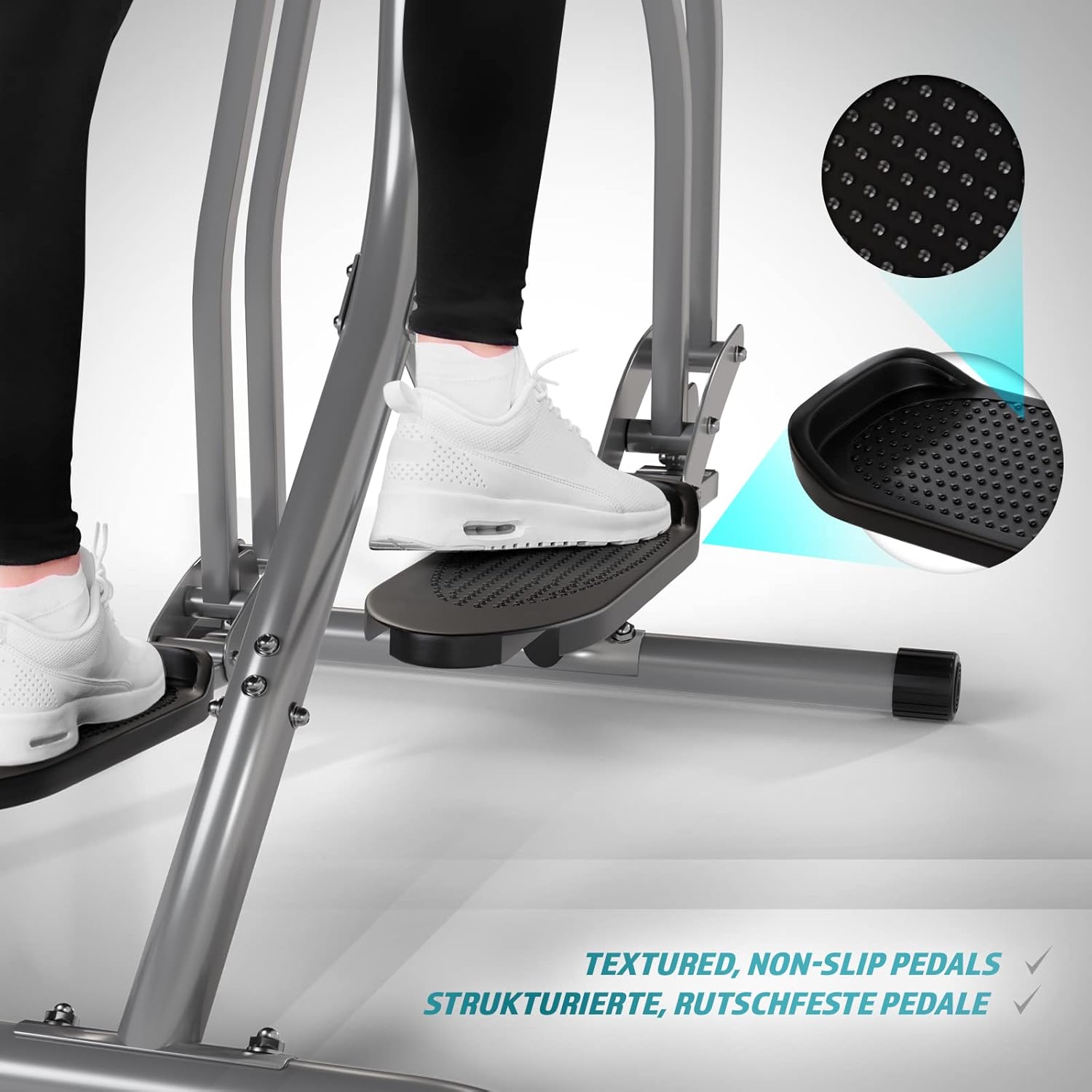
Image 5.5: Detail of the non-slip pedal surface.
5.6 Benefits of Elliptical Training
Elliptical training offers a low-impact workout that is beneficial for cardiovascular health, calorie burning, muscle toning, and improving balance and coordination. It is particularly gentle on joints compared to high-impact exercises.

Image 5.6: Elliptical training is gentle on joints.
6. Vedligeholdelse
- Rensning: Tør træningsskoen af med reklameamp en klud efter hver brug for at fjerne sved og støv. Brug ikke slibende rengøringsmidler.
- Inspektion: Kontrollér regelmæssigt alle bolte, møtrikker og bevægelige dele for fastspænding og slitage. Spænd eventuelle løse fastgørelseselementer.
- Smøring: Apply a small amount of silicone-based lubricant to moving joints and pivot points every few months to ensure smooth operation and prevent squeaking.
- Opbevaring: Store the trainer in a dry, cool place away from direct sunlight and moisture.
7. Fejlfinding
| Problem | Mulig årsag | Løsning |
|---|---|---|
| LCD-skærmen viser ikke | Dead batteries; Loose sensor connection | Replace batteries; Check and secure all sensor cables. |
| Knirkende eller skurrende lyd | Løse bolte; Mangel på smøring; Slidte dele | Tighten all bolts; Lubricate moving joints; Contact support if noise persists. |
| Unøjagtig pulsaflæsning | Hands not firmly on sensors; Dry hands | Ensure firm, consistent contact with sensors; Slightly moisten hands if too dry. |
| Ustabil under brug | Uneven surface; Loose frame connections | Move to a level surface; Check and tighten all frame bolts. |
8. Specifikationer
| Feature | Detalje |
|---|---|
| Modelnavn | Air Walker |
| Modelnummer | ELTR01 |
| Mærke | Fysik |
| Farve | Sølv/sort |
| Produktmål (L x B x H) | 97 x 60 x 144.5 cm |
| Varens vægt | 17 kilo |
| Hovedmateriale | Steel, Plastic, Foam |
| Modstandsmekanisme | Air, Manual |
| Maksimal vægtanbefaling | 120 kilo |
| Maximum Step Length | 90 centimeter |
| Skærmstørrelse | 90 Centimeters (Note: This value from source data may refer to step length or a general display size, not the physical screen size of the LCD monitor.) |
| Fabrikant | FF Europe |
9. Garanti og support
For warranty information, please refer to the documentation included with your purchase or contact your retailer. If you require technical assistance, have questions about assembly, or need replacement parts, please contact Physionics customer support through their official webwebstedet eller de kontaktoplysninger, der blev angivet ved køb.
Please have your model number (ELTR01) and purchase date ready when contacting support.