
1. Introduktion
Tak for købetasing the FINLUX 32-FHD-5620 32-inch Smart HD Ready LED TV. This television combines high-definition viewing with smart features, including Freeview Play, Amazon Prime Video, and Alexa compatibility. This manual provides essential information for setting up, operating, and maintaining your new television. Please read it thoroughly before use and retain it for future reference.
2. Sikkerhedsoplysninger
Overhold altid følgende sikkerhedsforanstaltninger for at undgå elektrisk stød, brand eller beskadigelse af fjernsynet.
- Strømkilde: Tilslut kun tv'et til en vekselstrømsforsyning som angivet på etiketten.
- Ventilation: Sørg for tilstrækkelig ventilation. Bloker ikke ventilationsåbningerne.
- Vand og fugt: Udsæt ikke tv'et for regn eller fugt. Placer ikke genstande fyldt med væsker oven på tv'et.
- Rensning: Tag stikket ud af tv'et før rengøring. Brug en blød, tør klud. Brug ikke flydende rengøringsmidler eller rengøringsmidler på sprayform.
- Placering: Placer tv'et på en stabil, plan overflade. Undgå at placere det i direkte sollys eller i nærheden af varmekilder.
- Service: Forsøg ikke selv at reparere TV'et. Overlad al service til kvalificeret servicepersonale.
3. Hvad er der i æsken
Pak forsigtigt dit fjernsyn ud, og kontroller, at alle følgende dele er inkluderet:
- FINLUX 32-FHD-5620 32-inch Smart HD Ready LED TV
- Fjernbetjening (med 2 AAA-batterier inkluderet)
- TV Stand
- Instruktionshæfter
- Strømkabel

Billede 1: Forside view of the FINLUX 32-FHD-5620 TV with a colorful landscape displayed on screen, showcasing its design and central stand.
4. Opsætning
4.1 Montering af stativet
- Placer tv'et med forsiden nedad på en blød, ren overflade for at forhindre, at skærmen beskadiges.
- Juster stativet med monteringshullerne i bunden af tv'et.
- Fastgør stativet med de medfølgende skruer. Sørg for, at det er ordentligt fastgjort.
- Løft forsigtigt tv'et op på en stabil overflade.
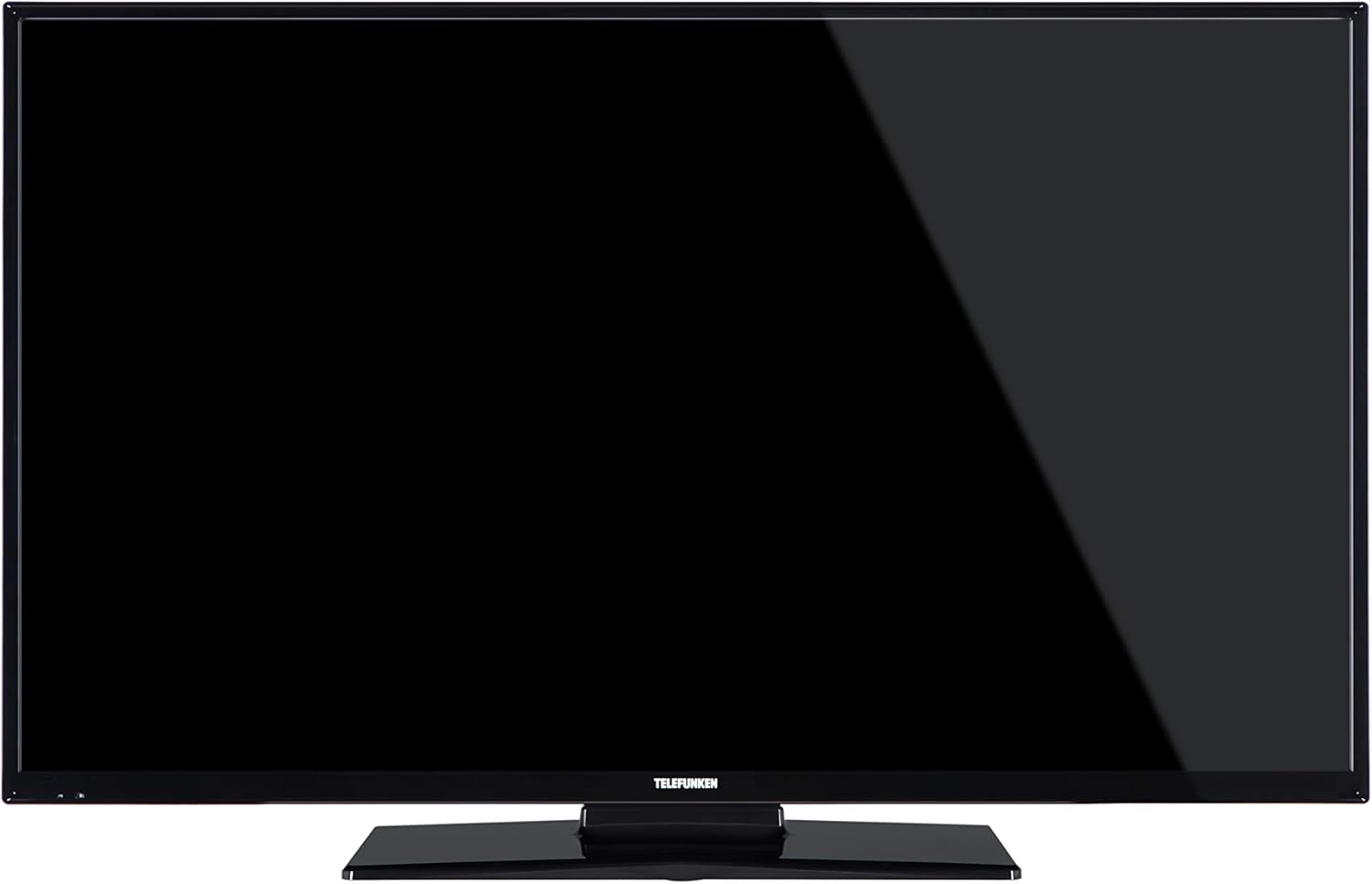
Billede 2: Forside view of the FINLUX 32-FHD-5620 TV with a black screen, demonstrating the TV's appearance with the stand installed.
4.2 Vægmontering (valgfrit)
If you choose to wall mount your TV, ensure you use a VESA-compatible wall mount kit (not included) and follow the instructions provided with the wall mount. Always consult a professional for wall mounting to ensure safety and proper installation.
4.3 Tilslutning af eksterne enheder
Your FINLUX TV offers various connectivity options. Refer to the image below for port locations.

Billede 3: Side view of the FINLUX 32-FHD-5620 TV, highlighting the accessible input ports for external devices.
- HDMI: Tilslut Blu-ray-afspillere, spillekonsoller eller set-top-bokse.
- USB: Tilslut USB-lagerenheder til medieafspilning.
- Antenne/kabel: Connect your aerial for Freeview Play channels.
- Ethernet: Til en kablet internetforbindelse.
- VGA: Tilslut en computer.
4.4 Strømtilslutning
Plug the power cable into the TV's power input, then into a wall socket.
4.5 Guide til indledende opsætning
Når du tænder det første gang, vil TV'et guide dig gennem en indledende opsætningsproces. Dette omfatter:
- Valg af sprog.
- Valg af land/region.
- Channel scanning (for Freeview Spil).
- Netværksforbindelse (Wi-Fi eller Ethernet).
- Time zone settings.
5. Betjening af dit TV
5.1 Fjernbetjening
Insert the two AAA batteries into the remote control, ensuring correct polarity. The remote allows you to control all TV functions, including power, volume, channel selection, smart TV navigation, and menu access.
5.2 Grundlæggende tv-funktioner
- Tænd/sluk: Tryk på tænd/sluk-knappen på fjernbetjeningen eller tv'et.
- Lydstyrkekontrol: Brug VOL +/- knapperne.
- Kanalvalg: Brug CH +/- knapperne eller det numeriske tastatur.
- Inputkilde: Press the SOURCE button to switch between HDMI, USB, TV, etc.
5.3 Smart TV-funktioner
Your FINLUX Smart TV provides access to a range of online content and services.
- Gratisview Spil: Access over 60 TV channels and up to 15 HD channels. Scroll back in the TV Guide (EPG) to watch programs from the last 7 days from BBC iPlayer, ITV Hub, All 4, and Demand 5. Ensure your TV is connected to the internet.
- Amazon Prime Video: Enjoy a wide selection of movies and TV shows.
- Alexa Integration: Control your TV using voice commands through an Amazon Echo or Echo Dot device. Pair your Alexa device with your TV to enable this feature.
- Amazon Dash Replenishment: This feature allows the TV to automatically reorder batteries when they run low. Register for this service via the Dash Replenishment application on your TV.
5.4 Netværksforbindelse
To access Smart TV features, your TV must be connected to the internet.
- Wi-Fi: Navigate to the TV's network settings, select your Wi-Fi network, and enter the password.
- Ethernet: Tilslut et Ethernet-kabel fra din router til LAN-porten på tv'et.
6. Vedligeholdelse
6.1 Rengøring af dit TV
- Tag altid stikket ud af tv'et inden rengøring.
- Brug en blød, tør og fnugfri klud til at tørre skærmen og kabinettet af.
- Do not use liquid or spray cleaners, as they may damage the screen or cabinet.
6.2 Softwareopdateringer
Dit tv modtager muligvis softwareopdateringer for at forbedre ydeevnen og tilføje nye funktioner. Sørg for, at dit tv har internetforbindelse for at modtage disse opdateringer automatisk, eller tjek manuelt efter dem i indstillingsmenuen.
7. Fejlfinding
Hvis du støder på problemer med dit tv, kan du se følgende almindelige problemer og løsninger.
| Problem | Mulig løsning |
|---|---|
| Ingen strøm | Check if the power cable is securely plugged into the TV and the wall outlet. Ensure the wall outlet has power. |
| Intet billede, men der er lyd | Kontrollér inputkilden. Sørg for, at eksterne enheder er tændt og tilsluttet korrekt. Prøv et andet HDMI-kabel. |
| Ingen lyd, men der er billede | Kontroller lydstyrkeniveauet. Sørg for, at lydløs ikke er aktiveret. Kontroller lydindstillinger og eksterne lydforbindelser. |
| Fjernbetjening virker ikke | Udskift batterierne. Sørg for, at der ikke er nogen forhindringer mellem fjernbetjeningen og tv'ets IR-sensor. |
| Kan ikke oprette forbindelse til Wi-Fi | Ensure your router is on and working. Re-enter the Wi-Fi password. Try restarting your router and TV. |
| Smart features not loading | Check your internet connection. Restart the TV. Ensure the TV's software is up to date. |
Hvis problemet fortsætter efter at have prøvet disse løsninger, bedes du kontakte kundesupport.
8. Specifikationer
| Modelnummer | 32-FHD-5620 |
| Mærke | FINLUX |
| Skærmstørrelse | 32 tommer |
| Displayteknologi | LED |
| Opløsning | HD Ready (e.g., 1366x768 pixels). Note: Specifications mention 4K resolution, which may refer to supported input signals. The panel's native resolution is HD Ready. |
| Opdateringshastighed | 50 Hz |
| Særlige funktioner | Amazon Dash Replenishment, Works with Alexa, Freeview Play, Smart TV |
| Forbindelsesteknologi | Ethernet, HDMI, USB, VGA |
| Understøttede internettjenester | Alexa, Amazon Prime Video |
| Monteringstype | Wall Mount, Table Mount |
| Batterier | 2 AAA-batterier (medfølger til fjernbetjening) |
| Pakkemål (ca.) | 91 x 58 x 15.5 cm |
| Pakkevægt (ca.) | 7.1 kg |
9. Garanti og support
9.1 Garantioplysninger
Your FINLUX TV is covered by a manufacturer's warranty. Please refer to the warranty card included in your product packaging or visit the official FINLUX webwebstedet for detaljerede garantivilkår og -betingelser. Gem din købsbevis til garantikrav.
9.2 Kundesupport
For technical assistance, troubleshooting beyond this manual, or service inquiries, please contact FINLUX customer support. Contact details can typically be found on the official FINLUX webwebstedet eller i den dokumentation, der fulgte med dit tv.
Online support: Visit the official FINLUX website for FAQs, software downloads, and support contact information.